A customer writes: "My order was supposed to arrive yesterday. Where is it?" Your newest team member freezes. What do they say first? Do they apologize? Ask for the order number? Promise a date?
That's what customer service scripts are for. A good script gives your team a clear starting point for the conversations that happen every day, so customers get fast, friendly and consistent answers, whether they call, chat or email.
Below you'll find 30 ready-to-copy script examples grouped by situation, from greetings and order delays to upset customers and closing lines. We also cover how to write your own script and how to use it without sounding like a robot.
What is a customer service script?
A customer service script is a prepared set of words your support agents can use in common situations. It can be a full word-for-word call center script (a call centre script, if you're in the UK), or just a few key lines and steps the agent adapts. The same idea works for every channel: phone, chat, email and social messages.
A script is not only for a big contact center. A two-person shop answering Instagram DMs benefits just as much as a team of fifty call center agents.
Most teams use scripts for:
- Greetings and closings, so every conversation starts and ends well.
- Common questions like shipping times, returns and password resets.
- Hard moments such as complaints, refunds, delays and saying no.
- Handoffs, like putting someone on hold or transferring a call or chat.
Think of a script as a map, not a cage. It shows the route, but the agent still drives.
Why scripts matter for customer experience
- Faster replies. Agents don't need to think up the perfect sentence every time.
- Consistent answers. Every customer hears the same refund policy, not five different versions.
- Easier training. New people learn faster when the common answers are written down. Scripts help with customer service training and product knowledge at the same time.
- Calmer hard calls. A tested script keeps agents steady when a customer is shouting. A new call center agent on their first day needs that most.
- A clear brand voice. Friendly, formal, playful: the script sets the tone for everyone.
Done right, scripts ensure consistent and high-quality customer service, meet customer expectations and improve customer satisfaction. They help customer service teams provide great customer service on busy days, not just quiet ones. Done badly, they make agents sound robotic. More on that below.
What a good customer service script template includes
Most effective call center scripts and chat scripts follow the same simple call flow:
- Greeting: who you are and the company name.
- Understanding: ask the customer what's going on, and listen.
- Empathy: show you get why it matters to them.
- Verification: confirm the account or order, if needed.
- Solution: the answer or next step, in plain words.
- Check: make sure the issue is resolved to their satisfaction.
- Closing: thank them and leave the door open.
Use brackets for the parts that change, like [Name], [order number] or [date]. Then save each template where agents can find it in a second.
Greeting script examples
The first line sets the tone. Keep it short and warm.
1. Call center greeting
"Thank you for calling [Company], this is [Name]. How can I help you today?"
2. Returning customer greeting
"Hi [Customer name], good to hear from you again. What can I do for you today?"
3. Live chat greeting
"Hi there! I'm [Name] from [Company]. What can I help you with?"
4. Chat greeting with an AI assistant first
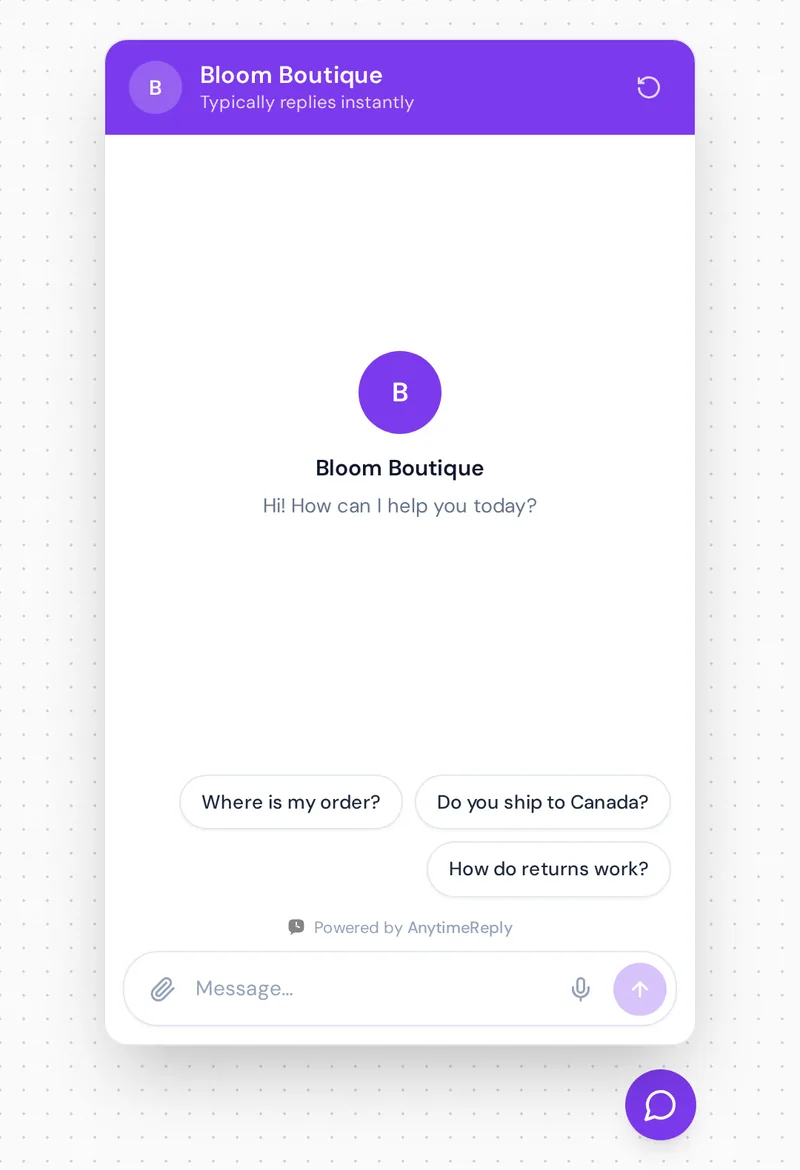
"Hi! I'm the [Company] assistant. I can help with orders, shipping and returns, or connect you with our team. What do you need?"
5. Email greeting
"Hi [Name], thanks for reaching out to us. I've looked into your question and here's what I found."
Customer service live chat script examples
Chat is faster and more casual than a call. Customer service chat scripts should be shorter, use plain words and get to the point. Customers often do something else while they wait, so give them a clear answer they can read in one look.
6. When you need a minute to check
"Good question, let me check that for you. It will take about two minutes."
7. Asking for the order number
"Happy to help with that. Could you share your order number? It starts with # and is in your confirmation email."
8. Sharing a help article
"Here's a short guide that walks you through it step by step: [link]. Would you like me to stay in the chat while you try it?"
9. When the customer goes quiet
"Just checking in, are you still there? If I don't hear back in a few minutes, I'll close this chat, but you can reply any time and we'll pick it up."
10. Transferring the chat
"This one is best handled by our billing team. I'm passing your chat to them now with a summary, so you won't need to repeat anything."
Customer service scripts for angry customers
When someone is upset, the script's job is to slow things down. Listen first, apologize for the experience, then move to a fix. Don't argue, don't blame, and don't paste a long policy.
A few phrases do a lot of work here: “I understand”, “I’m sorry this happened” and “Here's what I'll do”. Positive language matters too. Say what you can do, not just what you can't.
11. Acknowledging the problem
"I'm really sorry about this, [Name]. I can see why you're frustrated, and I want to fix it for you. Let me look at your order right now."
12. When the company made a mistake
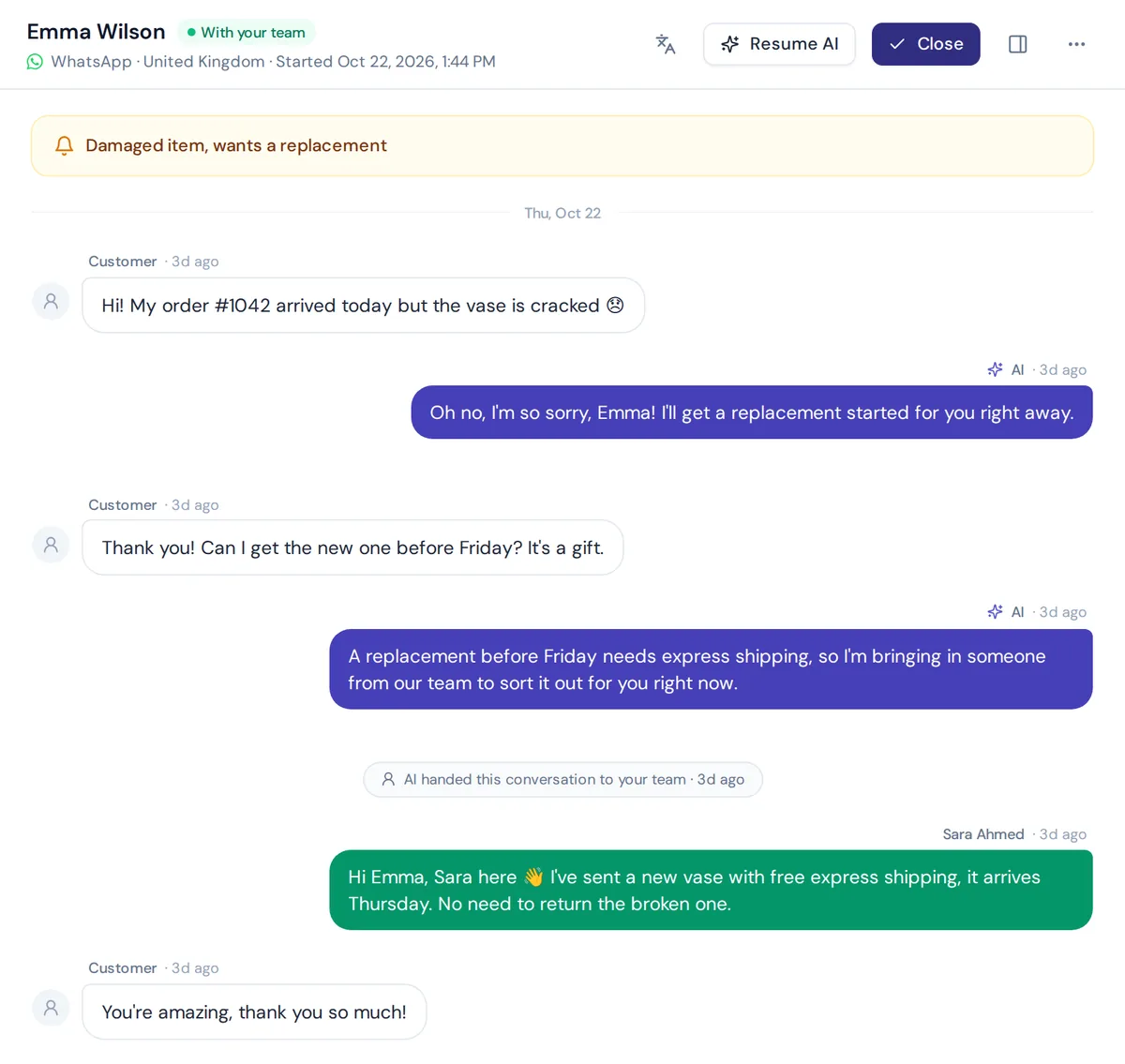
"You're right, we got this wrong, and I apologize. I've sent a replacement today, and I'd like to offer you a free upgrade to express shipping. You'll get the tracking number by email within the hour."
13. When the customer is shouting or rude
"I want to help you sort this out. I can do that best if we work through it together. Can you tell me what happened, step by step?"
14. When you need to escalate
"I understand this needs more than I can do on my own. I'm bringing in my manager, [Name], who can approve this. They'll reply within [time]."
15. Bad review or public complaint
"Hi [Name], we're sorry to hear about this. That's not the experience we want for anyone. Could you send us a direct message with your order number so we can make it right?"
Scripts for common customer service scenarios
16. Order delay
"Thanks for your patience, [Name]. Your order is delayed because [reason]. The new delivery date is [date]. I'm sorry for the wait. If it doesn't arrive by then, reply here and I'll sort it out right away."
17. Refund request
"I've started your refund for [amount]. It usually shows in your account within [number] business days, depending on your bank. You'll get a confirmation email shortly."
18. Saying no politely
"I wish I could do that for you. Our policy doesn't allow returns after [number] days, but here's what I can offer: [alternative]. Would that work for you?"
19. Product out of stock
"That item is sold out right now. I can let you know as soon as it's back, or suggest something similar. Which would you prefer?"
20. Troubleshooting a technical problem
"Let's fix this together. First, could you try [step one]? Tell me what you see after that and we'll go from there."
21. When you don't know the answer
"That's a great question and I want to give you the right answer, not a guess. Let me check with the team and get back to you by [time]."
22. Upsell without being pushy
"Since you're ordering the [product], a lot of customers also pick up [accessory]. Want me to add it? No problem if not."
Examples of call center scripts for phone support
Phone calls need a few extra lines, because the customer can't see what you're doing.
23. Putting a caller on hold
"Would you mind if I put you on a short hold while I check this? It should take about two minutes."
24. Coming back from hold
"Thank you so much for your patience. I've got the details here."
25. Offering a call back
"I don't want to keep you waiting. Can I call you back at this number by [time] with the answer?"
26. Follow-up call
"Hi [Name], it's [Name] from [Company]. I wanted to touch base and make sure your replacement arrived okay. Is everything working as it should?"
Closing script examples
27. Standard closing
"Is there anything else I can help you with today?"
28. After solving a problem
"I'm glad we got that sorted. Has everything been resolved to your satisfaction? If anything else comes up, just reply here or contact us any time, we're always here to help."
29. Asking for feedback
"Before you go, could you rate this chat? It takes one click and helps us get better."
30. Email sign-off
"Thanks again for your patience, [Name]. If you have any other questions, just reply to this email and it'll come straight to me. Best, [Your name], [Company] Support"
How to write your own script (and keep it effective)
- Collect real conversations. Pull your 20 most common questions from old calls, chats and emails, and note the questions customers ask about each product or service.
- Write the answer as you'd say it. Short sentences, plain words, no jargon.
- Add the steps. What to check, what to ask, when to escalate.
- Mark the flexible parts. Use brackets for names, dates and amounts.
- Test it out loud. If it sounds strange when spoken, rewrite it.
- Get feedback from agents. The people who use the script every day know what customers actually say. Reading real conversations can help you spot lines that confuse customers and agents alike.
- Refine it monthly. Policies change, and new scripts should replace old ones quickly.
Best practices: sound human with every customer
The biggest complaint about scripted support is that agents sound like robots. Here's how to avoid it:
- Use the customer's name, but not in every sentence. It makes the customer feel like a person, not a ticket.
- Treating scripts as guides works best. Agents should change the words to fit the person on the other end. If part of the script doesn't fit, skip it.
- Listen before you paste. A perfect answer to the wrong question is still wrong.
- Match the customer's tone. Short and casual on chat, a bit warmer on the phone.
- Build rapport and make it personal. A small human line ("Oh no, right before the weekend!") makes the customer feel heard.
- Don't over-apologize. One real apology beats five "sorry for the inconvenience" lines.
Remember that scripts are there to help agents, not to replace them. Every call and every chat is a chance to turn a bad customer moment into a good one. The best customer service experience comes from a person who knows the script well enough to leave it when needed.
How AnytimeReply helps you put scripts to work
Scripts help people give excellent customer support. But many of the questions they cover (order status, shipping times, return rules) don't need a person at all. That's where an AI agent can take over the routine part.
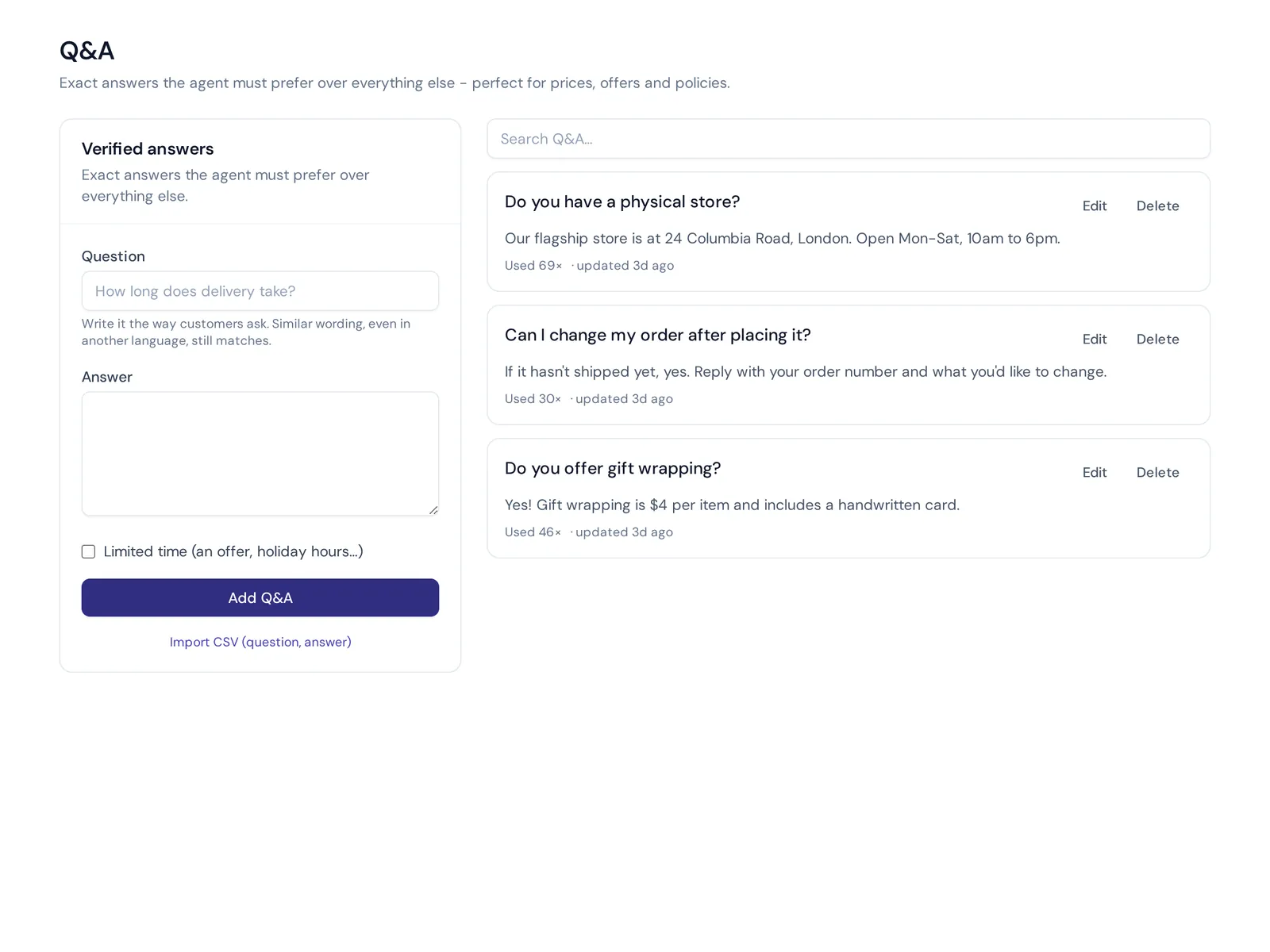
- Your answers, used by the AI. Write your best answers as Q&A, and the AI agent always prefers them over other sources. It replies in the customer's language, day and night.
- Procedures for hard cases. On paid plans, write how your team handles refunds and exchanges as plain steps. Required steps, approvals and amount limits are enforced.
- Handoff when it matters. When a customer is upset or asks for a person, the chat goes to your team in the helpdesk with a summary. Your agents use your scripts from there.
- AI help for agents. Team members can ask the AI to rewrite or translate a reply before sending it.
One honest note: AnytimeReply works on chat, messaging apps and email. It doesn't answer phone calls, so your phone scripts stay with your team.
How to measure if your scripts work
- Customer ratings (CSAT) after chats or calls that used the script.
- Resolution on first contact: did the customer need to come back?
- Handling time: shorter is good, unless ratings drop.
- Customer interactions reviewed: read a few real conversations every week, not just the numbers.
- Escalation rate for each script.
- Agent feedback: which lines feel awkward to say?
Good scripts improve customer loyalty and customer retention over time, because people remember how you made them feel.
Frequently asked questions
Can you give me an example of scripting in customer service?
Sure: "Thank you for calling [Company], this is [Name]. How can I help you today?" is a simple phone greeting. Most teams have scripts like this for greetings, holds, refunds and closings.
Should customer service agents use scripts word for word?
For legal or compliance lines, yes. For everything else, it's better to learn the key points and say them naturally.
How do you handle angry customers with a script?
Listen first, apologize for the experience, show you understand, then explain exactly what you'll do and when. Keep it short and calm.
What are some scenarios to practice customer service?
Try an order delay, a refund request, a product out of stock, a technical problem, a rude customer and a request you have to say no to. Role-play each one with a script.
How can customer service be automated?
Start with the questions you answer most often. An AI agent trained on your website and verified answers can handle those on chat and email, and pass the rest to your team.
What's the difference between a chat script and a call script?
Chat scripts are shorter and easier to scan, and can include links. Call scripts need hold and transfer lines, and should sound natural when spoken.
Final thoughts
Customer service scripts make your team faster, calmer and more consistent. Start with the 30 examples above, change the words to match your brand voice and keep improving them with real conversations.
And if you'd like an AI to handle the routine questions while your team focuses on the hard ones, start free with AnytimeReply. No card needed.
Published 31 October 2026 by AnytimeReply team