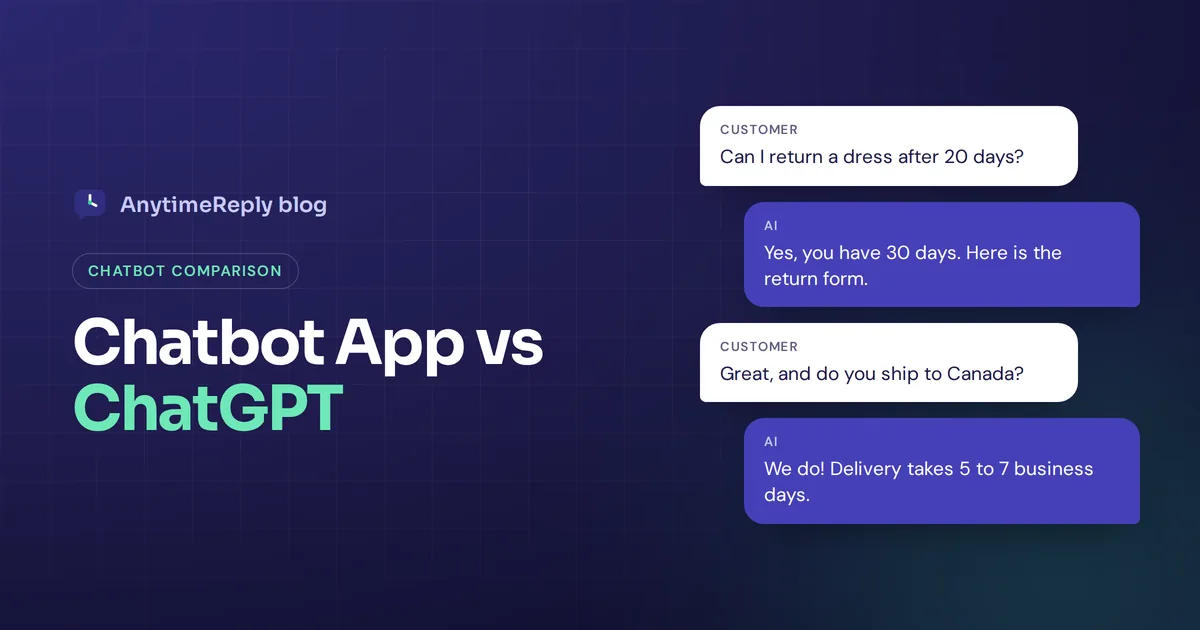
A customer asks your website chat, "Can I return a dress after 20 days?" ChatGPT will give a smart, general answer about how return policies usually work. A business chatbot trained on your store will say, "Yes, you have 30 days, and here is the return form." That gap is the heart of the chatbot app vs ChatGPT question.
ChatGPT is one famous AI chatbot. "Chatbot" is the whole category: any software that chats with people. So the real question is not which one is smarter. It's which one fits the job you have.
We build a customer support chatbot, so we have a bias. We also use general AI assistants every day, and we'll be honest about where each one wins.
Chatbot vs ChatGPT: the short answer
Every ChatGPT conversation is a chatbot conversation, but not every chatbot is ChatGPT.
- ChatGPT is a general AI assistant created by OpenAI. It's great at writing, coding, explaining and brainstorming for one person at a time, with a user-friendly, conversational interface.
- A business chatbot is a tool a company puts in front of its customers. It answers each inquiry from the company's own content, lives on the website or in messaging apps, follows rules and passes hard chats to human agents.
Use ChatGPT for your own work. Use a business chatbot when your customers need answers about your products, orders and policies.
What is an AI chatbot?
A chatbot is software that talks with people in a chat window. There are two main types:
- Rule-based bots follow a script with buttons. They're predictable and cheap, but they get stuck when a customer types something the script didn't expect.
- AI chatbots use natural language processing (NLP) and a large language model to understand normal sentences, typos and different languages. Many run on the same AI model family as the big assistants, but they're trained on one company's information and adapt their answers to it.
Chatbots have existed for decades. What changed is that artificial intelligence and machine learning made them good enough to simulate a real conversation and give human-like responses.
What is ChatGPT?
ChatGPT is a chatbot from OpenAI that launched in late 2022 and became a household name in 2023. GPT stands for generative pre-trained transformer, the type of language model behind it (GPT-4 and newer versions). It's an advanced language model that learned from a huge amount of text, and generating responses on almost any topic is its strength. It can write an email, fix code, make an Excel formula or plan a trip in the same chat.
ChatGPT's apps run on the web, mobile and desktop, and OpenAI keeps adding new features. It knows a little about almost everything, but it doesn't know your shipping times or refund rules unless you paste them into the prompt.
Is "Chatbot App" the same as ChatGPT?
Some people search this because of a specific product called Chatbot App (chatbotapp.ai). It's a third-party app, not made by OpenAI, that gives you access to several AI models such as GPT and Claude in one place with its own subscription. A ChatGPT subscriber pays the maker directly and gets the official app and features.
Neither is "fake". They're just different companies. Before paying, check the publisher name in the app store. If it doesn't say OpenAI, it isn't the official ChatGPT app.
Key differences: how AI chatbots differ from ChatGPT
| Business chatbot | ChatGPT | |
|---|---|---|
| Main job | Customer interactions about your business | Help one person with almost any task |
| Knowledge | Your website, documents and FAQs (domain-specific) | General knowledge, plus what you paste in |
| Where it lives | Your website, messaging apps, email | Its own website and apps |
| Who uses it | Your customers, many at once | You or your team |
| Handover | Passes chats to human agents in a shared inbox | None |
| Actions | Order status, bookings, lead capture | Mostly text and files |
| Control | Full customization: rules, tone, approved answers | Custom instructions for you |
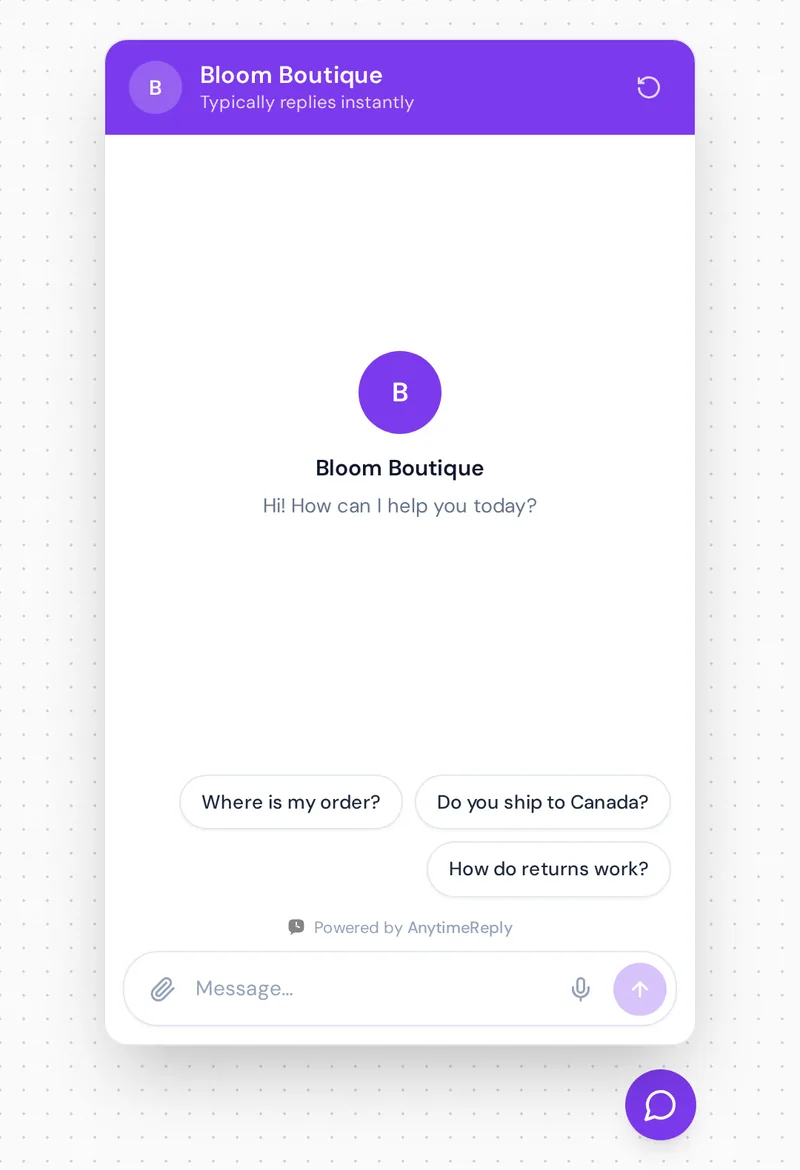
The biggest difference is knowledge. When a customer asks "Do you ship to Canada?", only the bot trained on your store can answer correctly. And customers don't go to chatgpt.com to ask about your order. They write on your site or in a messaging app, and that is where the user experience has to be good.
Where ChatGPT wins
- Breadth: emails, coding, recipes, lesson plans, anything.
- Creative tasks: generate product descriptions, ad ideas and blog drafts.
- In-depth thinking: compare options, explain a concept, check your logic.
- Zero setup: open the app and type.
For a business, it's a great internal tool for drafting replies and help articles. But on its own it can't see your data, sit on your channels, show your team the chats or look up an order. And be careful pasting customer details into a personal AI account.
Where a business chatbot wins
- Trained on your content, so every reply matches your real policies.
- Works where customers are: website chat, WhatsApp, Messenger, Instagram and email.
- Answers 24/7 in seconds, in the customer's language, and can personalize answers for verified customers.
- Hands over angry or tricky chats to your team with a summary.
- Takes action like checking order status for e-commerce stores or booking a call.
These are the use cases where chatbots help businesses most. The downside: you have to set it up and keep its content current. Train it on an old FAQ and it repeats old answers.
ChatGPT vs Claude vs Gemini: other AI chatbots
If you just want a personal assistant, ChatGPT isn't the only choice. Claude from Anthropic is known for careful writing and long documents. Gemini from Google ties in with Google's apps. Each has free and paid plans, so test them with your own tasks before you pick one.
Can generative AI handle customer interactions?
Yes, when it's grounded in your own content and has limits. Raw generative AI tends to fill gaps with confident guesses. A good support bot answers from your sources, says "I don't know" when unsure and hands over instead of inventing a refund policy.
Use the API, Zapier or a no-code platform to automate support
You can build your own support assistant with the API. That gives full control, but a developer has to handle the chat widget, knowledge base, channel integration, human inbox, deployment and costs. Some teams use Zapier to integrate tools and automate a workflow, which works for simple automation.
For most small businesses, a no-code platform is faster. You pick a model, add your content and connect channels without coding.
How AnytimeReply fits in
AnytimeReply is a customer support chatbot with a built-in helpdesk. You add your website, documents and Notion pages, and the AI agent answers customers in their own language with a confidence score. When it doesn't know, it says so instead of guessing.
- Pick GPT, Claude, DeepSeek or another supported model per agent. From Standard you can connect your own AI key.
- Website chat, flows and analytics are free. WhatsApp, Messenger and email start on Hobby at $9 a month (prices can change, see pricing).
- Chats land in a shared inbox, and the AI hands over when a customer asks for a person.
Not the right fit if you want a personal assistant for writing or research. A general assistant is better for that. AnytimeReply also doesn't handle calls or text messages.

Frequently asked questions (FAQs)
Are ChatGPT and chatbots the same thing?
No. ChatGPT is one chatbot. The word covers everything from simple button menus to AI agents trained on a company's data.
What's the difference between ChatGPT and a chatbot used for business?
ChatGPT is a general assistant for you. A business assistant answers your customers from your own content and hands over to your team.
What should you not ask an AI chatbot?
Don't share passwords, card numbers or private customer data, and don't rely on it alone for medical, legal or money decisions.
Can I put ChatGPT on my website?
Not directly. Build a widget with the API or use a chatbot platform that runs GPT models with your own knowledge.
Pick the right tool for the job
ChatGPT is a great assistant for you. A business chatbot is an assistant for your customers. Most teams use both.
Want to see one trained on your own content? Start free, no card needed.
Published 1 November 2026 by AnytimeReply team