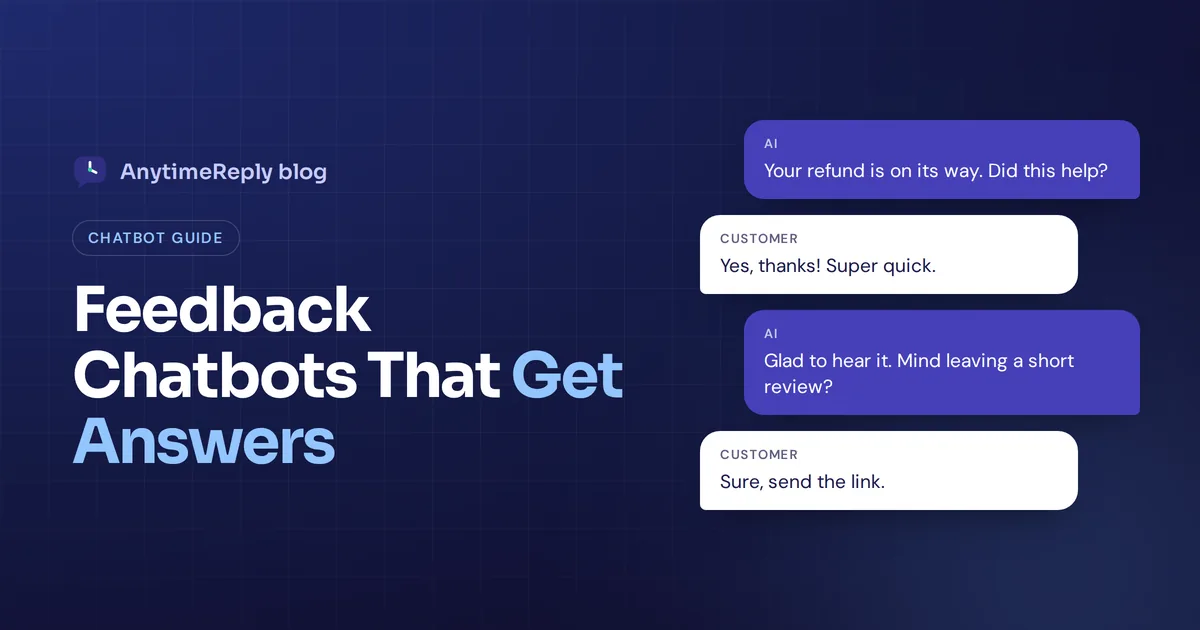
A customer just got their refund sorted in your website widget. They are happy, the conversation is still open, and they are in the mood to say something nice. That is the best moment you will ever get to ask what they think. A week later, in an email survey, they won't bother.
A feedback chatbot is built for that moment. It asks one or two short questions inside the conversation, captures ratings and comments, and turns them into insight your team can act on. People also search for the other side of it: getting customers to rate your chatbot, so you know if it actually helps.
This guide covers both, with ready-to-copy questions, a simple setup plan and honest notes on where it goes wrong.
What is a feedback chatbot?
It is an AI chatbot (or a simple scripted one) that collects customer opinions through conversation instead of a long form. It asks one question at a time, usually with buttons like 1 to 5 stars or thumbs up and down, and follows up with an open text question when an answer needs more detail.
It can sit on your website, inside your app, or on WhatsApp, Messenger and Instagram. There are two common jobs:
- Feedback through the chatbot: asking how customers feel about your product, delivery or support (CSAT, NPS, quick polls).
- Feedback on the chatbot: asking whether an answer helped, so you can fix wrong replies and fill gaps in the chatbot's knowledge base.
Most businesses need both. The first tells you how the business is doing. The second tells you whether the bot is part of the problem.
How AI chatbots collect feedback
Here is how most tools collect feedback in a chat, step by step:
- Deploy it where customers already are. Embed a widget on your site with a line of code, or connect your messaging channels.
- Trigger at the right moment. After a support question is solved, an order update is shared or a booking is confirmed.
- Ask a quick rating question. One tap in a simple interface, no login, no form.
- Branch on the answer. A low score gets "What went wrong?" and an offer to talk to a person. A high score gets a thank you, maybe a review link.
- Send results somewhere useful. A report, a tag on the conversation, your CRM, or an alert to the right team.
An AI chatbot adds one more layer: it can read open answers, run sentiment analysis and group comments into topics, so you don't sort hundreds of replies by hand.
Why conversational feedback beats long forms
- Timing. You ask while the experience is fresh, in the same window.
- Less effort. One tap feels like nothing. A 12-question form feels like homework, so completion rates drop.
- It captures the "why". A form can't react to a 2-star score. A chatbot can ask a follow-up right away.
- Context included. The rating sits next to the transcript, so you see what happened, not just a number.
- Better engagement. People engage more with a short back-and-forth, and the response is often more honest because they type the way they talk.
Other feedback channels like email surveys, review sites and support tickets still matter. A chatbot simply adds one that catches people at the moment of help.
The downside? It gets annoying fast if you ask too often. One question per conversation is plenty.
Types of customer feedback to capture
| Type | Question | Best moment |
|---|---|---|
| CSAT | "How satisfied are you with the help you got?" (1 to 5) | End of a support conversation |
| Answer rating | "Did this answer help?" (thumbs up or down) | Right after an AI reply |
| CES | "How easy was it to get this solved?" | After a return or booking |
| NPS | "How likely are you to recommend us?" (0 to 10) | Every few months, not every time |
| Exit question | "What stopped you from buying today?" | When a visitor leaves a pricing page |
Pick one or two to start. Running all five at once is how you end up with tired customers and data nobody reads.
A chatbot feedback questionnaire you can copy
Use this template as a starting point. Keep any single set to three questions or fewer.
Rating questions (one tap)
Did this answer your question? (Yes / No)
How would you rate this conversation? (1 to 5 stars)
How easy was it to get help today? (Very easy / Okay / Hard)
Follow-ups after a low score
Sorry about that. What was missing from the answer?
Would you like a person from our team to look at this? (Yes, please / No thanks)
Follow-ups after a high score
Glad it helped. Would you mind leaving us a short review? Here is the link.
Questions about the assistant itself
Did the assistant understand what you were asking? (Yes / Partly / No)
Is there anything you expected it to know but it didn't?
That last one is gold. Customers will tell you exactly what is missing, in their own words.
How to analyze feedback and improve your AI agent
CSAT is a useful metric, but scores alone don't tell you what to fix. The raw comments and transcripts do. Every thumbs down points at something specific:
- Wrong answer. The source content is outdated or missing. Update it, or write a direct Q&A reply.
- Right but unclear. Tighten the instructions so it replies shorter and plainer.
- Misunderstood question. Customers phrase things you didn't expect. Add those phrasings.
- Wanted a person. Your handoff rules are too strict.
Look for patterns. One angry comment about shipping is a bad day. Twenty in a week is a process problem worth sharing with product teams, because it helps improve products, not just replies.
Also watch every query it couldn't answer at all. They show user needs your content doesn't cover yet, which makes them some of the most actionable data you have.
A simple weekly routine: use AI to generate a summary of the low-rated conversations, incorporate the fixes into your content, and track deflection (the share of each inquiry solved without a person) next to ratings. Over time you will see which topics your AI can handle alone and which need your team.
Common challenges, from manual sorting to missing handoffs
- Asking before the problem is solved. "How did we do?" while a refund request is still pending makes people angrier.
- No way to escalate. If someone says "this is useless", human intervention should follow fast, not another automated question.
- Manual sorting. Reading every comment by hand doesn't scale. Use automation for tagging and summary reports, then read the low scores yourself.
- Leading questions. "How much did you love our fast support?" gets polite answers, not honest ones.
- Collecting data you don't need. Keep data processing minimal. Don't ask for a phone number in a satisfaction question.
What to look for in a platform
Good feedback collection should feel like part of the conversation, not a detour. Before you pick a vendor, check these:
- Builder. Can you set up questions, buttons and branches visually, without code?
- Channels. Does it work on every channel your customers use, not just your website?
- Analysis. Does it summarize themes and sentiment, or only show averages? Does it only answer questions, or also gather opinions?
- Integrations. Can it integrate with your CRM, Slack or Zapier, or offer an API?
- Languages and personalization. Can it ask in each customer's language and match their preference for buttons or typing?
Plain survey tools like Google Forms or Microsoft Forms are still fine for long research surveys. A chatbot wins for short questions at the right moment. And you don't need to understand machine learning or how the algorithm works, only whether the insights are clear.
How AnytimeReply handles chatbot feedback in one dashboard
We built AnytimeReply as an AI agent with a helpdesk, so feedback is part of daily support, not a separate tool:
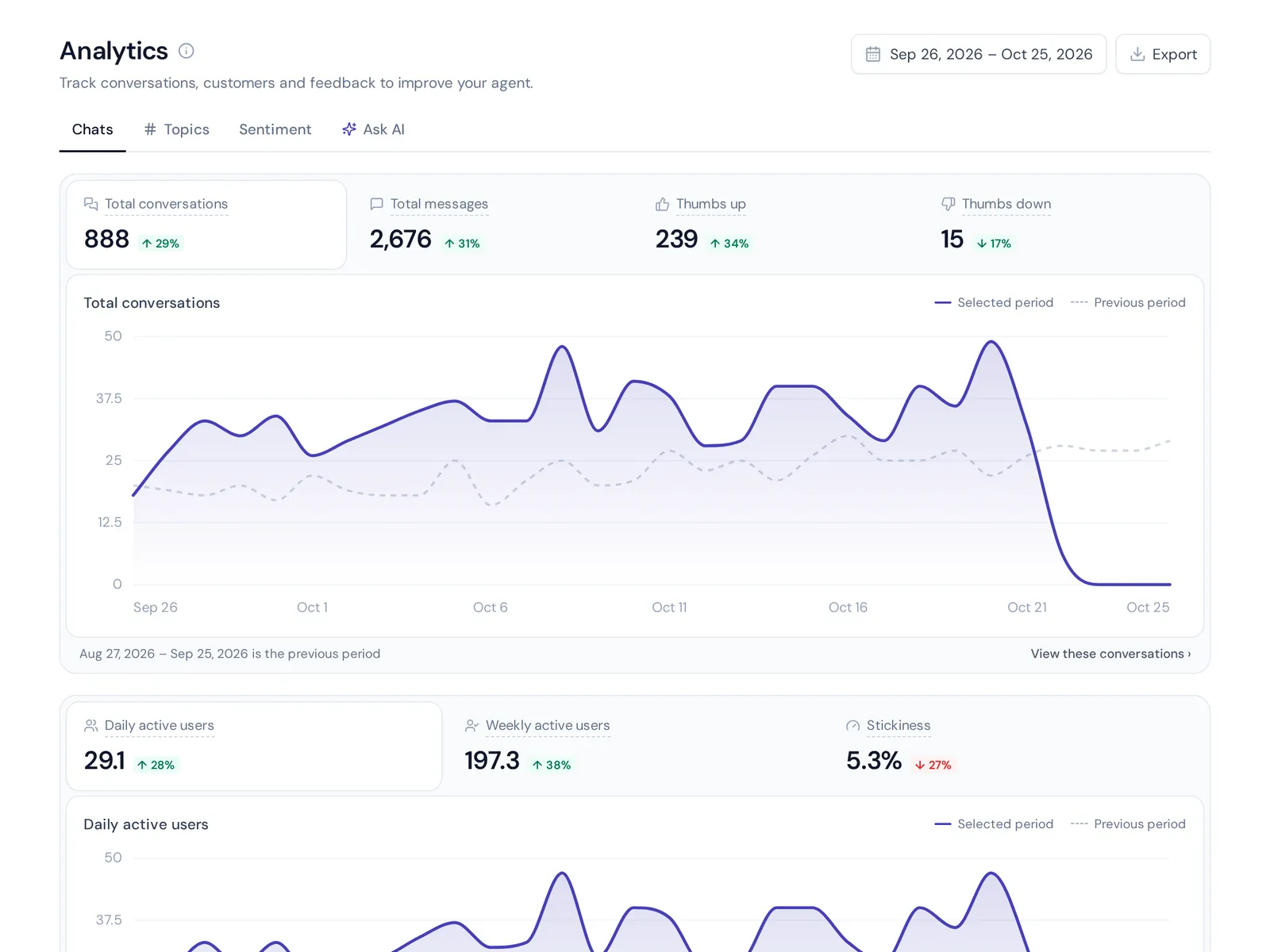
- Ratings and analytics. Analytics shows CSAT ratings, thumbs up and down, topics, sentiment and team performance. You can ask your conversations a question in plain words, like "What did people complain about this week?"
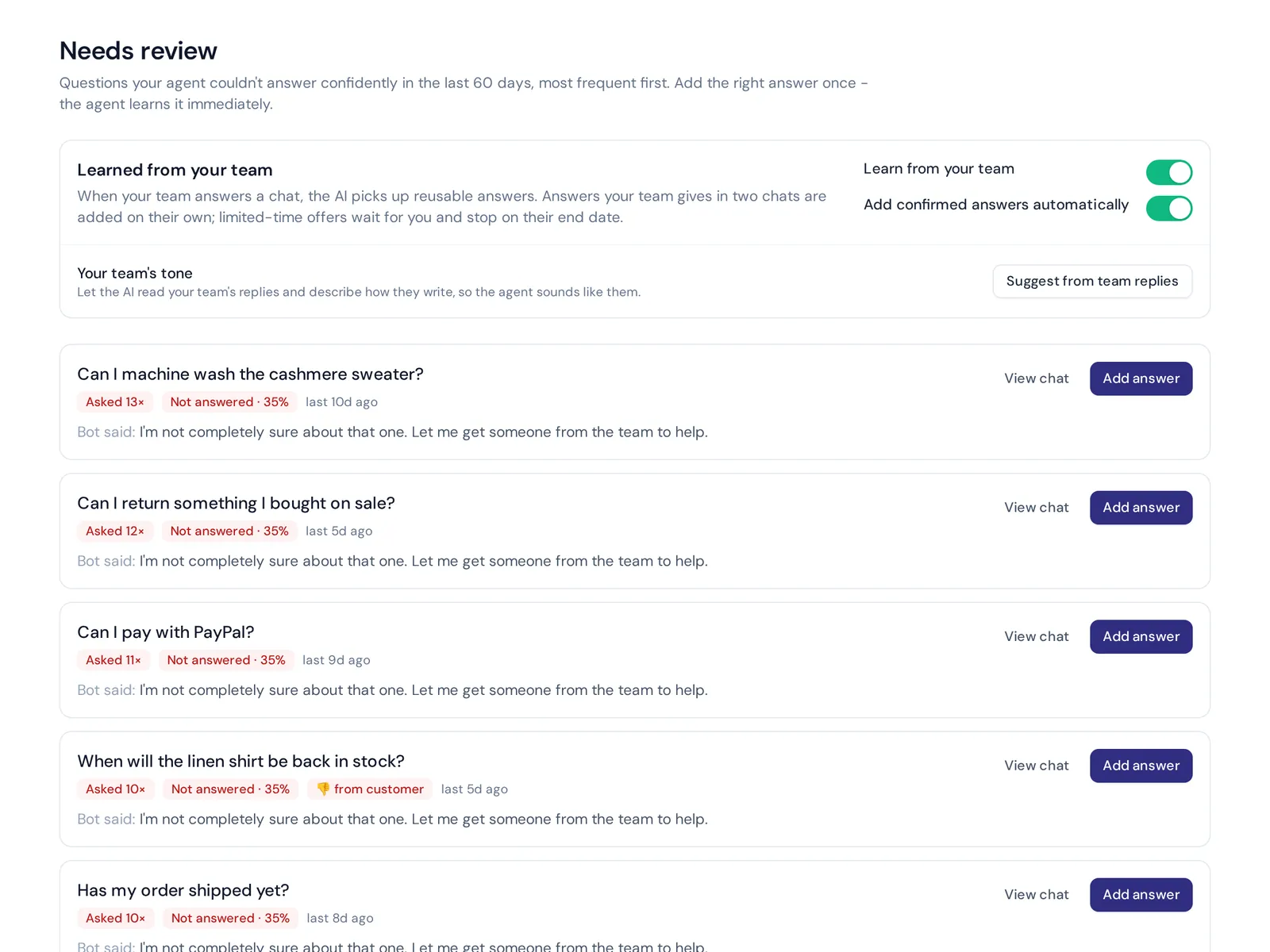
- Knowledge gaps. Questions the AI couldn't answer are listed with a one-click "add answer".
- Flows. Flows let you build short question sequences with buttons and conditions. Flow steps use no AI credits.
- Handoff. The helpdesk hands the conversation to your team when someone is upset or asks for a person, and triggers can email a manager after a bad rating.
Honest limits: it is a support platform, not a full research survey tool. For long academic surveys or panel recruiting, use a dedicated survey tool. For in-conversation ratings and improving your AI's answers, it works well, and all of this is on the Free plan.
Frequently asked questions (FAQs)
How does a feedback chatbot work?
It asks short questions at a set moment, usually after a customer gets help, collects button ratings and open comments, then groups the results by topic and sentiment in a dashboard.
How do customers provide feedback on chatbot answers?
Most platforms add a thumbs up or down under each reply and a rating at the end. Review the low-rated conversations and the unanswered questions each week to find fixes.
What is the best AI for feedback?
It depends on the job. For analyzing large volumes of reviews and surveys, dedicated feedback analysis tools fit. For gathering feedback during support conversations, a support assistant that collects answer ratings and tracks knowledge gaps is the better match.
What are the four types of chatbots?
A common way to group them: menu or button bots, rule-based bots, AI bots that understand natural language, and hybrid bots that mix flows with AI and hand over to people.
Can feedback chatbots be integrated into websites?
Yes. Most install with one line of code or a plugin, and many also work in messaging apps, so you can ask in whichever channel the customer used.
Start asking at the right moment
The best feedback comes right after someone gets help. Ask one or two short questions, act on the low scores, and use the gaps to make your AI smarter every week.
Want to try it? Start free with AnytimeReply, no card needed.
Published 5 November 2026 by AnytimeReply team