You know the questions. Customers ask them every day: how long does shipping take, can I return this, do you have a free trial, how do I reset my password. Typing the same answer for the fiftieth time is a sign you need an FAQ page.
The good news: you don't have to start from a blank page. Below is a simple FAQ template you can copy, plus 30+ ready-to-use questions and answers for online stores (including a Shopify version), software companies, service businesses and internal teams. Edit the details in brackets, delete what doesn't apply, and get started.
We also cover how to structure an FAQ document, how to create an FAQ people actually read, and what to do with your FAQ content once it's live.
What makes a good FAQ section?
It answers the questions customers really ask, in their words, in as few lines as possible. It isn't a sales page and it isn't a place to hide your policies.
The best ones have a few things in common:
- Real questions. Recurring questions taken from your inbox, chat and reviews, not invented by marketing.
- Concise answers first. One or two sentences that answer the question, then details or a link if needed.
- Clear groups. Organize by topic: shipping, returns, payments, account. People scan for their topic.
- A search bar or contents list once you have more than 15 questions.
- A way out. A link to contact your support team when the answer isn't there.
- Kept up to date. Update it when policies change. Last year's shipping times do more harm than good.
Basic FAQ template: a sample format to copy
This frequently asked questions template works for almost any business. Replace the brackets with your details and customize the topics.
Frequently asked questions
Can't find what you're looking for? [Chat with us / email [email protected]]. We usually reply within [time].
[Topic 1, e.g. Orders and shipping]
Q: [Question in the customer's words]?
A: [Direct answer in 1 to 2 sentences.] [Optional detail or link to the full policy.]Q: [Question]?
A: [Answer.][Topic 2, e.g. Returns and refunds]
Q: [Question]?
A: [Answer.][Topic 3, e.g. Payments and account]
Q: [Question]?
A: [Answer.]Still have questions? [Contact link]
That's the whole framework. The examples below fill it in for different businesses, so you can pick the FAQs templates closest to yours.
FAQ examples for an online store
Ecommerce FAQ pages get the most visits around shipping and returns. Start there, then add store-specific questions.
Shipping
How long does shipping take?
Orders ship within [1 to 2] business days. Delivery takes [3 to 5] business days in [country] and [7 to 14] days internationally.Do you ship internationally?
Yes, we ship to [list or "most countries"]. Shipping costs and delivery times display at checkout.How can I track my order?
You'll get an email with a tracking link as soon as your order ships. You can also [track it here / ask our chat with your order number].Do I have to pay taxes for overseas delivery?
[Duties and taxes are included at checkout / may be charged by your country's customs on delivery.]
Returns and refunds
What is your return policy?
You can return unworn items within [30] days of delivery for a full refund. [Sale items / custom items] can't be returned. [Link to full return policy]How do I start a return?
[Go to our returns page / reply to your order email] and we'll send you a return label.When will I get my refund?
Refunds go to your original payment method within [5 to 10] business days after we receive your return.Can I exchange an item?
Yes. Start a return and choose "exchange", or place a new order and return the original.
Orders and payments
Can I change the delivery address after checking out?
Yes, within [2] hours. After that it's being packed, so message us and we'll do our best.What payment methods do you accept?
We accept [Visa, Mastercard, PayPal, Apple Pay, cash on delivery].My item arrived damaged. What should I do?
Sorry about that! Send us a photo [via chat or email] within [7] days and we'll send a replacement or refund.Do you have a physical store?
[Yes, visit us at address / No, we're online only, which keeps our prices lower.]
Shopify FAQ template
If you run a Shopify store, the questions above work as they are. A few extras online shoppers often ask:
Is this item in stock?
If you can add it to your cart, it's in stock. Sold-out sizes show "Notify me", and we'll email you when they're back.How do I use a discount code?
Enter your code in the "Discount code" box at checkout and click Apply. Only one code works per order.Do I need an account to order?
No, you can check out as a guest. An account lets you track orders and save addresses.Which size should I choose?
Check the size chart on each product page. If you're between sizes, we recommend [sizing up].
How to add an FAQ page to your store
- In your admin, go to Online Store, then Pages, and click Add page. Name it "FAQ".
- Paste your questions and answers, or use a theme with a collapsible content section (most current themes have one) to display questions as an accordion.
- Go to Online Store, Navigation, and add the page to your footer or main menu.
- Add a short inline FAQ section to product pages too, like sizing and care, so shoppers don't leave the page.
The admin menus change from time to time, so check Shopify's help center if a menu has moved.
SaaS FAQ examples
Is there a free trial or free plan?
Yes, [our Free plan is free forever / you can try all features free for 14 days]. No credit card needed.Do I have to pay a subscription each month?
You can pay monthly or yearly. [Annual plans save X%.]Can I cancel anytime?
Yes. Cancel from [Settings, Billing]. You keep access until the end of your billing period.How do I update my payment information?
Go to [Settings, Billing] and click "Update card".Is my data secure?
We use [encryption, 2FA, etc.]. Read our [security page] for details.How do I reset my password?
Click "Forgot password" on the login page and follow the link we email you.How do I integrate your product with other platforms I use?
See all integrations on our [integrations page]. Developers can use our [API documentation].
Service business FAQs: questions and answers to copy
Works for agencies, salons, clinics, consultants, cleaners and similar businesses.
How do I book an appointment?
Book online [here], message us on [WhatsApp], or call [number] during opening hours.What are your opening hours?
[Mon to Fri 9:00 to 18:00, Sat 10:00 to 14:00]. Closed on public holidays.How much does it cost?
Prices start at [amount]. See our full [price list]. We'll confirm the final price before we start.What is your cancellation policy?
Free cancellation up to [24] hours before your appointment. Late cancellations may be charged [amount].Where are you located? Is there parking?
We're at [address]. [Free parking is available behind the building.]Do you serve my area?
We cover [cities or postcodes]. Not sure? Send us your address and we'll check.
Internal FAQ for HR, IT and developer docs
An FAQ isn't only for customers. A short internal one, kept in your wiki or knowledge base, saves HR, IT and engineering teams from the same questions every week.
How do I request time off?
Submit a request in [HR tool] at least [2] weeks in advance. Your manager approves it.How do I reset my work password?
Go to [link] or ask IT in [channel].When is payday?
Salaries are paid on the [last working day] of each month.Where is the API documentation for new developers?
Start with [docs link]. Ask questions in [channel].
How to create an FAQ: questions to include and how to answer
- Collect real questions. Go through your last 100 emails, chats and DMs. Write down every question in the customer's own words.
- Pick the top 10 to 20. Most messages usually come from a small set of questions. Those are the questions to include first.
- Answer in the first sentence. "Yes, we ship to Canada." Then add details.
- Use plain words. Write like you talk. Good readability matters more than sounding official.
- Group by topic. Put the most asked topic first.
- Link instead of repeating. If the full return policy is long, summarize it and link to it.
- Review every month. Remove old questions, add new ones, modify anything that changed, then publish the update.
FAQ page examples: layout and design tips
- Use an accordion (click a question to open the answer) for long lists. It keeps the page short and easy to scan.
- Add a search bar once you have more than 15 to 20 questions.
- Put FAQs where questions happen. Shipping questions on the cart page, sizing on product pages, billing on the pricing page.
- Make contact easy. End the support page with a chat or contact link.
- Keep it mobile-friendly. Most shoppers will read your FAQ on a phone, so test it there.
A note on SEO: FAQ schema (structured data) can still help search engines understand your page, but Google stopped showing FAQ rich results in search in 2026, so write the FAQ for readers first. Write for user experience first.
Downloadable FAQ doc formats: Word, Google Docs and Notion
Is there a FAQ template in Word? Yes, and you don't need to buy one. Paste the basic template above into Word or Google Docs, use headings for topics and bold for questions, and you have a clean FAQ document you can share or print.
A few other options:
- Notion: the Notion template marketplace has several templates to create FAQs, handy for internal wikis.
- Canva and template sites: good for a designed, downloadable PDF, for example for events.
- Website builders: most no-code builders have an FAQ block, so you don't need to code, whatever platform you use.
- A dedicated support tool: best when you have dozens of questions and want search and analytics.
So what should the structure look like? A short intro, topics as headings, questions in bold, one-paragraph answers and a contact line at the end. The best format is the simplest one your customers can scan.
Use FAQ content for customer support with AnytimeReply
Good FAQs simplify support, but a static FAQ page only helps if people find it. Many don't. They open the chat and ask anyway.
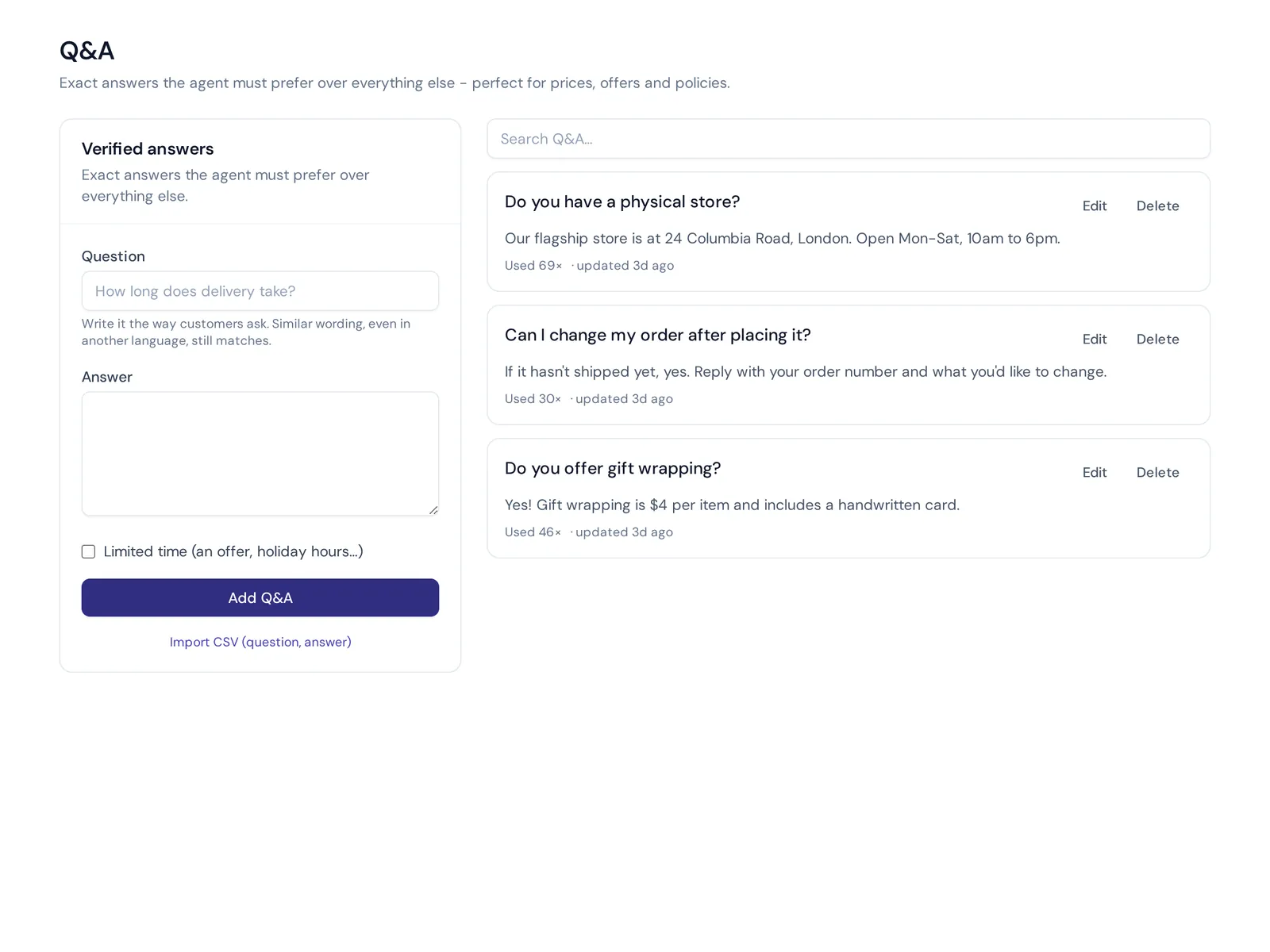
That's where AnytimeReply helps. You add your FAQ, website and documents, and the AI assistant answers those same questions in chat in seconds, in the customer's language. The answers you write as Q&A always win over other sources, so your exact return policy is the one customers get.
- Turn answers into articles with AnytimeReply's help center on your own domain. "Draft with AI" writes articles from your agent's knowledge, and AI answers replace a plain list of links.
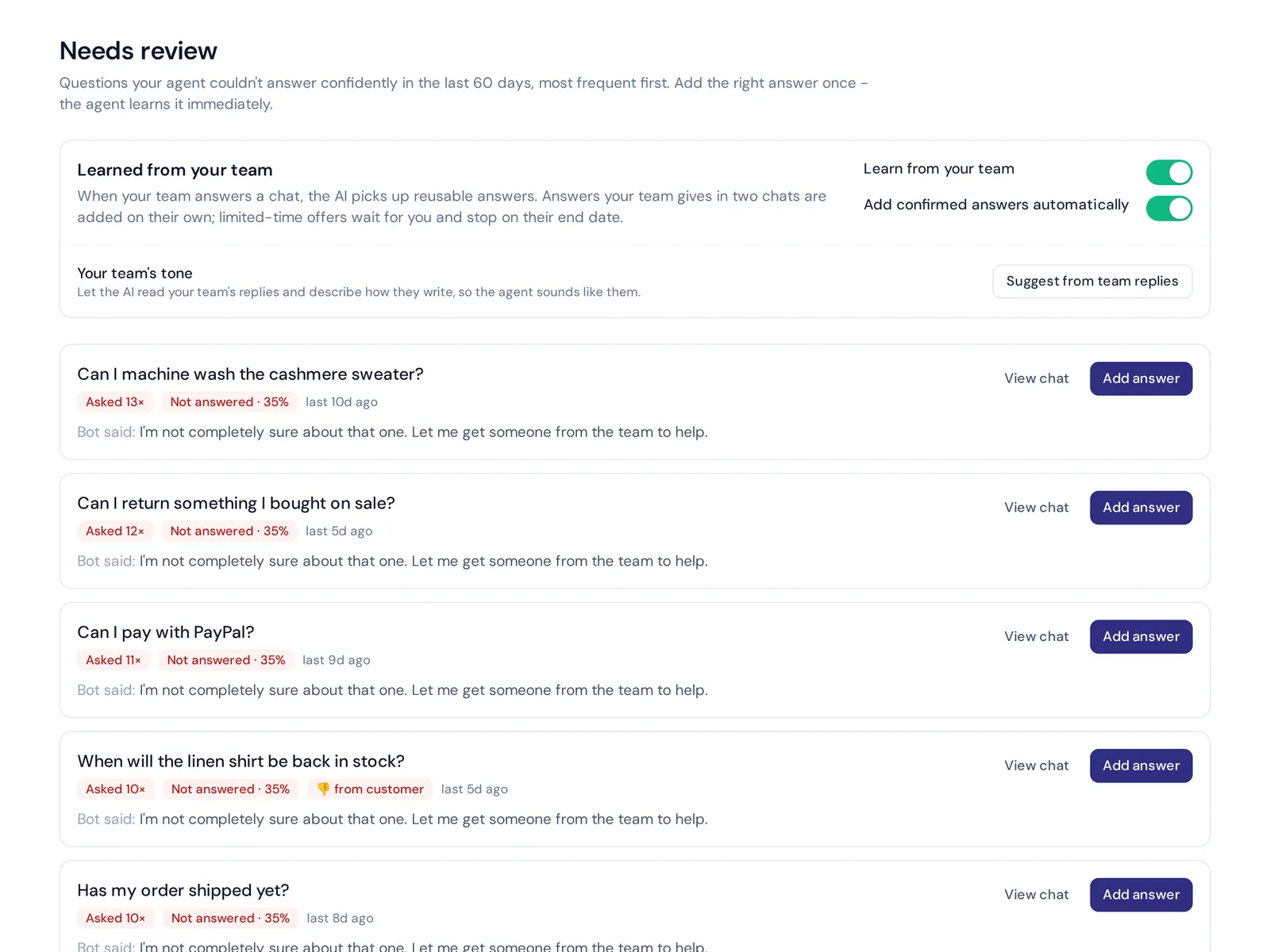
- Find missing questions. The knowledge gaps report shows what the AI couldn't answer, with one-click "add answer".
- Hand over when needed. If a question isn't covered, the chat goes to your team in a shared inbox. You can automate the easy questions and keep people for the rest.
Website chat, the knowledge tools and Q&A are all on the Free plan. See pricing for more.
Frequently asked questions
What is a FAQ document?
It's a page or file that lists common questions about your product, service or company with short answers. It saves customers time and cuts repeat messages to customer service.
How many questions should an FAQ page have?
Start with your 10 to 20 most common questions. Add more only when customers actually ask them. A long list of questions nobody asks hides the useful ones.
Can you give me some examples of FAQ questions?
For online stores: shipping times, tracking, returns, refunds, payment methods and sizing. For software: free trial, pricing, cancellation, security and integrations. For services: booking, prices, hours and cancellations.
Should FAQ questions be H2s or H3s?
Use H2s for topic groups (Shipping, Returns) and H3s for the questions inside them. On a short page with no groups, H2s for each question are fine.
Are these FAQ templates free?
Yes. Every template on this page is one of our free FAQ templates to copy and adapt in your website builder, Word file or support tool.
Write your FAQ this week
Pick the examples that fit your business, fill in the brackets with your real policies and put the page live. Then watch which questions still come in and add them.
Want your FAQ to answer customers in chat too? Start free with AnytimeReply, no card needed.
Published 31 October 2026 by AnytimeReply team