A customer emails about a missing refund on Monday. On Tuesday she messages on WhatsApp. On Wednesday she leaves an angry comment on Instagram. Three people on your team answer three different things, and nobody knows the full story. That's what happens when a help desk grows without a few simple rules.
The good news: you don't need a big team or expensive software to fix it. You need a handful of help desk best practices that everyone follows, every day.
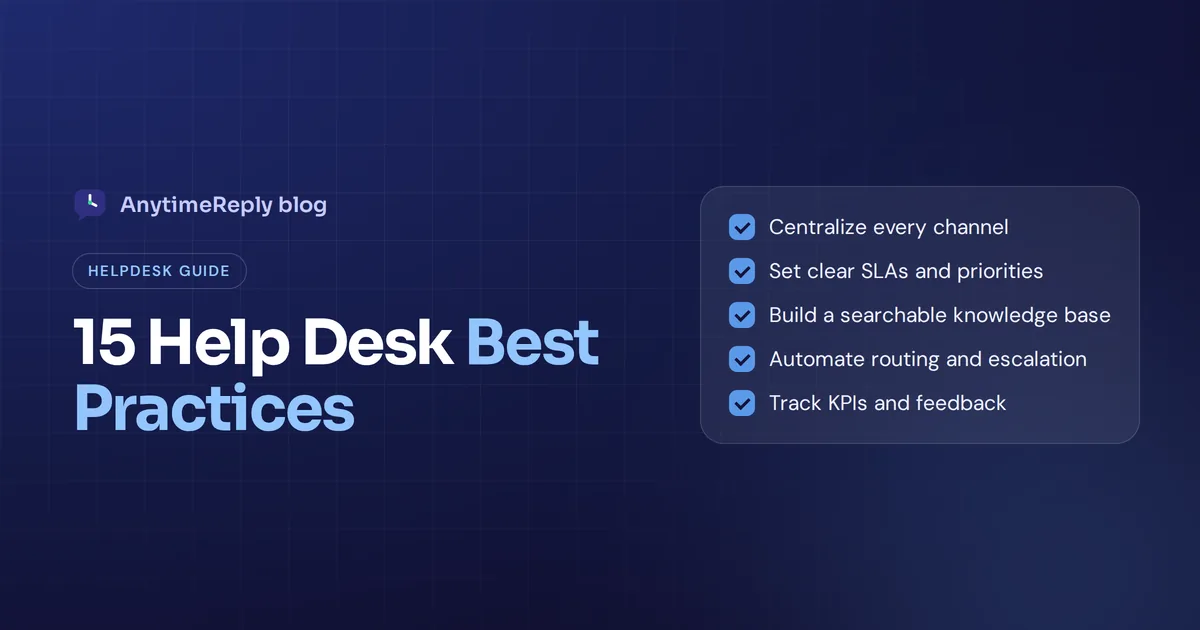
Below are 15 proven best practices for any support team, from a two-person shop to an internal IT help desk, grouped into seven areas. Each one comes with a short "how to do it" so you can start this week.
What is a help desk, and why do best practices matter?
A help desk is the team, process and software that handles questions and problems from customers or employees. Requests come in by email, chat, WhatsApp, social media or a portal, and the help desk makes sure each one gets an answer and gets resolved.
You'll also hear the term service desk. In IT, a service desk is usually broader: it follows IT service management (ITSM) frameworks like ITIL and covers service requests, changes and assets, not just fixing problems. A helpdesk focuses on solving issues quickly. Most of the practices below work for both.
Why bother? Because support quality falls apart quietly. Tickets slip through the cracks, response time grows, the same question gets five different answers, and agents burn out. A few clear habits keep service quality consistent as you grow. That's what separates an effective help desk from a busy one.
Organize: centralize requests, prioritize and set SLAs
1. Bring every channel into one place
If email lives in Gmail, chat in one tool and WhatsApp on someone's phone, you will lose messages. Centralize every channel into one shared inbox or ticketing system, so there's a single point of contact and the full customer history sits next to each conversation. It's the first best practice on this list for a reason: everything else depends on it.
2. Turn every request into a ticket with an owner
A message without an owner is a message nobody answers. Every request should become a ticket with a status (open, pending, solved), a priority and one person responsible. Use automatic assignment, such as round robin or "least busy", so tickets don't pile up unassigned. This is the heart of efficient ticket management.
3. Rank tickets by urgency and set clear SLAs
Not every ticket is equal. A broken checkout matters more than a question about gift wrapping. Most teams use three priority levels (high, medium, low), sometimes with an extra "urgent" level on top. Then write service level agreements (SLAs): targets for first response and resolution time per level. In practice, a simple table works better than a long policy document.
Here's an example you can adapt. These are examples, not industry standards:
| Priority | Example | First response | Resolution |
|---|---|---|---|
| High | Checkout broken, account locked, VPN down for a whole office | Within 1 hour | Same day |
| Medium | Order not delivered, payment issue, one laptop won't start | Within 4 hours | Within 1 to 2 days |
| Low | How-to questions, feature ideas, general feedback | Within 1 business day | When planned |
Share the SLA with your team and, where it makes sense, with customers. Clear targets beat vague promises.
Self-service, knowledge base and effective knowledge management
4. Build a searchable knowledge base
Many questions repeat every week. Answer them once in your knowledge base and link to the article. Customers who prefer to help themselves will, and your agents get a single source of truth. Good knowledge management is one of the fastest ways to reduce ticket volume, and it's a best practice that keeps paying back.
How to do it: start with your top 20 questions. Write short, plain articles in the customer's words. Update them whenever a policy changes. Fix the articles that get thumbs down first.
5. Offer a self-service portal and AI answers
Password resets, order tracking, "how do I change my plan?" Questions like these don't need a person. A self-service portal plus an AI agent trained on your help content can answer them in seconds, any time of day.
But be careful. Choose an AI that says "I don't know" instead of guessing, and that hands the conversation to a person with a summary when it can't help.
Automation and workflow: route, escalate, repeat
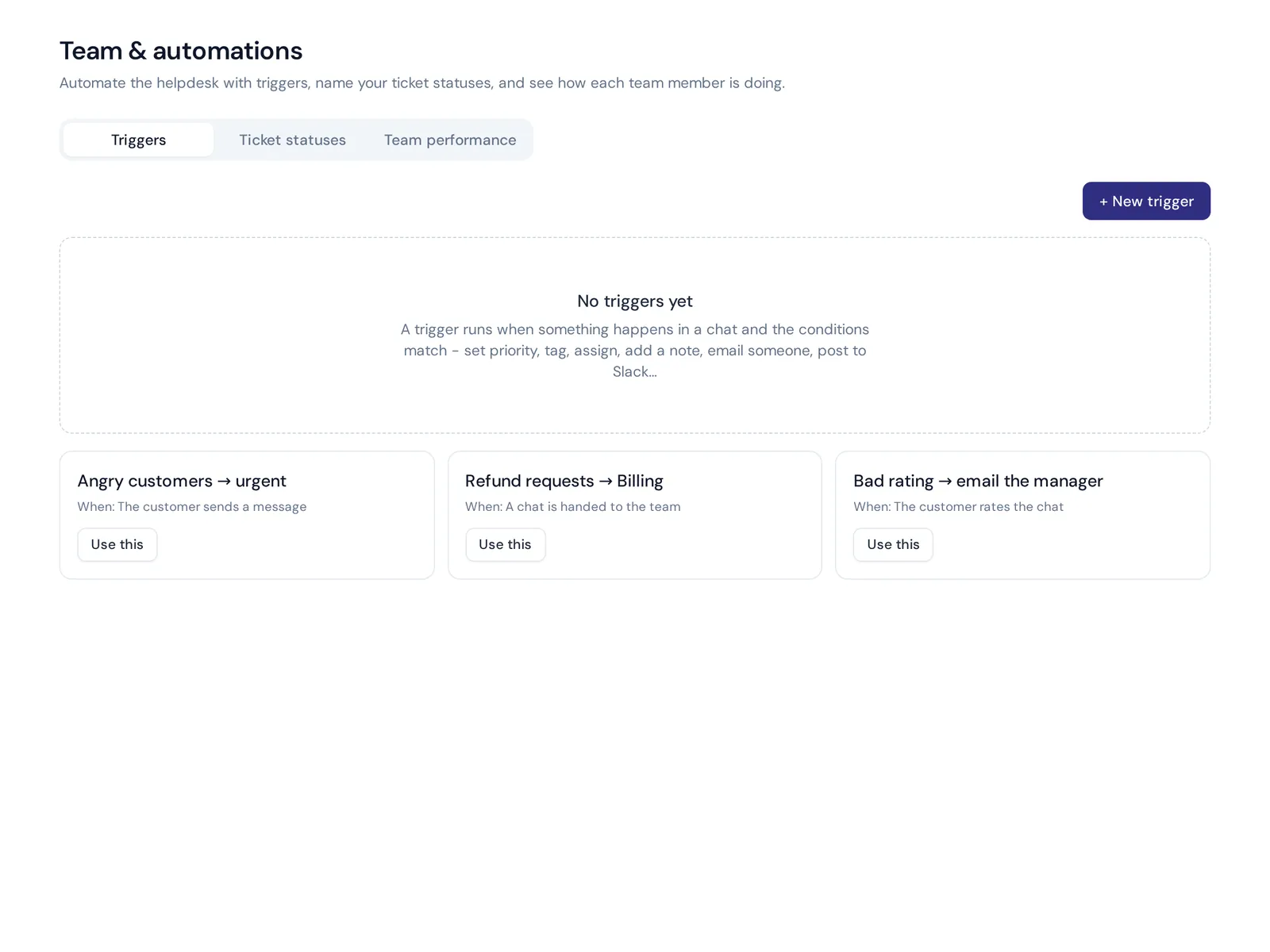
6. Automate routing and routine work
Look at what your team does by hand every day and automate it. A good workflow means tickets get routed to the right person without anyone sorting them.
- Tag and prioritize by keywords or sentiment ("angry customer" goes to urgent).
- Route by topic, language or department ("refund" goes to billing).
- Email a manager when a customer leaves a bad rating.
- Reopen a ticket when the customer replies.
7. Make escalation clear
Define when to escalate and to whom. Many IT teams use tiers: tier 1 handles simple requests, tier 2 handles technical problems, tier 3 is specialists or developers. Customer support teams often use simpler rules: if the customer asks for a person, sounds upset, or the issue involves money or account security, a human takes over.
Whatever you choose, pass the full history so nobody has to repeat themselves. And aim for first contact resolution where you can: every escalation that wasn't needed adds time. The goal is to resolve the issue with as few handoffs as possible.
Consistent communication with customers and users
8. Use templates, but personalize them
Ticket response templates (saved replies) save time and keep customer communication consistent. The trap is sounding robotic. Use them as a starting point and add one personal line.
Hi Amina, thanks for your patience. I checked order #2210 and it left our warehouse this morning. You should have it by Friday. Here's the tracking link: [link]. If anything looks off, just reply here.
Hi Rahul, I've reset your VPN access. Please sign out, sign back in, and let me know if it still fails. I'll keep this ticket open until you confirm.
9. Keep internal talk on the ticket
When an agent needs help from billing or a developer, the discussion should live on the ticket as an internal note with an @mention, not in a private message somewhere else. That keeps context in one place and makes consistent support possible even when the ticket changes hands. It's a small best practice with a big effect.
Measure: KPIs, metrics and customer satisfaction
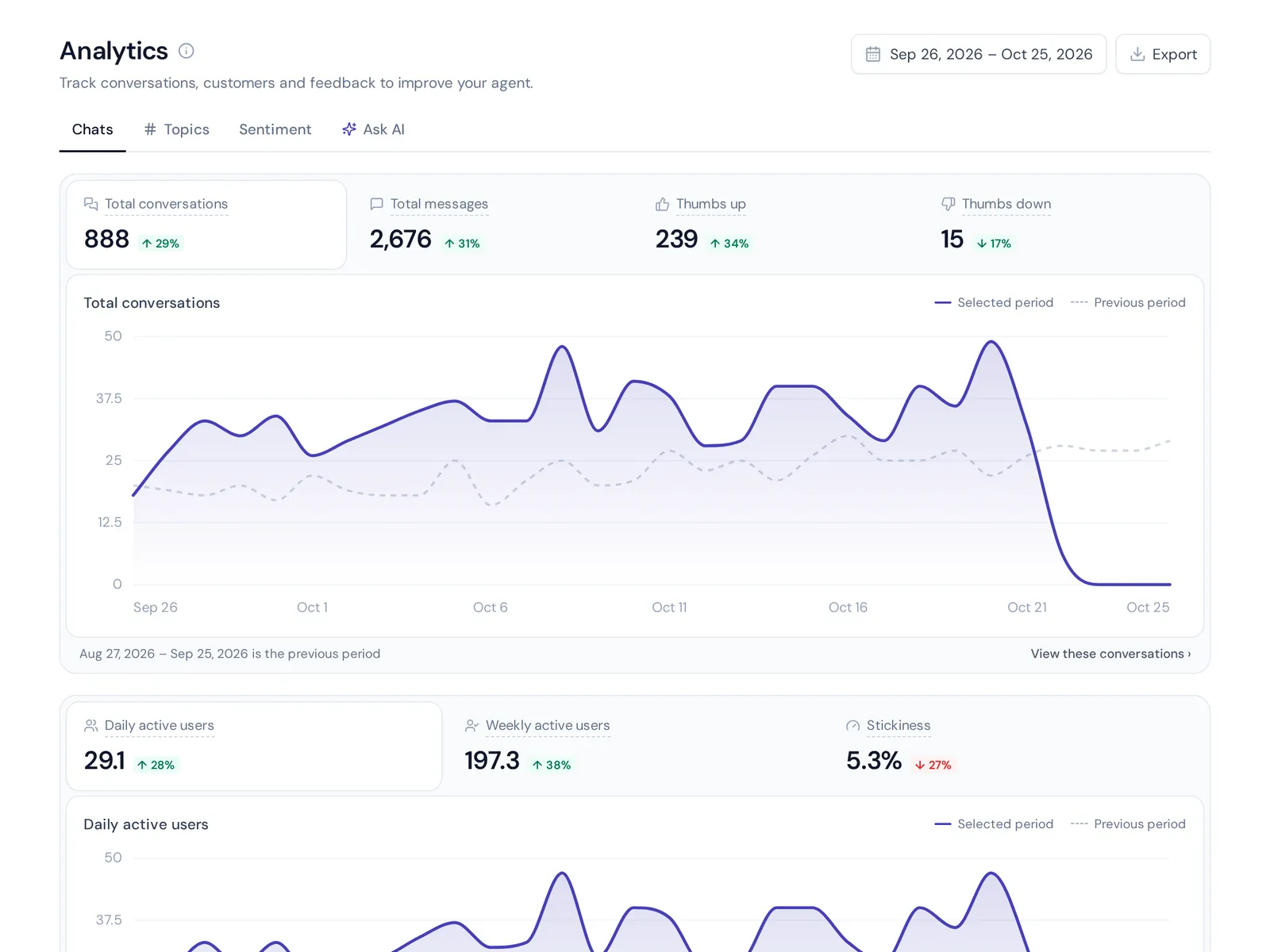
10. Track a short list of KPIs
You can't improve help desk performance without measuring it. Keep the metric list short and review it weekly:
- First response time: how fast someone replies.
- Resolution time: how long until the issue is solved.
- First-contact resolution rate: how many tickets are solved in one reply.
- Customer satisfaction (CSAT): how happy people are after the conversation.
- Tickets by topic and channel: to spot trends.
- Reopened tickets: a sign answers weren't complete.
- Unanswered questions: what your knowledge base or AI couldn't handle.
11. Collect feedback after every conversation
A simple thumbs up or down, or a 1 to 5 rating, tells you more than any dashboard. Read the low ratings every week, and reply to the customer when it makes sense.
People: train and support your help desk team
12. Document processes and onboard properly
New agents shouldn't learn by guessing. Write down how you handle refunds, escalations, angry customers and VIPs. Documentation is a best practice new hires thank you for. Pair each new help desk agent with an experienced one for their first week and review some of their tickets together. Show them how to work with AI tools too, since they'll be reviewing and correcting AI answers.
13. Protect your team from burnout
Support is emotionally heavy. Rotate difficult queues, set realistic targets, and let automation take the boring repeat work. A rested help desk team gives better answers, and productivity follows. Delivering excellent service every day is hard if people are exhausted.
Be proactive and commit to continuous improvement
14. Get ahead of problems
Proactive support beats reactive support. If a delivery partner is delayed or a system is down, tell people before they ask. A short banner, a status page or a message to affected customers saves dozens of tickets.
15. Turn support data into fixes
If 50 people a month ask the same question, the problem isn't your help desk. It's a confusing page, a missing feature or a policy nobody understands. In IT this is called problem management: finding the root cause behind repeated incidents. Share your top ticket topics with the rest of the company every month. Continuous improvement is the best practice that ties all the others together.
IT service desk best practices: the ITSM extras
If you run an internal IT help desk, a few extra practices from ITSM and ITIL are worth adding:
- Incident management: restore service fast when something breaks.
- Problem management: fix the root cause so incidents don't repeat.
- Service request management: standard forms for access, hardware and software requests.
- Change management: review and approve changes before they go live.
- Asset management: know which laptops, licenses and devices each person has.
Dedicated service desk software like Jira Service Management or ServiceNow is built for these. If you only need answers, tickets and a shared inbox, a modern help desk tool is usually enough.
The most common help desk issues
Every team's list is different, but these common issues show up again and again. They're also the best candidates for AI answers:
- Password resets and locked accounts
- Where is my order?
- Refunds and returns
- Billing and invoice questions
- Login or two-factor problems
- How to use a feature
- Changing a plan, address or account details
- Software installs and access requests
- Email, VPN or Wi-Fi not working
- Printer and hardware problems
Help desk best practices checklist
- All channels centralized in one ticketing system
- Every request has an owner, a status and a priority
- Written SLAs per priority level
- Searchable knowledge base with your top 20 answers
- AI and self-service for common issues, with clear handover
- Automated routing and clear escalation rules
- Personalized templates and internal notes on tickets
- Weekly KPI review and feedback reading
- Documented processes and proper onboarding
- Monthly report of top issues shared with the company
How AnytimeReply helps with help desk management
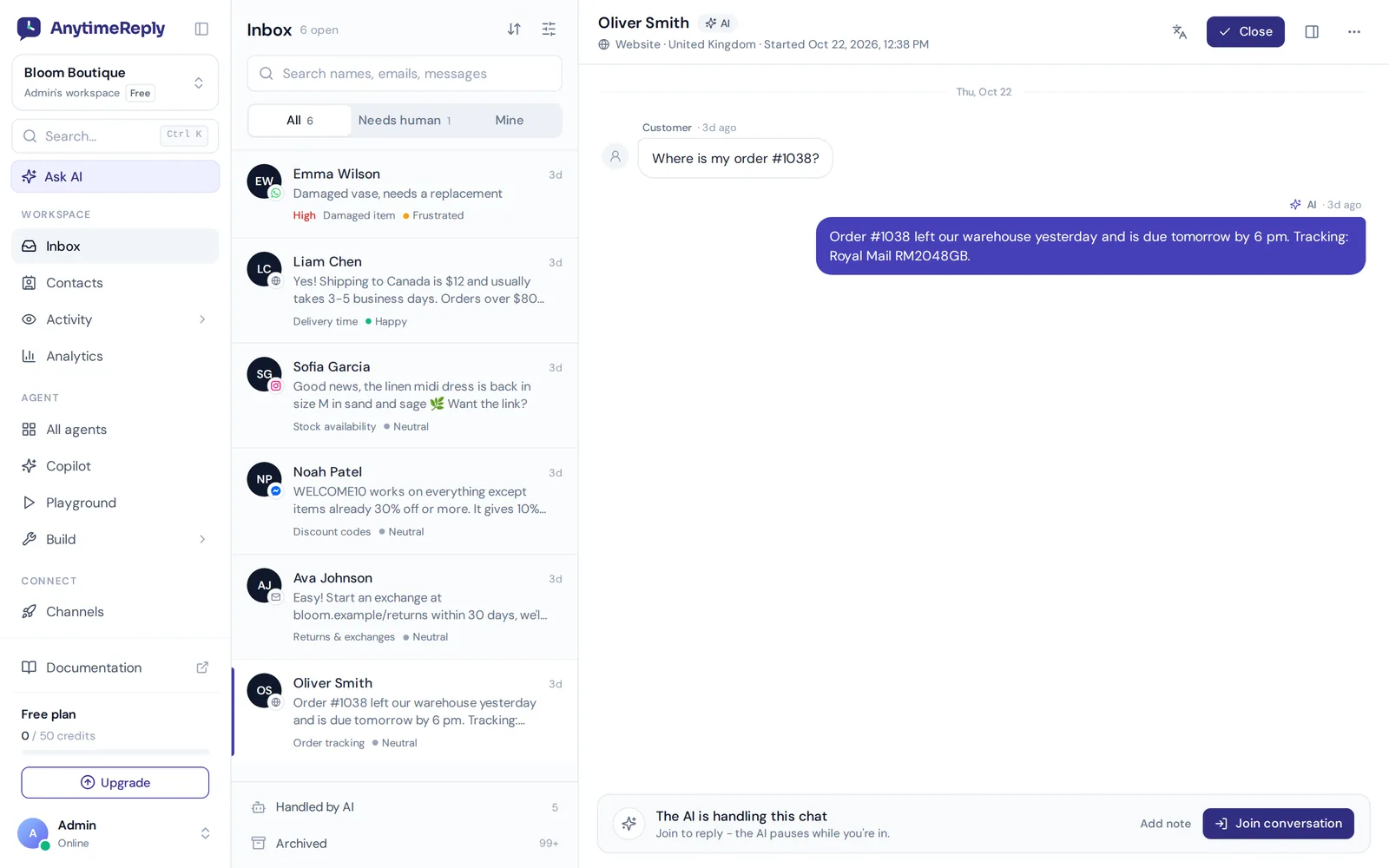
AnytimeReply is an AI support agent with built-in help desk support for every channel. It brings website chat, WhatsApp, Messenger, Instagram, Telegram, email and Slack into one shared inbox. The AI answers first and hands over with a summary when a customer asks for a person, gets upset, when it can't answer, or when a rule matches.
Your team gets departments and assignment (least busy or round robin), internal notes and @mentions, views like Unassigned and Needs human, and triggers that set priority, tag, assign or email a manager. Tickets from Gmail, Outlook, Zoho or any IMAP mailbox get a status, priority and owner. A help center with AI search covers the do-it-yourself side, and analytics show topics, sentiment, CSAT and the questions the AI couldn't answer.
Honest limits: AnytimeReply isn't an ITSM platform, so there's no change approval or asset tracking, and it doesn't offer phone or SMS support. The Free plan includes the helpdesk inbox, website chat, a help center and analytics. Email and messaging channels start on the Hobby plan. Internal HR and IT teams can see how it fits on our internal help desk page.
Frequently asked questions
What are the three common levels of prioritization for help desk tickets?
Most teams use high, medium and low. High means many people are blocked or money is at risk, medium affects one person's work, and low covers questions and requests that can wait.
Will IT help desk be replaced by AI?
Not fully. AI handles more of the simple requests, like resets and how-to questions, but people are still needed for complex problems, judgment calls and upset users.
What are the top 10 best customer service practices?
Excellent customer service comes down to habits: reply fast, own every request, be clear and honest, personalize replies, offer help articles, make reaching a human easy, follow up, measure satisfaction, keep a knowledge base current, and fix root causes.
How can companies measure whether these practices work?
Track first response time, resolution time, first contact resolution, CSAT and tickets per week before and after a change, and compare them month over month.
How do you reduce help desk ticket volume without adding headcount?
Improve your knowledge base, add AI answers for common questions, be proactive about known problems, and fix the root causes behind your top ticket topics.
Improve help desk results starting this week
You don't need to do all 15 at once. Start with one shared inbox, clear ticket ownership and a knowledge base for your top questions. Then add AI and automation as you go. Small steps add up to a better customer experience and a calmer support team.
Want to try a helpdesk with an AI agent built in? Start free, no card needed.
Published 3 November 2026 by AnytimeReply team