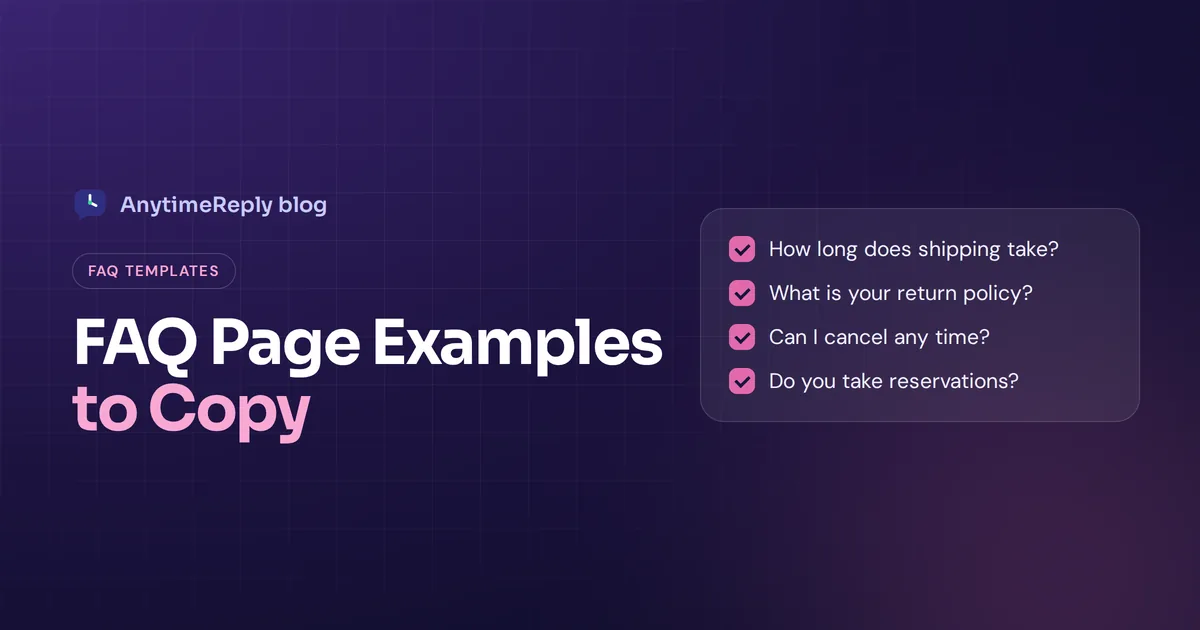
Every business gets the same questions again and again. How long does shipping take? Can I cancel? Do you have a free trial? A good FAQ page answers them before anyone has to ask, so customers buy faster and your team stops typing the same reply twenty times a day.
But most FAQ pages are a wall of text nobody reads. So in this guide we look at real FAQ page examples from well-known companies, what each one does well, and then give you more than 20 ready-to-copy questions and answers for different types of businesses.
By the end, you'll know what makes the best FAQ pages work, and you'll have a template you can adapt in an afternoon.
What is an FAQ page?
An FAQ page (frequently asked questions page) is a dedicated section of a website that lists the questions customers ask most, with questions and their corresponding answers kept short and clear. It usually covers shipping, returns, pricing, accounts, payments and how the product works.
Small businesses often have a simple FAQ page on a single page. Bigger companies grow it into a full knowledge base with categories, search and hundreds of articles. Both do the same job: help users find answers quickly, without waiting for a reply.
You'll also see an FAQ section on a landing page or pricing page, with five or six questions right where buyers hesitate. That's a smart move too.
Benefits of having an FAQ page
- Fewer repeat questions. Every answered question is one less email, chat or WhatsApp message for your team.
- Faster buying decisions. Doubts about shipping costs or returns stop people at checkout. Clear answers remove that friction.
- Trust. Open, honest answers about refunds and fees show you have nothing to hide.
- Search engine visibility. FAQ content matches the way people search ("how long does delivery take to Canada"), so it can bring visitors from Google.
- Better user experience. People who prefer to help themselves get answers at 2 am without contacting anyone.
- Training material. A clear FAQ is a great source for training new staff and AI chatbots.
In short, a well-structured FAQ page is a quiet form of good customer service. For example, a shop that clearly answers "do you ship to Canada?" stops getting that message every day.
Best practices: what a good FAQ page has in common
Before the examples, here's what separates a useful FAQ page from a useless one:
- Real customer questions. Based on actual emails and chats, not what marketing wishes people asked.
- Clear categories. Shipping, Returns, Payments, Account. People scan for their topic.
- A search bar once you have more than 20 or so questions.
- Short answers first. Give the answer in the first sentence, details after.
- Customer language. "Where is my order?" not "Order fulfillment status inquiries".
- Links to next steps. Track an order, start a return, open the contact page.
- A way to get help. When the FAQ doesn't answer it, chat or contact should be one click away.
- Kept up to date. An old shipping time on your FAQ is worse than no FAQ.
Real FAQ page examples from well-known companies
These companies run large support sites rather than one FAQ page, but the ideas scale down to any size of business. Pages change over time, so visit them to see the current version.
1. Amazon: built around the customer's task
Amazon's help pages start with the things people most often need, like tracking packages, returns and payment settings, before any long list of topics. Lesson: put the top three tasks right at the top.
2. Airbnb: separate paths for different users
Airbnb lets you choose whether you're a guest or a host, then shows answers that fit. Lesson: if you serve two audiences (buyers and sellers, students and teachers), split your FAQ by who's asking.
3. Spotify: friendly, simple language
Spotify's support site groups answers into plain categories like account, payment and app help, and keeps answers short. Lesson: write like a person, not a legal document.
4. Apple: search first, then topics
Apple Support puts search front and center and organizes help by product. Lesson: if you sell several products, let people pick their product first.
5. Dropbox: step-by-step answers
Dropbox breaks tasks into numbered steps with screenshots. Lesson: for "how do I" questions, steps beat paragraphs.
6. Shopify: answers that link together
Shopify covers setup, selling and troubleshooting, with links between related articles. Lesson: connect answers so one question leads naturally to the next.
7. Slack: organized by journey
Slack groups content into stages like getting started, using features and managing a workspace. Lesson: order your FAQ the way customers move through your product.
8. Etsy: help for buyers and sellers
Etsy, like Airbnb, runs a two-sided marketplace and gives each side its own help content. Lesson: don't make sellers dig through buyer questions.
Common FAQ questions by business type (FAQ examples to copy)
Here's a list of frequently asked questions you can adapt, grouped by industry. Each FAQ page example below answers common customer questions in one or two lines. Replace the details with your own, and keep answers honest and short.
Online store FAQs
How long does shipping take?
Orders ship within 1 to 2 business days. Delivery usually takes 3 to 5 business days in the US and 7 to 14 days internationally.
Do you ship internationally?
Yes, we ship to most countries. Shipping costs and times are shown at checkout before you pay.
What is your return policy?
You can return unworn items within 30 days for a full refund. Start a return from your order page.
How do I track my order?
You'll get a tracking link by email as soon as your order ships. You can also find it in your account.
Can I change or cancel my order?
Yes, within 2 hours of ordering. After that it may already be packed, so message us and we'll do our best.
Do you offer gift wrapping?
Yes, choose gift wrap at checkout and add a free note.
SaaS and software FAQs
Is there a free plan or free trial?
Yes, our Free plan is free forever and doesn't need a card. Upgrade any time.
Can I cancel any time?
Yes. There's no contract. Cancel from your billing page and you keep access until the end of the period.
Is my data secure?
We use HTTPS, encrypted keys and two-factor login. Read our security page for the details.
Do you offer discounts for annual plans?
Yes, annual billing costs less than paying monthly. See the pricing section on our site.
Can I import data from another tool?
Yes. Upload a CSV file or follow our import guide.
Restaurant and cafe FAQs
Do you take reservations?
Yes, book online or message us. Walk-ins are welcome when tables are free.
Do you have vegan or gluten-free options?
Yes, they're marked on our menu. Tell your server about any allergies.
Do you deliver?
We deliver within 5 km through our website and popular delivery apps.
Clinic, salon and service business FAQs
How do I book or reschedule an appointment?
Book online any time. To reschedule, use the link in your confirmation message at least 24 hours before.
What is your cancellation policy?
Cancel at least 24 hours ahead for free. Late cancellations may be charged a fee.
What payment methods do you accept?
Cards, cash and mobile payments.
Agency and freelancer FAQs
How long does a typical project take?
Most website projects take 4 to 8 weeks, depending on size and how fast feedback comes back.
How do payments work?
We take 50% upfront and 50% at launch.
Do you offer support after launch?
Yes, every project includes 30 days of free fixes, and we offer monthly care plans after that.
Real estate FAQs
Can I book a viewing on the weekend?
Yes, we run viewings on Saturdays. Pick a time on the listing page.
What documents do I need to rent?
Photo ID, proof of income and a reference from your current landlord.
Events and courses FAQs
Can I get a refund if I can't attend?
Full refunds up to 7 days before the event. After that, you can transfer your ticket to someone else.
Will sessions be recorded?
Yes, all ticket holders get recordings within 48 hours.
Simple FAQ template you can use
Here's a page template that works for most small businesses:
- Short intro line: "Quick answers to common questions. Can't find yours? Chat with us."
- Search bar if you have many questions.
- Top questions: the five most common, right at the top.
- Categories: Orders and shipping, Returns and refunds, Payments, Account, Product questions.
- Each answer: a one-sentence answer, then details, then a link to the next step.
- Contact block: live chat, email or WhatsApp for anything not covered.
How to create an effective FAQ page, step by step
You don't need a designer or a big budget to build an FAQ page. Here's the process we'd follow:
- Collect real questions. Go through the last few months of emails, chats, DMs and reviews. Write down every question.
- Count and group them. The most frequent go first. Group the rest by topic.
- Write short answers. Lead with the answer, keep it to 2 to 4 sentences, and link to details.
- Use the customer's words. Copy how people actually phrase the query.
- Publish and link it. Put it in your main navigation and footer, and link to it from your contact page.
- Review it every few months. Policies, prices and shipping times change. Your FAQ must too.
Creating an FAQ page this way takes a few hours, not weeks. Many tools let you create FAQ content right inside your website builder, so you can create an FAQ page the same day. The hard part is step one, and it's also the part most people skip.
FAQ section designs and page layout tips
Good FAQ page design is about making answers easy to find, not fancy web design. An excellent FAQ is boring in the best way: you find the answer and leave happy. The design elements that matter most:
- Accordions: show questions, expand answers on click. For example, a SaaS plans page might show six questions, each opening a two-line answer. Great for long lists, as long as the text is still in the page for search engines.
- Sticky category navigation so people can jump between topics.
- A visible search bar at the top.
- Readable text: short lines, enough spacing, clear headings.
- Mobile first: most people will read your FAQ on a phone.
- A help box at the bottom with chat or contact options.
Modern FAQ pages in 2026 often add AI search, so a visitor can type a question in their own words and get a direct answer.
Are FAQ pages good for SEO?
Yes, when they're written for people first. Each question is a natural keyword phrase, and clear answers can match long, specific searches. Some tips:
- Use the exact wording customers search for in your questions.
- Give each big topic its own page if it needs more than a few sentences.
- Add FAQ structured data (schema) if your site supports it, but don't count on FAQ rich results: Google limited them to a few government and health sites in 2023 and stopped showing them for all sites in 2026.
- Link from your FAQ to product and policy pages, and back.
FAQ page mistakes to avoid
- Questions nobody asks. "Why is our product so great?" isn't an FAQ, it's an ad.
- Hiding bad news. If returns cost money, say so clearly. Customers find out anyway.
- Huge blocks of text. Use short paragraphs, lists and steps.
- No contact option. An FAQ should reduce contact, not block it.
- Outdated answers. Old information causes more support tickets, not fewer.
Turn your FAQ into a knowledge base that answers back
A static FAQ page has one big limit: customers have to find the right question themselves. Answering questions in a long list of questions only works if people read the list. Many won't. They scroll, give up and message you anyway.
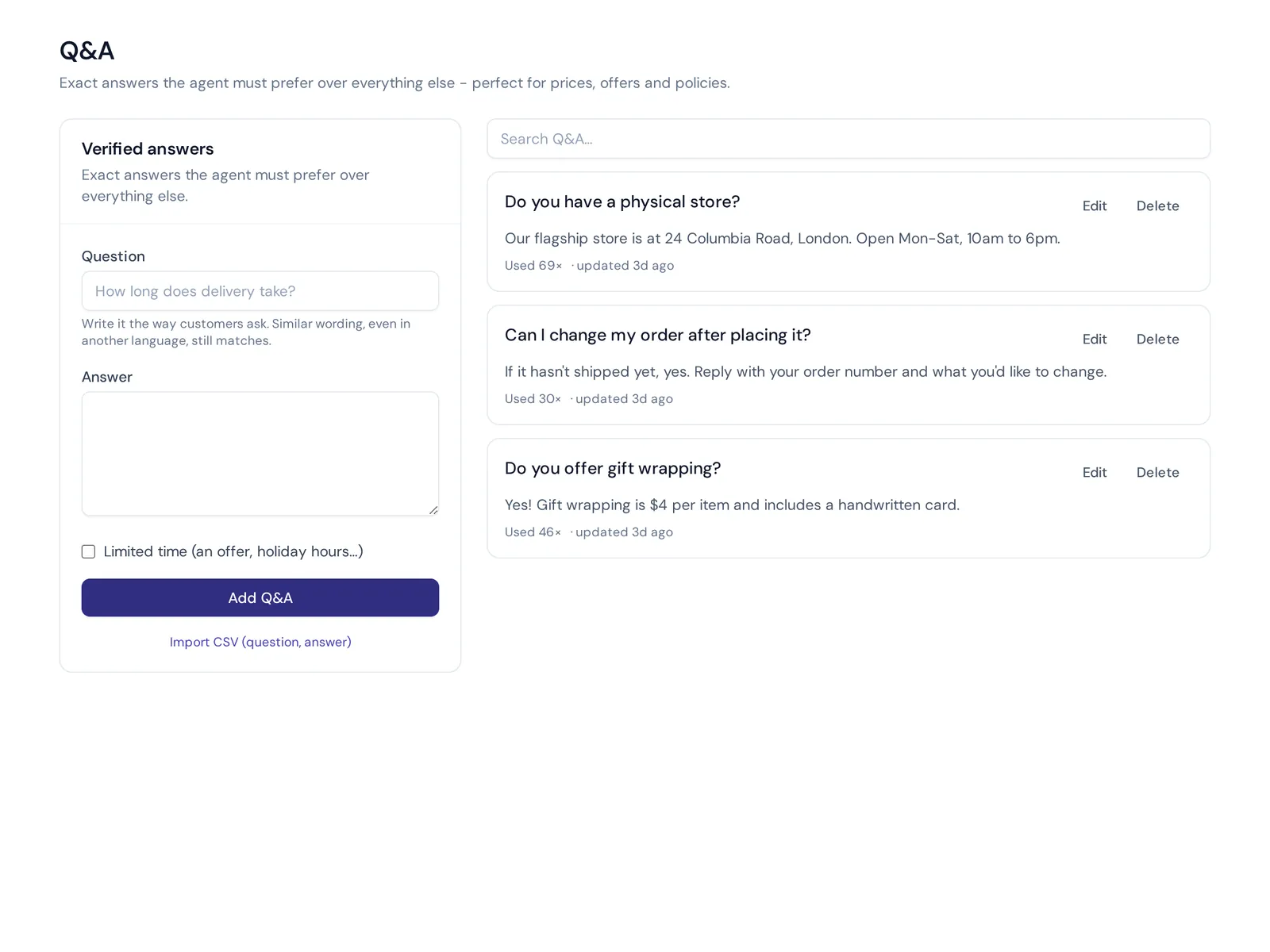
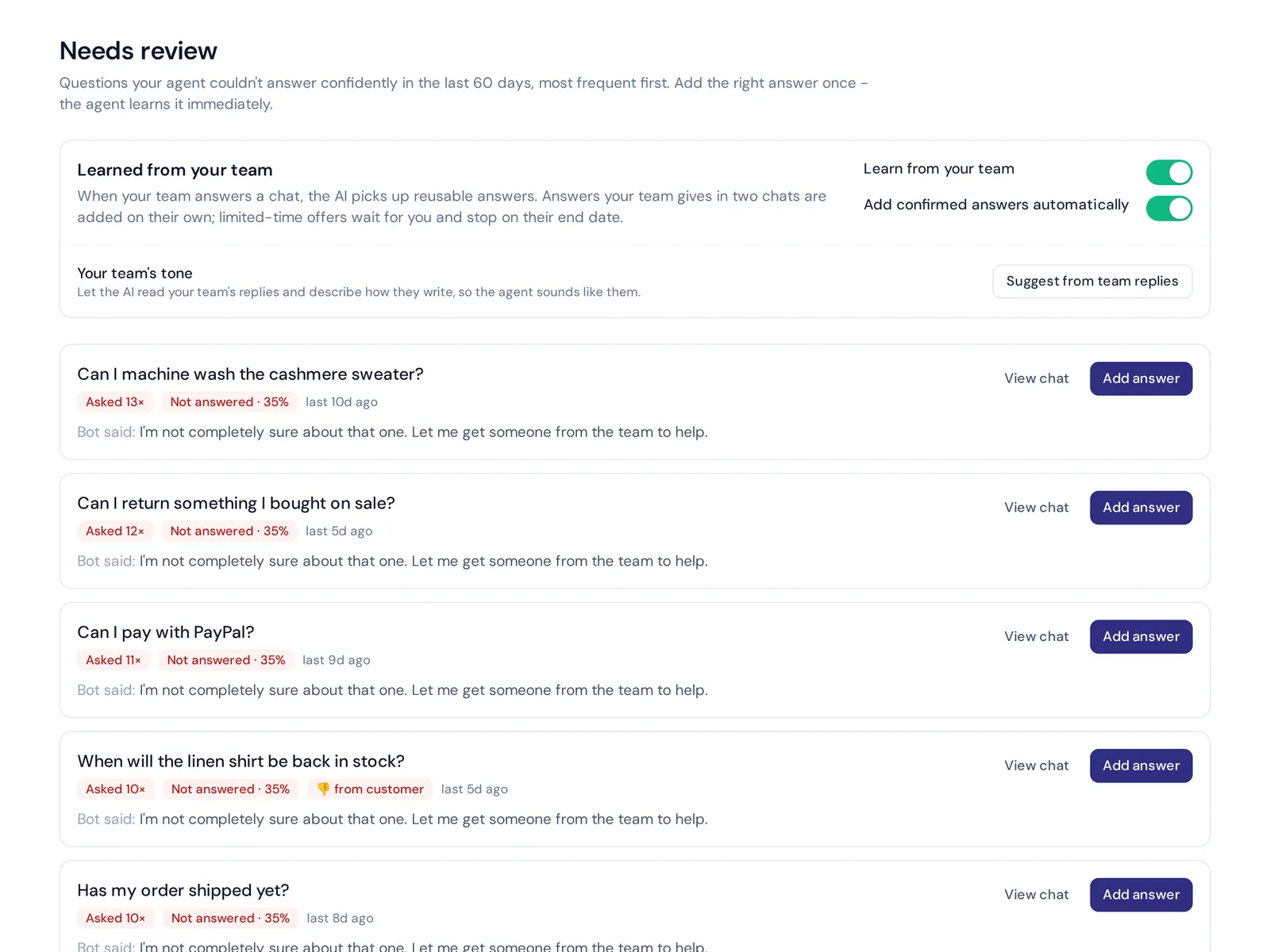
With AnytimeReply, your FAQ becomes more useful. Our help center publishes articles from your agent's knowledge on your own domain, with AI search that gives an actual answer instead of a list of links. "Draft with AI" writes a first version of an article, and you can see article views and thumbs up or down.
The same knowledge powers an AI agent on your website chat and messaging channels, and your verified Q&A answers always win over other sources. When the AI can't answer, it shows up as a knowledge gap you can fill in one click. The help center is included on the Free plan.
Frequently asked questions
What is a frequently asked question?
It's a question many customers ask about your business, product or policies. Grouping these with short answers on one page saves time for both sides.
How do you format an FAQ?
Group questions by topic, write each question the way customers ask it, put the direct answer in the first sentence, and add links to next steps. Use headings or accordions so people can scan.
How many questions should an FAQ page have?
Start with 10 to 20 real questions. Add more as new ones come in. Once you pass 30 or so, add categories and search.
How do you create an FAQ on a Facebook page?
Facebook doesn't have a classic FAQ page, but in Meta Business Suite you can set up FAQs in your inbox automations so people see suggested questions when they message your Page. Menus change often, so check Meta's help pages for the current steps.
What's the difference between an FAQ page and a help center?
An FAQ page is usually one page of short answers to questions. The bigger version is a full library of articles with categories and search, often with longer guides.
Is it "a FAQ" or "an FAQ"?
Both are used. "An FAQ" fits if you say each letter (F-A-Q), "a FAQ" fits if you say it as one word. Pick one and stay consistent.
Final thoughts
A great FAQ page is simple: real questions, short honest answers, clear categories and an easy way to get help. Start with your top 10 questions this week and grow from there.
When you're ready for an FAQ that answers back, start free with AnytimeReply and turn your content into searchable help articles and an AI agent. No card needed.
Published 1 November 2026 by AnytimeReply team