The first message in a chat decides a lot. A warm, clear greeting makes a customer type their question. A stiff "Hello. How may I assist you today?" makes plenty of them close the window.
Below are 34 customer service chat greeting examples you can copy, grouped by situation: first replies, proactive website messages, after hours, returning customers, AI chatbots, handovers, upset customers and sales. You'll also get a simple greeting script, closing lines and best practices for canned responses that don't sound robotic. Use these live chat greeting templates as a starting point and adjust each template to your brand.
We run an AI support agent and live chat platform at AnytimeReply, so we see a lot of opening lines. These are the patterns that tend to get customers talking.
What makes a good live chat greeting message?
Many customers prefer live chat as a support channel because it's quick, so the greeting is often the first real customer interaction with your brand. When you greet a customer, the message should do three jobs in one or two short sentences:
- It sounds human. Plain words, a friendly tone, no corporate phrases.
- It sets customer expectations. Who is replying (a person or an AI) and roughly how fast.
- It invites the question. It ends with an easy next step, like "What can I help you with?" or a few suggested options.
Keep it short. On mobile, three lines already fill the chat widget. Use the customer name when you know it, match your brand voice, and never promise "instant help" when your response time is an hour. An effective greeting makes the customer feel welcome before you've solved anything. And skip "Dear valued customer". Nobody talks like that in chat, and customers expect a normal, friendly tone in every customer interaction.
Best live chat greeting examples for customer service
Use these when a customer opens the chat and writes first, or as the default first response from your live chat agents. They work for most businesses.
1. Hi there! Thanks for reaching out. What can I help you with today?
2. Hi [Name], this is Sara from the support team. How can I help?
3. Hello and welcome! Ask me anything about orders, delivery or returns.
4. Hey [Name], good to see you here. What's on your mind?
5. Hi! You're chatting with our customer support team. Tell us what's going on and we'll sort it out.
6. Thanks for messaging us, [Name]. I'm reading your question now and will be right with you.
Example 6 is useful when the agent needs a minute. It tells the customer someone is there, so they don't send "hello??" twice.
Greetings for returning customers
When you know who the customer is, use it. It makes the customer conversation feel personal and saves them repeating themselves.
7. Welcome back, [Name]! How's your [last product] working out?
8. Hi [Name], nice to see you again. Is this about your recent order #[number]?
9. Hey [Name], thanks for coming back. Want me to pick up where we left off last time?
Proactive live chat welcome messages for your website
Proactive messages pop up before the customer or website visitor writes anything, for example after a few seconds, on scroll or when they're about to leave. They should feel like a helpful shop assistant, not a pushy one. Match the message to the page.
Homepage
10. Hi! Looking for something specific? I can help you find it.
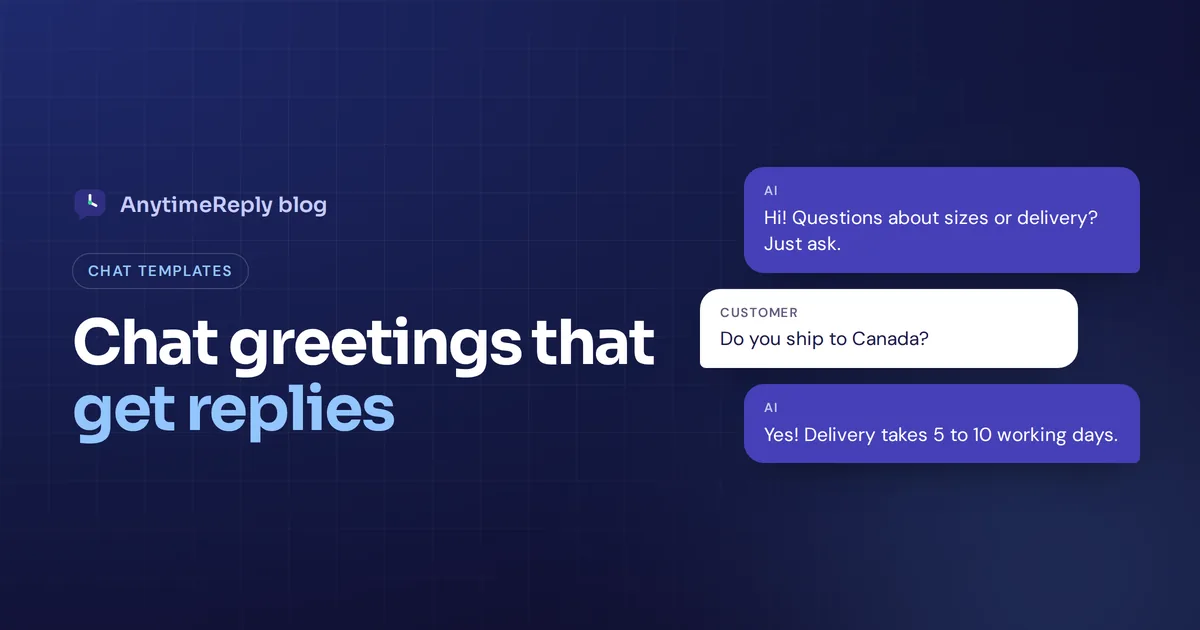
11. Welcome to [Brand]. Questions about sizes, delivery or returns? Just ask.
Pricing page
12. Comparing plans? Tell me what you need and I'll suggest the right one.
13. Not sure which plan fits? I can explain the difference in 30 seconds.
Product page
14. Got a question about this product? Sizing, materials, delivery, ask away.
15. Wondering if this fits? Tell me your usual size and I'll help.
Cart and checkout
16. Anything stopping you from checking out? I can help with payment or delivery questions.
17. Before you go, need help with your order? I'm here.
One proactive greeting per visit is plenty. Popping up on every page turns helpful into annoying.
After-hours and busy-time greetings
Honesty matters most here. Tell customers your live chat hours, when a person will be back, and give them something useful now.
18. Hi! Our team is offline right now (we're back at 9 am). Leave your question and email, and we'll reply first thing.
19. Thanks for your message. We're closed for the night, but our AI assistant can answer most questions right away. We'll follow up on anything it can't solve.
20. We're getting more chats than usual right now. You're in the queue and we'll reply within about 10 minutes. Are you okay to wait, or would you prefer we follow up via email?
21. Happy holidays! Our team is off until [date]. You can still ask questions here, and we'll get back to anything urgent as soon as we're back.
Example 20 is great when chat volume spikes. Giving people the choice to switch to email helps keep the customer instead of losing them to the wait.
AI chatbot greeting examples
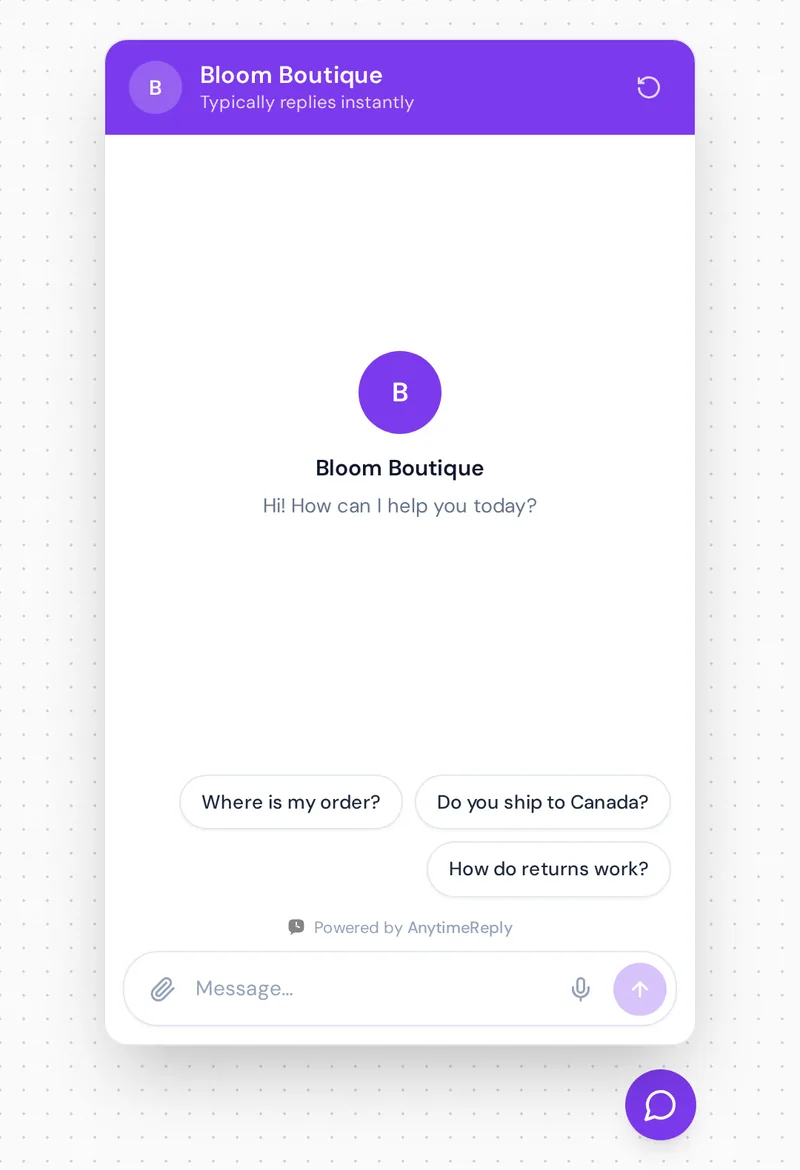
If an AI answers first, say so. Customers don't mind talking to AI when it's fast and helpful. They mind being tricked. A good bot greeting also offers a few common customer questions as buttons.
22. Hi! I'm the [Brand] AI assistant. I can help with orders, delivery and returns. If you'd like a person, just say so.
23. Hello! I answer instantly, 24/7. Try one of these: Where is my order? Do you ship to Canada? How do returns work?
24. Hi there, I'm an AI assistant trained on our help articles. Ask me anything, and I'll bring in our team if I can't help.
Handover greetings: from chatbot to live chat support
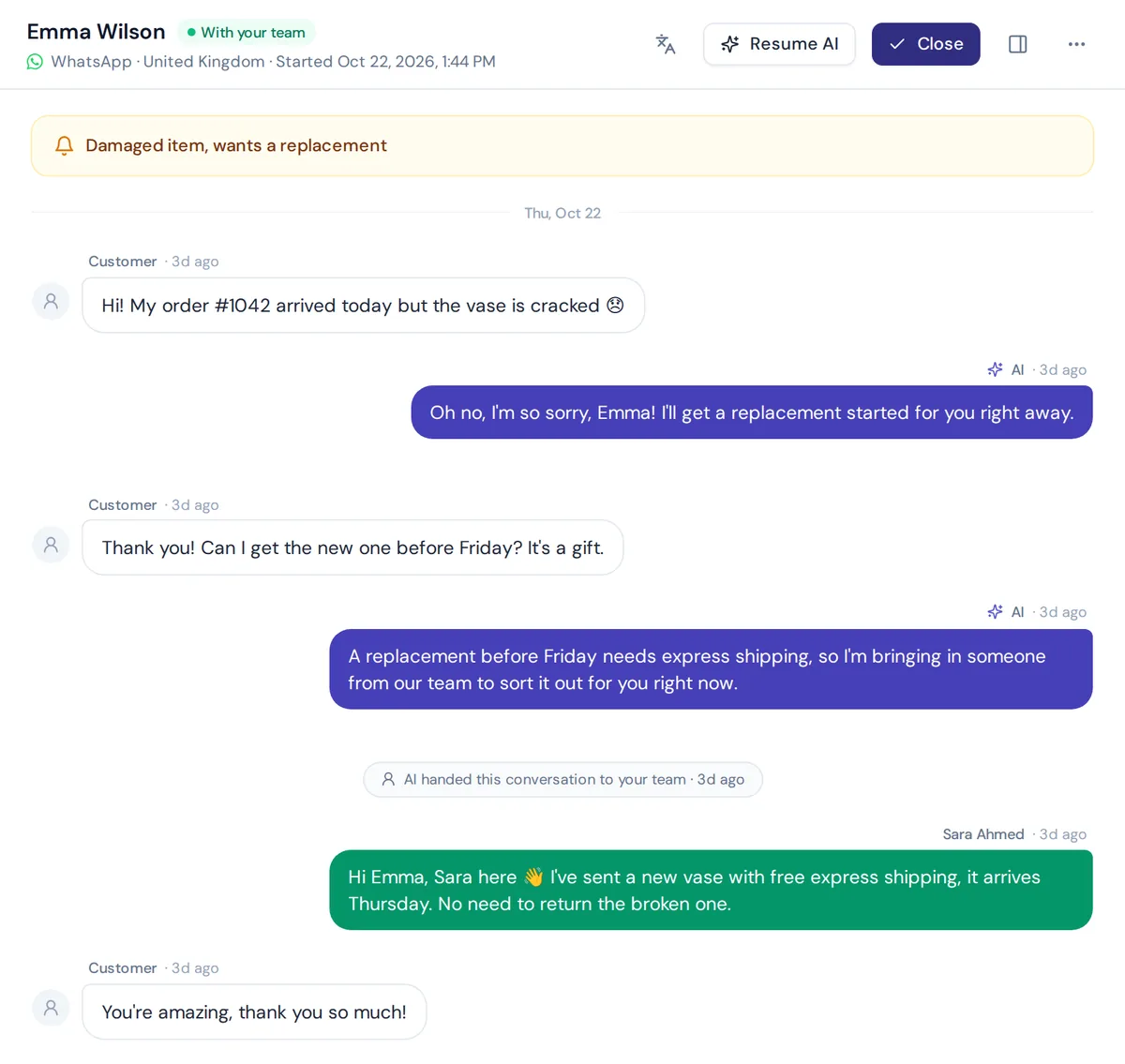
The moment a person joins a chat is a second greeting. Make it clear and warm, and show you've read what came before.
25. Hi [Name], I'm Sara from the team. I've read your chat, so no need to repeat anything. Let's get your refund sorted.
26. Hi, this is Tom. Thanks for your patience. I can see the issue with your delivery, give me a moment to check with the courier.
27. Hello [Name], you're now chatting with a real person. I'm sorry about the damaged item, I'll make it right.
Greetings for upset customers
When the customer opens with a complaint, skip the cheerful hello. Show empathy first, then act.
28. I'm really sorry about this, [Name]. That's not the experience we want you to have. Let me look into it right now.
29. Thanks for telling us, and sorry for the trouble. Can you share your order number so I can fix this quickly?
30. I understand how frustrating that is. I'm on it, and I'll stay with you until it's sorted.
Greetings for sales and lead capture
On sales pages, a greeting can start a conversation that turns into a lead or a booking. Keep it low-pressure.
31. Hi! Want a quick recommendation? Tell me what you're looking for and your budget.
32. Thinking about a demo? I can book a time with our team in under a minute.
33. Looking for a bulk or business order? Leave your email and we'll send a custom quote.
34. Are you looking to book [service] this week, or would you prefer a different date?
Live chat scripts: a simple greeting script
Live chat scripts keep your customer service representatives consistent without making everyone sound the same. Here is a basic customer service chat greeting script you can adapt:
- Greet and introduce: "Hi [Name], I'm [Agent] from [Brand]."
- Acknowledge the question: "Thanks for asking about [topic]."
- Set expectations: "Give me a minute to check that for you. I'll do my best to sort it today."
- Answer or ask one clear question: "Could you share your order number?"
- Check it's solved: "Does that answer your question?"
- Close warmly: "Glad I could help. Have a great day, [Name]!"
Let agents change the wording. A script is a safety net, not a cage. Customers notice when every reply sounds copied, and it hurts the live chat experience.
How to end a chat: closing live chat responses examples
A good closing line matters as much as the greeting. It confirms the problem is solved and leaves the customer with a good last impression. Here are a few live chat response examples for the end of a conversation:
Is there anything else I can help you with today?
Happy to help! If anything else comes up, just reply here.
Thanks for chatting with us, [Name]. Enjoy your new [product]!
Do you have a few seconds to rate this live chat session? Your customer feedback helps us improve.
That last one is a simple way to measure and improve customer service over time. Ask once, at the end, never in the middle of a problem. Small habits like this boost customer satisfaction more than any clever opening line.
Best practices for effective live chat greetings and canned responses
Most teams save each greeting as a live chat canned response (also called saved replies or live chat templates) so agents can send it in one click. That's smart, as long as they don't sound canned. If you use live chat with several agents, it's also how you stay consistent across different customer questions. Here are the best practices for creating canned responses and when to use canned responses at all:
- Personalize canned responses. Add the customer's name and one line about their actual question.
- Avoid robotic phrases. "What can I help with?" sounds human. "How may I assist you today?" sounds like a machine.
- Be honest about bots. Pretending an AI is a person hurts customer experience and trust.
- Keep greetings to two lines. Details go in the answer, not the hello.
- Match the mood. Apologise first when someone is upset.
- Match the page. A greeting about shipping on your pricing page feels random.
- Cover common customer service scenarios. Write a greeting for each situation above, so whatever the customer asks, an agent has a good starting line.
- Test and compare. Try one greeting for two weeks, then another, and compare how many visitors start a chat and how many chats end well. Read chat transcripts too: if many people ask "is this a bot?", your greeting isn't clear enough.
Setting up chat greetings with AnytimeReply
AnytimeReply puts a chat bubble, inline embed or hosted help page on your website with one line of code, a WordPress plugin or a Shopify theme. The AI agent answers first, in the customer's language, and hands over to your team with a summary when a person is needed.
- Greeting and suggested questions in the chat widget, so visitors can tap a common question.
- Proactive website messages after a few seconds, on scroll or on exit intent, through outbound messages.
- Clear handover. Team members can join any chat from the shared inbox, and the AI pauses while a person is in.
- AI help for agents to rewrite or translate a reply before sending.
It works as a live chat tool and an AI agent in one customer service platform, and it handles customer inquiries via live chat, WhatsApp, Messenger and more. Website chat is on the Free plan, so you can try your greetings without paying. Check pricing for what each plan includes.
Frequently asked questions
What is a good greeting for customer service?
Say hello, introduce yourself or the AI assistant, and invite the question in one or two short sentences. For example: "Hi [Name], I'm Sara from the support team. What can I help you with?"
What are some good opening lines for a customer service chat?
Short, friendly and specific to the page, like "Questions about sizes or delivery? Just ask." It works better than a generic "How may I assist you?"
What is a good closing line for a chat support conversation?
Confirm the issue is solved, offer more help and thank the customer: "Glad that's sorted! Anything else I can help with today?"
Should a chatbot say it's a bot?
Yes. Tell customers they're talking to an AI assistant and how to reach a person. It builds trust and avoids frustration.
How do I greet customers when support is offline?
Be honest that the team is offline, say when you'll be back, and offer a way to get help now, like an AI assistant or leaving an email for a reply.
Pick three greetings and try them this week
You don't need all 34. Pick one for your homepage, one for after hours and one for handovers, adjust the wording to your brand, and see how customers respond.
Want an AI agent that greets every visitor and answers right away? Start free, no card needed.
Published 1 November 2026 by AnytimeReply team