Picking an AI customer service platform used to mean choosing a helpdesk and bolting a chatbot on top. In 2026 the AI is the main event. The best AI customer support platforms in 2026 answer most routine questions on their own, take simple actions like checking an order, and hand the hard conversations to a human agent with the customer context already filled in.
The problem is that every vendor now says it has "AI agents", and tools like these look the same on a feature page. Some are big helpdesks built for large support teams. Some are simple chatbots for small shops. Some are enterprise platforms that need a sales call and a project plan.
This list sorts out the support tools for 2026. We cover what each platform is known for, who it suits and what to watch out for. Full disclosure: AnytimeReply is our product, and it is on the list. We tell you where it fits and where another tool is the better choice.
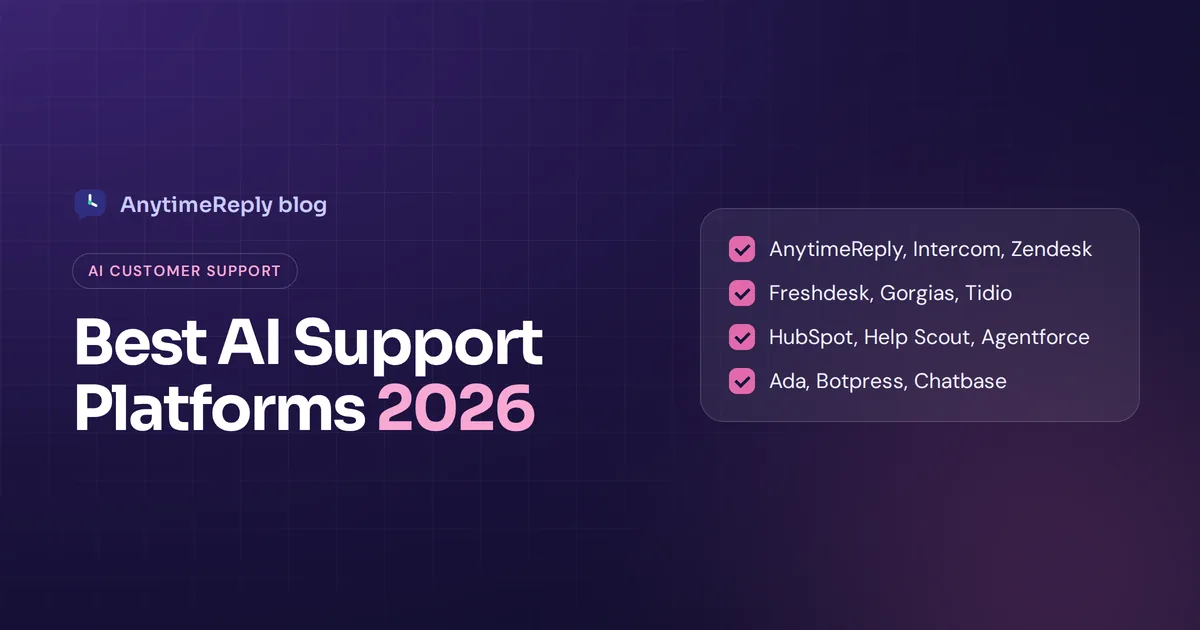
Best AI customer service platforms at a glance
| Platform | Best for | Known for |
|---|---|---|
| AnytimeReply | Small and growing businesses, multilingual customers | AI agent plus helpdesk, website and messaging apps, free plan |
| Intercom | Software companies and mid-size support teams | Fin AI agent, polished inbox and messenger |
| Zendesk | Large support organizations with complex ticketing | Mature ticketing, Zendesk AI agents, big app marketplace |
| Freshdesk | Teams that want a full helpdesk with AI | Freddy AI agent and copilot, omnichannel support |
| Gorgias | Shopify and ecommerce brands | Deep store integration, order actions |
| Tidio | Small online stores and websites | Lyro AI chatbot, easy setup |
| HubSpot Service Hub | Companies already on HubSpot CRM | AI customer agent connected to CRM data |
| Help Scout | Small teams that love email support | Simple shared inbox, AI answers, docs |
| Salesforce Agentforce | Enterprises on Salesforce | AI agents inside Service Cloud |
| Ada | Enterprises with high volume | Enterprise AI agent platform |
| Botpress | Teams with developers who want to build custom agents | Flexible conversational AI platform |
| Chatbase | Quick AI agent trained on your content | Fast setup, embed anywhere |
Why teams are moving to AI-powered customer support
Customer support automation is not new, but the old version was a phone menu or a button bot that nobody liked. AI-powered customer support is different because the AI understands normal messages and answers from your own content.
For most teams, the wins are simple: instant answers at night and on weekends, fewer copy-paste replies, and support that works in many languages. The AI takes the repeat questions, which frees people for refunds, complaints and sales conversations where a better customer experience really comes from a person.
It is not magic. Picking the right AI still means good content, an easy way to reach a human and someone reviewing chats. But helping support teams handle more without burning out is now realistic for a business of almost any size.
What is an AI customer service platform?
An AI customer service platform is software that uses AI to answer customer inquiries and helps your support team manage everything the AI can't. It usually has four parts:
- An AI agent (sometimes called an AI customer support bot or customer service chatbot) that answers questions in chat, email or messaging apps using your own content.
- A helpdesk or shared inbox where every support agent picks up handed-over chats and tickets.
- An AI copilot that helps human agents write, translate and summarize replies faster.
- Integrations and actions that let the AI look up orders, book meetings or update records, instead of only answering FAQs.
Most modern AI tools use generative AI and large language models, so customers can type the way they talk, and every AI conversation feels closer to texting a person. That is the big shift from old rule-based bots, which only understood buttons and keywords.
Chatbot vs AI agent: which one does your support team need?
A basic chatbot answers questions. An AI agent can also do things: check an order, change a booking, start a return, then confirm with the customer. This is what most vendors mean by agentic AI. If your customer service issues are mostly "how do I" questions, a chatbot with a good knowledge base is enough. If many are "where is my order" or "change my plan", you want actions too.
How we compared these AI customer service tools for 2026
We did not run a lab test of every tool, and we won't pretend we did. We compared them on what matters when you are actually choosing a platform for your team:
- Answer quality: does the AI answer from your content, and does it admit when it doesn't know?
- AI and human handoff: how smoothly a conversation moves to a person, with customer context and a summary.
- Channels: website chat, email, WhatsApp, Messenger, Instagram and more, ideally with customer conversations across all of them in one place.
- Actions: can the AI do things, like check an order status, or only talk?
- Setup effort: can a small team go live in a day, or is it a months-long project?
- Pricing model: per seat, per conversation, per resolution or credits. Prices change often, so check each vendor's pricing page.
The 12 best AI customer service software tools in 2026
1. AnytimeReply
Best for: small and growing businesses, online shops, Facebook and Instagram sellers, SaaS teams and anyone whose customers write in more than one language.
AnytimeReply is an AI support and sales agent with a built-in helpdesk. You add your website, documents and Notion pages, and it trains an AI agent that answers on your website, WhatsApp, Messenger, Instagram, Telegram, email and Slack. It replies in the customer's language, including Bangla, Banglish, Hindi and Hinglish, so multilingual support doesn't need extra hires.
When the AI isn't sure, it says so instead of guessing, and it hands the chat to your team with a summary when a customer asks for a person or gets upset. On paid plans it can take actions for verified customers, like checking orders in Shopify or WooCommerce or booking meetings with Cal.com or Calendly. You can pick GPT, Claude, Gemini or DeepSeek per agent.
- Good: free plan with website chat, helpdesk inbox, help center and analytics; paid plans start at $9 a month; no setup fees or contracts.
- Watch out for: no phone or voice support, and no native mobile SDKs. Messaging channels like WhatsApp and email need a paid plan. If you run a huge call center, this is not the platform for you.
2. Intercom
Best for: software companies and mid-size support teams that want a polished, all-in-one product.
Intercom is a customer messaging platform known for Fin, Intercom's AI customer service agent, and a clean messenger and inbox. It is popular with SaaS companies for in-app support and has strong reporting, workflows and an AI copilot for human agents.
- Good: mature product, strong AI agent, good for product-led companies.
- Watch out for: usually seen as a premium option, and costs can add up as seats and AI usage grow. Check their pricing page. We also wrote an honest AnytimeReply vs Intercom comparison.
3. Zendesk
Best for: large customer service teams with complex ticketing, many agents and strict processes.
Zendesk is one of the best-known helpdesks, famous for ticketing, routing, reporting and a huge app marketplace. Zendesk AI now adds AI agents that answer customers, plus AI tools that help agents triage and reply.
- Good: very complete, scales to big service operations, lots of integrations.
- Watch out for: setup and admin can be heavy for a small business, and the many add-ons can be confusing.
4. Freshdesk
Best for: teams that want a full helpdesk with built-in AI, often at a friendlier entry point than the biggest names.
Freshdesk, from Freshworks, offers ticketing, omnichannel support and Freddy AI. The Freddy AI agent answers customers automatically, while Freddy copilot helps agents draft and summarize.
- Good: broad feature set, familiar ticketing workflow.
- Watch out for: some AI capabilities sit in higher plans or add-ons, so compare plans carefully.
5. Gorgias
Best for: Shopify and ecommerce brands.
Gorgias is a platform built around online stores. Agents see orders inside the helpdesk, and its AI agent handles common ecommerce questions like order status and returns.
- Good: deep store integration, made for ecommerce teams.
- Watch out for: less of a fit if you are not an online store.
6. Tidio
Best for: small online stores and websites that want quick live chat with AI.
Tidio is known for easy setup and its Lyro AI chatbot. It combines live chat, chatbots and a simple inbox, and is popular with small ecommerce businesses.
- Good: beginner-friendly, quick to install.
- Watch out for: AI usage limits and add-ons matter as you grow. See our AnytimeReply vs Tidio comparison.
7. HubSpot Service Hub
Best for: companies already using HubSpot for marketing and sales.
Service Hub adds a help desk, knowledge base and an AI customer agent that can use the customer data already in your HubSpot CRM.
- Good: everything in one place if you live in HubSpot.
- Watch out for: best value only if you use the wider HubSpot platform.
8. Help Scout
Best for: small teams that care about friendly, email-first support.
Help Scout is a customer support platform with a shared inbox that feels like email, a built-in knowledge base and AI features that draft and answer from your docs.
- Good: easy for the whole team, calm design.
- Watch out for: fewer messaging app channels than some tools on this list.
9. Salesforce Agentforce
Best for: large companies already running Salesforce Service Cloud.
Agentforce is Salesforce's agentic AI layer. AI agents work inside your Salesforce data and workflows, which is powerful if your customer service operations already run there.
- Good: deep CRM data and enterprise controls.
- Watch out for: needs Salesforce expertise, and is far too much for small teams.
10. Ada
Best for: enterprises handling high volumes of customer inquiries across multiple channels.
Ada is an enterprise AI agent platform for customer support that focuses on automating a large share of conversations, with tools built for large support operations.
- Good: built for scale and enterprise needs.
- Watch out for: usually sold through a sales process, too heavy for most small businesses.
11. Botpress
Best for: teams with developers who want full control.
Botpress is an enterprise-grade AI agent platform and builder. You can design custom agents, connect APIs and deploy them across channels.
- Good: very flexible, great for custom use cases.
- Watch out for: it is a builder, not a ready-made helpdesk, so plan for setup time.
12. Chatbase
Best for: people who want an AI agent trained on their content, fast.
Chatbase lets you train an AI agent on your website and files and embed it on your site. It is popular for quick setups.
- Good: very quick to start, simple.
- Watch out for: check how much helpdesk and team inbox you need. Here is our AnytimeReply vs Chatbase page.

Key AI capabilities to look for in an AI platform
- Answers grounded in your knowledge. The AI handles customer questions and customer queries using your website, docs and policies, not random internet guesses.
- Honest uncertainty. It should say "I'm not sure" and pass the conversation on, instead of inventing an answer.
- Understanding customer intent. Good AI figures out what the customer actually wants, even when the message is messy.
- Actions with guardrails. Order lookups, refunds or bookings only for verified customers, with confirmation and limits.
- Omnichannel support. AI agents across website chat, email and messaging apps, sharing one brain and one history of customer interactions.
- Multilingual replies. Answers in the customer's language without separate setups.
- AI copilot for agents. Drafts, translations and summaries inside the inbox.
- Analytics and gaps. Topics, sentiment, ratings and the questions the AI couldn't answer.
- Testing. A way to test changes before customers see them. A good AI tool lets you check answers in a sandbox first.
How vendors price AI agent and conversational AI platform plans
Pricing is where buyers get the most surprises. The common models are:
| Model | How it works | Watch out for |
|---|---|---|
| Per seat | You pay per human agent | AI features may cost extra on top |
| Per resolution | You pay when the AI resolves a conversation | Can get expensive at high volume |
| Per conversation or message | You pay for usage | Spam and long chats add up |
| Credits | Each AI reply uses credits from a monthly pool | Stronger models may use more credits |
For example, AnytimeReply uses credits: standard models use 1 credit per reply, stronger ones more, and replies your team writes are free. Whatever the model, run the numbers on your real monthly volume before you commit.
How to choose AI customer support software for your team
- Count your conversations. A shop with 300 chats a month needs something very different from a contact center handling 30,000.
- List your channels. If most customers use WhatsApp or Instagram, make sure the platform supports them well.
- Find your top questions. If most are order status, you need actions. If most are "how do I", you need a strong knowledge base.
- Define the AI's role. Is the AI resolving issues on its own, or mainly helping your support team reply faster? Many teams want both, so they can automate customer questions and still keep a better customer experience for the hard cases.
- Decide on handoff. When should a person take over, and how fast can your team reply when it happens?
- Try it on real questions. Use the free plan or trial, add your content and ask the 20 questions customers ask most.
- Check data handling. Ask whether customer conversations are used to train AI models and how you can delete data.
Common mistakes when buying AI chatbots and support tools
- Buying for features you won't use. Enterprise routing is useless if you have two agents.
- Skipping the content work. Any AI agent is only as good as your help pages and policies.
- Hiding the human. Customers hate bots with no way out. Good AI tools escalate quickly when they should.
- Ignoring usage costs. Great at small volume, surprising at high volume.
- Never reviewing chats. Read a few AI conversations every week and fix what's wrong.
Frequently asked questions
Which AI customer service platform is the best?
There is no single best one. Large teams often pick Zendesk, Intercom or Salesforce. Shopify brands often pick Gorgias. Small and growing businesses that want AI plus a helpdesk across website and messaging apps can start free with AnytimeReply.
Are AI tools for customer service suitable for a small support team?
Yes, often more than for big teams, because a small team can't cover nights and weekends. Pick a platform built for quick setup with a free plan or trial, rather than an enterprise tool.
Can I use ChatGPT for customer service?
Not on its own. ChatGPT doesn't know your policies or orders and has no helpdesk or handoff. Customer service platforms use similar models but ground them in your content and add guardrails.
Can AI platforms hand off complex customer issues to human agents?
The good ones do. They pass the conversation with a summary so the customer doesn't repeat themselves, and the AI steps back while the person replies.
How long does it take to implement an AI customer support platform?
Simple tools can go live in an afternoon: add your website, test, paste one line of code. Enterprise platforms can take weeks or months.
Are there free AI customer service tools?
Several offer free plans or trials. AnytimeReply has a free-forever plan with website chat, a helpdesk inbox and 50 AI credits a month, no card needed.
Final thoughts
The best use of AI in customer support in 2026 comes from a platform that fits your size, your channels and your budget. Shortlist two or three, test them on your real questions, and pick the one whose AI answers well and hands over gracefully.
If you want to try AnytimeReply, start free, no card needed. Add your website and see how the agent answers in a few minutes.
Published 1 November 2026 by AnytimeReply team