A customer emails you on Friday afternoon: their order arrived damaged. They hear nothing until Monday. By then they have posted about it, opened a dispute with their bank and decided not to buy from you again. The problem was fixable. The wait was the real damage.
Customer service response time is how long a customer waits for your reply. It is one of the simplest support metrics to measure and one of the most noticed. A fast, helpful first reply calms people down. Anyone in customer success will tell you the same. A slow one makes even small issues feel big, and slow response times are a common reason people complain about poor customer service.
This guide explains how to measure response time, what a good benchmark looks like on each channel, and practical tips to improve it, including where an automated customer service response helps and where it hurts.
What is customer service response time?
In short, it is the time between a customer contacting you and your support team (or your system) replying. Most teams track it in minutes or hours, per channel. In plain words, response time measures how long every customer waits to feel heard.
The term covers a few related response time metrics. They are easy to mix up, so here they are side by side.
First response time vs average response time vs resolution
| Metric | What it measures | Why it matters |
|---|---|---|
| First response time (FRT) | Time from the customer's first message to the first reply | Shows how quickly customers feel heard |
| Average response time | Average wait for every reply in a conversation, not just the first | Shows whether customers wait between messages too |
| Resolution time | Total time from first message until the issue is solved | Shows how long the whole problem takes |
| Service level (SLA) compliance | Share of tickets answered within your target | Shows whether you keep your promises |
First response time, sometimes called first reply time, gets the most attention, and for good reason. But a fast first reply followed by two days of silence is still a bad customer experience. Track both the first reply and the overall response speed across the conversation.
Why customer response time matters to every customer
- Customers judge you by the wait. Most people forgive a problem. Few forgive being ignored.
- Fast replies save sales. A shopper asking "Do you ship to Canada?" is ready to buy now. If the answer comes tomorrow, they bought somewhere else. Many customer inquiries are really buying questions.
- Slow replies create more work. Customers who don't hear back write again, on another channel, sometimes in public. One support request becomes three tickets.
- It affects customer satisfaction and retention. A fast response time usually goes hand in hand with higher customer satisfaction scores, as long as the reply is actually useful. Satisfied customers stay, which is good for customer retention.
- It is a clear signal of team health. Longer response times often mean you are understaffed or buried in repeat customer questions.
The opposite also holds. A quick, positive customer interaction builds trust that a discount code never can. That is the heart of exceptional customer service: people feel someone is paying attention.
How to calculate average first response time
To calculate first response time, the basic formula is simple:
Total time taken to send first replies / number of tickets = average time to first reply
Example: you get 4 customer emails. Your first replies come after 1 hour, 3 hours, 30 minutes and 6.5 hours. That adds up to 11 hours. Divide by 4 and your average is 2 hours 45 minutes.
A few details make the number more honest:
- Use the median response time too. One ticket that waited three days can drag your average up. The median shows what a typical customer experiences.
- Decide on business hours or calendar hours. If you only work weekdays 9 to 6, a Friday evening email answered Monday morning is 2.5 days in calendar time but only an hour or so in business hours. Customers feel calendar time.
- Don't count "we got your email" as a reply. A receipt is not an answer. Count the first reply that actually helps, or track auto-replies separately.
- Measure response time across channels separately. Chat, email and social have very different customer expectations. One blended number hides problems.
What is a good response time? Benchmarks by channel
There is no single right number. It depends on your channel, your industry and what you promise. Still, customers have rough expectations for each channel, and many teams use targets like these as a starting benchmark:
| Channel | Customer expectation | A sensible target to start with |
|---|---|---|
| Live chat | An immediate response, they are waiting in the window | Under 1 to 2 minutes |
| WhatsApp and Messenger | Fast, like texting a friend | Within minutes during open hours, within an hour at worst |
| Instagram DMs and comments | Fast, often public | Within an hour |
| Email and tickets | Slower, but not days | Within a few business hours, never more than 24 hours |
| Contact forms | Similar to email | Same day |
So what is a good average response time for email? Many teams aim for a few hours and treat 24 hours as the outer limit. Treat these as starting points, not laws. The best target is one your customer service team can keep every day, then tighten over time. Whatever you choose, set response expectations publicly so you support customers honestly: "We reply within 4 hours on weekdays" beats silence every time.
What causes slow response times
- Too many repeat questions. Order status, shipping times, return policy, password resets. Your team answers the same 20 questions all day while new customer issues wait.
- Messages scattered across support channels. Email in one tab, WhatsApp on a phone, Instagram on another phone. Things get missed.
- No clear ownership. Everyone assumes someone else will reply to the inquiry.
- Office hours only. Customers write at night and on weekends. Those customer requests and service requests pile up for Monday.
- Agents hunting for answers. If finding the refund policy takes five minutes, every reply takes five minutes longer.
- Peaks you didn't plan for. A sale, a viral post or a shipping delay can triple customer contacts overnight.
10 tips to improve customer reply time
These are the ways to improve your first response time that help most, roughly in order of impact for a small customer support team.
1. Put every channel in one inbox
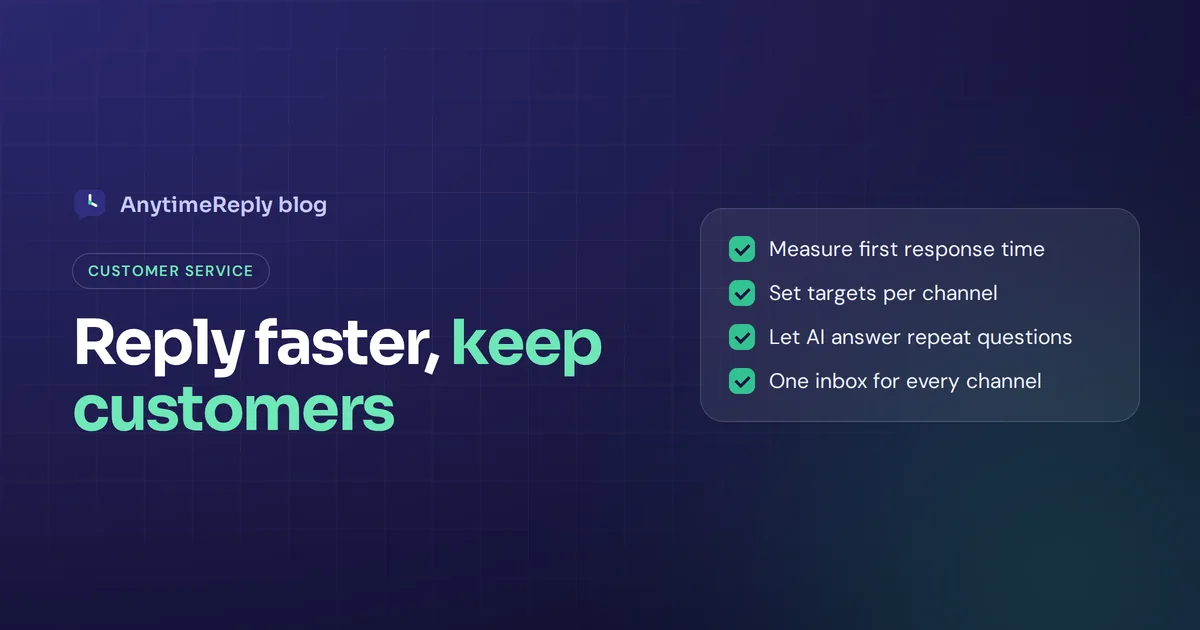
A shared inbox across all support channels (email, chat, WhatsApp, Messenger, Instagram) means nothing hides on someone's phone. You see the queue in one place and answer from one place. This alone helps streamline your customer service.
2. Assign conversations automatically
Round robin or "least busy" assignment means every inquiry has an owner the second it arrives. No more "I thought you had it."
3. Let AI answer the repeat questions
An AI agent trained on your website and help articles can answer common customer inquiries in seconds, at any hour. Your customer service department then only has to handle customer issues that really need a person. For most small teams, this is the biggest single lever to reduce customer wait time.
4. Build a knowledge base and saved replies
Write down the answers to your top questions once. Agents copy, adjust and send instead of typing from scratch. The same content can train your AI.
5. Prioritize by urgency, not by order
An angry customer with a broken product should not wait behind ten "do you have this in blue?" chats. Use tags and priority rules so urgent requests jump the queue.
6. Set targets and make them visible
Pick a goal per channel and show it in your customer service software. What gets measured gets attention, and customer data on wait times helps you spot slow spots early.
7. Cover off-hours smartly
You don't need a night shift. AI can answer the common questions after hours and collect details for the rest, so your team starts the morning with context instead of a cold pile.
8. Use honest auto-replies when a person must look
If an issue truly needs a human, an instant message that confirms receipt and gives a real time frame ("We'll reply by 10 am tomorrow") lowers anxiety and stops duplicate messages.
9. Plan for peaks
Before a sale or launch, update your FAQ and AI knowledge with the questions you know are coming: delivery dates, discount codes, stock.
10. Review slow tickets every week
Look at the customer conversations that waited longest. Was it a missing answer, a routing problem, a staffing gap? Fix the cause, not just the ticket. Small weekly fixes add up to reliable service and smoother customer service operations.
Automated customer service response: where it helps and where it hurts
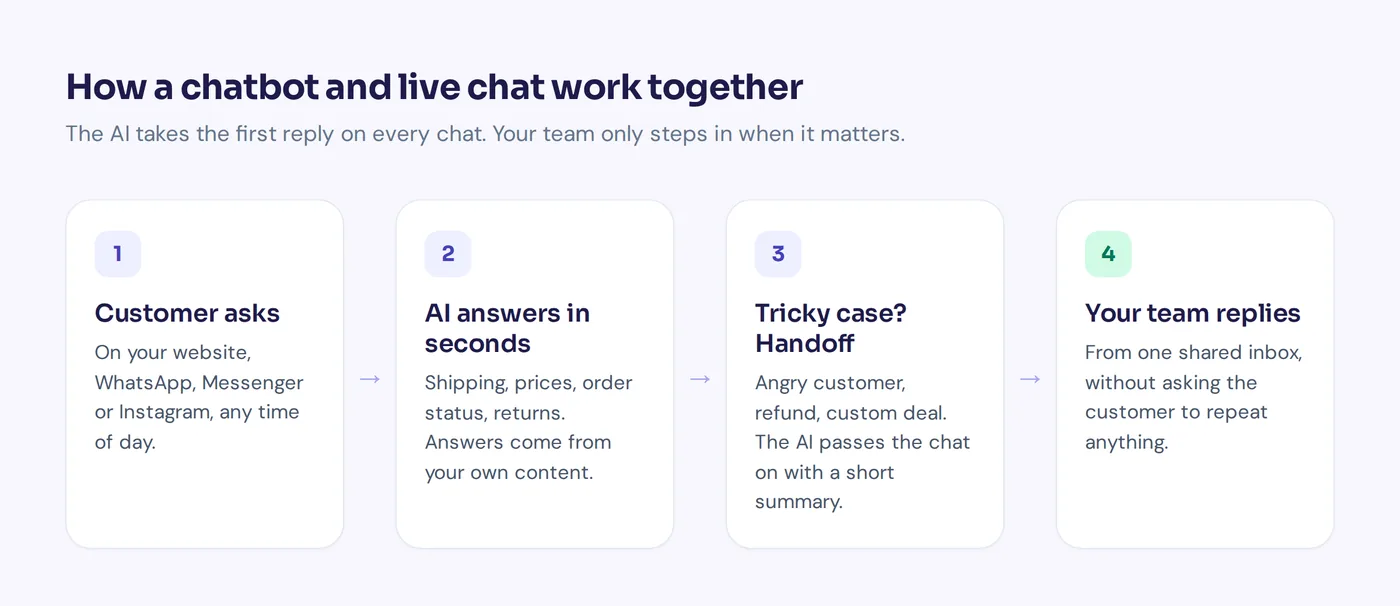
Automation can mean two very different things. One is a canned "Thanks, we got your message" email. The other is an AI that actually answers the question. Customers treat them very differently.
Where automation helps
- Common questions with clear answers: shipping, returns, opening hours, pricing, order status.
- Out-of-hours messages, so nobody waits all night for a simple answer.
- Collecting details before a human joins: order number, photo of the damage, account email.
- Routing: sending billing questions to billing and tech questions to tech.
Where automation hurts
- When it pretends to answer but doesn't. A vague bot reply that ignores the question is a bad customer moment, worse than a slower human one.
- When customers can't reach a person. Always offer a clear way to talk to someone.
- Upset customers, complex complaints and anything involving money or exceptions.
- When the auto-reply is counted as a "response" and hides how slow the real reply is.
The rule we follow: automate the answer, not the brush-off. Fast and wrong does not meet customer needs, and it hurts service quality.
Response time examples you can copy
Email auto-reply with a real time frame:
Thanks for your message. We've got it and a member of our team will reply within 4 business hours (Mon to Fri, 9 am to 6 pm). For order status, you can also check our chat for an instant answer.
Chat message when the team is busy:
Thanks for waiting. Our team is helping other customers right now. I can answer most questions straight away, or I can pass you to a person, usually within 10 minutes. Which do you prefer?
After-hours WhatsApp reply:
Hi! Our team is offline until 9 am, but I can help with orders, delivery and returns right now. If you need a person, tell me the issue and we'll reply first thing in the morning.
How AnytimeReply helps reduce customer wait time
AnytimeReply is an AI support agent with a built-in helpdesk. It is built around one idea: the customer gets a useful reply in seconds, and your team handles what really needs a person.
- Instant AI answers. The AI agent is trained on your website, documents and Q&A, and answers in seconds in the customer's language. When it doesn't know, it says so instead of guessing.
- One shared inbox. Website chat, WhatsApp, Messenger, Instagram, Telegram, email and Slack in one helpdesk, with automatic assignment (least busy or round robin) and views like Unassigned and Needs human.
- Smart handoff. When a customer asks for a person, gets upset or the AI can't answer, the chat goes to your team with a summary, so nobody asks the customer to repeat themselves.
- Email tickets. Connect Gmail, Outlook, Zoho or any IMAP mailbox. The AI answers common emails in the same thread or drafts replies for your team (see tickets and email).
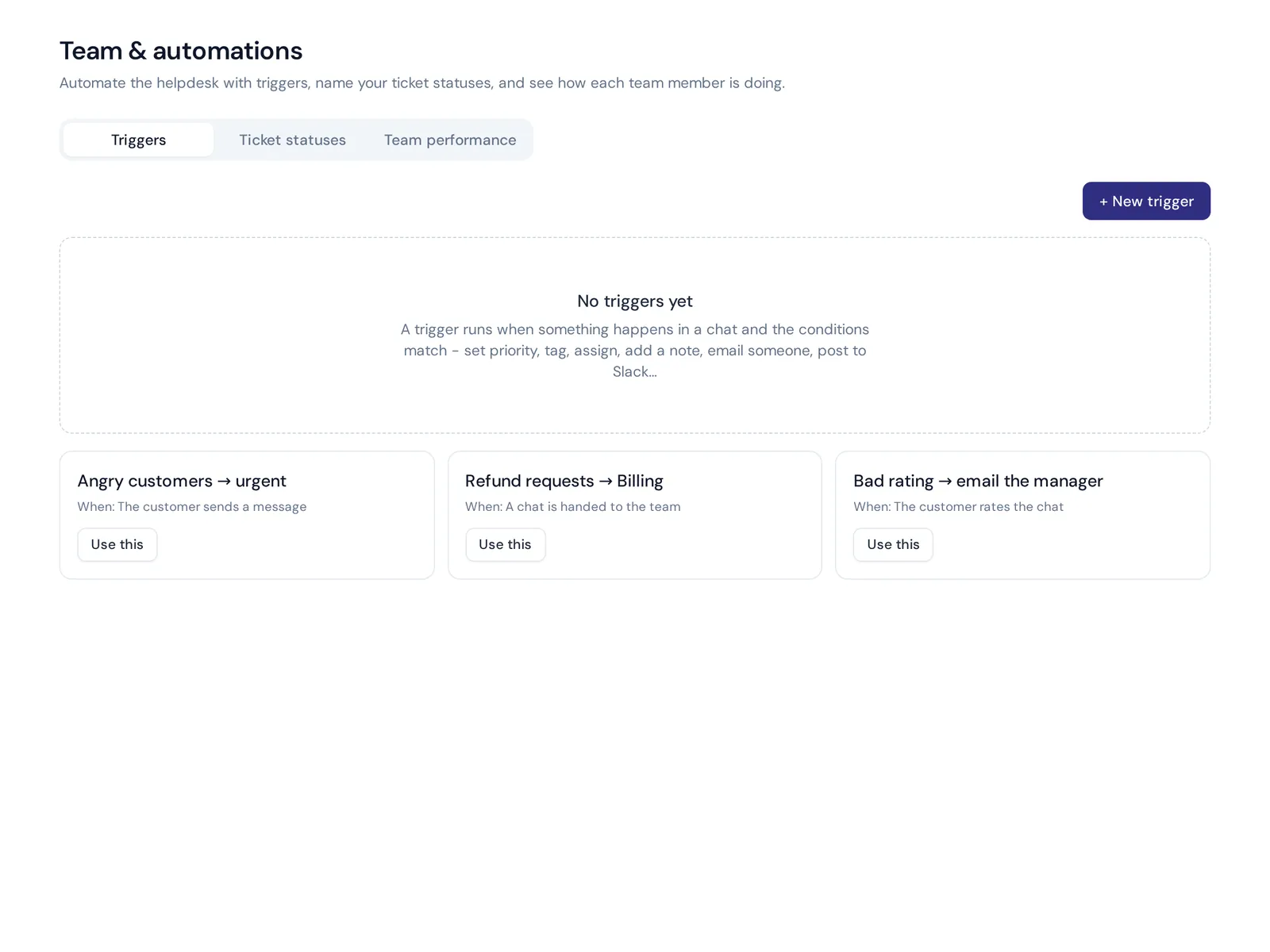
- Triggers. Set priority, tag or assign automatically, for example "angry customers to urgent".
Honest limits: we cover chat, messaging and email, so call-center metrics need a different tool. Website chat and the helpdesk inbox are on the Free plan; WhatsApp, Instagram, Messenger and email channels start on Hobby. See pricing.
Frequently asked questions
What is meant by response time?
In customer support, response time is how long it takes to reply after a customer reaches out. It is usually measured per channel, as the first reply and as the average across the conversation.
What is the difference between response time and resolution time?
Response time is how long until the customer gets a reply. Resolution is how long until their problem is actually solved. You can reply in one minute and still take three days to fix an issue.
How can a small team respond faster without hiring?
Put all channels in one inbox, let AI answer the repeat questions, use saved replies for the rest and assign every message automatically. Those four changes improve response time the most.
Do auto-replies count as a response?
They shouldn't count toward first response time if they only confirm receipt. An automated reply that actually answers the question, like an AI agent's answer, is a real response.
What is the average wait time for customer service?
It varies widely by company, industry and channel, so be careful with any single number. Compare yourself with your own past results and with the expectations in the table above.
Final thoughts
Response time is where customers first feel whether you care. You don't need a huge team to get it right: one inbox, clear ownership, honest auto-replies and an AI that answers the common questions in seconds. That combination helps you improve customer satisfaction without burning out your team.
Choosing a new customer service tool? See how fast your replies could be: Start free with AnytimeReply, no card needed.
Published 7 November 2026 by AnytimeReply team