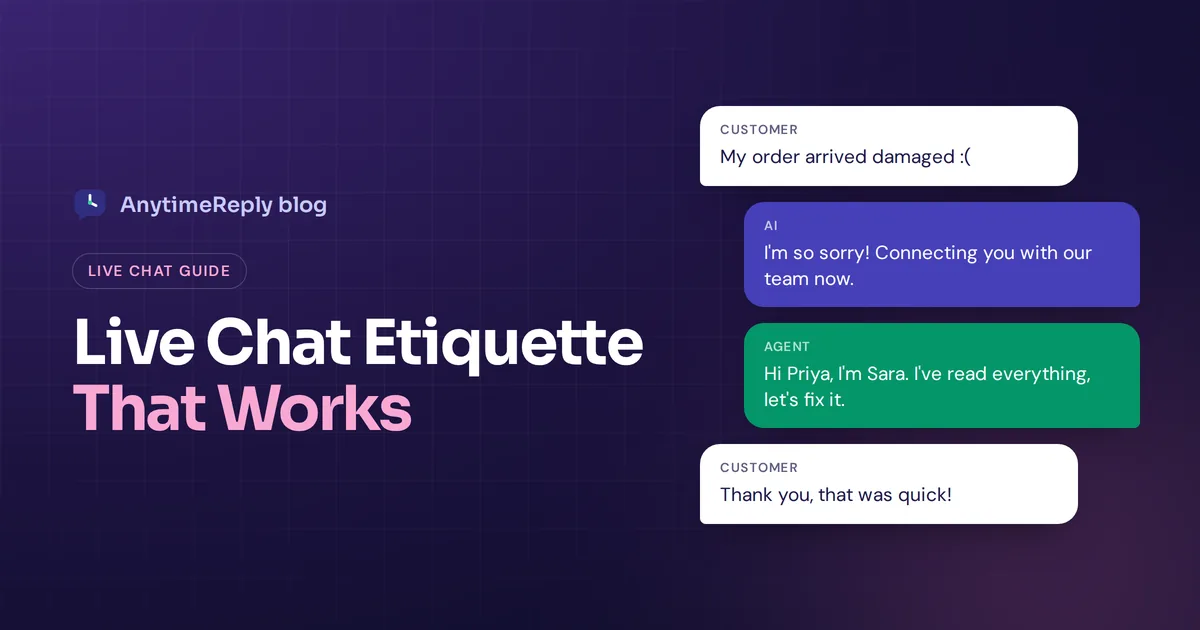
Live chat feels casual. It's a small box in the corner of a website, and people type in it the way they text their friends. That's exactly why it's easy to get wrong. A reply that sounds friendly to you can read as rude, lazy or robotic to a customer who is already a bit stressed.
Good customer service live chat etiquette is simply a set of habits that make customers feel heard and helped, fast. In this guide we cover the rules that matter most, with ready-to-copy phrases, things to never say, and live chat customer service best practices for teams that use AI too.
These tips come from how a support team actually works in a shared inbox: lots of chats at once, customers on different channels, and a few angry ones every day. They work whether you're a solo shop owner or a big live chat support team.
What is live chat etiquette?
Live chat etiquette is the set of manners and rules your support agents follow when they talk to customers in a real-time chat session. Think of it as customer service etiquette for text. It covers how fast you reply, how you greet people, the tone you use, how you handle waiting and transfers, and how you end the conversation.
It matters because chat is text only. The customer can't hear your friendly voice or see your smile. All they have is your words, your timing and your punctuation. Small things like a missing greeting or a one-word answer change the whole customer service experience.
Why chat etiquette matters for customer service
- Customer expectations are high. People choose chat support because they want an answer now, not tomorrow. Slow or sloppy chat feels worse than email, because the promise was "live".
- Every chat is a brand moment. One rude reply can end up in a screenshot. One great chat can turn a complaint into a loyal customer. Bad customer service travels fast; good customer service builds customer loyalty over time.
- Good etiquette closes sales. On a product page, a polite, clear answer about sizing or shipping is often the last thing between a visitor and a purchase.
- It makes your team faster. Clear rules and saved replies help customer service agents spend less time wondering what to say.
- It shapes the whole customer experience. A customer may forget what they bought, but they remember how a chat made them feel.
15 live chat etiquette rules every live chat agent should follow
Here are the rules we'd teach any new customer support agent on day one.
1. Reply fast, even if it's just to say you're on it
The first reply matters most. Don't keep a customer waiting: aim to greet them within a minute or so. If you need time to check something, say so: "Thanks, let me check your order. This will take about two minutes." Let the customer know what's happening. Silence is the worst answer in chat.
2. Greet the customer by name
If you know their name, use it. "Hi Priya, thanks for reaching out!" feels very different from "Yes?" It's a tiny effort with a big effect on customer satisfaction.
3. Introduce yourself
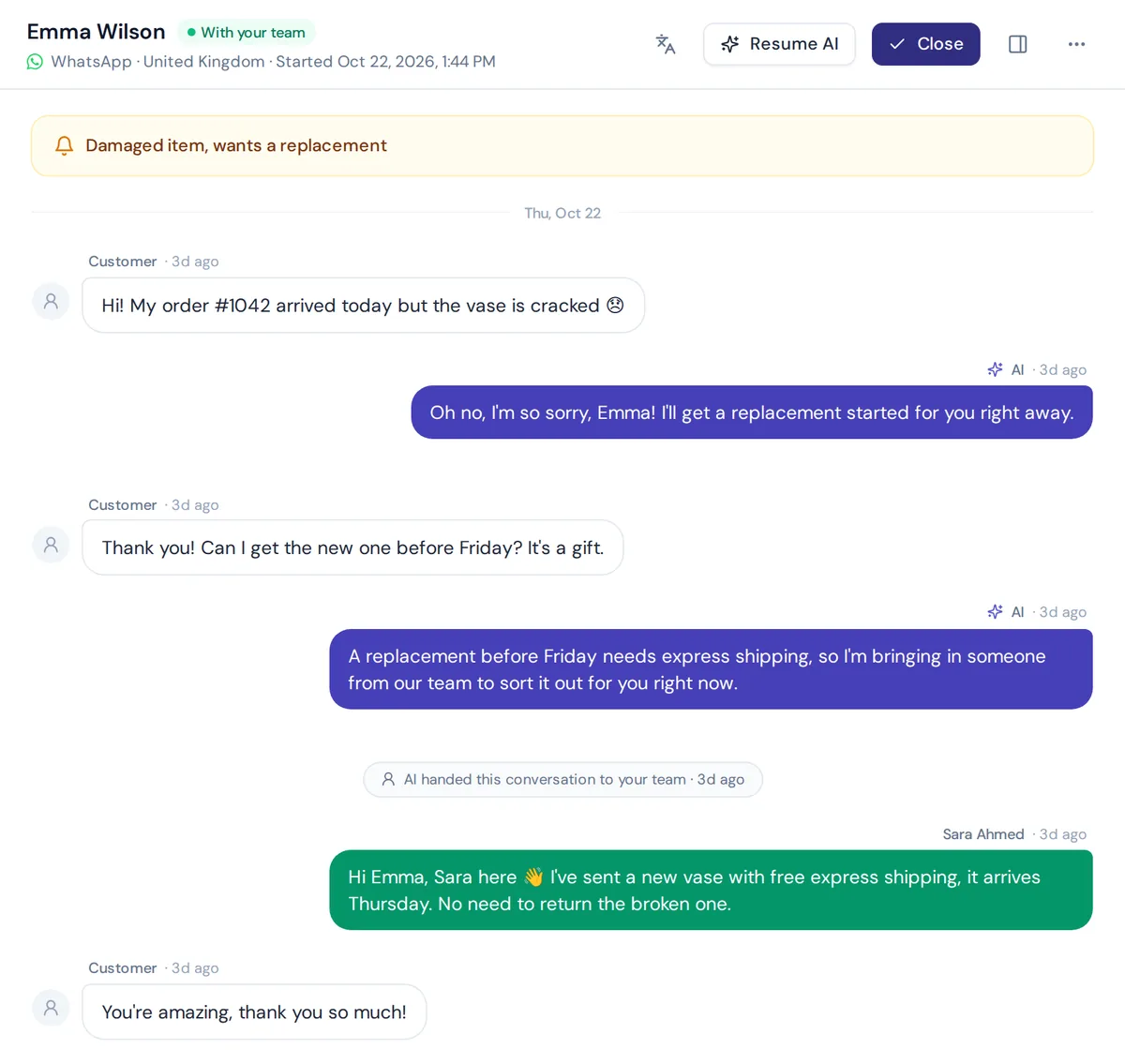
Tell the customer who they are talking to. "I'm Sara from the support team." It makes the chat personal and helps the customer trust you. If an AI answered first, this also makes it clear a real person has joined.
4. Use a friendly, professional tone
Professional chat etiquette means being warm but not too casual. Match the customer's style a little: if they write formally, stay formal. If they use emojis and short messages, you can relax a bit. But never be more casual than your brand.
5. Use positive language
Say what you can do, not what you can't. Instead of "We can't ship to Norway", try "We don't ship to Norway yet, but we can send to Sweden or Denmark if that helps." Positive language keeps the customer moving forward.
6. Write in clear, short messages
Break long answers into two or three short messages or use a short list. A wall of text in a tiny chat window is hard to read, especially on a phone. Make sure the customer gets the information they asked for in the first line, then add details.
7. Use correct spelling and grammar
Typos happen, but too many make your company look careless. Read your message once before you hit send. Avoid ALL CAPS, which reads as shouting, and go easy on exclamation marks.
8. Avoid jargon and internal terms
Your team knows what "RMA", "SKU" or "tier 2" mean. Your customer probably doesn't. Use plain words: "return request", "product code", "our technical team".
One more tip: write the way you'd explain it to a friend, not the way your internal wiki does.
9. Listen first, then answer the real question
Read the whole message before you reply. Ask clarifying questions if you need to: "Just to make sure I understand, you were charged twice for order 4821?" Customers hate answering the same question twice.
10. Show empathy, especially when something went wrong
Acknowledge the feeling before you fix the problem. "I'm really sorry your order arrived damaged. That's frustrating, and I'll sort it out for you." Empathy is not admitting fault. It's showing you care.
11. Ask before putting someone on hold
"Do you mind if I take a minute to check with our warehouse?" Then come back and update the customer, even if you don't have the answer yet. Check in every couple of minutes so they know you haven't left.
12. Don't copy-paste without reading
Canned responses are useful. Sending the wrong one is not. Always personalize saved replies with the customer's name and details, and make sure they actually answer the question.
13. Transfer with context, never from scratch
If you need to transfer the chat to another team, tell the customer why and who. And pass on a short summary so the next person doesn't ask everything again. Making a customer repeat their story is one of the most common complaints in support.
14. Be honest when you don't know
"I'm not sure, let me find out" beats a confident wrong answer every time. Don't promise things you can't deliver, like a refund you aren't allowed to approve.
15. End the chat properly
Before closing, ask: "Is there anything else I can help you with today?" Summarize what you did or what happens next, thank them, and say goodbye. Don't close it while they are still typing. Many live chat software tools show a typing indicator (some even a live typing preview), so wait a moment if you see one.
Live chat etiquette tips: phrases you can copy
Saved replies keep your tone consistent across the live chat team. Quick tip: store these in your live chat software so every customer service agent can use them. Here are some to start with. Adjust the wording to fit your brand voice.
Greetings
Hi [Name], thanks for reaching out! I'm [Agent] from [Company]. How can I help you today?
Hi there! Thanks for waiting. I'm here now and happy to help.
Asking for time
Thanks for the details. Let me look into this for you. It should take about two minutes.
Still checking on this for you, thanks for your patience. Nearly there.
Showing empathy
I'm really sorry about this, [Name]. I understand how frustrating it is, and I'll do my best to fix it right now.
Saying no politely
I wish I could do that for you. Our policy doesn't allow refunds after 30 days, but I can offer store credit or an exchange. Would either of those work?
Transferring
This one needs our billing team, so I'm passing you to Ahmed now. I've shared everything you told me, so you won't need to repeat it.
Closing
Glad I could help! Is there anything else I can do for you today?
Your replacement is on the way and you'll get tracking by email. Thanks for your patience, [Name], and have a great day!
Things to never say in a live chat conversation
| Avoid | Say instead |
|---|---|
| "That's not my department." | "Let me connect you with the right person for this." |
| "You should have read our policy." | "I can see why that was confusing. Here's how it works." |
| "Calm down." | "I understand this is frustrating. Let's fix it." |
| "I don't know." | "Good question. Let me find out for you." |
| "There's nothing I can do." | "Here's what I can do for you." |
| "As I said before..." | "Just to recap..." |
| "K" or "np" | "Okay, got it." / "No problem at all!" |
How to handle angry or rude customers in chat
Angry customers are part of the job. Here's a simple routine that works in most cases:
- Don't take it personally. They are angry at the situation, not at you.
- Acknowledge the problem. "I'm sorry your order is late. I'd be upset too."
- Get the facts. Ask only what you need: order number, what happened.
- Offer a clear fix or next step. Give a time frame you can keep.
- Escalate if needed. If it's beyond your power, bring in a manager with a summary.
- Set boundaries for abuse. If a customer becomes abusive, it's okay to say: "I want to help, but I can't continue if the language stays like this." Follow your company policy.
Live chat customer service best practices and customer feedback
Etiquette isn't only about individual agents. These best practices for chat help customer support staff do their best work. The way you set up your team makes good manners much easier.
- Set clear response time goals. Decide on a first response target and share it with the team.
- Don't overload agents. Handling multiple chats is normal, but too many at once leads to slow, sloppy answers. Find a number that keeps quality high.
- Show your availability. If no one's online, say so and tell customers when you'll reply, or let an AI answer the common questions until the team is back.
- Write a short style guide. Tone, greeting, sign-off, emoji rules, words to avoid. One page is enough.
- Build a library of saved replies. Review it every few months so answers stay current.
- Use internal notes, not the customer chat, for team talk. Ask colleagues for help privately.
- Route customer inquiries to the right person. Billing questions to billing, technical questions to support.
- Ask for customer feedback. A quick rating at the end of the chat tells you what's working and helps ensure customer satisfaction over time.
- Review chat transcripts every week. Pick a few good and bad ones and discuss them as a team. Real examples teach customer service skills faster than any slide deck, and it's good practice to share the great ones too.
Live chat support tips when AI answers first
Lots of businesses that offer live chat now let an AI chatbot answer the first message and pass harder chats to a person. That changes etiquette a little:
- Be clear it's an assistant. Don't pretend the bot is a human. Customers are fine with AI when it's honest and useful.
- Read the history before you jump in. The customer already explained the problem to the bot. Don't make them say it again.
- Introduce yourself when you take over. "Hi, I'm Sara from the team. I've read your messages and I'll help from here."
- Give the bot good manners too. Its greeting, tone and handoff message should match your style guide.
- Let it hand over early. If a customer is upset or asks for a person, the bot should step aside straight away.
Proactive chat etiquette: when to start the conversation
Proactive live chat means your team (or your chat widget) messages the visitor first, for example on a pricing or checkout step. Done well, it feels like a helpful shop assistant. Done badly, it feels like someone following you around the store.
- Pick the right moment. A visitor who's been on the shipping policy for a minute probably has a question. Someone who landed two seconds ago doesn't.
- Be specific. "Need help choosing a size?" beats "Hi! How can I help you?"
- Don't repeat it. One proactive chat per visit is plenty. If they close it, let them be.
- Make it easy to ignore. A small message, not a full-screen popup.
Customer support checklist for each chat interaction
Use this checklist when you review chat transcripts or train a new customer service representative:
- First reply within a minute or so, with a greeting and a name
- The customer's question answered, not just acknowledged
- Short, clear messages with no jargon
- Empathy shown when something went wrong
- Waits announced, with updates every couple of minutes
- Transfers explained, with context passed on
- Saved replies personalized
- A clear next step and a friendly close
If your chats tick these boxes, you'll provide exceptional customer service, even on your busiest days. In practice, this is what separates the best live chat teams from the rest: not talent, but habits applied to every customer interaction.
How AnytimeReply helps your team with chat etiquette
AnytimeReply is an AI support agent with a built-in helpdesk. The AI answers common questions in seconds, in the customer's language, and hands chats to your team with a summary, so nobody has to repeat their story.
- One shared inbox for website chat, WhatsApp, Messenger, Instagram, Telegram, email and Slack, with assignment, internal notes and @mentions. See the helpdesk and live chat page.
- Smart handoff: the AI hands over when a customer asks for a person, gets upset, or when it can't answer. It pauses while a team member is in the chat.
- AI help with replies: agents can rewrite or translate a reply before sending, which helps with tone and spelling.
- Triggers can set priority, tag or assign chats automatically, for example sending angry customers to the top of the queue.
- Ratings and team performance in analytics, so you can see how chats actually go.
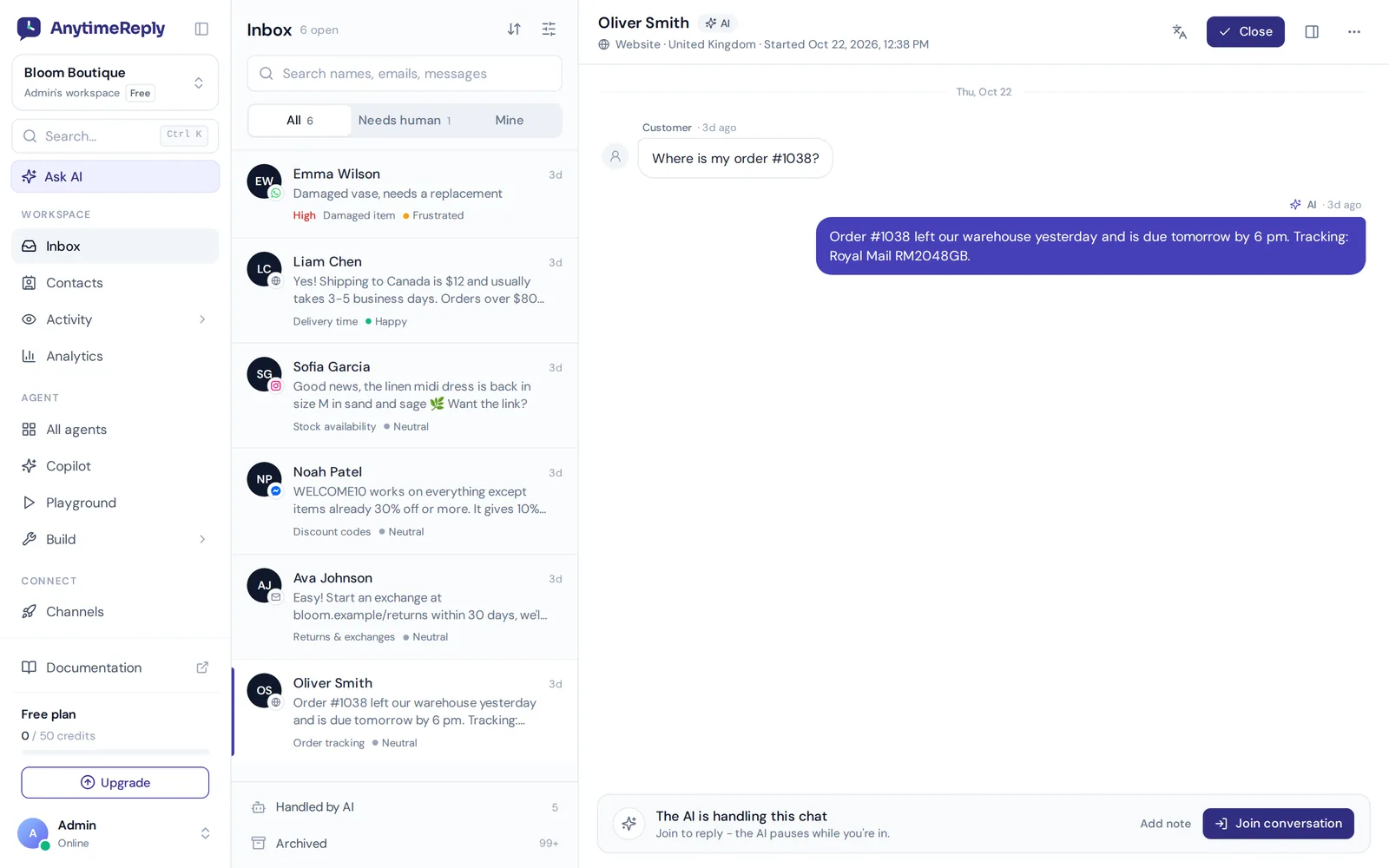
Website chat and the helpdesk inbox are on the free plan. Messaging channels like WhatsApp and Instagram start on paid plans; see pricing. One honest limit: AnytimeReply has no phone or voice channel, so it's for chat and email support only.
Frequently asked questions
What are the basic rules and etiquette for chatting with customers?
Reply quickly, greet the customer by name, introduce yourself, use a friendly tone and clear short messages, show empathy, keep the customer updated while you check things, and finish by asking if there's anything else you can help with.
How fast should you respond in live chat?
As fast as you can. Many teams aim for a first reply within a minute. If you need longer to find the answer, send a quick message so the customer knows you're working on it.
Is it okay to use emojis in customer service chat?
Sometimes. A smiley can soften a message if your brand is casual and the customer uses them too. Avoid emojis when the customer is upset or the topic is serious, like billing problems.
How many chats should an agent handle at once?
It depends on how complex your chats are. Simple questions allow more at once, technical issues need fewer. Watch response times and quality, and lower the number if either slips.
Should you use canned responses in live chat?
Yes, but personalize them. Saved replies save time and keep answers consistent. Add the customer's name and details, and make sure the reply fits their exact question.
What are the 3 F's of customer service?
"Feel, felt, found" is a classic empathy method: "I understand how you feel. Other customers have felt the same. Here's what we found helps." Use it lightly in chat, so it doesn't sound like a script.
How do you end a live chat politely?
Summarize what was done, ask if they need anything else, thank them and say goodbye. Wait a moment before closing in case they reply.
Final thoughts
Good chat manners aren't complicated. Be quick, be human, be clear and be honest. Write down your rules, give your agents good saved replies and review real chats often. Customers notice the difference, and that's how you build a stronger customer relationship via live chat.
Want an inbox where AI handles the repeat questions and your team handles the rest, politely and with context? Start free with AnytimeReply. No card needed.
Published 7 November 2026 by AnytimeReply team