If your support still lives in a shared Gmail inbox, you know the pain. Two people reply to the same customer. Another email gets buried under newsletters and nobody answers it for four days. Someone asks "did anyone handle the refund for order 4512?" and the whole team goes quiet.
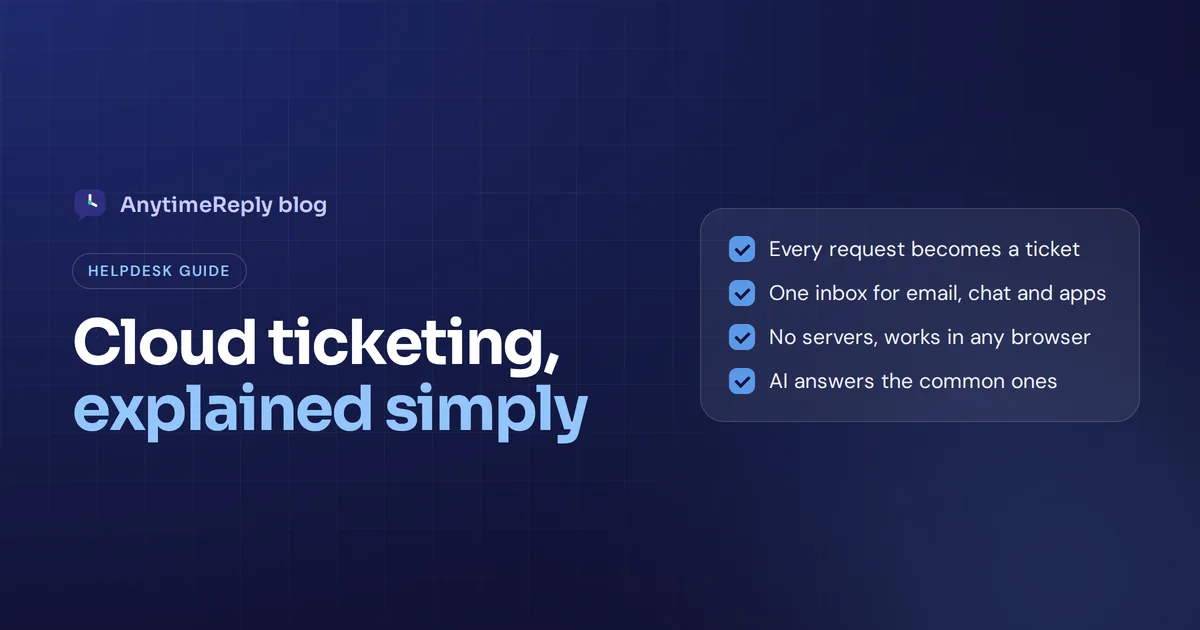
A cloud based ticketing system fixes that. Every request from email, chat or messaging apps becomes a ticket with an owner, a status and a full history, and your team works on it from a browser, wherever they are. No servers to buy, no software to install.
This guide explains how cloud ticketing works, how it compares to on-premise help desks, which features matter, the honest downsides, the popular tools in 2026 and how to set one up without chaos. We build a ticket system ourselves, so we have a bias, but the advice below works for any tool.
What is a cloud based ticketing system?
It is help desk software that runs on the vendor's servers and is delivered over the internet as a SaaS tool. You log in from a browser or app, connect your support channels, and every customer or employee request turns into a ticket.
A ticket is simply a record of one request: who asked, what they asked, every reply, internal notes, the current status (open, pending, solved), the priority and the person responsible. Instead of searching through inboxes, your support team works from one queue, and ticket histories stay attached to each customer.
The "cloud" part means the vendor handles hosting, updates, backups and security patches. You pay a subscription, usually per agent or per usage, and start working the same day. No hardware and software to maintain, no software licenses to renew on a server.
You'll see many names for the same idea: cloud helpdesk, help desk ticketing system, ticket management system, customer support ticketing. They all describe a ticket based way of tracking requests until they are solved.
How a cloud help desk works: the ticket lifecycle
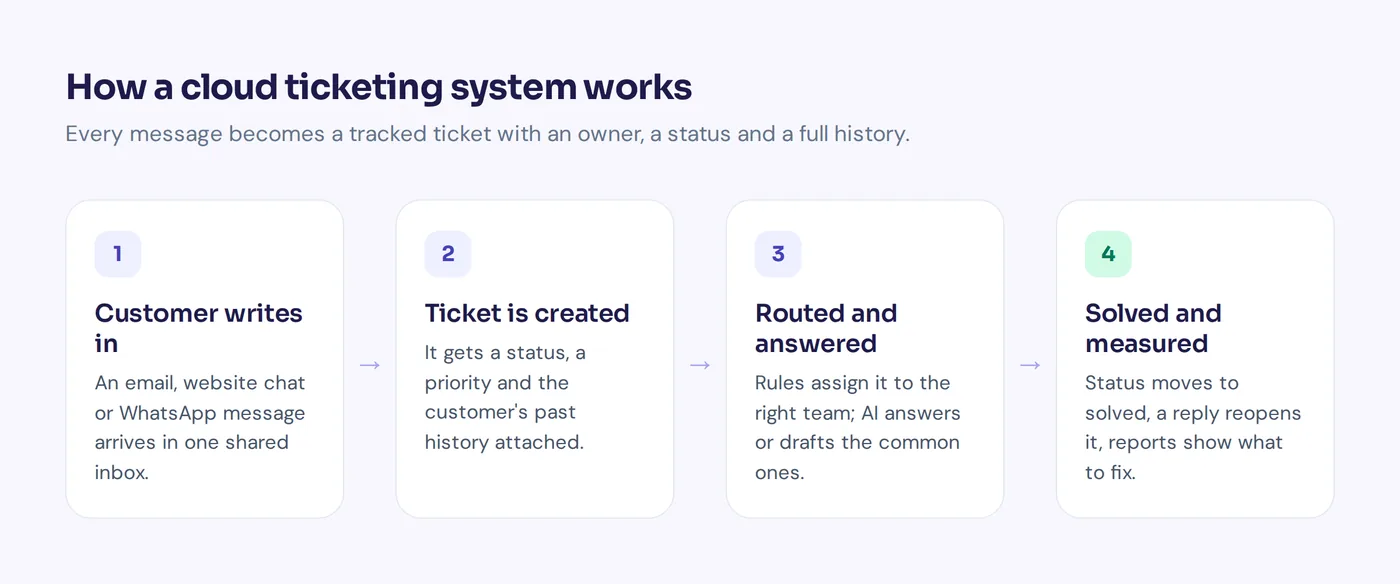
Here is the life of a typical support ticket:
- A customer writes in. They send an email to [email protected], open the chat on your website, or message you on WhatsApp.
- A ticket is created. The ticket system turns the message into a ticket automatically and links it to the customer's past conversations.
- It gets sorted and routed. Rules tag it ("refund"), set a priority ("urgent" if the customer is angry), and the ticket is routed to the right team or person. Good ticket routing is what keeps queues short.
- Someone replies. An agent answers from the shared inbox. In many modern tools an AI answers common questions first or drafts a reply.
- It moves through statuses. Pending while you wait for the customer, solved when done. If the customer replies again, the ticket reopens.
- You learn from it. Reports show ticket volume, response times, topics and customer satisfaction.
That loop is the ticket lifecycle. Every tool on the market follows some version of it. The differences are in how much of it is automated and how pleasant it is to use.
Cloud vs on-premise help desk software
On-premise means you install the help desk on your own servers and your IT team runs it. Some large or highly regulated companies still prefer that, and open-source ticketing tools like Zammad and osTicket can be run as self-hosted tools. For most businesses, cloud wins.
| Cloud based | On-premise or self-hosted | |
|---|---|---|
| Setup | Sign up and start, often the same day | Buy servers, install, configure, weeks or months |
| Cost model | Monthly or yearly subscription | Upfront license (or free open-source) plus hardware and IT staff |
| Updates | Automatic, handled by the vendor | Your team plans and installs them |
| Access | Any browser, any location | Often limited to office network or VPN |
| Scaling | Add agents or channels in minutes | May need more hardware |
| Data control | Data stored by the vendor | Data stays on your servers |
| Customization | Within what the vendor allows | Deep, if you have developers |
Are open-source help desk tools better? They are cheaper on paper, and great if you have someone who enjoys running servers. But the hidden cost is time: updates, backups, security fixes and the day it breaks during a sale. Traditional help desks on your own hardware, like a self-hosted help desk system, make sense mainly when a regulator or strict policy says data must stay in-house.
Benefits of cloud help desks
- Work from anywhere. Remote agents, part-time staff in another city, you answering from your phone on a Sunday. Everyone sees the same queue.
- Nothing falls through the cracks. Every request has an owner and a status, so "I thought you replied" stops happening.
- Faster replies. Routing, saved replies, automation and AI help cut response time.
- Predictable costs. A subscription instead of servers and maintenance.
- Easy to grow. Add a new agent, department or channel without an IT project.
- Better customer experience. Customers don't repeat themselves, because the full history is in the ticket.
- Real data. You finally know how many tickets you get, what they are about and how fast you resolve tickets.
The downsides (yes, there are some)
- You depend on the vendor. If their service has an outage, your ticket queue is down too. Ask how they handle incidents.
- Your data lives with someone else. Check where it is stored, who can access it and whether you can export or delete it.
- Costs grow with your team. Per-agent pricing feels cheap with three people and expensive with thirty. Do the math for next year, not just today.
- Less deep customization. You get what the product offers. Most teams never miss it, but some do.
- Internet required. No connection, no help desk.
Ticketing features to look for in the right ticketing system
Every feature list is long and every vendor says it has everything. These are the ticketing features that actually change your day.
Omnichannel inbox
Email is only one channel now. Customers also write on live chat, WhatsApp, Instagram and Messenger. A good cloud-based help desk pulls all of these into one inbox so agents don't jump between apps.
Email to ticket
Connect your support mailbox (Gmail, Outlook or any IMAP mailbox) or forward emails, and every message becomes a help desk ticket. Agent replies go back to the customer as normal email.
Ticket routing and assignment
Rules that send billing questions to billing, and spread work fairly across agents (round robin or least busy).
Statuses, priorities and SLAs
Custom statuses that match how you work, priorities for urgent issues, and saved views like "Unassigned" or "My tickets". Larger teams also use service level agreements (SLAs): promised response and resolution times, with alerts before a ticket breaks the SLA. If you sell support contracts to business clients, SLA tracking matters. If you're a small shop, it is nice but not essential.
Automation and triggers
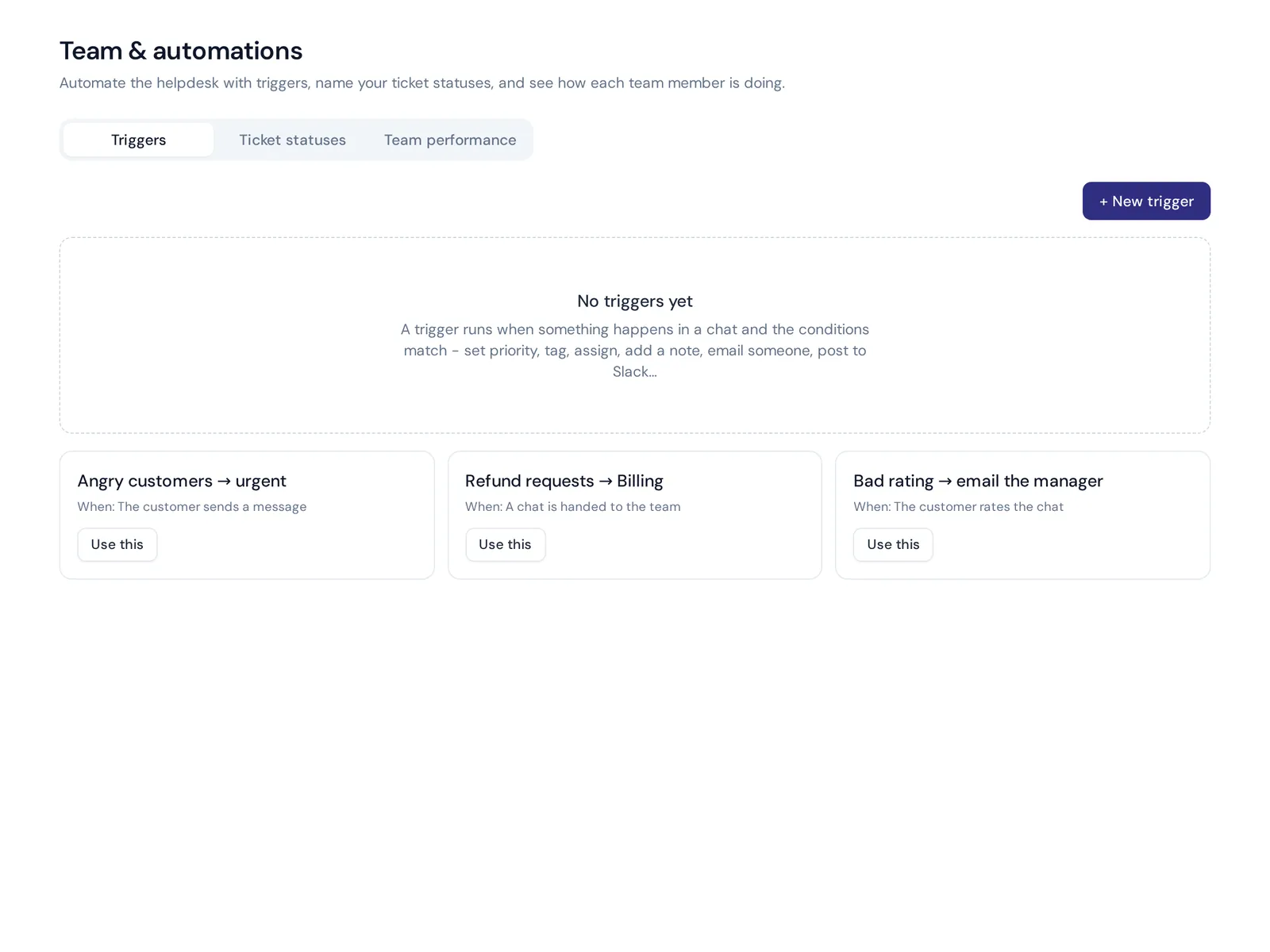
"If the customer is angry, set priority to urgent." "If the ticket mentions refund, tag it and assign to billing." These small automation rules save hours each week.
Collaboration
Internal notes and @mentions so agents can ask a colleague without leaving the ticket or forwarding emails around.
AI features
AI that answers common questions on its own, drafts replies, summarizes long threads, translates messages and spots sentiment. This is where tools differ the most in 2026. An AI ticketing system that can actually solve "where is my order?" is very different from one that only suggests tags.
Knowledge base and help center
A help center where customers find answers in help articles themselves, which means fewer tickets. A good knowledge base answers the same question a hundred times without anyone opening a ticket. Bonus points if the same knowledge base also trains the AI.
Reporting
Ticket volume, response and resolution time per ticket, topics, customer satisfaction ratings and agent performance, so your support team knows where time goes.
Integration and security
Integration with your store, CRM, Slack and other SaaS tools, plus basics like two-factor login, encrypted data, audit trails and clear data deletion.
Cloud based IT ticketing system vs customer support ticketing
Not every ticket system is built for the same job.
Customer support ticketing handles questions from customers: orders, refunds, product questions, account problems. It focuses on many channels, fast replies, AI answers and a friendly experience.
A cloud based IT ticketing system handles requests from employees: password resets, laptop problems, software access, outages. This world is called IT service management (ITSM), and the team is often called the service desk. A service request ("I need access to the design folder") is handled differently from an incident ("email is down for everyone"). Serious IT teams also need asset management, change management, a service catalog and ITIL-style processes. Tools like Jira Service Management, Freshservice, SysAid and ServiceNow are known for that. Some engineering teams even link IT tickets to Jira Software so a software bug reported by a user goes straight to software development.
There is a middle ground. Many small and mid-sized companies run a simple internal help desk for HR and IT questions ("How many leave days do I have?", "How do I connect to the VPN?") on the same kind of tool they use for customers. If you don't need full service management, that is often enough, and an AI trained on your internal docs can answer a big share of those questions instantly.
Best cloud ticket system tools in 2026: Zendesk, Zoho Desk, Jira Service Management and more
Not a "10 best" list of software reviewed in a weekend, just the ticketing systems in 2026 and software options we see teams pick most, with honest notes. Pricing changes often, so check each vendor's pricing page.
| Tool | Known for | Good fit |
|---|---|---|
| AnytimeReply | AI agent that answers first, shared inbox for chat, messaging and email tickets | Small and growing businesses that want AI plus ticketing in one place |
| Zendesk | Mature, feature-rich customer service suite | Mid-size and large support teams |
| Freshdesk | Full ticketing platform from Freshworks | Teams that want a familiar ticketing tool |
| Zoho Desk | Ticketing inside the Zoho suite | Businesses already using Zoho apps |
| Help Scout | Shared inbox feel, email first | Small teams that mostly do email |
| Salesforce Service Cloud | Service tools on the Salesforce CRM | Companies already deep in Salesforce |
| Jira Service Management | IT service management from Atlassian | IT teams, especially those on Jira |
| Freshservice | ITSM from Freshworks | Internal IT service desks |
AnytimeReply
Our own tool, so judge it yourself. It is an AI customer support agent with a built-in ticket system: the AI answers on website chat, WhatsApp, Messenger, Instagram, Telegram, email and Slack, and hands over to your team in one inbox. Best for businesses that want most repeat questions answered automatically. Not built for full ITSM.
Zendesk
One of the best-known names in support software, with a deep feature set and a big app marketplace. It suits larger teams with complex workflows. Smaller teams sometimes find it more than they need.
Freshdesk
Often named as Zendesk's main competitor. A complete ticketing solution with a reputation for being approachable, plus a separate IT product (Freshservice).
Zoho Desk
A strong choice if you already run Zoho CRM, Zoho Mail or other Zoho apps, because Zoho Desk connects naturally with them.
Help Scout
Feels like a friendly shared inbox rather than a heavy ticketing platform. Popular with small teams that care about personal, email-first support.
Salesforce Service Cloud
Yes, Salesforce does ticketing. There, each ticket is called a case. It makes most sense for companies that already use Salesforce as their CRM.
Jira Service Management and Freshservice
Both are built for IT teams: incidents, service requests, assets and changes. Pick these when you need a real IT service desk, not a customer inbox.
How to choose the right ticket system for your use case
Software selection gets easier when you answer these questions first. They matter more than any single ticket feature.
- Who writes to you? Customers, employees or both?
- On which channels? Only email, or also chat, WhatsApp and social media?
- How many tickets and agents? Now and in a year, as your customer base grows.
- How much can AI handle? If half your tickets are "where is my order?", AI answers change everything.
- What must it connect to? Your store, CRM, billing, Slack. An integrated ticketing system beats a standalone ticketing tool you copy data into by hand.
- How is it priced? Per agent, per ticket, per AI reply? Model the cost at your real volume.
- How easy is it? Your team should learn it in a day. Use the free trial or free plan with real tickets.
- Can you leave? Check data export before you need it.
Is a ticketing system the same as a CRM? No. A CRM tracks customers and deals over time. A ticketing system tracks problems until they are solved. They work best when connected, so agents see who the customer is while they reply.
Setup and integration best practices for your support team
- Map your current requests. List where requests come in and the top 20 reasons people contact you. Each one is a use case to plan for.
- Connect your channels. Start with your main support email, then add website chat and messaging apps.
- Create statuses, tags and priorities. Keep it simple. Five tags you use beat fifty you don't, and every ticket should get exactly one owner.
- Set up routing. Departments, assignment rules and a few triggers for urgent or angry customers.
- Write saved replies and help articles for your most common questions, and add them to your knowledge base.
- Turn on AI carefully. Let it draft replies first, then answer simple questions on its own once you trust it.
- Invite your team and train them. One short session and a one-page "how we work" doc covering your help desk processes.
- Review weekly. Check response times, unanswered topics and ratings, then adjust rules and content.
How AnytimeReply works as an AI help desk and ticket system
AnytimeReply is an AI customer support agent with a built-in help desk, all in the cloud. Here is what that means for tickets:
- Email tickets. Connect Gmail, Outlook, Zoho or any IMAP/SMTP mailbox, or forward emails. Every support email becomes a ticket with status, priority and owner. You can add custom statuses, and a customer reply reopens the ticket. See tickets and email.
- AI that answers first. The AI agent, trained on your website, documents and knowledge base, answers common emails in the same thread or drafts a reply for your team to check.
- One shared inbox. Website chat, WhatsApp, Messenger, Instagram, Telegram, email and Slack in one place, with departments, round robin or least-busy assignment, internal notes, @mentions and views like Unassigned and Needs human. See helpdesk and live chat.
- Triggers. Set priority, tag, assign, add a note, send an email or Slack message, call a webhook, reply or close, based on rules you choose.
- Escalation. Already on Zendesk, Freshdesk, Zoho Desk, Intercom or Gorgias? AnytimeReply can hand chats over to those tools instead.
- Internal help desk. Train an agent on HR and IT docs for employee questions. See internal help desk.
The Free plan includes website chat and the shared inbox. Email tickets and messaging channels start on the Hobby plan ($9 a month at the time of writing, check pricing).
Where it is not the right fit: if your IT team needs full ITSM with asset and change management, a dedicated service management tool is the better choice. We also do not handle phone calls or SMS.

Frequently asked questions
What is a cloud based ticketing system?
It is help desk software hosted by the vendor and used through a browser. It turns emails, chats and messages into tickets with an owner, status and history, so your team can track and solve every request.
What are some popular ticketing software tools?
Well-known ticketing platforms include Zendesk, Freshdesk and Zoho Desk for customer support, and Jira Service Management, Freshservice and ServiceNow for IT. AnytimeReply combines an AI agent with a help desk.
Who is Zendesk's biggest competitor?
Freshdesk is the name most often compared with Zendesk, with Zoho Desk, Salesforce and Intercom also in the conversation.
Is a cloud ticketing system secure?
Good vendors use HTTPS, encryption, two-factor login and separate workspaces. Read their security and privacy pages, and check where data is stored and how to delete it.
How much does cloud-based ticketing software cost?
Most ticket management software charges per agent per month, and some charge per AI reply or resolution. Many offer a free plan or trial. Always calculate the cost at your real ticket volume.
Do I need a knowledge base too?
Not on day one, but it helps a lot. A public knowledge base lets customers solve simple problems alone, and the same base can train an AI to answer tickets.
Can I use it for internal IT support?
Yes. Simple internal help desks work well on general ticketing tools. If you need asset and change management, look at a dedicated IT service desk tool.
Move your support out of the shared inbox
An effective system gives every request an owner, every customer a faster answer, and you a clear picture of what is going on. Start simple: one mailbox, a few tags, a few rules. Then add channels and AI as you go.
Want to try a cloud help desk with AI that answers first? Start free with AnytimeReply. No card needed.
Published 30 October 2026 by AnytimeReply team