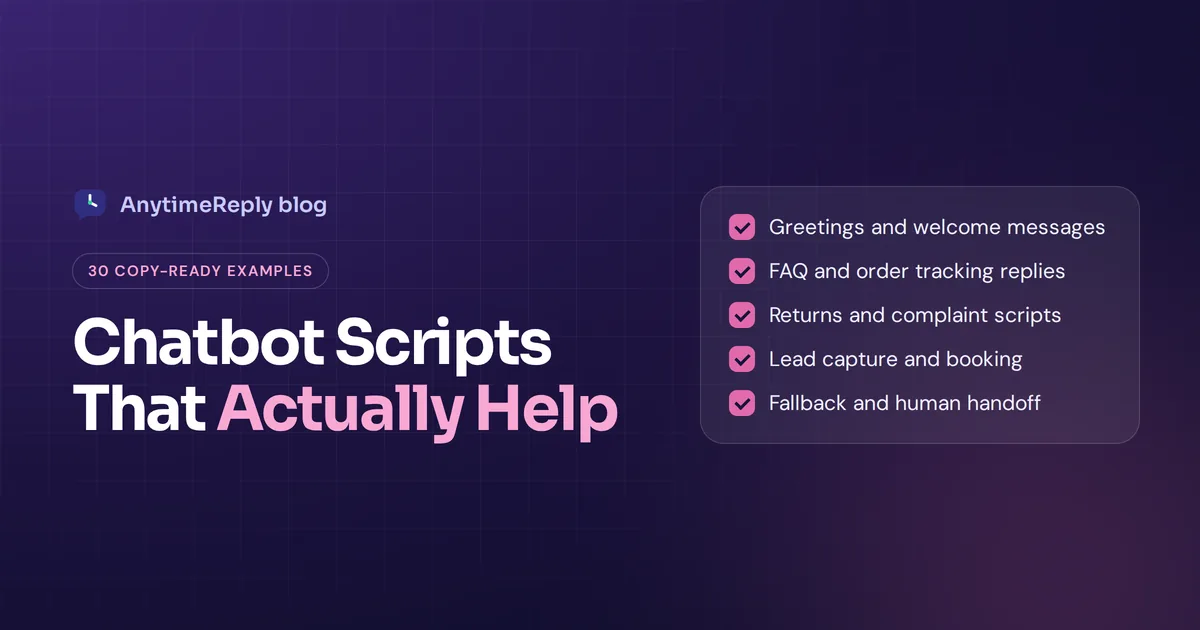
Good chatbot scripts are the difference between a bot that helps and a bot that makes people type "HUMAN" three times. The words your chatbot uses, the order of its questions and what it does when it gets stuck decide whether a customer finishes the chat happy or closes the tab.
Below you'll find 30 chatbot script examples you can copy, grouped by situation: greetings, FAQs, order tracking, returns, lead capture, booking, handoff to a person, fallback replies and more. After the templates we show you how to write a chatbot script of your own, step by step, and how scripts work now that most bots run on AI.
Copy any template, change the brand details and the tone of voice, and test it with a real customer question before you go live.
What is a chatbot script?
A chatbot script is the planned conversation your bot follows: what it says first, which questions it asks, which buttons it shows, how it answers common questions and what happens when the customer wants something the bot can't do.
Some people call it a conversation script. Think of it like the notes a new support agent gets on day one. "Greet them like this. If they ask about refunds, check the order number first. If they're angry, get a manager." A chatbot script writes those notes down so chatbot software can follow them, the same way in every interaction.
There are two kinds of scripts you'll run into:
- Rule-based scripts (decision trees). Every message and button is written in advance, one individual chat tree per topic. The customer clicks "Track my order", the bot asks for the order number, and so on. Predictable, but it breaks when someone types a question you didn't plan for.
- AI chatbot scripts. You write instructions, tone rules and a few key flows, and the bot answers everything else from your own content in natural language. This is conversational AI, built on artificial intelligence that understands how people really type. Far more flexible, but you still need scripted parts for the moments that matter, like refunds or the handoff to a human.
Most good bots today mix both. The examples below work for either, whatever chatbot platform you use, on your website page, WhatsApp or Facebook Messenger.
Why chatbot scripts matter for customer support
A chatbot is often the first conversation a customer has with your business, so the script shapes the whole customer experience. If the first message is cold, confusing or pushy, people leave. If it's clear and friendly, they ask their question and usually get what they came for.
A well written script helps you:
- Answer faster. A quick response time matters. Customers get the shipping time or the return policy in seconds, not after a two hour wait.
- Collect the right details up front. Order number, contact information, product name. Your team stops asking the same three questions in every chat.
- Keep your brand voice. A fashion shop and a law firm should not sound the same. Write for your target audience.
- Know when to stop. The best scripts hand over to a person before the customer gets annoyed, not after.
Bad scripts do the opposite and create a poor user experience. They loop ("Sorry, I didn't get that"), hide the human option and ask for an email before answering anything. We've all used that bot. Don't build it.
Welcome message and greeting templates
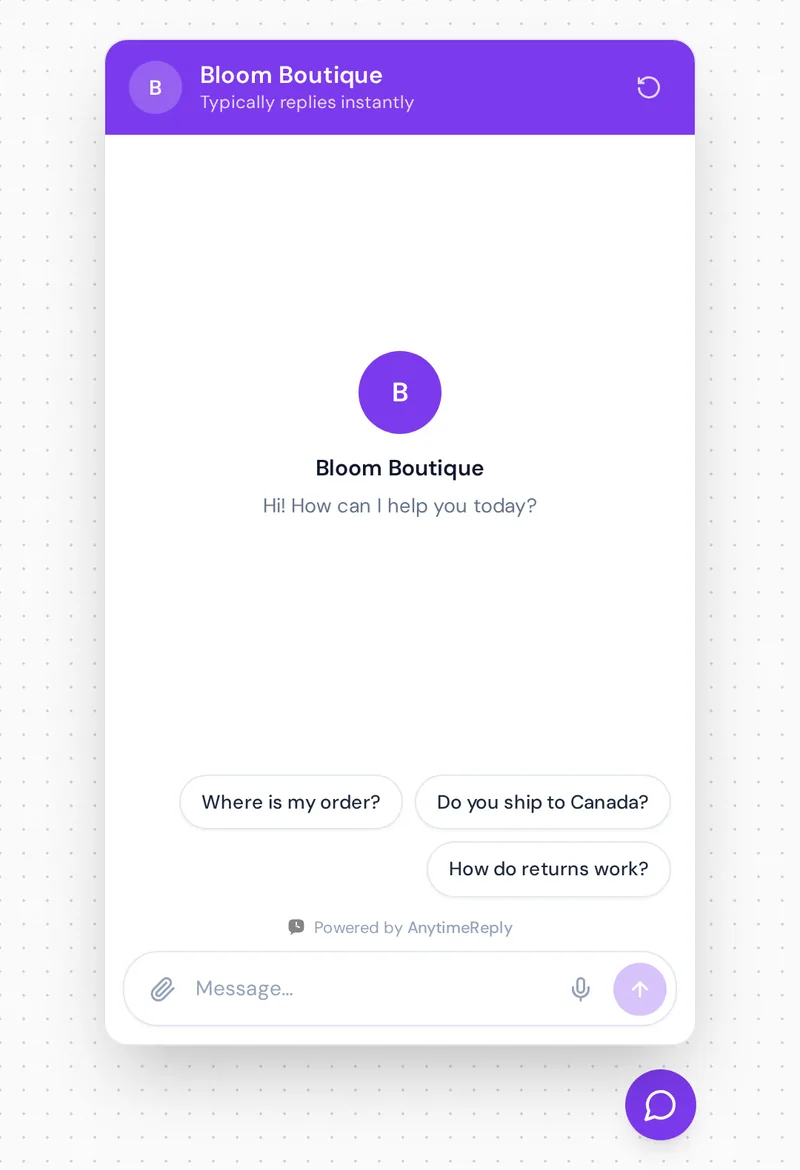
The welcome message sets the tone. Keep it short, say what the bot can help with and offer two or three quick options.
1. Simple welcome
Hi there! I'm the [Brand] assistant. I can help with orders, shipping, returns and product questions. What can I help you with today?
2. Welcome with quick buttons
Hey! Welcome to [Brand]. Pick an option below or just type your question.
[Track my order] [Returns and exchanges] [Talk to a person]
3. Returning visitor
Welcome back, [First name]! Want to pick up where you left off, or is there something new I can help with?
4. Product page greeting
Looking at the [Product name]? I can tell you about sizes, materials or delivery times. Just ask.
5. After-hours greeting
Hi! Our team is offline right now (we're back at 9 am), but I can answer most questions straight away. If I can't, I'll pass your message on and someone will reply by email in the morning.
FAQ chatbot scripts to automate common questions
FAQs are where a chatbot earns its keep, because they let you automate the questions your team answers ten times a day. Answer the question first, then add one useful next step.
6. Shipping times
We ship within 1 to 2 business days. Delivery in the UK usually takes 2 to 4 days, and international orders take 5 to 10. Want me to check the cost for your country?
7. Pricing question
Our plans start at [price] a month, and there's a free plan if you want to try it first. Would you like a quick summary of what each plan includes?
8. Opening hours or location
We're open Monday to Saturday, 10 am to 7 pm, at [address]. Need directions or want to book a visit?
9. "Do you have this in stock?"
Let me check. The [Product] in size M is in stock and ships today if you order before 2 pm. Size L is sold out, but I can let you know when it's back. Want that?
10. Payment methods
You can pay by card, Apple Pay or Google Pay. We don't take cash on delivery at the moment. Anything else I can help with before you check out?
Order tracking and support scripts
"Where is my order?" is the most common question for most online shops. Script it carefully because the customer is often a bit worried already.
11. Ask for the order number
I can check that for you. What's your order number? You'll find it in your confirmation email, it starts with #.
12. Order found
Thanks! Order #[number] shipped on [date] with [carrier]. It's currently out for delivery and should arrive today. Here's the tracking link: [link]
13. Order delayed
I'm sorry, your order is running late. It left our warehouse on [date] but the carrier shows a delay. It should arrive by [new date]. If it hasn't arrived by then, reply here and I'll get someone from our team to sort it out.
14. Order can't be found
Hmm, I can't find an order with that number. Could you double-check it, or give me the email you used at checkout? I'll try again.
Tip: never ask for a full card number or password in a chat script. An order number and email are enough to find an order.
Returns, refunds and complaint scripts
These chats carry the most emotion. Apologize once, be clear about the policy and get to the solution fast.
15. Return request
No problem. You can return unworn items within 30 days for a full refund. Would you like me to start a return for order #[number]? I'll send you a free return label by email.
16. Refund status
We received your return on [date] and the refund was sent on [date]. Banks usually take 3 to 5 business days to show it. If you don't see it by [date], let me know and I'll pass it to our billing team.
17. Damaged item
Oh no, I'm really sorry it arrived damaged. Could you send a photo of the item and the box? Once I have it, I'll get a replacement or refund sorted, whichever you prefer.
18. Angry customer
I'm sorry, that's not the experience we want you to have. I'm going to pass this to a member of our team right now so a person can fix it properly. They'll see everything you've written, so you won't need to repeat yourself.
Lead generation, sales and booking templates
Sales scripts should feel like help, not a form. Find out what the visitor needs, answer first, and obtain contact information only when there's a reason to. Ask one question at a time.
19. Qualify a lead
Happy to help you find the right plan. Roughly how many customer messages does your team get each month: under 500, 500 to 2,000, or more than 2,000?
20. Capture an email with a reason
I can send you the full price list and a short setup guide. What's the best email to send it to?
21. Abandoned cart nudge
Still thinking about the [Product]? If you have any questions about sizing or delivery, I'm right here. Orders over [amount] ship free.
22. Product recommendation
Sure! Is this for yourself or a gift? And do you have a budget in mind? I'll suggest two or three options that fit.
23. Book a demo or call
Want to see it in action? I can book a 20 minute demo with our team. Here are the next free slots: [Tue 10:00] [Tue 14:30] [Wed 11:00]
For salons, clinics and service businesses, booking is the main use case, so here are three conversation templates for it. Make the bot confirm every detail.
24. Start a booking
I can book that for you. Which service would you like? [Haircut] [Color] [Consultation]
25. Confirm a booking
You're booked! [Service] with [Staff name] on [date] at [time]. You'll get a confirmation email shortly. Need to change it? Just message here.
26. Reschedule
No problem. Here are the next available times: [options]. Which one works better for you?
Handoff, fallback and closing chatbot script examples
This is the last phase of your chatbot script, and the part most businesses skip. It's also the part customers remember. Every chatbot needs a clear way out to a live person.
27. "I don't know" fallback
I'm not sure about that one, and I'd rather not guess. Would you like me to pass your question to our team? They usually reply within [time].
28. Handoff to a human agent
Of course. I'm connecting you with someone from our team now. I've shared a short summary of our chat, so they'll be up to speed.
29. No one available
Our team is offline right now. Leave your email and a short message, and we'll get back to you first thing tomorrow. Is [email on file] still the best address?
30. End the chat and ask for a rating
Glad I could help! Was this chat useful? [Yes] [No]. If there's anything else, just send another message any time.
Keep the rating to one tap. Long surveys at the end of a chat rarely get filled in.
How to write chatbot scripts, step by step
A template is a good start, but your best script comes from your own customers' questions. Whether you want to create your first chatbot or fix an old one, here's how to write chatbot script content that fits your business:
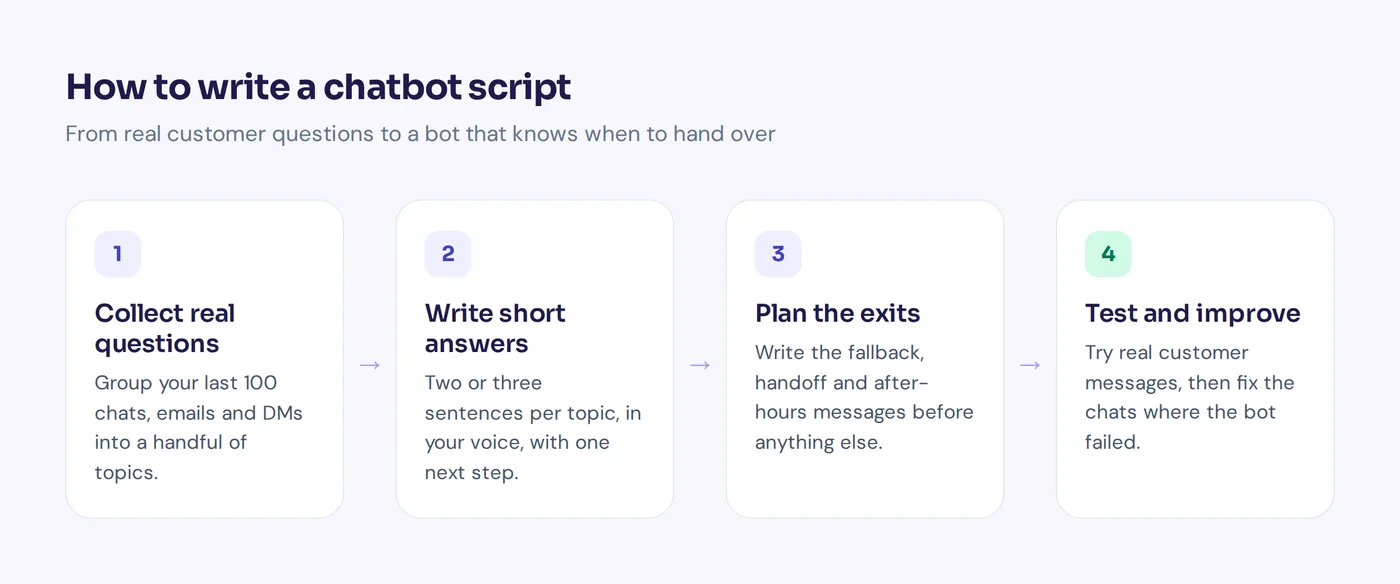
- Pick one goal for the bot. Before you write the script, decide its job. Answer support questions? Capture leads? Book appointments? Start with the job that eats most of your team's time. If you still need to select a chatbot tool, this goal tells you what features matter.
- Collect real questions. Look at your last 100 chats, emails and DMs. Group them. You'll find that a handful of topics (shipping, returns, pricing, order status) cover most of them.
- Write the answer for each topic. Two or three sentences, in your brand voice, with one next step. Write it the way your best support person would say it.
- Map the conversation flows. For each topic, sketch what happens next: what the bot asks, which buttons appear, which answers lead where. A chatbot script could go one of several ways, so draw every branch on paper or in a chatbot builder.
- Plan the exits. Write the fallback reply, the handoff message and the after-hours message before you write anything clever. Decide exactly when the bot hands over: the customer asks for a person, gets upset, or the bot can't answer.
- Set the tone and personality. Give your bot a short guide to its speaking style: friendly or formal, emojis or not, how it uses the customer's name. Small touches of personalization help, but stick to your brand.
- Test scripts before implementation. Type the questions customers actually send, including typos, slang and two questions in one message. Read it back like a real conversation and fix every answer that feels wrong.
- Review and improve every week. Read the chats where the bot failed or the customer asked for a person. Each one tells you which part of the script to fix next.
Tips for writing the perfect chatbot script
A chatbot is only as good as its script and the right source of information behind it, usually a knowledge base. These rules turn a basic bot into an effective chatbot:
- Never pretend your bot is a person. Customers don't like finding out later. "I'm the [Brand] assistant" is enough.
- Short chatbot messaging wins. One idea per message. If you need three paragraphs, it's a help article, not a chat reply.
- Answer first, ask second. Don't ask for an email before answering a simple question.
- Use buttons for common paths, but always let people type freely too.
- Never trap people. "Talk to a person" should be one tap or one sentence away.
- Write for mobile devices. Most chats happen on phones. Short lines, no walls of text.
- Know the limits. A well-developed chatbot knows what it can't do and says so.
- Don't promise what you can't do. If refunds take a week, don't say "instantly".
Rule-based chatbots vs AI bots: how scripts change
With a rule-based bot you have to script every message. With AI bots you script less, but what you script matters more. Here's how the two compare:
| Rule-based script | AI chatbot script | |
|---|---|---|
| What you write | Every message, button and branch | Instructions, tone rules, key flows and verified answers |
| Handles unplanned questions | No, falls back to "I didn't get that" | Yes, answers from your own content |
| Predictability | Fully predictable | Needs testing and guardrails |
| Best for | Bookings, forms, lead capture, strict steps | Open questions, product help, support in many languages |
Our honest take: the best chatbot setup uses AI for open questions and keeps scripted flows for things that must happen in a fixed order, like collecting booking details or processing a refund. For example, an AI instruction can be as simple as this:
You are the support assistant for [Brand], a London fashion shop. Be warm and brief. Answer only from our website and help articles. If you're not sure, say so and offer to pass the question to the team. Never promise refunds; start a return request instead. If the customer is upset or asks for a person, hand over right away.
How AnytimeReply combines chatbot scripts with an AI agent
We built AnytimeReply so you don't have to choose between rigid scripts and a bot that makes things up. You get both, and you decide where each one goes.
- Flows for scripted paths. Our visual flow builder lets you drag in buttons, questions, conditions, lead capture, API calls and AI steps. Flow steps use no AI credits.
- AI for everything else. The AI agent is trained on your website, documents and Notion pages and replies in the customer's language. When it doesn't know, it says so instead of guessing.
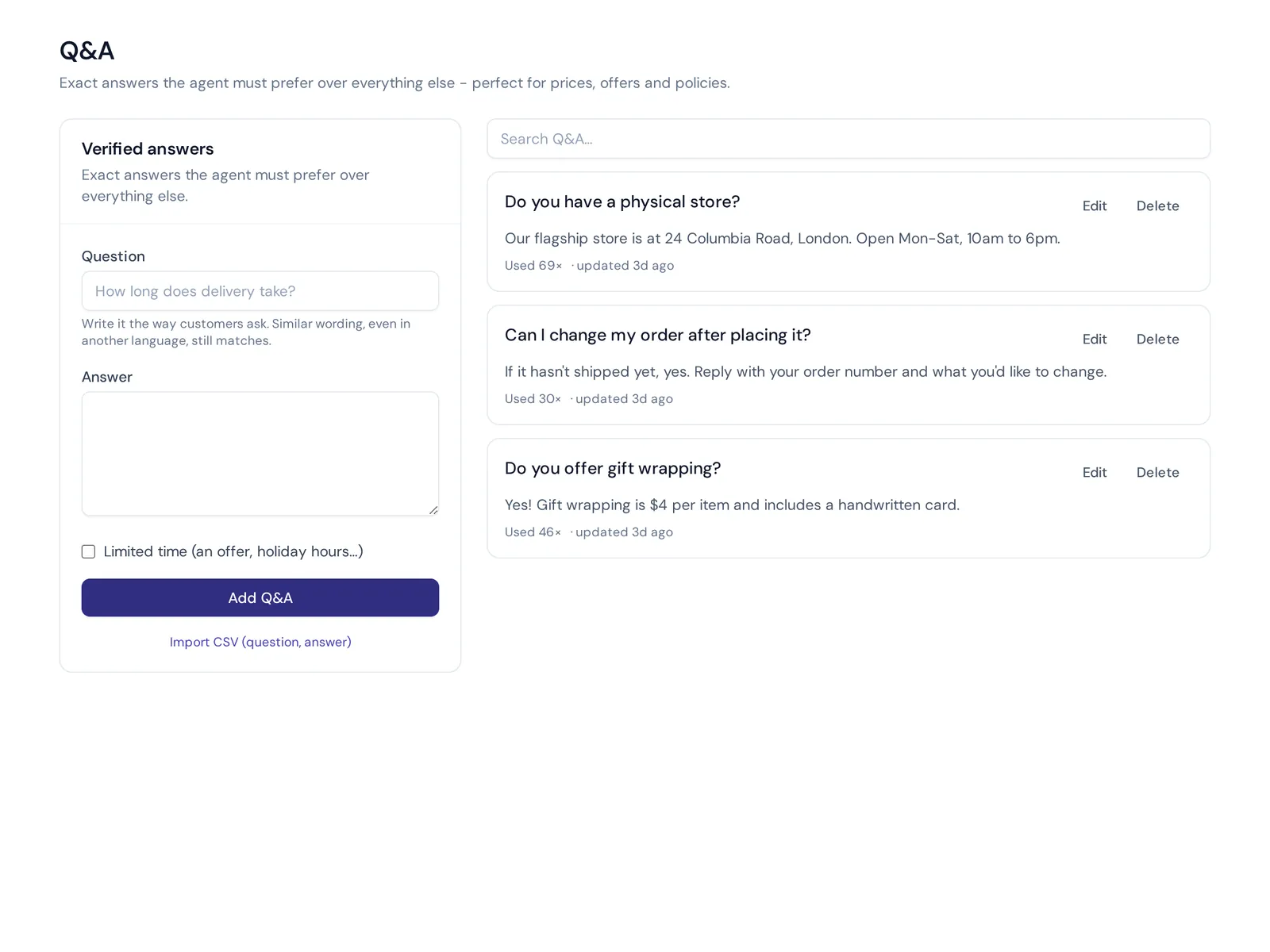
- Q&A that always wins. Write verified answers for sensitive topics (prices, refund rules) and the agent uses them over any other source.
- Handoff built in. The AI hands the chat to your team with a summary when a customer asks for a person, gets upset or the AI can't answer. Your team replies from one shared inbox.
Website chat, flows, Q&A and the helpdesk inbox are all on the free plan, so you can try a free chatbot alongside live chat before paying anything. WhatsApp, Messenger, Instagram and email start on paid plans (see pricing). One honest limit: AnytimeReply works in chat and email only. If you need a phone or voice bot, it isn't the right tool.
Frequently asked questions
What is a chatbot script?
A chatbot script is the planned set of messages, questions, buttons and rules a chatbot follows in a conversation. It covers greetings, answers to common questions, how to collect details and when to hand the chat to a person.
Is ChatGPT a script bot or a smart bot?
ChatGPT is a smart bot: it uses AI to understand and write language instead of following a fixed script. A script bot only follows the paths someone wrote in advance. Most business chatbots now combine the two.
Do AI chatbots still need scripts?
Yes, but smaller ones. You write instructions, tone rules and verified answers, plus scripted flows for fixed steps like bookings or returns. The AI handles the rest from your content.
How do I make my chatbot sound human?
Write the way your best support person talks. Use contractions, plain words and the customer's own language. Keep it friendly but still say clearly that it's a bot.
What are some examples of script bots?
Order trackers, booking bots and lead capture forms in a chat window are classic script bots. Every step is written in advance, like examples 11, 19 and 24 above.
Examples and templates are just the start
You don't need all 30 chatbot scripts on day one, whether you implement a chatbot yourself or create a bot with a builder. Pick the greeting, your top three FAQs, a fallback and a handoff message. That alone covers most chats. Then add more as you see what customers actually ask.
Ready to build a chatbot of your own? Start free with AnytimeReply, no card needed, and have a chatbot answering on your website today.
Published 30 October 2026 by AnytimeReply team