Most chatbot projects don't fail because the technology is bad. They fail because someone pasted a script on the website on a Friday, never tested it, and found out on Monday that the bot told a customer the wrong return policy. Good chatbot implementation is less about code and more about preparation: clear goals, clean content, honest testing and a real person ready when the bot gets stuck.
This guide walks you through the whole process, step by step. You will see what to decide before you pick a tool, how to train and test the bot, how to launch without annoying customers, and how to keep it getting better after week one.
What chatbot implementation really means
It is the full process of planning, training, testing, launching and improving a chatbot for your business. Picking software is only one small part of it.
Think of it like hiring a new support person. You don't hand them a laptop and walk away. You explain the job, give them the policies, watch their first conversations and correct them. Chatbots need the same care. The difference is that a well-trained bot can answer hundreds of customers at the same time, at 3 am, in their own language.
Today most businesses choose AI chatbots over old button-only bots. Modern AI tools, often called AI-powered chatbots, use artificial intelligence, machine learning, natural language processing and large language models to understand questions typed in normal words. Many now work as an AI agent too (people call this agentic AI): they can look up an order or book a meeting, not just talk. That changes the work. You spend less time drawing decision trees and more time on your content, your rules and your handoff to human agents.
The four types of chatbots (and which AI chatbots fit support)
| Type | How it works | Good for | Weak spot |
|---|---|---|---|
| Rule-based chatbot | Buttons and fixed scripts | Simple menus, forms | Breaks on unexpected questions |
| Keyword bot | Matches words to saved answers | Small FAQ lists | Misses questions phrased differently |
| AI chatbot | Conversational AI that answers from your content (often called RAG, retrieval-augmented generation) | Open questions, many topics and languages | Can be wrong if content is missing or unclear |
| Hybrid | AI answers plus conversation flows for fixed steps | Most support and sales teams | A little more setup |
For customer support, a hybrid is usually the sweet spot: AI for free-text questions, flows that guide users through fixed steps.
Chatbot implementation steps: the complete process
Here are the steps we recommend, in order. A small team can finish them in a few days. Larger companies with many systems and approvals may need a few weeks.
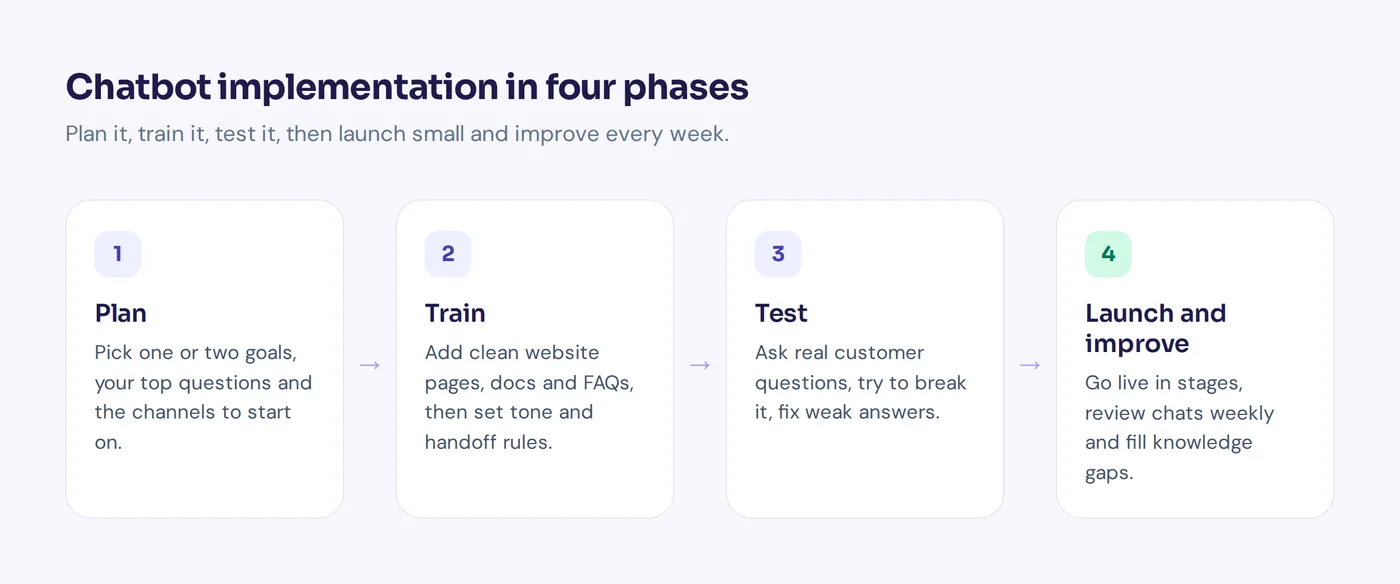
1. Define your goals and use cases
Start with the problem, not the tool. A clear implementation strategy begins with one question: what should the bot do for your customer journey? Common goals:
- Answer customer questions that repeat every day (shipping, returns, opening hours, pricing).
- Offer support after hours so nobody waits until morning.
- Capture leads and book meetings for sales.
- Help employees with HR or IT questions on an internal help desk.
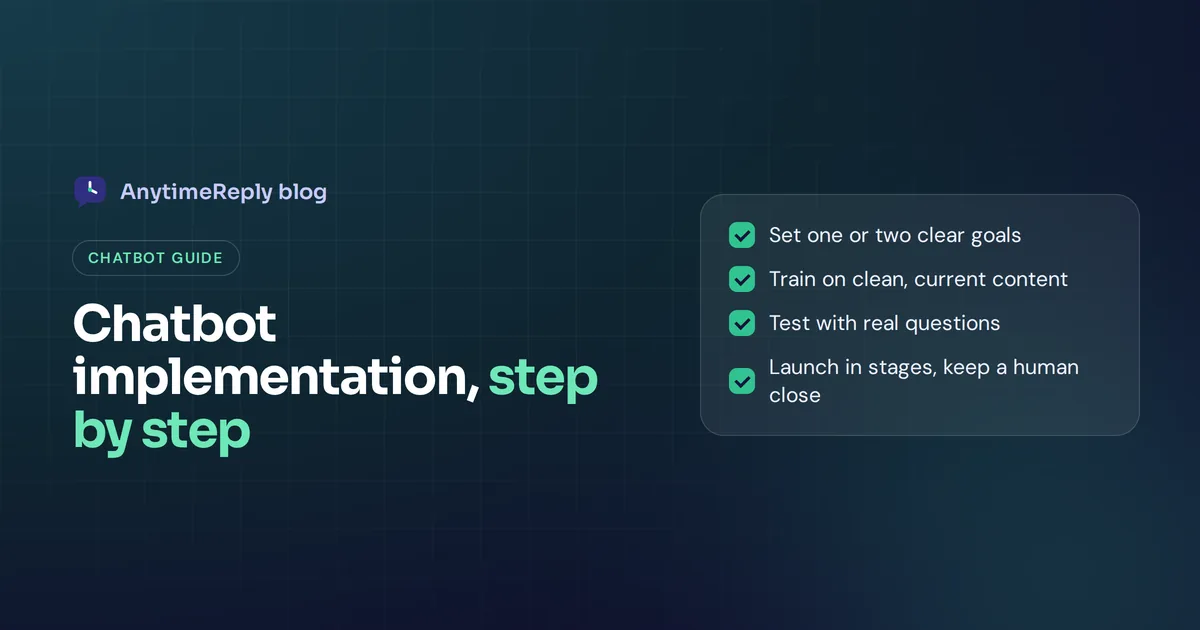
Pick one or two goals for the first launch. A bot that tries to do ten things on day one usually does all ten badly.
Next, open your inbox, WhatsApp chats or email tickets and write down the 20 to 30 questions people ask most. That list becomes your first use case list and, later, your test cases. It also shows you the repetitive tasks that eat your team's day. If one inquiry type makes up a big share of your chats, start there.
2. Choose your channels
Go where customers already write. For an online store that might be the website and Instagram. For a Facebook seller it is often Messenger and WhatsApp.
Start with one or two. A great chatbot on your website beats an average one on six channels. Chatbots that try to be everywhere on day one usually end up good nowhere.
3. Pick a chatbot platform
Building a chatbot from scratch gives full control, but it takes months and ongoing work on AI systems, hosting and security. For most businesses, a ready-made chatbot solution is faster and cheaper. When you compare options, check:
- Can it learn from your website, files and help articles?
- Does it hand over to a human with the full conversation?
- Can you test changes before they go live?
- Does it connect to your store, CRM, calendar or helpdesk?
- How does it protect and use customer data?
4. Build your knowledge base
This is the step people skip, and it decides whether your bot is good. An effective AI chatbot is only as accurate as the content it learns from.
Collect your product, pricing, shipping and policy pages, FAQs and help articles, internal docs (refund rules, warranty terms, size guides) and saved replies your agents already send.
Then clean it up. Remove old prices. Fix pages that contradict each other. If your website says "returns within 14 days" and a PDF says 30, the bot will be confused, and so will customers. Write short, direct answers for sensitive topics like refunds and delivery times. If you sell more than one product or service, make sure each one has its own clear page.
5. Design the conversation and the handoff
An effective chatbot sounds like your brand. Write a few lines of instructions: the tone (friendly and short, or formal), whether the bot has a name, topics it must never answer (legal advice, discounts it can't approve) and what to do when it doesn't know. The right answer there is "I'm not sure, let me get a teammate", not a guess.
Then design the human handoff. This is where many projects go wrong. Decide when a chat moves to a person: the customer asks for one, the customer is angry, the bot can't answer, or the topic is sensitive. Decide who gets it, during which hours, and what the customer hears outside business hours. A smooth handoff protects customer relationships far more than a clever bot does.
6. Connect your systems
A bot that answers questions is useful. One that can look up an order, book a call or update a subscription is much more useful, and it can automate a big part of your support workflow and streamline the work your customer service teams do every day. Typical connections: Shopify or WooCommerce for orders, Stripe for billing, Calendly for meetings, HubSpot for leads.
Be careful here. Any action that touches personal data should only run for verified customers, and risky actions should ask for confirmation. Start with read-only actions like order status before you allow changes like cancellations.
7. Test before you go live
Ask the bot every query on your list. Then try to break it: use different words, typos and slang, ask in another language your customers use, ask something it should not answer, pretend to be angry, ask for a human.
Write down every weak answer, fix the content or instructions, and test again. Ask two teammates to do the same. Fresh eyes find different problems.
8. Launch in stages
Don't switch everything on at once. A safe way to deploy a chatbot:
- Turn it on for your team only.
- Turn it on for one page or one channel.
- Run it after hours only, when nobody would reply anyway.
- Open it to all customers once the answers look good.
Tell your support team what is changing and where handed-over chats will show up. Agents who trust the bot help improve it.
9. Monitor, measure and improve
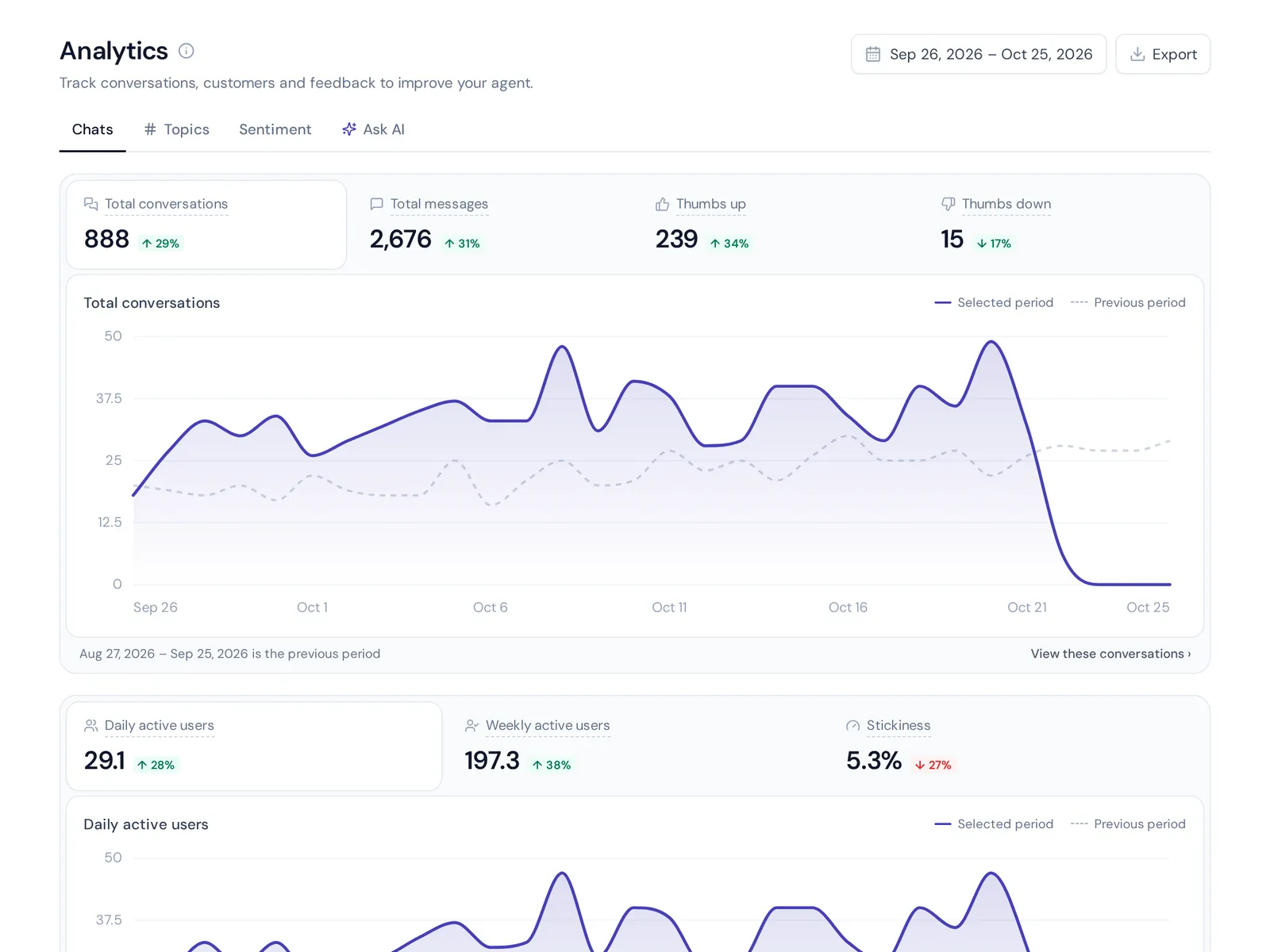
The real work starts after you deploy your AI. Read chatbot conversations every week, especially the ones that were handed over or got a bad rating. Add the information behind every question the bot couldn't answer. After a month of small fixes it will feel very different from launch day.
10. Scale to more channels and use cases
Once the first goal works, add the next: WhatsApp, order lookups, a second language. Repeat the same loop each time.
How long does it take to launch a chatbot?
With a modern platform, the technical part is easy. Adding a chatbot on your website is usually one line of code or a plugin. The hard part is correct content.
| Business | Typical scope | Realistic timeline |
|---|---|---|
| Small shop or service business | Website chat, FAQs, handoff to an inbox | A day or two, plus a week of tuning |
| Growing ecommerce or SaaS team | Several channels, order lookups, helpdesk | One to three weeks |
| Large company | Many systems, security review, many languages | One to three months, often as part of a wider digital transformation |
Chatbots and customer service costs
Costs come from three places: software (a monthly fee based on messages, AI replies or seats, sometimes with a free plan), your time for content and testing, and development if you build custom integrations. That last one is where budgets climb.
Compare that with what repeat questions cost you today. If your team answers "where is my order?" 300 times a month, every one the bot handles is time back for harder customer issues. That is how chatbots lower customer service costs without hurting quality: they take the boring work, not the important work. Good automation also lets you personalize the conversations that matter, because your people finally have time for them.
Common mistakes that hurt the customer experience
- Hiding the human. Customers hate being trapped. Make "talk to a person" easy.
- Skipping tests. Your first customers should not be your testers.
- Letting the bot guess. A confident wrong answer does more damage than "I don't know".
- Set and forget. Products, prices and policies change. The bot's knowledge has to change too.
- Ignoring customer expectations. Higher customer expectations mean people want fast replies, and they also expect the reply to be right. Speed without accuracy hurts the user experience.
Metrics to track chatbot performance after you deploy
No single metric tells the whole story, so pick a few and check them every week:
- Resolution rate: how many conversations the bot solved alone.
- Handoff rate: how often it passed the chat to your team, and why.
- Unanswered questions: gaps in your knowledge base.
- Customer satisfaction: thumbs up/down or ratings after the chat.
- First response time: should drop to seconds.
- Customer engagement: how many visitors start a chat, and how many come back.
- Leads or bookings: if sales is a goal.
Watch the trend, not one day. And read the real conversations behind the numbers.
Launch checklist for a successful chatbot strategy
- One or two goals written down
- Top 20 to 30 customer questions listed
- Channels chosen
- Content cleaned and added; tone and limits written
- Handoff rules and owners set
- Integrations connected (read-only first)
- All test questions passed
- Soft launch done
- Weekly review on the calendar
How AnytimeReply helps with implementing an AI chatbot for customer support
We built AnytimeReply around these steps, so most of them happen in one place.
- Training. Add your website, PDF and Word files, Notion pages or Shopify products. It reads product and pricing pages first and writes an editable summary of your business. Q&A you write always wins over other sources. See training and knowledge.
- Honest answers. Answers come with a confidence score. When the AI doesn't know, it says so instead of guessing.
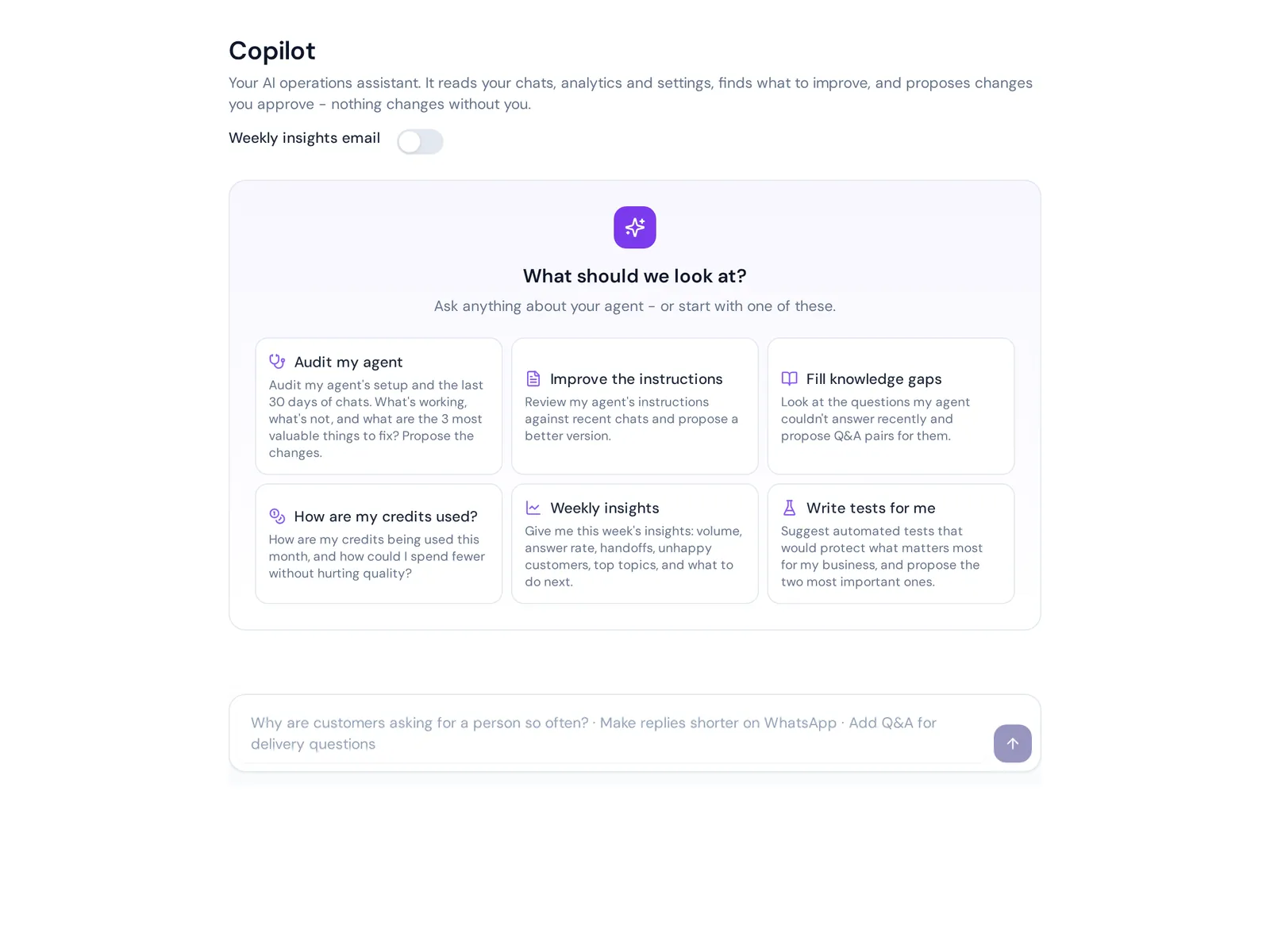
- Testing. Plain-language tests run in a sandbox after every change, you can compare models side by side, and Copilot suggests fixes from real chats that you approve. See tests and Copilot.
- Handoff. One shared inbox for website chat, WhatsApp, Messenger, Instagram, Telegram, email and Slack. The AI answers first and hands over with a summary when a customer asks for a person, gets upset or the AI can't answer.
The free plan includes website chat, the helpdesk inbox, flows, Q&A, tests, Copilot and analytics, so you can run the whole plan, train, test loop before paying. Messaging channels and actions like order lookups start on the Hobby plan. Our quick start guide covers setup.
Where it is not the right fit: if you need a bot that answers phone calls or SMS, AnytimeReply doesn't do that. It works on chat and email.
Frequently asked questions
What are the chatbot implementation steps?
Define goals, choose channels and a platform, build your knowledge base, design the conversation and handoff, connect your systems, test, launch in stages, then review and improve every week.
How hard is it to implement a chatbot?
Not hard technically. Most platforms install with one line of code or a plugin, and you don't need to program the chatbot. The real effort is preparing accurate content and testing it.
Is chatbot AI the same as ChatGPT?
No. ChatGPT is a general AI assistant. A business chatbot may use similar generative AI technology, but it answers from your own content, follows your rules and hands over to your team.
Can I use a chatbot without AI?
Yes, a rule-based bot works for simple menus. But it can't handle a question typed in the customer's own words, so most support teams now prefer AI chatbots or a hybrid.
Can a customer service chatbot understand different languages?
Good AI chatbots can. AnytimeReply replies in the customer's language, including mixed ones like Banglish and Hinglish.
Start small and improve every week
A successful launch is a short plan, a careful first version and steady small fixes. Start with your top questions on one channel and keep a human close.
Want to try it on your own site? Start free with AnytimeReply, add your website and run a few tests. No card needed.
Published 7 November 2026 by AnytimeReply team