A buyer from a 200-person company lands on your pricing page at 9 pm. They have three questions: does it work with HubSpot, can you sign a DPA, and what does the team plan really cost for 40 seats? Your sales team is offline. The form says "we'll get back to you in 1 to 2 business days". So they open a competitor's tab instead.
A B2B chatbot fixes that gap. It answers business buyers and existing customers right away, qualifies the serious ones, books a meeting with the right rep and hands the rest to your support team. Done well, it feels less like a bot and more like a sharp sales assistant who never goes home.
This guide explains what these AI chatbots are, how they differ from B2C bots, the use cases that actually pay off, example conversations, a step-by-step setup and the mistakes we see most often. We build an AI support and sales agent, so we have a bias, but we'll keep it honest.
What is a B2B chatbot?
It's a chat assistant on your website (and sometimes in Slack, email or messaging apps) built for companies that sell to other companies. Instead of helping one shopper pick a t-shirt, it talks to buyers, decision-makers and account users who are researching, comparing vendors or asking for help with a product they already pay for.
Older business chatbots were rule-based. They showed a few buttons, asked for an email and pushed every visitor into the same form. Modern AI-powered chatbots use natural language processing and large language models (people also call them LLM-powered chatbots or conversational AI), so a visitor can type a real question ("Do you support SSO with Okta?") and get a real answer pulled from your own docs, pricing page and help articles.
The best ones mix both: AI for open questions, plus simple chatbot flows for things that must follow a set path, like lead capture or booking a demo.
B2B vs B2C: how business chatbots differ
The technology is similar. The job is not. Here is the short version:
| B2C chatbot | Chatbot for B2B | |
|---|---|---|
| Who is chatting | One shopper buying for themselves | A buyer, often one of several people in a buying committee |
| Sales cycle | Minutes to days | Weeks to months |
| Typical questions | Shipping, sizes, returns, order status | Integrations, security, pricing tiers, contracts, onboarding |
| Main goal | Close the sale now, cut support load | Qualify leads, book meetings, support accounts, cut churn |
| Value of one chat | Usually small | Can be a large, recurring contract |
| Handoff | To a support agent | To the right sales rep, account manager or support tier |
So a chatbot for B2B has to be more careful. B2B deals are bigger and B2B relationships last longer, so one wrong answer about security or pricing can cost a deal worth thousands. It also has to know when to step back and let a human take over.
Why B2B teams use AI chatbots
B2B buyers like to research on their own, and B2B marketers know it. They read your docs, compare pricing and check reviews long before they talk to sales. A chatbot meets them during that research instead of forcing them to fill in a form and wait.
- Faster response time. Leads cool down fast. An instant reply at 9 pm beats a perfect email the next afternoon.
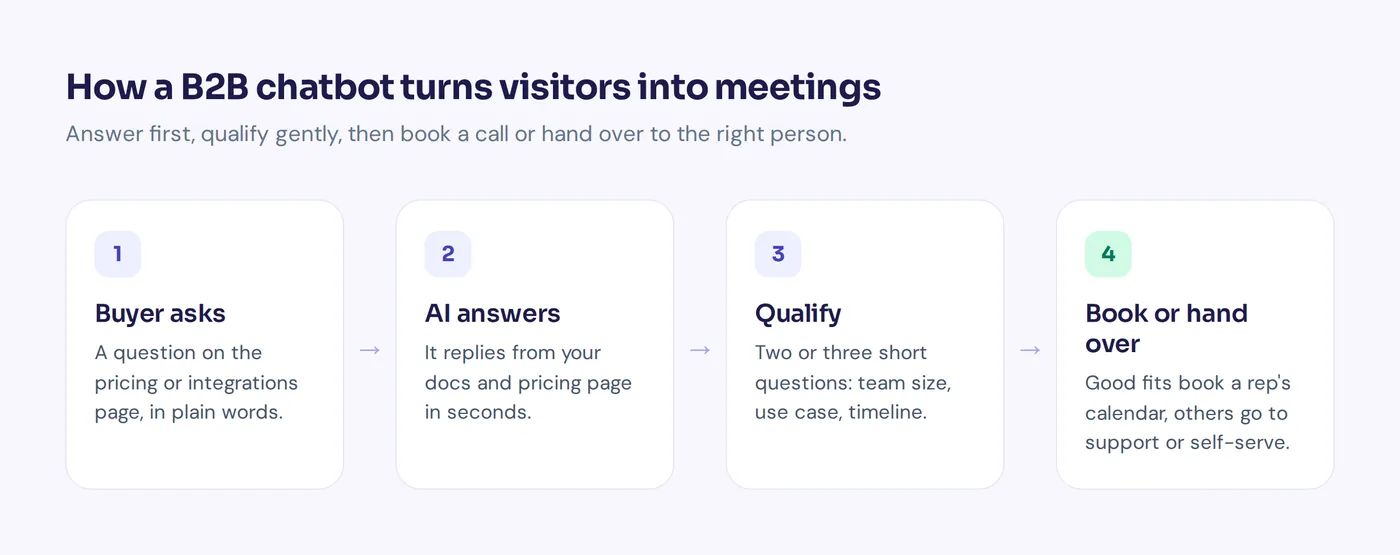
- Better lead qualification. You can automate lead qualification: the bot asks the questions your SDRs would ask (company size, use case, timeline) and only sends a good-fit prospect to sales.
- More meetings booked. Qualified visitors can pick a time on a rep's calendar right inside the chat.
- Lower support load. It works as a business chatbot for support too: existing customers get answers to "how do I add a user?" without opening a ticket.
- Better data and customer engagement. Every message tells you what buyers ask, what blocks them and which pages confuse them.
- Less busywork. Automate repeat conversations so your team spends time on complex B2B deals instead.
The honest downside: a bad chatbot is worse than none. If it traps a VP of Operations in a button loop, you lose credibility. Setup and upkeep matter more than the tool.
Use cases: chatbots for B2B lead generation, sales and support
1. Lead qualification and routing
This is the classic use case for B2B AI. The chatbot greets visitors on high-intent pages (pricing, integrations, demo), asks a few qualifying questions and routes the conversation. Enterprise leads go to an account executive, small teams get a self-serve signup link, students and job seekers get pointed somewhere useful.
2. Demo and meeting booking
Once a visitor qualifies, the bot offers time slots from a sales rep's calendar. No back-and-forth emails. This is where many B2B teams see the clearest return, because a booked meeting is easy to measure.
3. Answering pre-sales questions
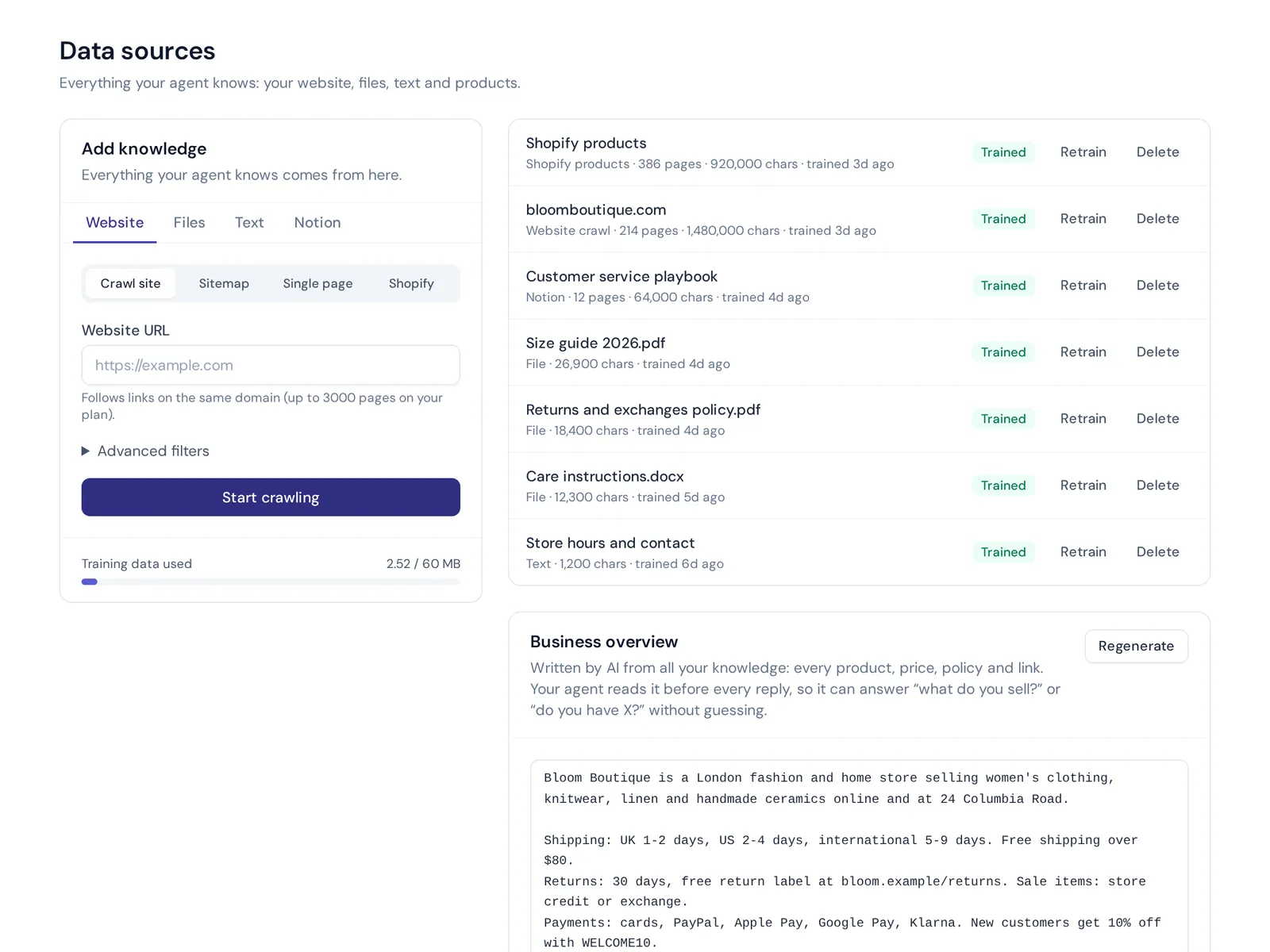
Buyers ask the same things again and again: integrations, data security, user limits, contract terms, onboarding time. An AI agent trained on your website and docs can answer most of these in seconds, with links to the right page.
4. Customer support for existing accounts
B2B support is not only about new deals. Your customers need help with setup, billing, user management and bugs. A chatbot can answer the common questions, collect details for a ticket and hand complex issues to support with a summary.
5. Onboarding new customers
The first weeks decide whether an account renews. A bot can walk new users through setup and share the right guide.
6. Account actions for verified users
For logged-in customers, a more advanced bot can check subscription status, update a plan or look up an invoice. This needs proper identity checks, so only use it with verified users and clear limits.
Example conversations: B2B chatbots in action
Here is what good looks like in real customer interactions. Notice that the bot answers first, then qualifies. Nobody likes being interrogated before getting an answer.
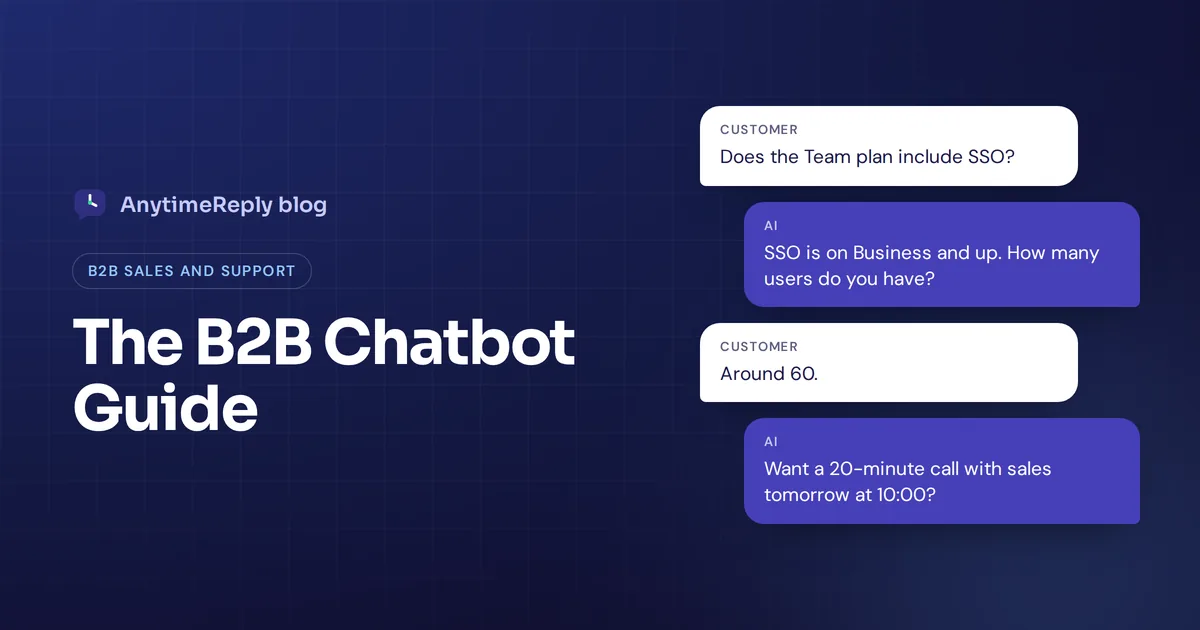
Pricing page visitor
Visitor: Does your Team plan include SSO?
Bot: SSO is included on the Business plan and above. The Team plan uses email and Google login. How many people would be using it?
Visitor: Around 60.
Bot: Thanks. At that size most teams talk to us about the Business plan. Want to book a 20-minute call with Priya from our sales team? She has slots tomorrow at 10:00 and 14:30.
Existing customer with a support question
Customer: How do I remove a user who left the company?
Bot: Go to Settings, then Team, click the user and choose Remove. Their data stays in your workspace. Want me to send the full guide?
Customer: Done, thanks. But we were still billed for them last month.
Bot: I'll pass this to our billing team with your account details so they can check the invoice. You'll get a reply by email.
Key features: how to choose the right AI chatbot
- Training on your own content. This is the most important of all AI chatbot capabilities. Website, docs, PDFs, help center, Notion. The bot should answer from your sources, not make things up.
- Confidence and "I don't know". When it's unsure, it should say so and hand over, not guess about pricing or security.
- A visual chatbot builder. Buttons, questions and conditions for lead capture and other steps that must happen in a set order.
- CRM integration. The bot should integrate with your CRM so leads and chat summaries land in HubSpot or Salesforce without copy-paste.
- Meeting booking. Calendly, Cal.com or a built-in scheduler.
- Human handoff. A shared inbox where sales and support can join any conversation, with the context already there.
- Routing rules. Send enterprise leads to sales, billing issues to finance, bugs to support.
- Analytics. Top questions, unanswered questions, conversion to meetings, customer satisfaction.
- A support platform behind it. A shared inbox and tickets, so support questions don't get lost in a sales tool.
- Security basics. 2FA, encrypted keys, clear data policies and a DPA. B2B buyers will ask.
- Multiple languages. If you sell across countries, replies in the visitor's language help a lot.
CRM integration and customer data: what conversational AI needs
A bot that doesn't talk to your other systems creates more work. Useful integrations:
- CRM: create or update contacts and deals, attach the chat transcript and log the source page.
- Calendar: book meetings on the right rep's calendar without email ping-pong.
- Helpdesk: turn support chats into tickets with all the context.
- Billing: look up a subscription or invoice for a verified, logged-in customer.
Customer data needs care. Before you connect anything, ask the vendor a few direct questions: Is data encrypted? Is it used to train AI models? Can you delete it? Do they offer a DPA? Can actions be limited to verified users? Your own buyers will ask you the same things.
How to build your chatbot strategy, step by step
- Pick one or two goals. Decide what to automate first. Start with lead qualification on the pricing page, or support deflection for existing customers. Not both at once on day one.
- Collect your knowledge. Pricing page, feature pages, integration docs, security page, onboarding guides and your top 30 support answers.
- Write your qualifying questions. Usually three or four: company size, use case, timeline, current tool. Keep each message short.
- Decide the routing. Who gets enterprise leads? Who handles billing? What happens outside office hours?
- Connect your tools. CRM, calendar and helpdesk, so nothing gets lost.
- Write the tone and the limits. Tell the bot what it must never promise: custom discounts, legal terms, roadmap dates.
- Test with real questions. Use questions from past sales calls and support tickets. Try to break it. This is the step most chatbot implementation projects skip.
- Launch on a few pages first. Pricing and demo pages are a good start. Then expand to docs and the app.
- Review chats every week. Fix wrong answers, add missing ones and tune the qualifying questions.
How to measure success with an AI chatbot for B2B
- Conversations started on key pages.
- Qualified leads created by the bot.
- Meetings booked and how many of those turn into opportunities.
- Resolution rate for support questions without a human.
- Handoff rate and time to first human reply after handoff.
- Unanswered questions, which show gaps in your docs.
- Customer satisfaction from chat ratings.
Don't judge the bot only on deflection. One great conversation with a large account can be worth more than a hundred answered FAQs.
Common mistakes B2B sales teams make with chatbots
- Asking for an email before answering anything. It feels like a form wearing a chat costume.
- Too many questions. Five qualifying questions is already a lot. Ask fewer and use what you know from the page they're on.
- No real human behind it. If the bot says "connecting you to sales" and nobody replies for two days, you've made things worse.
- Letting the AI guess. Pricing, security and contract answers must come from approved sources.
- Same bot for every visitor. A customer in your app needs support, not a demo pitch. In B2B environments, context is everything.
Best AI chatbots for B2B: popular tools
There are many AI chatbot platforms and AI tools for B2B firms, from simple widgets to sophisticated chatbots built for enterprise sales. A few names you'll come across often:
- Drift (now part of Salesloft): one of the early conversational marketing tools, known for AI sales chat on websites.
- Intercom: a full customer service platform with an AI agent, popular with SaaS companies.
- HubSpot chatbot: built into HubSpot, a natural pick if your whole team already lives there.
- Qualified: focused on pipeline generation for teams using Salesforce.
- AnytimeReply: an AI support and sales agent with a built-in helpdesk, aimed at small and growing teams. More on it below.
The best AI chatbot for you depends on your stack and budget. Plans and prices change often, so check each vendor's pricing page and run a short trial with your own questions before you decide.
How AnytimeReply helps B2B teams qualify leads and support customers
AnytimeReply is a conversational AI platform with a built-in helpdesk. It trains an AI agent (think of it as an AI assistant for your sales and support team) on your website, documents and Notion pages, then answers buyers and customers on your site and channels like email, Slack and WhatsApp. When it doesn't know an answer, it says so instead of guessing, and it hands the chat to your team with a summary.
For B2B teams, a few parts matter most:
- Flows for lead capture and qualifying questions, with buttons, conditions and API calls. Flow steps use no AI credits. See Flows.
- Actions to book meetings through Calendly or Cal.com, send leads to HubSpot or check a Stripe subscription for a verified customer (paid plans).
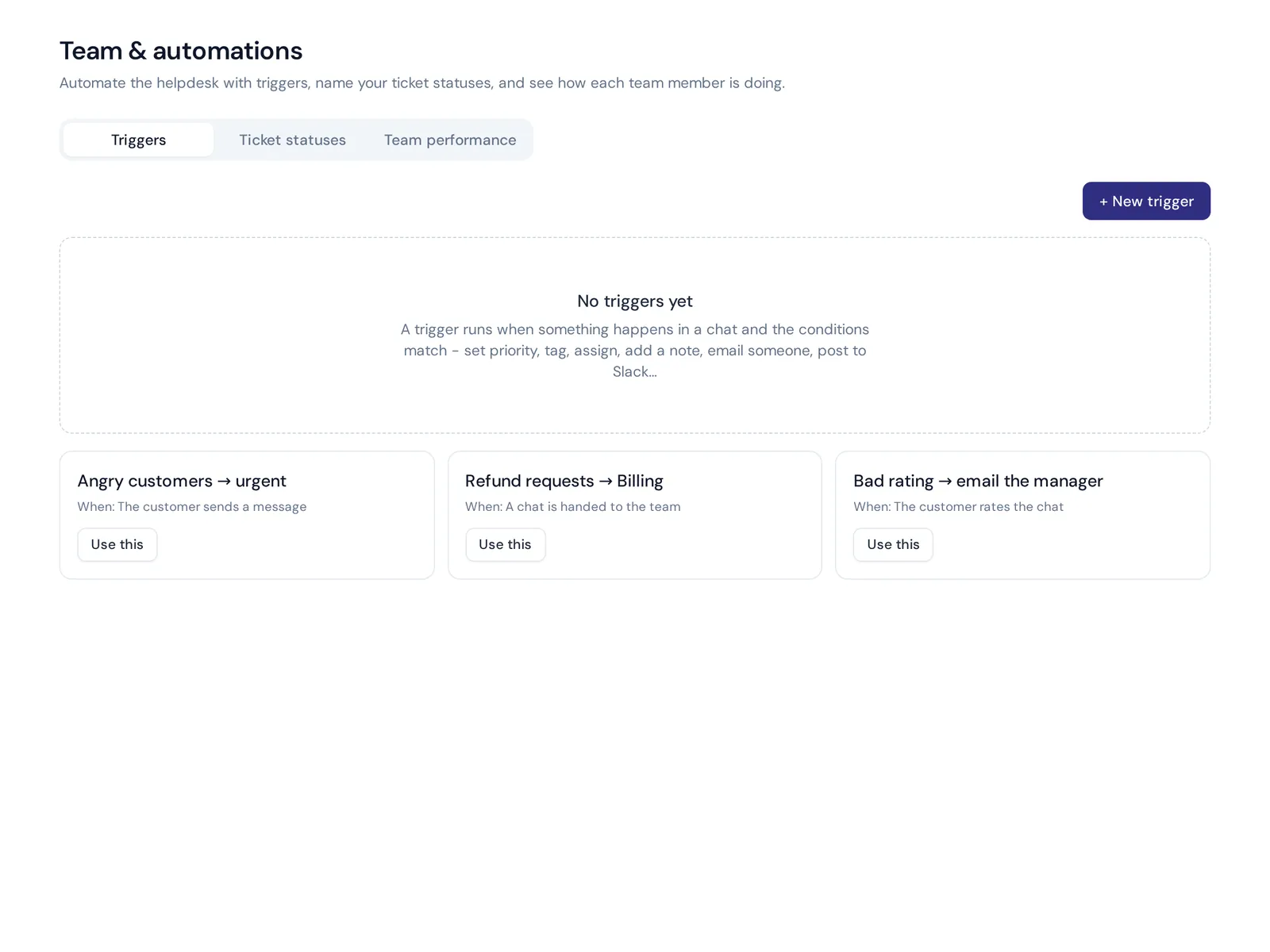
- A shared inbox where sales and support can join any chat, with routing, internal notes and triggers.
- Analytics that show topics, sentiment and the questions the bot couldn't answer, with one click to add the answer.
If you run a software company, our SaaS use case page shows how this fits pre-sales, onboarding and support. Honest limits: AnytimeReply has no phone or voice channel, and it isn't a full sales engagement suite with sequences and dialers. If you need deep account-based marketing in Salesforce, a dedicated tool may suit you better.
You can start on the Free plan with website chat, flows and the helpdesk inbox, then move to a paid plan when you need actions and more channels. Details are on the pricing page.
Frequently asked questions
What is a B2B chatbot?
It's a chat assistant for companies that sell to other businesses. It answers buyer questions, qualifies leads, books meetings and supports existing customers, usually on the website and in channels like email or Slack.
Are AI chatbots worth it for B2B companies?
For most B2B companies with steady website traffic, yes, as long as there is a clear goal (more meetings or fewer support tickets) and someone reviews the chats. Without upkeep, they quickly give stale answers.
Which B2B chatbot platform is best?
There is no single winner. HubSpot users often start with HubSpot's own bot, Salesforce teams look at Qualified, SaaS support teams like Intercom, and smaller teams that want AI features plus a helpdesk in one tool often pick tools like AnytimeReply. Test two with your own questions.
Can a chatbot replace B2B sales reps?
No. It handles the first touch, answers routine questions and books meetings. Complex deals, negotiation and relationships still need people.
How is an AI bot different from a rule-based one?
A rule-based bot follows fixed buttons and scripts. AI-driven chatbots understand typed questions and answer from your content. Many teams use both together.
What should a chatbot never do in B2B sales?
Promise custom discounts, legal terms or roadmap dates, or guess about security and compliance. Those topics should go to a human.
Start with one page and one goal
You don't need a huge project to get value here. Put it on your pricing page, train it on your docs, add three qualifying questions and a calendar link. Then read the chats every week and improve.
If you want to try that with AnytimeReply, you can start free, no card needed.
Published 6 November 2026 by AnytimeReply team