Your team answers the same ten questions every week. How do I reset my password? What's your return policy? Where do I find my invoice? Each answer lives in someone's head or in a scattered Google Doc. A knowledge base fixes that, and you don't have to pay to get started. Good knowledge base software free of charge exists, both as hosted tools with a free plan and as open-source apps you run on your own server.
The trick is picking the right type. A public site for customers is a different job from an internal wiki for your team. And an open source tool saves money but costs time.
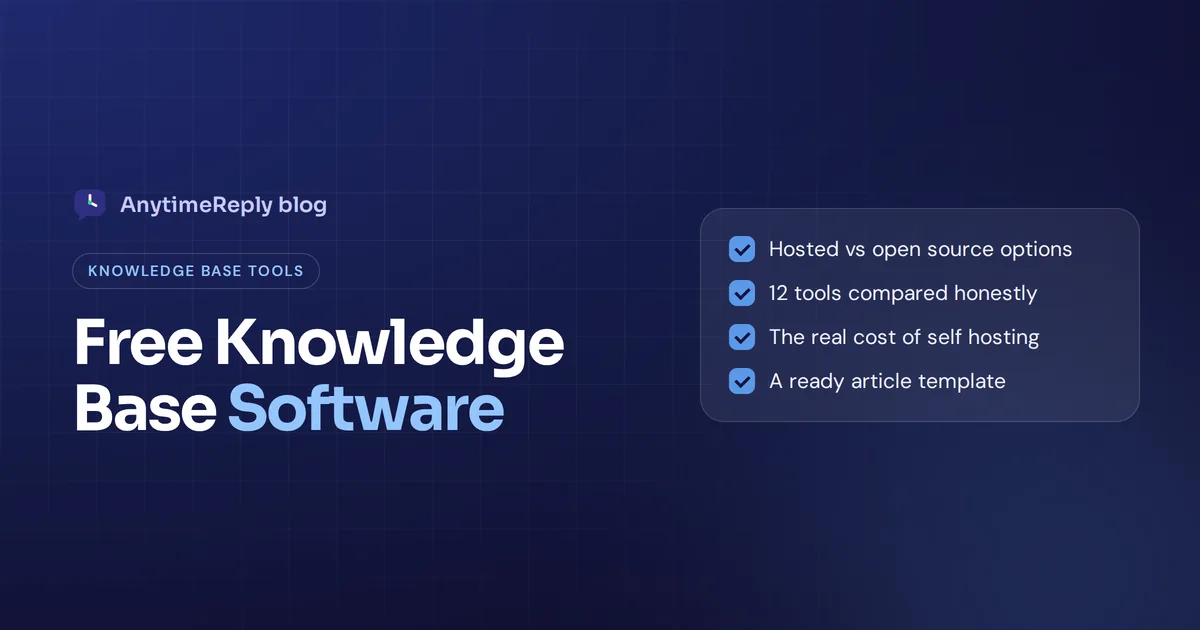
In this guide we compare 12 of the best free knowledge base tools, explain internal vs external knowledge bases, show what "no cost" really costs, and walk through how to create a knowledge base people actually use. We make a help center ourselves (AnytimeReply), so we include it, with honest limits, next to tools we don't make.
What is knowledge base software?
Knowledge base software is a tool for writing, organizing and publishing helpful articles in one searchable place. Think of it as a library of answers: how-to guides, policies, troubleshooting steps and FAQs, all organized by topic.
A good knowledge base system does three jobs:
- Stores company knowledge in one centralized place instead of inboxes, chats and people's heads.
- Makes it easy to find through search, categories and links between articles.
- Keeps it fresh with simple editing, version history and feedback on each article.
Some tools are pure wikis. Others are part of a help desk or a support chatbot. That's why "best" depends so much on your use case. Good knowledge base software helps support teams answer faster and helps internal teams stop asking the same questions.
Internal knowledge base vs external help center: which do you need?
Before you compare knowledge bases, decide who yours is for. Both kinds help teams, but in different ways.
- External knowledge base: a public knowledge base or help center for your customers. It needs branding, great search, a clean design and ideally a link to support when the article doesn't help.
- Internal knowledge base: a private wiki for your team. It holds processes, onboarding guides, IT documentation and policies, and needs permissions and easy collaboration for knowledge sharing.
Many knowledge bases can do both, but most are built mainly for one. A team wiki like BookStack is great for internal use but isn't designed as a help center for your customers. A help desk and knowledge base combo is the opposite: built for customers, tied to support tickets.
Our rule of thumb: if the main readers are customers, pick a support-focused tool. If the main readers are employees, pick a wiki.
Features to look for in a knowledge base tool, from search to FAQ pages
- Search: can people find answers by typing a question? Does it understand natural language, or only exact words?
- Editor: a WYSIWYG editor non-technical people can use, with images, video and tables.
- Structure: categories, collections, tags and internal links.
- Access control: public, private, or per-team permissions.
- Branding: custom domain, logo and colors for a customer-facing site.
- Analytics: article views, ratings and failed searches.
- Integrations: connections to your help desk, chat, Slack or AI agent.
- Limits: users, articles, storage and branding. What each free plan supports changes often, so check each pricing page before you commit.
Hosted free plan vs open source knowledge base software
No-cost options come in two flavors. Here's how they compare.
| Hosted (cloud) plan | Open source, hosted by you | |
|---|---|---|
| Cost | Nothing within plan limits | Software costs nothing, the server costs are yours |
| Setup | Minutes: sign up and write | Hours to days: server, database, domain, updates |
| Maintenance | Handled by the vendor | You handle updates, backups and security |
| Data control | Stored by the vendor | Full control on your own infrastructure |
| Limits | Users, articles or features capped | Usually no artificial limits |
| Best for | Small teams, customer help centers | Technical teams, internal wikis, strict privacy needs |
Our honest take: if nobody on your team is comfortable running a server, pick a hosted plan. Software that breaks after an update and has no backups isn't really free.
Best free knowledge base software at a glance
Here are the knowledge base software options we cover, side by side.
| Tool | Type | Best for | How you get it |
|---|---|---|---|
| AnytimeReply | AI-powered knowledge base with public articles | Customer support with AI answers | Hosted, no-cost plan |
| BookStack | Wiki | Structured internal documentation | Run it yourself |
| Wiki.js | Wiki | Technical teams who like Markdown | Run it yourself |
| Docmost | Team wiki | A Notion or Confluence alternative on your server | Run it yourself |
| Outline | Team knowledge base | Fast, modern internal docs | Source-available, can be self-hosted |
| XWiki | Enterprise wiki | Larger organizations needing structure | Run it yourself |
| DokuWiki | Wiki | Light wikis without a database | Run it yourself |
| MediaWiki | Wiki | Huge, community-style wikis | Run it yourself |
| phpMyFAQ | Q&A system | Simple public question sites | Run it yourself |
| Chatwoot | Support platform with articles portal | Teams wanting live chat and articles on their own server | Open source edition or cloud |
| Notion | Workspace | Small teams mixing docs and notes | Hosted, no-cost tier |
| Confluence | Team wiki | Teams already on Jira | Hosted, no-cost tier |
The 12 best knowledge base options, reviewed
These are the best knowledge base software solutions we know of that cost nothing to start: each is either free to host yourself or has a no-cost tier. We describe what each knowledge base offers and who it suits, and leave current prices and limits to the vendors' own pages.
1. AnytimeReply: AI knowledge base with a public help center
AnytimeReply is an AI customer support agent with a built-in help center. You publish articles from the agent's knowledge on your own domain (like help.yourdomain.com), and the search answers questions instead of just listing links. "Draft with AI" helps you write articles faster, and you can see article views and thumbs up or down.
On top of articles, the software offers an AI agent that answers customers in your website chat from the same knowledge, so one set of content does two jobs. The Free plan includes the help center, website chat, a helpdesk inbox and 50 AI credits a month, no card needed.
Limits: it's built for customer support, not as an internal wiki for long process docs. It's hosted only, so you can't run it on your own server.
2. BookStack
BookStack is a free and open source platform that organizes content like a library: shelves, books, chapters and pages. It's easy for non-technical people to write in and runs on PHP with a MySQL or MariaDB database.
Good for: internal documentation, IT procedures and onboarding guides. Watch out: it isn't designed as a branded customer portal.
3. Wiki.js
Wiki.js is a modern open source wiki built on Node.js. It supports Markdown and a visual editor, can sync content with a Git repository, and offers many login options.
Good for: technical teams and developer docs. Watch out: setup and upgrades need someone comfortable with servers.
4. Docmost
Docmost is a newer open-source knowledge base system with real-time collaborative editing, spaces and permissions. It's often described as a self-hostable alternative to Notion or Confluence.
Good for: teams that want a modern editor on their own server. Watch out: it's younger than the classic wikis, so confirm the features you need are there.
5. Outline
Outline is a fast, clean, modern knowledge base for teams with collections, search and integrations like Slack. Its code is public and you can host it yourself, or pay for their cloud version.
Good for: startups that want a polished internal wiki. Watch out: its license is source-available rather than a classic open-source license, so read the terms if that matters to you.
6. XWiki
XWiki is a long-running open source enterprise wiki with structured pages, fine-grained permissions and many extensions. It runs on Java.
Good for: larger organizations that need structure and control. Watch out: it's heavier to set up and maintain than lighter wikis.
7. DokuWiki
DokuWiki stores pages as plain text files, so it needs no database. It's light, easy to back up and has a large plugin library.
Good for: small internal wikis on cheap hosting. Watch out: the editing syntax takes a little learning.
8. MediaWiki
MediaWiki is the software behind Wikipedia. It's powerful and scales to huge wikis.
Good for: large community or company wikis. Watch out: it's not the friendliest choice for a small business support site.
9. phpMyFAQ
phpMyFAQ is a long-running open source FAQ system. It gives you categories, search, user permissions and multi-language support for a public questions site.
Good for: a basic knowledge base on your own hosting. Watch out: the design feels more traditional than modern hosted help centers.
10. Chatwoot
Chatwoot is an open-source customer support platform with live chat, a shared inbox and a built-in knowledge base portal. You can run the open source edition yourself or use their cloud plans.
Good for: teams that want help desk and knowledge base together on their own server. Watch out: running it yourself takes real technical effort; check their pricing page for what each cloud plan includes.
11. Notion
Notion's no-cost tier is popular for small teams who want docs, notes and simple databases in one place, and pages can be shared publicly.
Good for: early-stage teams. Watch out: a public Notion page isn't a full support portal with analytics and ticket links. Check their pricing page for current limits.
12. Confluence
Atlassian's Confluence offers a no-cost cloud plan for small teams, and it fits naturally if you already use Jira.
Good for: internal team docs. Watch out: that plan has user limits; check Atlassian's pricing page.
Help desks with a built-in knowledge base
Several help desk tools include a knowledge base in their starter tier or free trial, so customers can read articles and open tickets in one portal. Freshdesk, Zoho Desk and ProProfs Knowledge Base are well-known examples. Entry tiers are usually limited in agents and features, so check their current pricing pages.
Is open-source knowledge base software really free?
The license costs nothing. Running it isn't. Before you pick the best open source knowledge base for your team, count these costs:
- Server: a small VPS or cloud instance, every month.
- Setup time: installing, configuring the database, domain, SSL and email.
- Updates and security: someone has to patch it, or it becomes a risk.
- Backups: you own the data, so you own losing it too.
- Support: community forums instead of a support team you can email.
Do open source knowledge bases require developer involvement? For setup and upgrades, usually yes. For writing articles, no. If you already run servers, these costs are small. If you don't, a hosted plan is often cheaper in real terms.
Free vs paid knowledge base software (and when a free trial makes sense)
| No-cost tools | Paid knowledge base software | |
|---|---|---|
| Users and articles | Often capped on hosted plans | Higher or unlimited |
| Branding | Vendor branding may show | Your own logo and domain |
| Search | Keyword search | Often AI search and answers |
| Analytics | Basic or none | Views, ratings, failed searches |
| Integrations | Few | Help desk, chat, CRM, Slack |
| Support | Docs and community | Vendor support |
Start at zero cost. Move to a paid plan when a real limit hurts, not before. And if you're weighing paid tools, use the free trial with your real articles, not sample content.
Knowledge base vs knowledge management software
You'll see both terms in reviews, and they overlap. A knowledge base is the library of answers. Knowledge management is the wider practice of capturing, organizing and sharing what your company knows, and knowledge management software often adds content management, workflows, approvals and project management features on top.
For most small teams, a knowledge base solution is enough. Free knowledge management software becomes useful when many departments need centralized knowledge with owners, review dates and permissions. Here's a quick way to decide:
- You mainly answer customers: choose a support-focused tool where the knowledge base helps both your help center and your chat.
- You mainly document internal processes: choose a wiki like BookStack, Docmost or Outline.
- You need strict control and have technical skills: choose the best open-source knowledge base platform for your stack and host it yourself.
- You have many departments and approval steps: look at a full knowledge management platform, and expect to pay eventually.
Choosing a knowledge base without first knowing who reads it is a common mistake. Decide the audience, then pick the tool.
How to create a knowledge base people actually use
- Collect your top questions. Go through your inbox, chats and tickets for the 20 questions you answer most.
- Pick a simple structure. Five to eight categories, such as Getting started, Orders, Billing, Account and Troubleshooting.
- Write one knowledge base article per question. A clear title in the customer's words ("How do I return an item?"), short steps and a screenshot if it helps.
- Make search excellent. Use the words people actually type, not internal jargon.
- Link it everywhere. In your chat, email signatures, order emails and app.
- Review monthly. Fix articles with low ratings and add answers for failed searches.
- Assign an owner. One person keeps it current. Without an owner, every knowledge base goes stale.
A knowledge base article template you can copy
Title: How do I change my delivery address?
Short answer: You can change it until your order ships.
Steps: 1. Open your order confirmation email. 2. Click "Manage order". 3. Edit the address and save.
If your order already shipped: Contact us in chat with your order number and we'll try to redirect it.
Related: Shipping times, Tracking your order
Turning your knowledge base into AI answers for your support team
Knowledge bases only help if people find them. Many customers will never open a support portal. They'll type their question into a chat or send a WhatsApp message instead.
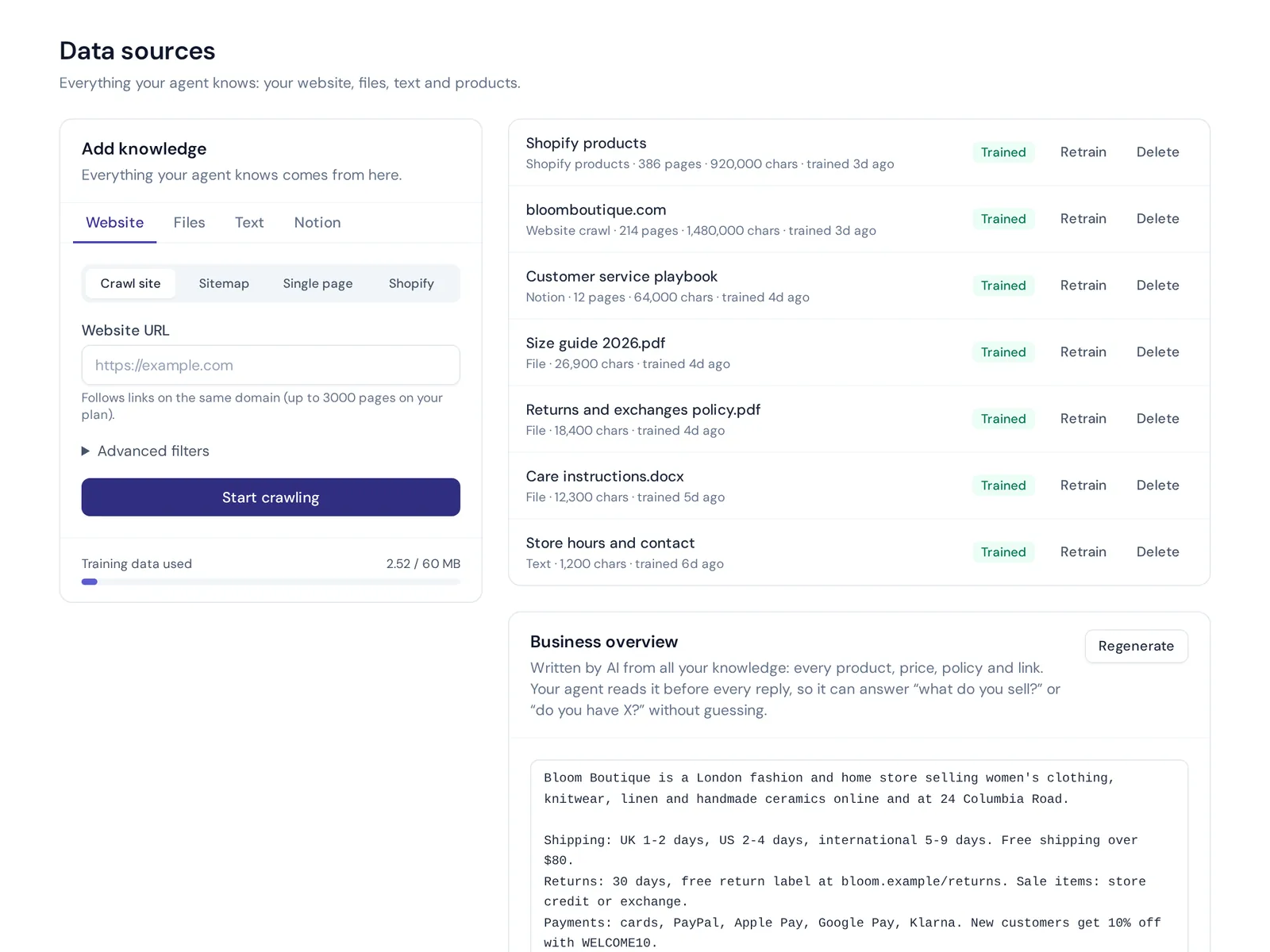
That's why we connect the two. In AnytimeReply, the same knowledge you use for help articles trains an AI agent. It reads your website, PDFs, Word files, Notion pages and Q&A, and answers customers in seconds in their own language. Your written Q&A always wins over other sources, and when it doesn't know, it says so and hands the chat to your team.
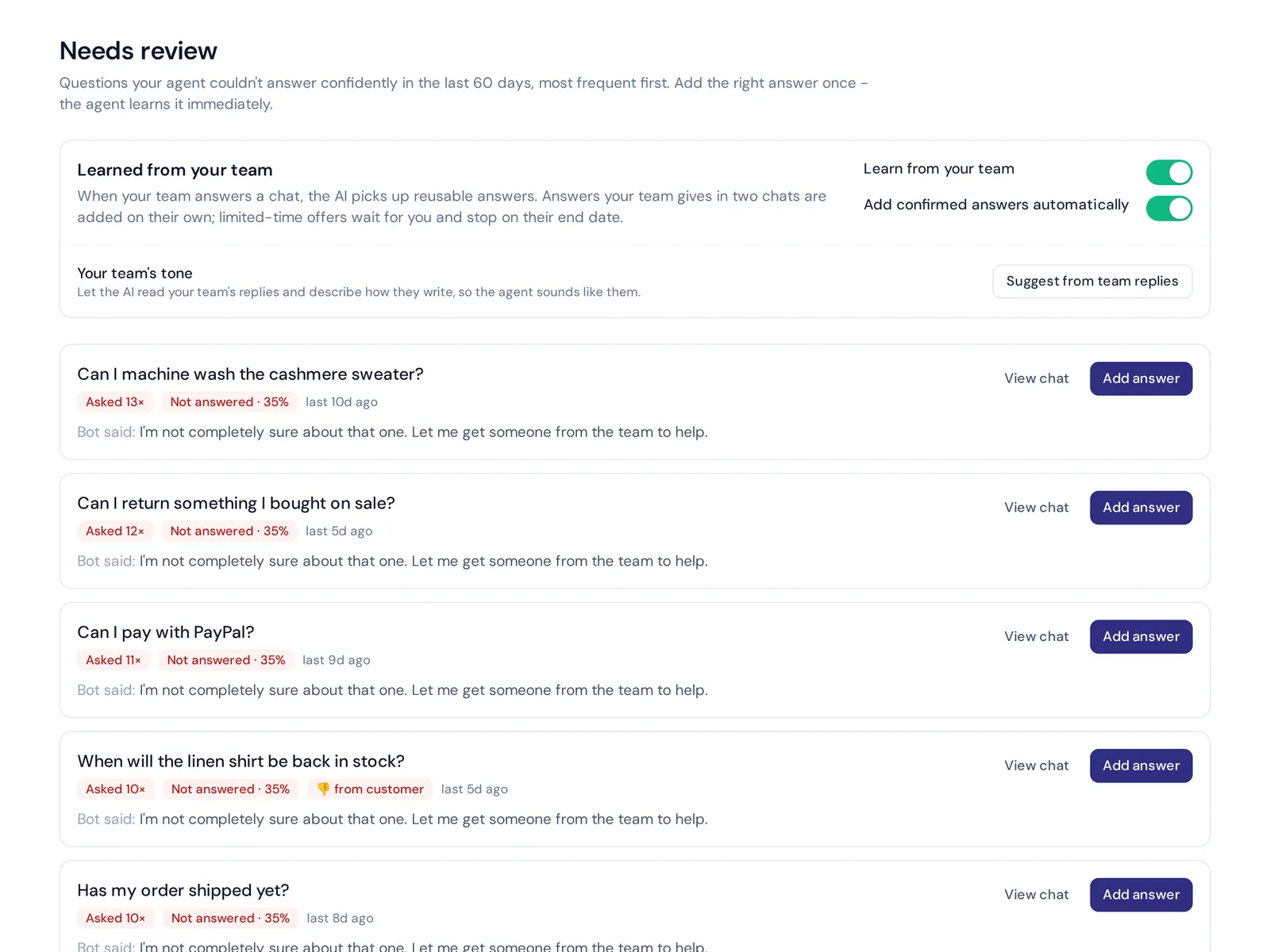
Analytics then show the questions it couldn't answer, with a one-click "add answer", so your knowledge base grows from real conversations. If you only need a private internal wiki, one of the open source tools above is probably the better fit. See pricing for what each plan includes.
Frequently asked questions
What is the best free knowledge base software?
For customer support, pick a tool built for customers, with search, branding and ratings, ideally connected to your chat. For internal docs on your own server, BookStack is the easiest for non-technical writers, Wiki.js suits developers, and Docmost is a strong modern option.
Does Microsoft have a knowledge base tool?
In a way. Many companies build internal wikis with SharePoint, OneNote or Loop inside Microsoft 365, and Microsoft's Dynamics 365 customer service tools include knowledge articles for support teams. There's no simple standalone free app for a public help center, though.
Does ChatGPT have a knowledge base?
Not in the help desk sense. You can give ChatGPT files to answer from, but it isn't a published, searchable knowledge base for your customers. A support AI trained on your own content does that job.
Can I integrate my knowledge base with a chatbot?
Yes, and it's one of the best uses for it. In AnytimeReply, published articles and the AI agent share the same knowledge, so customers get answers in chat without searching.
Can a knowledge base reduce customer support tickets?
Yes, for repeat questions. The effect depends on how complete your articles are and whether people can find them where they ask.
What's the difference between FAQs and a knowledge base?
FAQs are a single list of short answers. A knowledge base is a searchable library of articles organized by topic, with room for detailed guides.
Start your knowledge base this week
Start small: your top 20 questions, clear titles and one owner. Pick a hosted plan if you want speed, or host an open source tool if you need full control and have the skills.
Want a free help center that also answers customers in chat? Start free, no card needed.
Published 27 October 2026 by AnytimeReply team