Telegram is where a lot of customers already chat, especially in parts of Asia, Eastern Europe and the Middle East, and in crypto, gaming and tech communities. If your business has a Telegram channel or group, people will message you there with questions. Telegram AI bots let you answer them in seconds, at any hour, without someone glued to the app.
This guide is about AI bots for business: a support bot that answers customer questions, captures leads, checks orders and passes tricky chats to a person. You'll learn how they work, the three ways to build one, a step-by-step setup, and the mistakes to avoid.
We make an AI support agent that connects to Telegram, so we have a bias. We'll still cover the code and no-code options honestly.
What is a Telegram AI chatbot?
A Telegram bot is a special account run by software instead of a person. People find it by its username (like @yourshop_bot), tap Start and chat with it like any other contact.
Old bots worked with fixed commands and custom keyboards: /start, /help, /prices. An AI-powered Telegram chatbot adds a large language model, so it understands questions typed in normal words, in many languages, and can generate text answers from your own content.
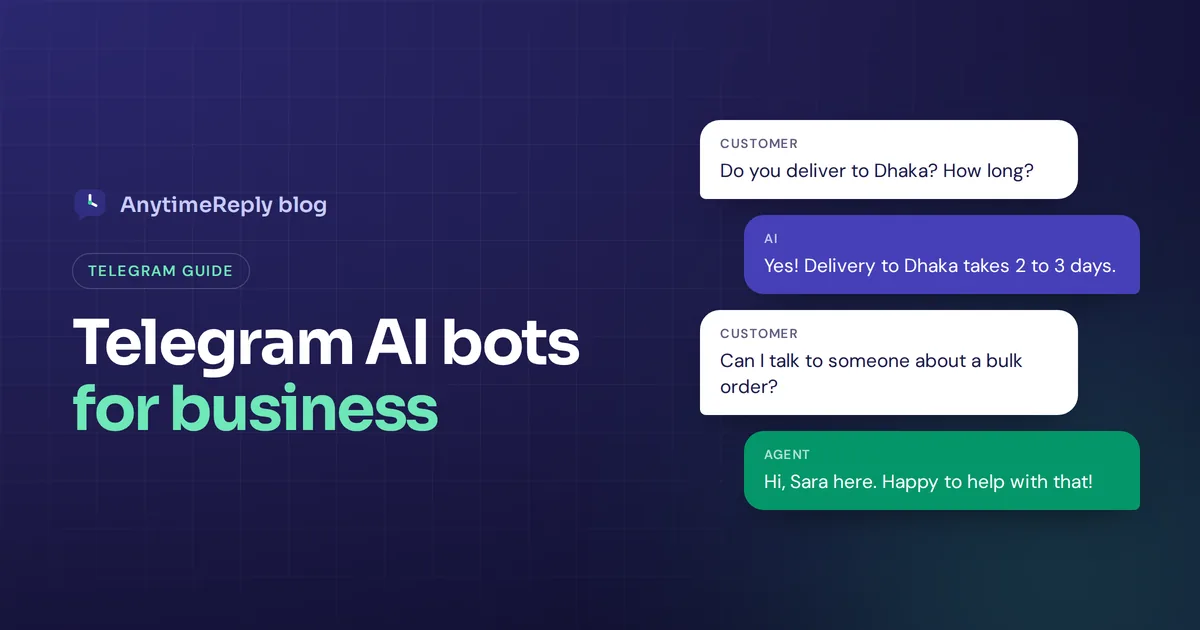
For a business, that means a customer can write "do you deliver to Dhaka and how long does it take?" at midnight and get a correct, friendly answer right away.
Does Telegram have an AI bot? ChatGPT-style AI assistant bots vs business chatbots
Search for the best Telegram AI bots and you'll find hundreds of general assistant bots: ChatGPT-style chat, summarizers, translators, image generation. Most popular Telegram AI bots are run by third-party developers, not by Telegram or by the AI companies themselves.
Are they legit? Some are fine, some are not. Before you share anything personal, check who runs the bot, what it does with your messages and whether it asks you to pay inside the chat. A shiny name is not proof of anything.
A business bot is different. It isn't a general helper for all Telegram users. It is your own AI agent that speaks for your brand, knows your prices and policies, and helps your customers. That's what the rest of this guide covers.
How a Telegram bot AI works
- The bot account. You create it with BotFather, Telegram's official bot for making bots, and get a secret token.
- The Bot API. Your server or chatbot platform uses that token to receive new messages and respond to incoming messages.
- The model. Each user query goes to AI models like GPT, Claude or Gemini along with your business information and a prompt with your rules. The model writes the answer, and the bot sends it.
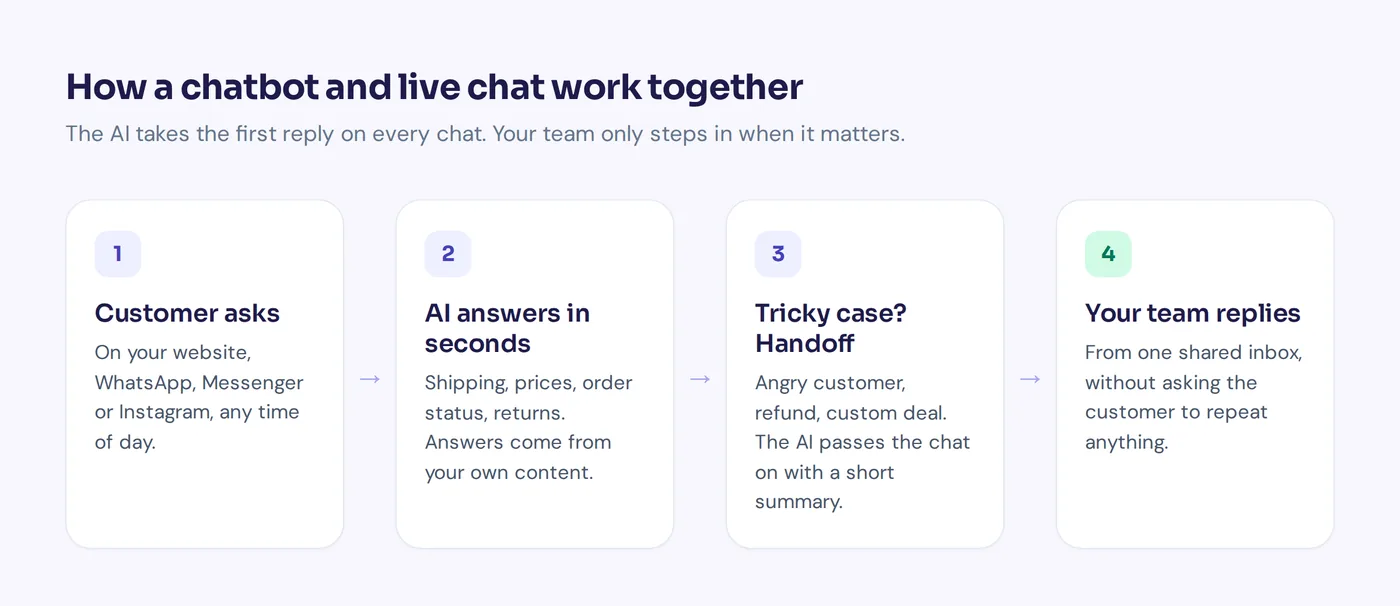
A good business bot adds two more things: a knowledge base so it answers from your real policies instead of guessing, and a way to hand the chat to a human.
What an AI bot can do for your business
- Answer customer questions 24/7. Prices, delivery, opening hours, returns, how-to questions.
- Reply in the customer's language. Useful when your audience writes in English, Hindi, Bangla, Russian or a mix.
- Check orders and bookings. With the right integration, it can look up an order or book a meeting.
- Lead generation and lead nurturing. Ask for a name and email before sending a price list or demo link, then follow up later.
- Support your community. Respond to messages in groups or channels so your team doesn't have to.
- Hand over to a person. When a customer is upset or the question needs a human decision.
What it can't do: start a conversation. Telegram bots can only message people who have started a chat with them first, which protects users from spam.
Three ways to build an AI Telegram bot
| Code it yourself | AI Telegram bot builder | Support platform | |
|---|---|---|---|
| Best for | Developers, custom projects | Marketers, simple flows | Customer support teams |
| Setup time | Days to weeks | Hours | Under an hour for the basics |
| Training on your content | You build it | Varies by tool | Built in |
| Human handoff and live chat | You build it | Varies | Built in |
| Other channels | Build each one | Some tools | Website, WhatsApp and more |
1. Code it yourself
To build a bot from scratch, developers often use python-telegram-bot or aiogram for Python, or grammY for Node.js, plus an AI API. You get full control, but you also build everything else: storing chats, training on documents, a human handoff and a dashboard.
2. Use a no-code builder
Tools like ManyChat, Botpress and SendPulse support Telegram, with visual flows, welcome messages and AI steps. Each has a different focus, so check their docs for current features and pricing.
3. Use a support platform with a Telegram channel
If your goal is customer support, a platform built for it gives you the AI, the training, the shared inbox and the handoff in one place. Telegram is just one channel next to your website chat and WhatsApp.
How to create a Telegram AI bot step by step
- Create a bot via BotFather. Open Telegram, search for @BotFather (look for the verified check), send
/newbot, choose a display name and a username ending in "bot". You'll get a token. Keep it private, it works like a password. - Set the profile. Add a description, about text and picture so it looks trustworthy. Say what it helps with and that a human is available.
- Connect the token to your chosen tool or AI platform.
- Train it on your website, FAQs, policies and product information. Write short, verified answers for refunds and delivery times.
- Set rules and handoff. Decide the tone, what it must not answer, and when to pass the chat to your team.
- Test it with real questions, typos, other languages and "can I talk to a human?".
- Share the link. Every bot has a t.me link. Put it on your website, Instagram bio, channel and order emails.
Using a Telegram chatbot in groups and channels
You can add a bot to a group so it answers questions there. By default, bots in groups only see commands and messages that mention them or reply to them (privacy mode). You can change that, but think carefully: most communities don't want a bot jumping into every conversation. Group admins should also decide what it is allowed to do.
A common setup: a public channel for announcements, a group for the community, and private chats with the bot for individual support like orders and payments.
Best practices for Telegram chatbots
- Say it's a bot. People are fine with it when it's honest and helpful.
- Keep answers short. It's chat, not email.
- Use inline buttons for common paths. "Track order", "Prices", "Talk to a person". They make the bot more user-friendly.
- Never let it guess. "I'm not sure, let me get a teammate" beats a wrong answer.
- Protect your token. If it leaks, revoke it and create a new one.
- Watch for spam. Public bots attract junk that can waste AI credits.
- Review chats weekly. Add answers for questions it couldn't handle.
How AnytimeReply works as a Telegram AI agent
AnytimeReply connects to Telegram with a BotFather token. Here's what you get:
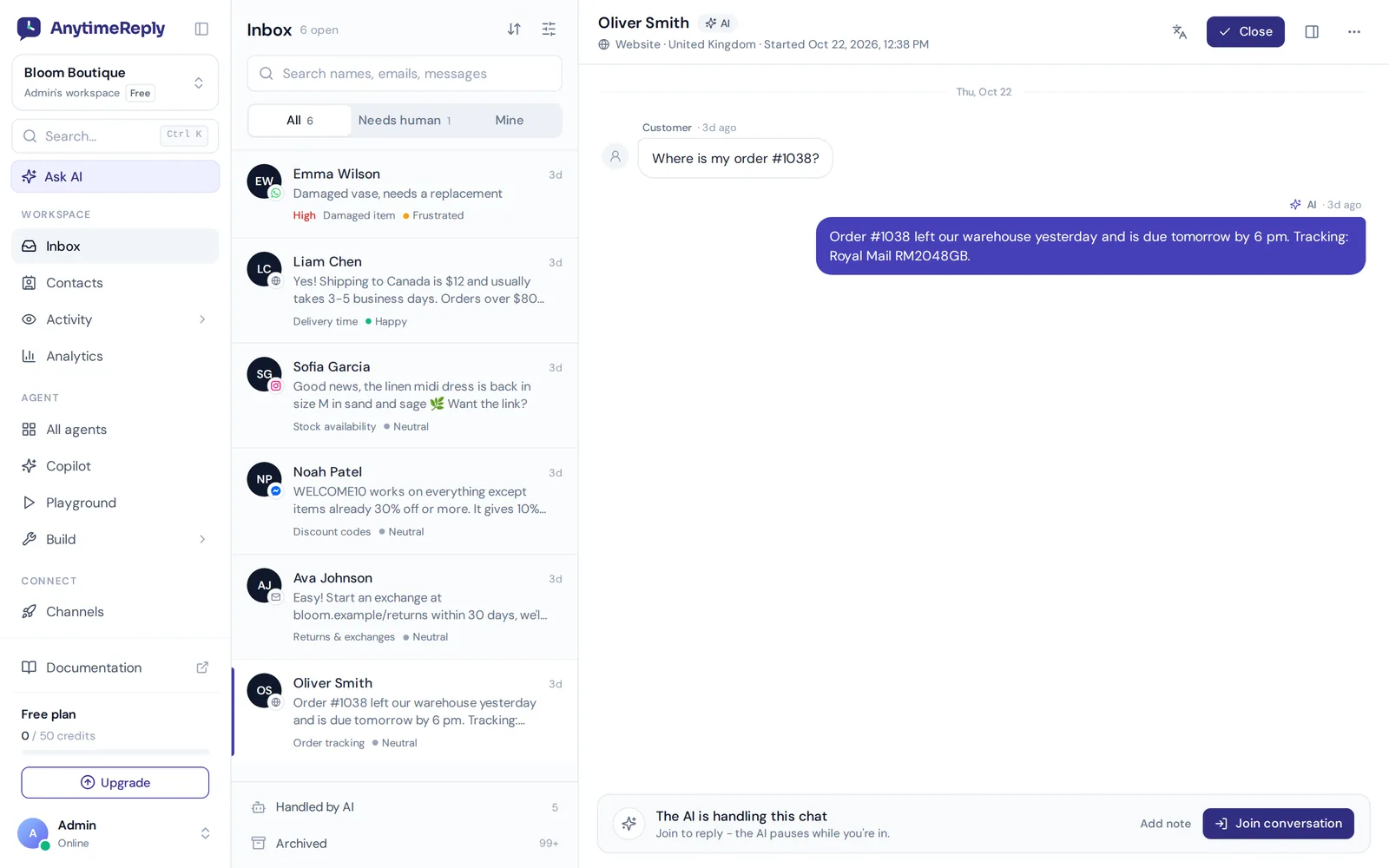
- An AI agent trained on your business. Add your website, PDFs, Word files, Notion pages or Shopify products. Answers come with a confidence score, and when it doesn't know, it says so.
- Replies in the customer's language, including Banglish and Hinglish.
- One inbox for every channel. Telegram chats sit next to website chat, WhatsApp, Messenger, Instagram, email and Slack. The AI answers first and hands over with a summary when a customer asks for a person or gets upset, and it pauses while a team member is in the chat.
- Actions for verified customers, like checking Shopify or WooCommerce orders or booking through Cal.com or Calendly.
- Guardrails. AI spam detection pauses junk chats before they waste credits.
- Automation that fits your workflow. Automate follow-ups with Zapier, Make, n8n or webhooks, and pick GPT, Claude, Gemini or DeepSeek as the model.
Telegram is available from the Hobby plan ($9 a month at the time of writing, see pricing). You can train and test the agent on the Free plan first. Details are on the Telegram channel page.
Where it's not the right fit: if you want a fun personal AI assistant, or a bot that runs games, payments or a mini app inside Telegram, a custom-coded bot will suit you better. AnytimeReply is built for customer support and sales.
Frequently asked questions
Are Telegram AI bots free?
Creating the bot is free. The model usage costs money, through an API if you code it yourself or a subscription to a platform. Many tools have a free plan to start.
Can I make a Telegram chatbot without coding?
Yes. Create it in Telegram, then paste the token into a no-code tool or a support platform.
Is it safe to use an AI bot on Telegram?
It depends on who runs it. Check how it stores chats, whether data is used to train AI models, and how you can delete it. For your business, pick a platform that says clearly how it handles customer data.
Can Telegram AI bots work in group chats?
Yes. Add the bot to Telegram groups and it can answer when mentioned, or read all messages if you turn off privacy mode.
Can it hand over to a human?
Good support bots can. Look for a shared inbox where your team can join the chat and the AI steps back.
Start answering on Telegram
Telegram chatbots give customers instant answers where they already chat, and they streamline your team's day with fewer repeat questions. Start with your top questions, keep a human close, and improve it every week.
Want to try it? Start free with AnytimeReply, train your agent and test it before you connect Telegram. No card needed.
Published 2 November 2026 by AnytimeReply team