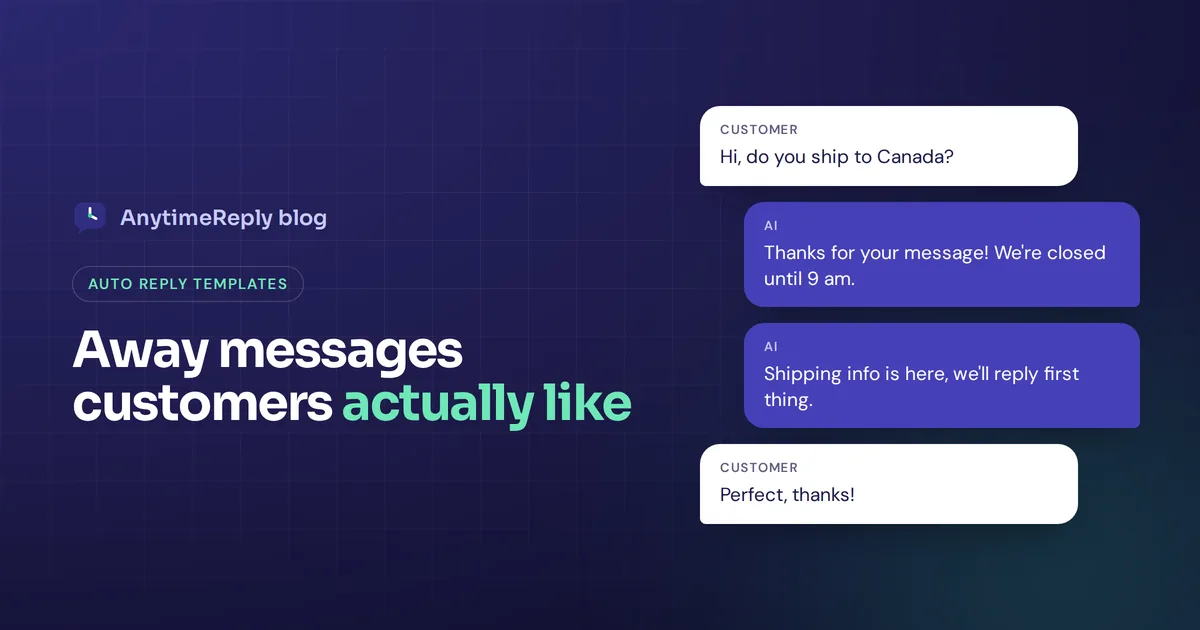
A customer messages your business at 10 pm on a Friday. If they hear nothing, they assume you're ignoring them, and some will message a competitor instead. A good away message stops that. It tells people you got their message, when you'll get back to them and what they can do in the meantime.
Below you'll find 32 copy-ready examples for WhatsApp Business, website chat, Facebook Messenger, Instagram, Slack and email, grouped by situation: after hours, weekends, holidays, vacations, busy days and professional out-of-office emails. We also show how to set each one up and what makes an automatic message feel helpful instead of robotic.
Just swap the details in [brackets] for your own.
What is an away message?
It's an automatic message sent when you or your team are currently unavailable. It goes out instantly when someone writes to you outside your opening hours, during a holiday or while you're on vacation.
It's close to the out-of-office messages people set in email (often shortened to OOO), but today these auto replies live mostly in chat: WhatsApp Business, Messenger, Instagram DMs, the chat bubble on your website and team tools like Slack. Chat customers expect a faster answer than email senders, so a clear automatic message matters even more there.
What a good out-of-office message should include
To write an effective auto reply, cover these five things. A message that does all five helps the customer more than a long apology.
- A thank-you. One short line. "Thanks for your message" is enough.
- Why you're unavailable. Closed for the night, weekend, holiday, team on leave. You don't need to share the full reason for your absence.
- Your return date or time. A real time beats "as soon as possible". "We're back at 9 am on Monday" sets clear expectations.
- A next step. A link to your FAQ or order tracking page, or an alternative contact for urgent matters.
- Your brand voice. Friendly for a fashion shop, more formal for a law firm.
Keep the message short, and maintain a professional tone even when it is friendly. On a phone screen, three or four lines is the limit before it feels like a wall of text.
After-hours message templates
These are the ones you'll use most. Set them once and they work every night.
1. Simple and friendly
Hi! Thanks for messaging [Business name]. We're closed right now, but we'll get back to you first thing tomorrow from [9 am]. Talk soon!
2. With opening hours
Thanks for reaching out! Our team is available [Monday to Saturday, 9 am to 7 pm]. Leave your question here and we'll answer as soon as we open.
3. With a self-help link
Hi, thanks for your message! We're offline for the night. Most questions about shipping, returns and sizes are answered here: [link]. If yours isn't, we'll respond tomorrow morning.
4. For order questions
Thanks for contacting [Store name]. We're closed now. To check your order status any time, use [tracking link]. For anything else, send your order number and question, and we'll get back to you by [10 am] tomorrow.
5. For service businesses
Hello, thanks for getting in touch with [Business name]. We're closed until [8 am]. To book an appointment, use [booking link] right now. Otherwise we'll contact you tomorrow.
6. Short version
Thanks! We're closed right now and will answer when we open at [9 am].
Weekend templates
7. Classic weekend message
Hi there! Our team is off for the weekend. We'll answer every message on Monday from [9 am]. Have a great weekend!
8. With limited weekend support
Thanks for your message! On weekends we only handle urgent issues. If yours is urgent, start your message with "URGENT" and we'll look at it today. Everything else gets an answer on Monday.
9. Friday afternoon
Thanks for writing to us! We've closed for the week. Your message is safe with us, and we'll respond on Monday morning.
Holiday templates
10. Public holiday
Hi! We're closed today for [holiday name]. We'll be back on [date] and will respond to your message then. Thank you for your understanding!
11. Eid holiday
Eid Mubarak! Our team is on Eid holiday from [date] to [date]. Orders placed now will ship from [date]. We'll answer every message when we're back.
12. Christmas and New Year
Happy holidays from [Business name]! We're closed from [date] to [date]. Orders placed during this time will ship on [date]. We'll get back to you as soon as we return. See you in the new year!
13. Holiday sale (busy, not closed)
Thanks for your message! Our sale is keeping us very busy, so our response time today may be up to [6 hours]. For delivery times and return rules during the sale, check [link].
Vacation away message examples
Great for solo founders, freelancers and small shops where one person handles every chat.
14. Solo business owner
Hi! I'm on a short break until [date] and checking messages only now and then. Your message matters to me, and I'll answer properly when I'm back. Thanks for understanding!
15. Shop on vacation, orders paused
Thanks for visiting [Shop name]! We're on vacation from [date] to [date]. New orders will ship after [date]. Leave your question here and we'll respond when we return.
16. Freelancer or agency
Thanks for your message. I'm away from the office until [date] and only checking messages once a day. For anything urgent about an active project, please contact [name] at [contact]. I'll answer everything else as soon as I return.
Templates for busy times
17. High volume
Thanks for your patience! We're getting more messages than usual right now and will answer within [2 hours]. Your message is in the queue, no need to send it again.
18. Team on a short break
Hi! Our team had to step away for a short break and will be back at [2 pm]. We'll get to your message then.
19. After a launch or viral post
Wow, thank you for all the messages! We're answering as fast as we can. Prices and sizes are listed here: [link]. We'll get to you today.
WhatsApp Business auto reply examples
WhatsApp is personal, so keep the tone warm and the text short. Use line breaks and avoid long links where you can.
20. WhatsApp after hours
Hi, thanks for messaging [Business name]! We're closed right now. Our hours are [10 am to 8 pm, Saturday to Thursday]. We'll answer as soon as we open.
21. WhatsApp with catalog link
Thanks for your message! We're offline now, but you can browse our catalog and prices here: [link]. Send us the product name and we'll confirm stock in the morning.
22. WhatsApp for a restaurant
Thanks for contacting [Restaurant name]! The kitchen is closed for today. We open again at [12 pm]. To book a table for tomorrow, just send the date, time and number of guests.
Website chat, Messenger and Instagram templates
23. Website chat, offline
We're offline right now. Leave your email and question, and we'll get back to you by [9 am tomorrow]. Many answers are also in our help center: [link].
24. Facebook Messenger
Hi [first name], thanks for messaging us! We usually respond within a few hours during our opening hours. We'll get back to you as soon as we're online.
25. Instagram DM
Hey, thanks for your DM! We're offline right now but we read every message. Ask us anything about sizes, delivery or the new collection and we'll answer soon.
Professional out of office email templates (OOO email)
Email auto replies can be a little longer and more formal than chat ones. The best out of office message is short, clear and works for colleagues and clients alike. A clear subject line like "Out of office until [date]" helps the sender understand at a glance. Here are professional email templates for the most common situations.
26. Professional away message for email
Subject: Out of office until [date]
Thank you for your email. I'm currently out of the office and will return on [date]. During this time I won't be checking my email or able to respond. For urgent matters, please contact [name] at [email]. I'll respond to your message as soon as I'm back in the office.
27. Vacation away message for email
Hi, thanks for your message. I'm on vacation until [date] with no email access. Your email will be waiting for me, and I'll reply to your email upon my return. If it can't wait, [name] at [email] can help.
28. Limited access to email
Thanks for your email. I'm traveling for a business trip until [date] and I'll have limited access to email. Expect a response within [24 hours]. For anything urgent, please contact [name].
29. Sick leave
Thank you for your message. I'm on sick leave and unable to respond right now. For urgent requests, please contact [name] at [email]. I appreciate your understanding.
30. Parental leave
Hello, I'm on parental leave until [date]. While I'm away, [name] is handling my work and can be reached at [email]. I look forward to catching up with you when I return.
31. Shared support inbox
Thanks for contacting [Company] support. Our team is offline until [time and day]. We've received your email and will get back to you in order. You'll find quick answers in our help center: [link].
32. Slack or Teams status
On leave until [date]. For [project] questions, ask @[name]. For support issues, use #[channel].
Should internal and external versions be different? If your email tool allows it, yes. Colleagues can get a casual note with project details, while customers and partners get a short, professional email with the right contact information.
How to set up an auto reply on each channel
WhatsApp Business app
- Open WhatsApp Business and go to Tools (or Settings, then Business tools).
- Tap Away message and turn on Send away message.
- Edit the text.
- Choose a schedule: Always send, Custom schedule, or Outside of business hours (this uses the hours in your business profile).
- Choose recipients: everyone, everyone not in your address book, everyone except some contacts, or only some contacts.
- Tap Save.
Facebook Messenger and Instagram
Open your Page's inbox (in Facebook or Meta Business Suite), go to Automations and pick Away message. Choose the days, your timezone and the hours for each day, then save. You can also switch your status manually for a one-off break. Menu names change from time to time, so look for "Automations" if the layout looks different.
Gmail and Outlook autoresponder
Using Gmail? Open Settings, then See all settings, and turn on the Vacation responder on the General tab. In Outlook, look for Automatic replies in the mail settings. Both reply to incoming messages only between the start and end dates you set, which is a simple process that saves you from forgetting to switch the autoresponder off.
Website chat
Most chat tools have an offline message in the widget settings. Better still, connect an AI agent so the chat keeps answering when your team is offline.
Auto reply mistakes to avoid in any out-of-office message
- No return time. "We'll be in touch soon" means nothing at midnight.
- Forgetting to turn it off. A Christmas message in February looks careless. Check your email settings on the day you return to the office.
- Too long. Nobody reads five paragraphs in a chat window. Keep the message short.
- Sending it every time. If a customer sends five messages, they don't need five auto replies. Most apps only send it once per period.
- Dead ends. Always give a link, an alternative contact or a clear next step.
- Promises you can't keep. If you say "within 1 hour", answer within 1 hour.
- Jokes in the wrong place. Humor works for a playful brand on Instagram. It rarely works in a legal or finance OOO message.
Away messages vs an AI agent that actually answers
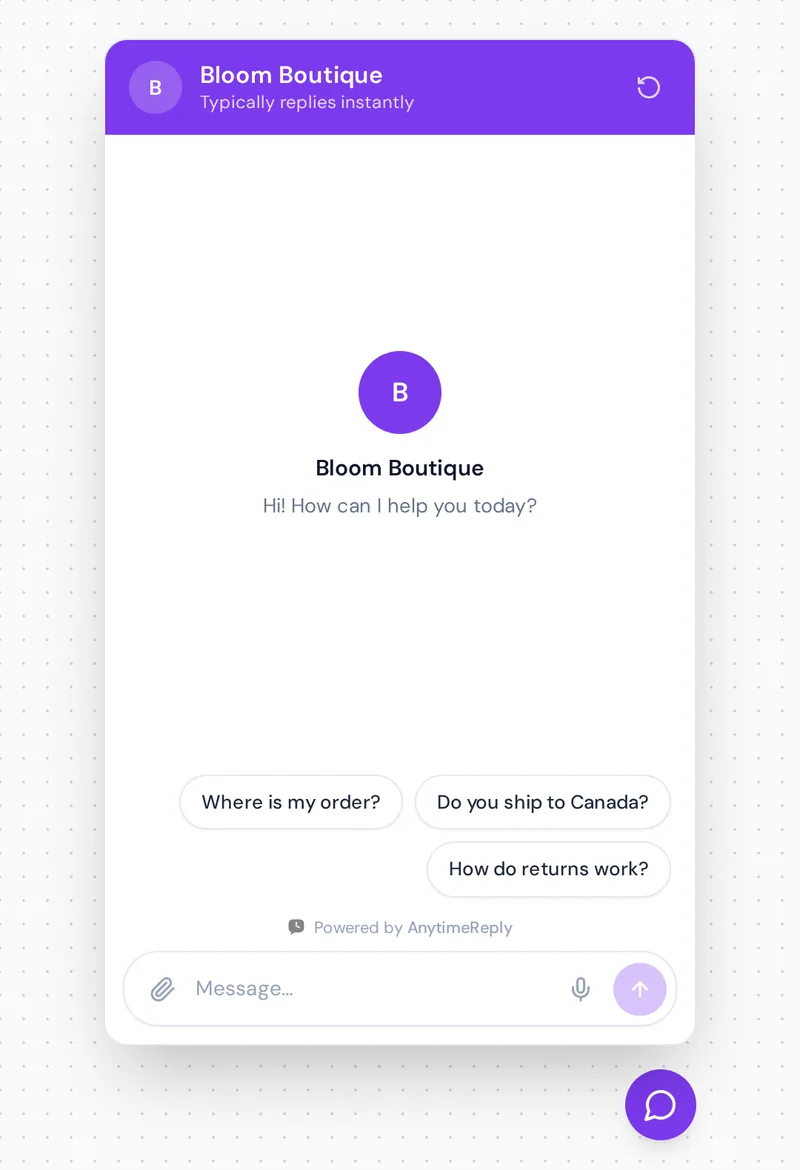
An automatic "we're closed" message is polite, but it still makes the customer wait. Many questions that come in at night are simple: Where is my order? Do you ship to Canada? What is your return policy? Those don't need to wait until morning.
This is where an AI support agent helps. With AnytimeReply, the AI agent is trained on your website and documents and answers customers on your website chat, WhatsApp, Messenger, Instagram, Telegram and email, day and night, in the customer's language. When it can't answer, or the customer asks for a person, it hands the chat to your team with a summary, and your team picks it up from one shared inbox when they're back.
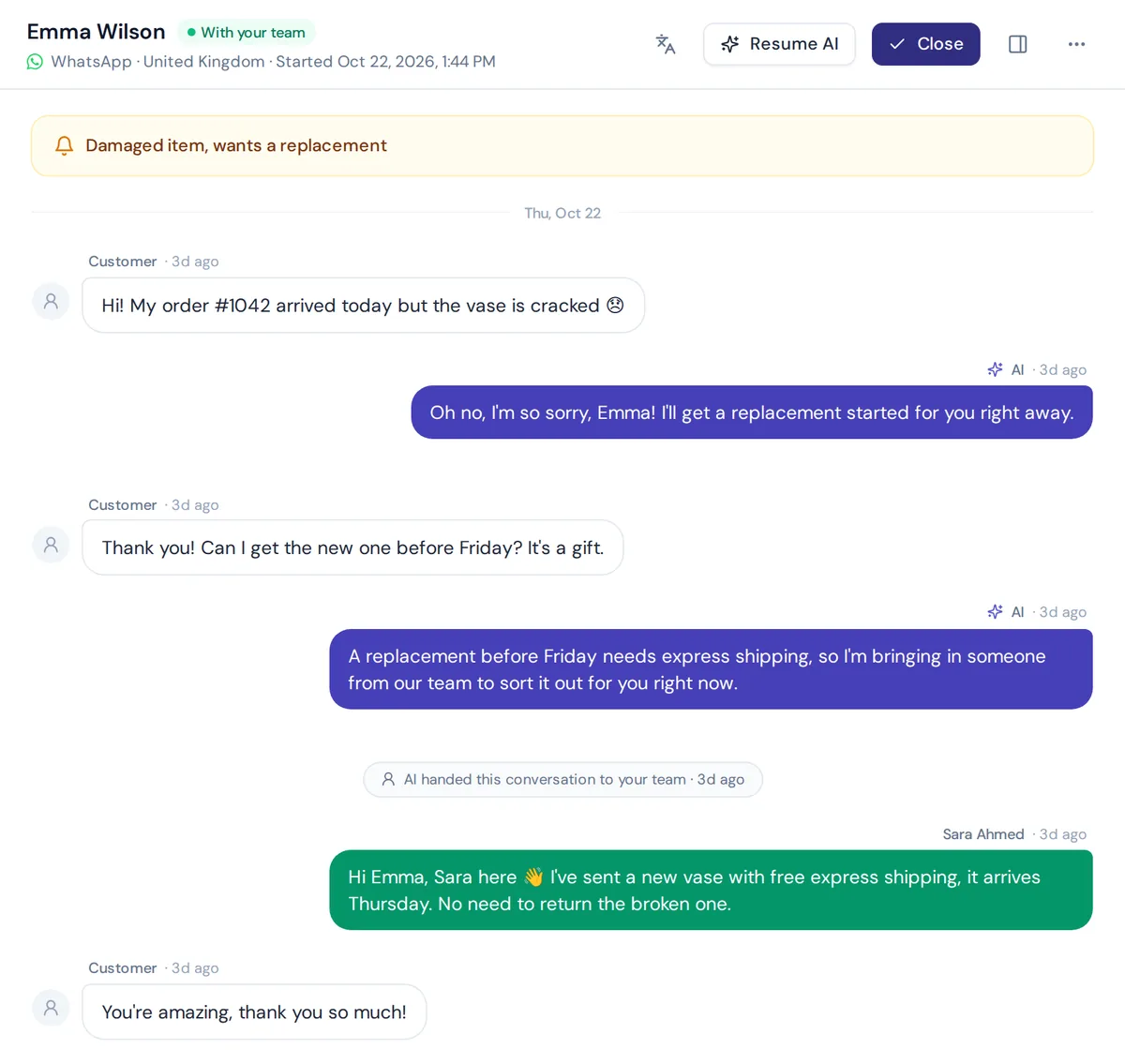
You can add your opening hours and holiday dates as a Q&A answer, so the AI tells customers exactly when a person will be available. Website chat is on the Free plan; WhatsApp, Messenger, Instagram and email start on the Hobby plan. See email, WhatsApp and the AI agent.
When a plain automatic message is enough: if you get only a few messages a week, or every question needs a human anyway, a well-written template is simpler and free.
Frequently asked questions
How do I write an away message?
Thank the person, say you're not around, give a clear time when you'll respond and offer a next step, such as a help link or an alternative contact. Keep it to three or four short lines.
How do I professionally say I will be out of the office?
Try: "Thank you for your email. I'm out of the office until [date] with limited email access. For urgent matters, please contact [name]." It is short, polite and gives the sender a way forward.
What is the difference between an away message and a greeting message?
A greeting message welcomes someone who messages you for the first time or after a long break. The other one only goes out when you're offline, like after hours or on holiday.
Can I schedule auto replies?
Yes. WhatsApp Business, Meta's inbox, Gmail and Outlook all let you set a schedule or dates so the message turns on and off by itself.
Can an AI agent handle out-of-office replies?
Yes, and it can do more than say you're closed. An AI agent can answer common questions instantly and pass the rest to your team when they're back.
Make "we're closed" less of a dead end
A thoughtful away message keeps customers from feeling ignored. Pick the templates that fit, add your real hours and links, and remember to switch holiday messages off.
And if you'd rather answer those late-night questions instead of asking customers to wait, start free with AnytimeReply. No card needed.
Published 2 November 2026 by AnytimeReply team