A customer emails you on Saturday night. Another sends a WhatsApp message at 6 am. A third fills in your contact form while you're in a meeting. Each of them wants to know one thing: did anyone get my message?
A good auto-reply answers that question in seconds. Below are 30 automated response examples you can copy and adapt for email, live chat, WhatsApp, social media, text messages and support tickets, grouped by situation. We've also added best practices, a quick guide to set up an automated email response in Gmail and Outlook, and when to let AI write a real answer instead of a generic "thanks, we'll be in touch".
Replace anything in [brackets] with your own details. Keep each template short. Nobody reads a five-paragraph auto-reply.
What is an automated response?
An automated response is a pre-written message sent automatically when something happens, usually when a customer contacts you. It can confirm the message has been received, tell people when to expect a reply, share answers to common questions, or, with an AI agent, actually answer the question.
You'll see automated replies in a lot of places:
- Automated emails, like an out-of-office message or a ticket confirmation.
- Support ticket confirmations with a ticket number.
- Live chat and chatbot greetings on a website.
- WhatsApp, Messenger and Instagram away messages and quick replies.
- Automated text message responses for missed calls or bookings.
- Email marketing sequences, like a welcome email after sign-up.
Why bother? Because silence feels like being ignored. Even a simple automatic reply improves the customer experience, buys your support team time, and cuts down on "did you get my email?" follow-ups.
What makes a good auto-reply message?
- It confirms the message arrived. That's the main job.
- It sets an honest expected response time. "Within 24 hours" beats "shortly". Only promise what your team can keep.
- It helps right away. Link to order tracking, your help center or answers to common questions.
- It sounds human. Write like you talk. Use the customer's name if you have it.
- It offers a next step. What should they do if it's urgent?
- It's short. Three to five sentences is plenty for any automated message.
When should you automate a response?
Not every message should get an automatic reply. Here's where it makes sense to automate, and where it doesn't.
- Automate when you can't answer fast. Nights, weekends, holidays, busy launch days. An instant confirmation stops people from sending the same email three times.
- Automate confirmations. Orders, bookings, sign-ups, form submissions and new tickets. People expect these right away.
- Automate answers to repeat questions. Shipping times, opening hours, return rules. If you've typed it 50 times, it's a template now.
- Don't automate apologies for serious problems. A broken product, a billing mistake or a complaint deserves a real person, even if the first message is a short "we're on it".
- Don't automate every internal email. Colleagues don't need an auto-reply for every message. Save it for real time away.
A simple test: if a timely response would change how the customer feels, automate it. If only a human answer would, don't pretend with a template.
Examples of automated email responses for customer support
These email samples work for a shared support inbox. Each one confirms receipt, sets expectations and points to self-help. Every automated response here is a starting point: change the tone and details so it sounds like your brand.
1. General support email
Hi [Name],
Thanks for your message. We've received your message and a member of our support team will reply within [24 hours]. Your ticket number is [#12345].
In the meantime, you might find a quick answer in our help center: [link].
Thanks,
The [Company] team
2. Short and friendly
Hi [Name], got your message! We usually get back to you within [4 hours] on weekdays. Talk soon. [Company] Support
3. Outside business hours
Hi [Name], thanks for reaching out. Our team is offline right now. Our business hours are [Monday to Friday, 9 am to 6 pm GMT], and we'll get back to you first thing when we're back. Need to track an order? You can do it anytime here: [link].
4. Weekend auto-reply
Thanks for your email. Our team is away for the weekend and will respond to your message on Monday morning. For quick answers about shipping, returns and payments, visit [help center link].
5. Holiday closure
Hi there, our office is closed for [holiday] from [date] to [date]. We'll answer every message when we're back on [date]. Orders placed during the holiday will ship on [date]. Thanks for your patience, and happy holidays!
6. High volume or delay
Hi [Name], thanks for your message. We're getting more emails than usual, so replies may take up to [48 hours]. We haven't forgotten you. If your question is about [order status], you can check it instantly here: [link].
7. Asking for missing details
Thanks for contacting us! To help faster, please reply to this email with your order number and a photo of the issue (if there is one). Once we have that, you can expect a response within [1 business day].
Out-of-office automated emails
Every professional email account needs one of these. Turn it on before you leave, and remember to turn it off when you're back.
8. Simple out of office
Hi, I'm currently out of the office with limited access to email until [date]. I'll respond to your message as soon as I'm back. For anything urgent, please contact [colleague name] at [email].
9. Out of office for a sales rep
Thanks for your email. I'm out of the office and will return on [date]. If you'd like a quote or demo before then, my colleague [Name] can help at [email], or you can book a time directly here: [booking link].
10. Business trip or conference
Hello, I'm at [event] until [date] and checking email messages once a day. I'll get to your message as soon as possible. If it's urgent, call [email or phone number].
11. Long leave
Hello, I'm on leave until [month]. Your email won't be forwarded. For [topic], please contact [Name] at [email]. Thanks for understanding.
Sales and lead auto-response examples
12. Contact form submission
Hi [Name], thanks for getting in touch with [Company]. We've received your enquiry and someone from our team will contact you within [1 business day]. Want to skip the wait? Book a call here: [link].
13. Quote request
Thanks for requesting a quote, [Name]. We're reviewing your details and will send a tailored price by [day]. If you can share [project size / quantity / deadline], simply reply with it. It helps us price it faster.
14. Demo booked
You're booked! Your demo with [Name] is on [date] at [time]. You'll get a calendar invite with the meeting link. Need to reschedule? Use this link: [link].
15. Newsletter or lead magnet sign-up
Welcome aboard, [Name]! Here's your [guide / discount code]: [link or code]. Every [week], we'll send one useful email, no spam. Feel free to reply anytime if you have a question.
Ecommerce automated message examples
16. Order confirmation
Thanks for your order, [Name]! Order [#4821] is confirmed and we're getting it ready. You'll get a tracking link as soon as it ships, usually within [2 business days].
17. Where is my order?
Hi [Name], you can track your order anytime here: [tracking link]. Most orders arrive in [3 to 5 days]. If it's been longer, reply to this message with your order number and we'll look into it.
18. Return or refund request received
We've received your return request for order [#4821]. Our team will review it within [2 business days] and email you the next steps. You can read our return policy here: [link].
19. Abandoned cart
Hi [Name], you left something in your cart. Your [product] is still waiting for you: [link]. Questions about sizing or shipping? Just reply here.
Live chat, WhatsApp, social media and text messages
20. Website chat greeting
Hi there! I can help with orders, shipping, returns and product questions. What can I do for you today?
21. Chat when the team is offline
Our team is offline right now, but leave your question and email and we'll get back to you as soon as we're back at [time]. You can also ask me common questions and I'll answer straight away.
22. WhatsApp away message
Hi! Thanks for messaging [Company]. We're online between [9 am and 9 pm]. Send your question and order number (if you have one) and we'll get back to you soon.
23. WhatsApp greeting with a menu
Welcome to [Company]! Reply 1 for order status, 2 for prices, 3 for returns, or just type your question.
24. Handing over to a person
Thanks for your patience. I'm passing this to [Name] from our team, who can help with this. They'll see our conversation, so you won't need to repeat anything.
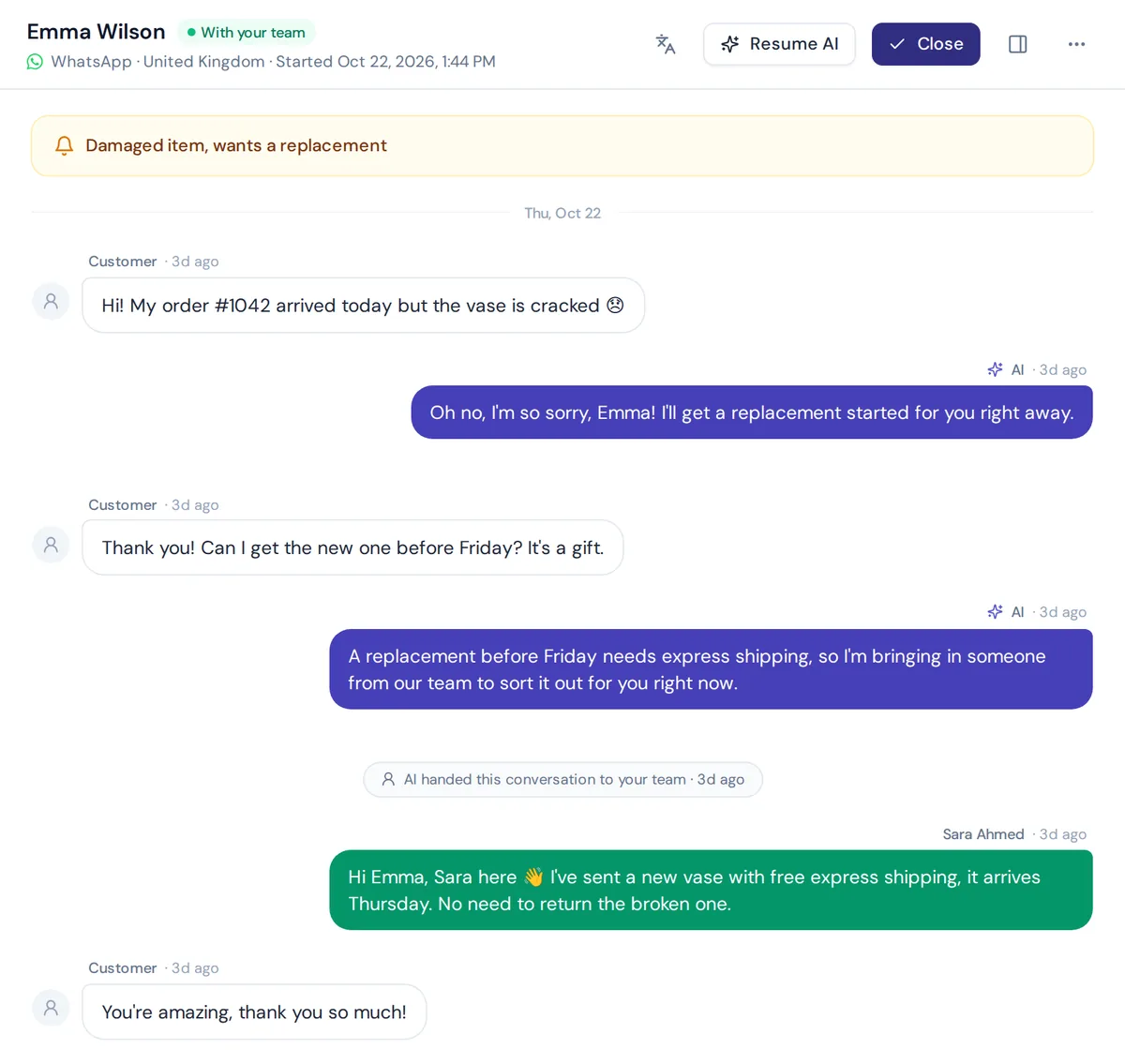
Social and SMS replies need to be even shorter than email. These auto reply messages fit on one phone screen.
25. Instagram DM auto-reply
Hey, thanks for the DM! For prices and sizes, check the link in our bio. For anything else, drop your question here and we'll respond within [a few hours].
26. Facebook comment reply (public)
Thanks for your interest! We've sent you a private message with the details.
27. Missed call text
Sorry we missed your call! This is [Company]. How can we help? Reply here and we'll get back to you within [1 hour] during business hours.
28. Appointment reminder text
Hi [Name], a reminder of your appointment at [Company] on [date] at [time]. Reply YES to confirm or call us to reschedule.
Support ticket and IT help desk auto replies
29. Ticket created
Your request has been received. Ticket [#12345] is open and assigned to our [Billing] team. You'll get an update by [date]. Reply here to add more details.
30. Ticket solved, check-in
Hi [Name], we've marked ticket [#12345] as solved. If anything still isn't right, just reply and the ticket will reopen.
Best practices for an effective automated response template
- Read it out loud. If it sounds like a robot, rewrite it.
- Put the most useful link in the first two lines.
- Give real hours and time zones.
- Update holiday and delay messages, then remember to switch them off.
- Never use "noreply" addresses for support. Let customers write back.
- Match your brand voice. A playful shop and a law firm shouldn't sound the same.
- Test every auto-reply by sending yourself a message.
Stiff vs human: how to rewrite a robotic auto-reply
Most bad automated reply messages aren't wrong. They just sound like a machine wrote them. Here are three quick rewrites.
Stiff: "Your correspondence has been received and will be processed in due course."
Human: "Got your message! We'll answer by tomorrow afternoon."
Stiff: "Do not reply to this message. This mailbox is not monitored."
Human: "Questions? Just hit reply. A real person reads every email."
Stiff: "We are experiencing a high volume of enquiries."
Human: "It's busy here this week, so replies may take two days. Here's the fastest way to track your order in the meantime: [link]."
See the pattern? Shorter words, a real time frame, and something useful to do while waiting.
Common mistakes in automated email replies
- Promising what you can't keep. If the auto-reply says customers can expect a reply within 2 hours, your team has to deliver that. Otherwise the template hurts trust.
- Forgetting to switch it off. An out-of-office message still running a week after you're back looks careless.
- Replying to replies. Setting up automated messages without limits can create loops, where two inboxes keep answering each other. Many email tools limit auto-replies to one per sender for this reason.
- Mixing marketing into support. A support confirmation is not the place for email sequences or discount pushes. Keep those email communications separate.
There are many scenarios where automated messages help, but timely responses only matter if the next step is a real one.
How to set up an automated email response in your email client
Most email clients let you set up automated replies and create an automatic reply email in a few clicks. Menus change from time to time, so check your provider's help pages if something looks different.
Gmail
- Click the gear icon, then See all settings.
- On the General tab, scroll to Vacation responder and turn it on.
- Pick the first and last day, write a subject and your message, and save changes.
Outlook
- In Outlook on the web or the new Outlook, open Settings, then Account, then Automatic replies. In classic desktop Outlook, go to File, then Automatic Replies.
- Switch them on and choose a time period if you want one.
- Write your message. You can set a different message for people outside your organization.
For a shared support inbox, use your help desk or email automation tool instead of personal settings. That way every incoming message gets a ticket number and the auto-reply message matches the ticket.
Generic auto replies vs AI answers
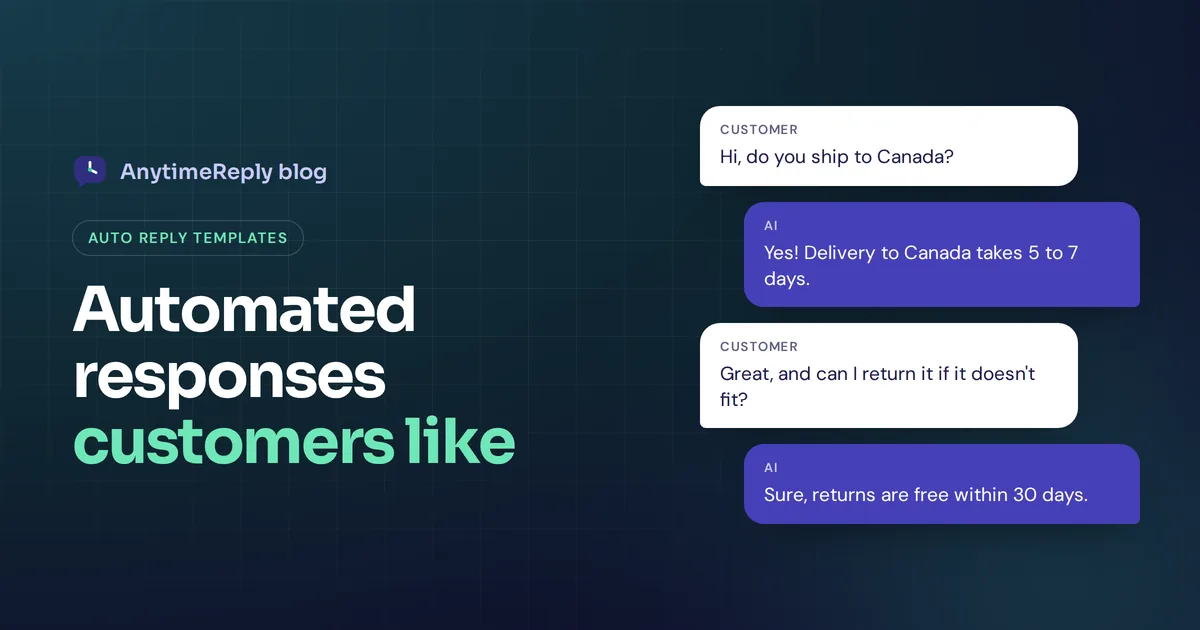
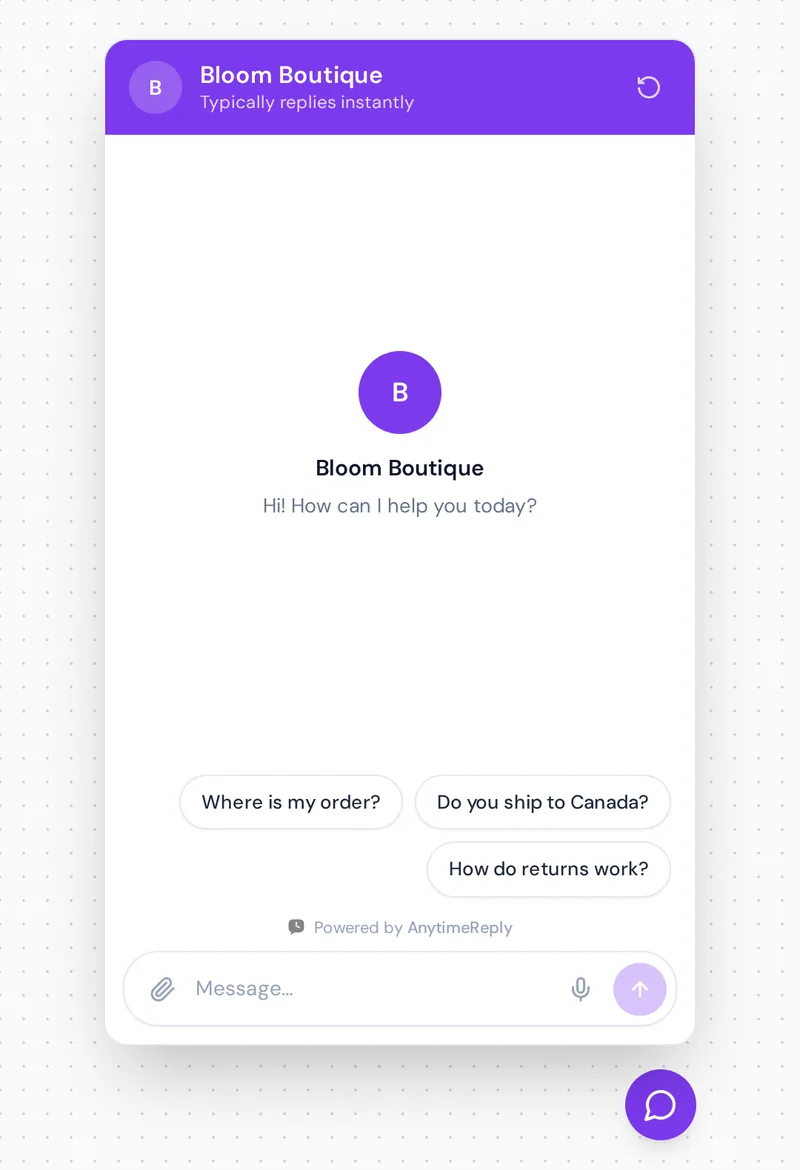
Most automated email response examples, including ours, share the same weakness. They tell the customer to wait. A customer who asks "Do you ship to Canada?" at 11 pm doesn't really want "we'll get back to you within 24 hours". They want "Yes, delivery to Canada takes 5 to 7 days."
| Template auto-reply | AI agent answer | |
|---|---|---|
| What the customer gets | Confirmation and a promise to answer later | The actual answer, in seconds |
| Personalization | Name and ticket number | Answers the specific question in their language |
| Setup | Write once, done | Train on your website, documents and policies |
| Best for | Out of office, confirmations, legal notices | Product, shipping, return, booking and account questions |
| Risk | Feels robotic, customer still waits | Needs good content and a human handoff |
Our honest view: use both. Keep a template for confirmations and out of office. Let AI handle the real questions, and hand over to a person when it can't.
How AnytimeReply turns auto replies into real answers
AnytimeReply is an AI customer support agent with a helpdesk built in, so you can automate answers, not just acknowledgements, without losing the human touch.
- Real answers. The AI agent learns from your website, files and Notion, and replies in the customer's language on website chat, WhatsApp, Messenger, Instagram, Telegram and email.
- Your exact wording when it matters. Add Q&A answers for opening hours or refund rules. Q&A always wins over other sources.
- Greetings and button menus. Build welcome messages, quick-reply buttons and lead capture with flows. Flow steps use no AI credits.
- Email tickets. Connect Gmail, Outlook or any IMAP mailbox. The AI answers common emails in the same thread or drafts a reply for your team. See tickets and email.
- Handoff with context. When a customer asks for a person or gets upset, the conversation moves to your team with a summary.
Website chat and flows are on the free plan. Email, WhatsApp and the social channels start on the Hobby plan.
Frequently asked questions
Can you give me an example of an automated reply?
"Thanks for contacting us. We've received your message and will get back to you within 24 hours. Your ticket number is #12345." It confirms receipt, sets an expectation and gives a reference.
What is a good auto response message?
One that thanks the customer, confirms you got the message, gives a realistic response time, shares a helpful link and says what to do if it's urgent, all in a few sentences.
How long should an auto-reply email be?
Short. Three to five sentences is enough. If you need more, link to a help article instead.
Can I personalize an automatic response without sounding robotic?
Yes. Use the customer's name, mention what they asked about if your tool allows it, and write in plain, friendly language. AI replies go further by answering the actual question.
Are automated responses bad for customer service?
Not if they're honest and helpful. They become a problem when they promise fast replies you don't deliver, or when customers can't reach a person.
Final thoughts
A good automated response makes customers feel heard in seconds. A great one actually answers them. Copy the examples above, make them sound like you, and let AI automate the questions you're tired of answering.
Want automated responses that answer the question? Start free with AnytimeReply, no card needed.
Published 2 November 2026 by AnytimeReply team