It's 11 pm. A customer messages your shop on WhatsApp: "Where is my order?" Another one on your website asks if you ship to Germany. A third wants to book a call for tomorrow. Nobody on your team is awake, and all three questions have simple answers.
That is what chatbot automation is for. Software answers the repeat questions, collects the details and does the small tasks, so customers get help right away and your team wakes up to the conversations that really need a person.
This guide explains how automated chatbots work, what you can safely hand to them, how to set one up step by step and where it goes wrong. We build an AI support tool, so we have a bias, but we'll be honest about the limits too.
What is chatbot automation?
Chatbot automation means using a chatbot to handle parts of a conversation without a human typing each reply. The bot can answer questions, ask for missing details, route the chat to the right team or complete a task like checking an order.
It is not one feature. It's a mix of a few building blocks:
- Automated answers to common questions (shipping, prices, returns, opening hours).
- Guided steps such as buttons, menus and short forms.
- Actions like looking up an order, booking a meeting or creating a ticket.
- Routing and handoff that pass issues to human agents when the bot should step back.
Good setups use all four. Bad ones use only the first and trap customers in a loop. And chatbots can also run quiet back-office jobs, like tagging and routing, that streamline daily business operations.
Rule-based chatbots vs AI-powered chatbots
There are two main ways to build an automated chatbot, and most modern tools mix them.
Rule-based chatbots follow a script you design. The customer taps a button and sees the next step. Ask one "What are your store hours?" in a way the script didn't expect, and it gets lost.
AI chatbots are conversational. They use artificial intelligence, mainly natural language processing and machine learning models, to understand what people mean. A chatbot that uses a large language model (generative AI) can reply in full sentences and in many languages. The best ones answer from your own knowledge base instead of making things up.
| Rule-based (flows) | AI-powered chatbot | |
|---|---|---|
| How it works | Follows buttons, questions and conditions you set | Understands free text using natural language |
| Best for | Lead forms, menus, booking steps, collecting order numbers | Open questions typed in any wording or language |
| Setup | You draw every path in a chatbot builder | You give it your website, documents and Q&A |
| Weak spot | Breaks on questions the script didn't plan for | Only as good as the content you feed it |
| Predictability | Very high, same path every time | High if trained well and limited to your content |
Our honest opinion: use flows where you need a fixed process (collect an email, choose a department, qualify a lead) and let the AI handle everything people type freely. Trying to cover every possible query with buttons is how you end up with a 40-branch flow nobody can maintain.
How chatbot automation works, step by step
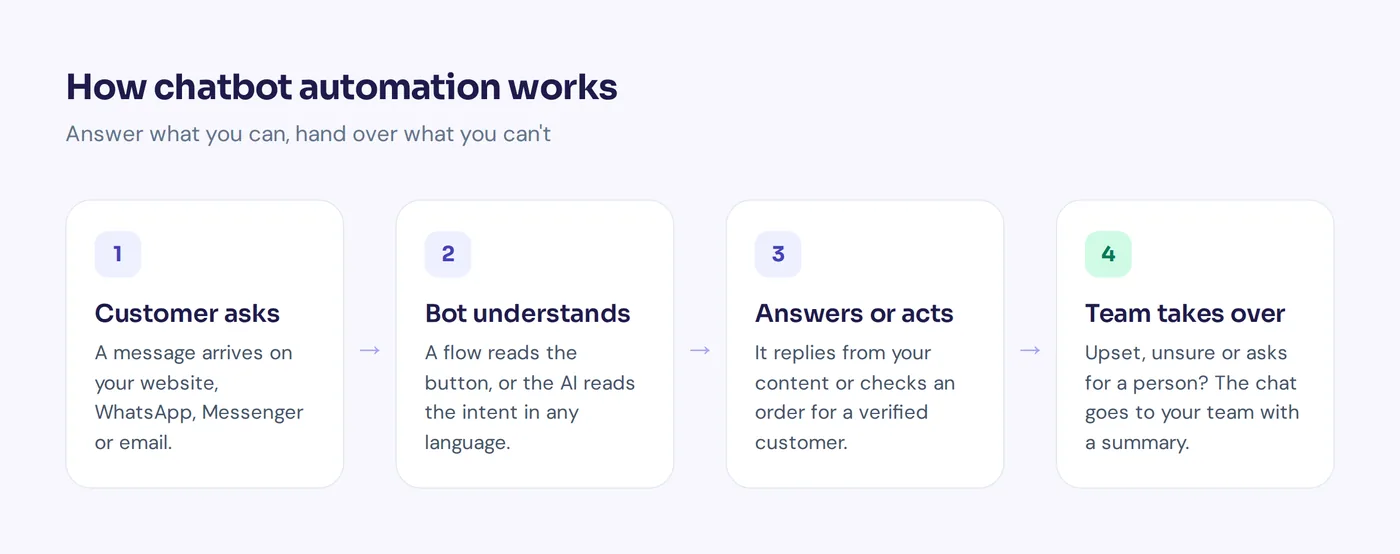
Under the hood, most AI-driven chatbots follow the same simple loop:
- A customer sends a message on your website, mobile app, WhatsApp, Facebook Messenger, Instagram or email.
- The bot works out what they want. A flow checks which button was pressed. An AI model reads the message and understands the intent, even with typos or mixed languages.
- It finds the answer or the task. The AI searches your content, the flow moves to the next step, or an action calls a tool like Shopify or a calendar.
- It replies or acts in real-time. The customer gets an answer in seconds, an order status or a booking link.
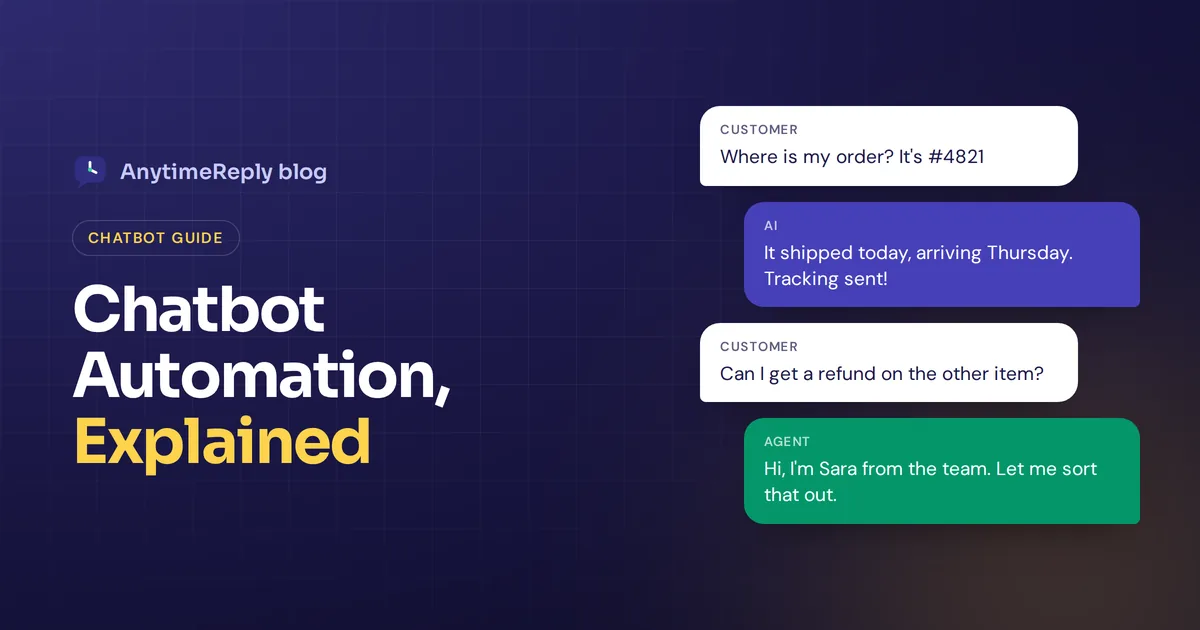
- It hands over when needed. If the customer asks for a person, gets upset or the bot is unsure, the chat goes to your team with a summary.
One detail matters more than people think: the bot should know when it doesn't know. A confidence check helps the chatbot decide between answering and asking a human.
Chatbot use cases: what you can automate
Here are the tasks that usually work well. Start with the ones your team answers ten times a day.
Customer service
- Answer common questions about shipping, returns, payment methods and opening hours.
- "Where is my order?" lookups for verified customers.
- Account and subscription questions that have a clear answer.
- After-hours replies, so no inquiry waits until morning.
- Self-service links to the right help article.
Sales and lead generation
- Product questions ("Is this jacket waterproof?", "Do you have it in blue?").
- Lead capture: a chatbot can gather name, email, company size and budget.
- Booking demos or calls straight into a calendar.
- One polite follow-up to visitors who went quiet.
Internal help desks
- HR questions like leave rules and payroll dates.
- IT basics such as Wi-Fi setup or VPN steps.
- Routing requests to the right department.
Behind-the-scenes work
- Tagging chats by topic and sentiment.
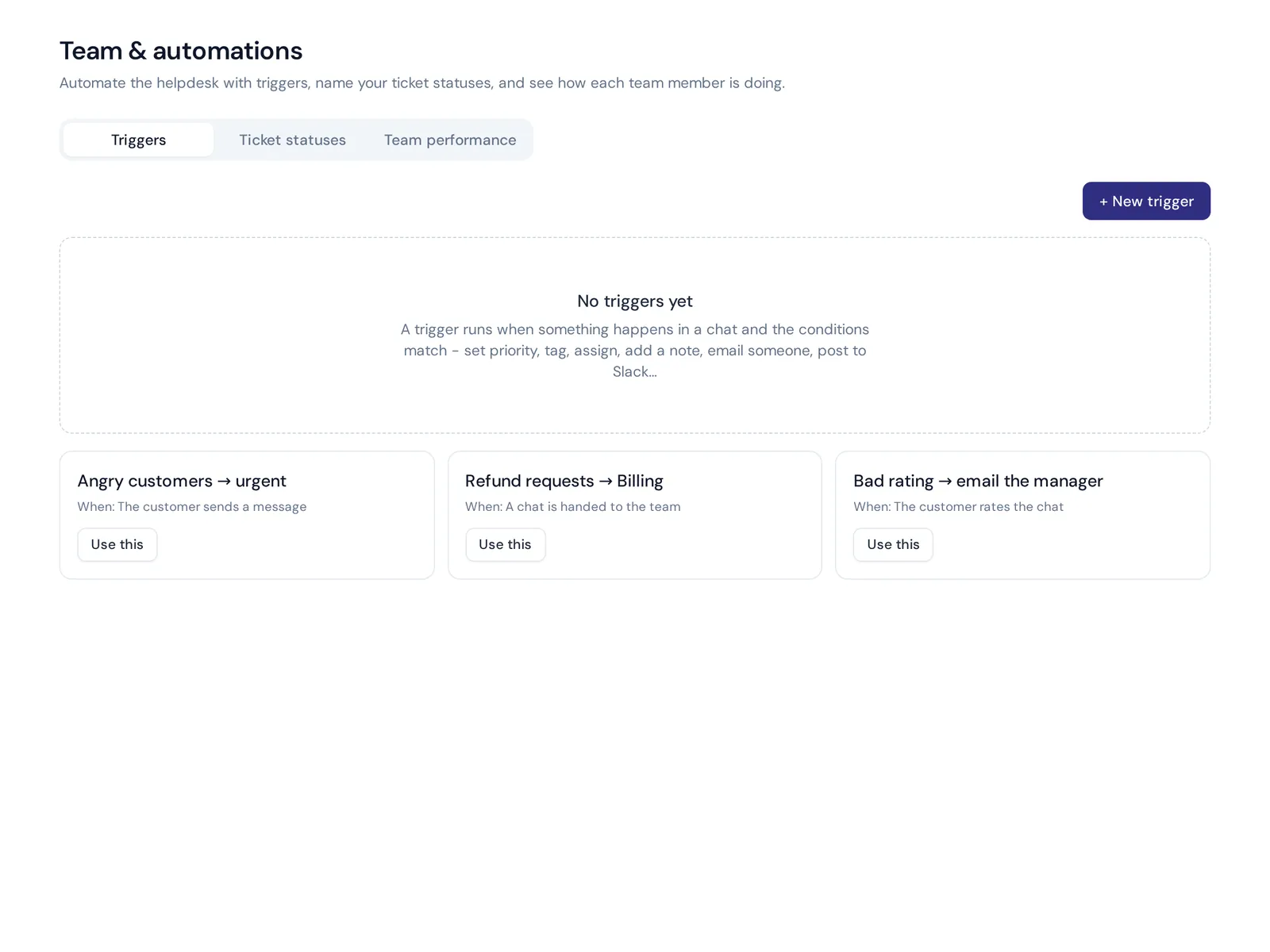
- Setting priority, for example "angry customer = urgent".
- Assigning chats to the least busy agent or a department.
- Sending a Slack message or webhook when a rule matches.
Chatbots are becoming the first stop for these jobs on every channel. Messenger chatbots and WhatsApp bots cover the same jobs. The only difference is where the customer is typing.
How automated chatbots improve customer experience
- Instant replies, around the clock. Chatbots operate day and night. No lunch breaks, no holidays.
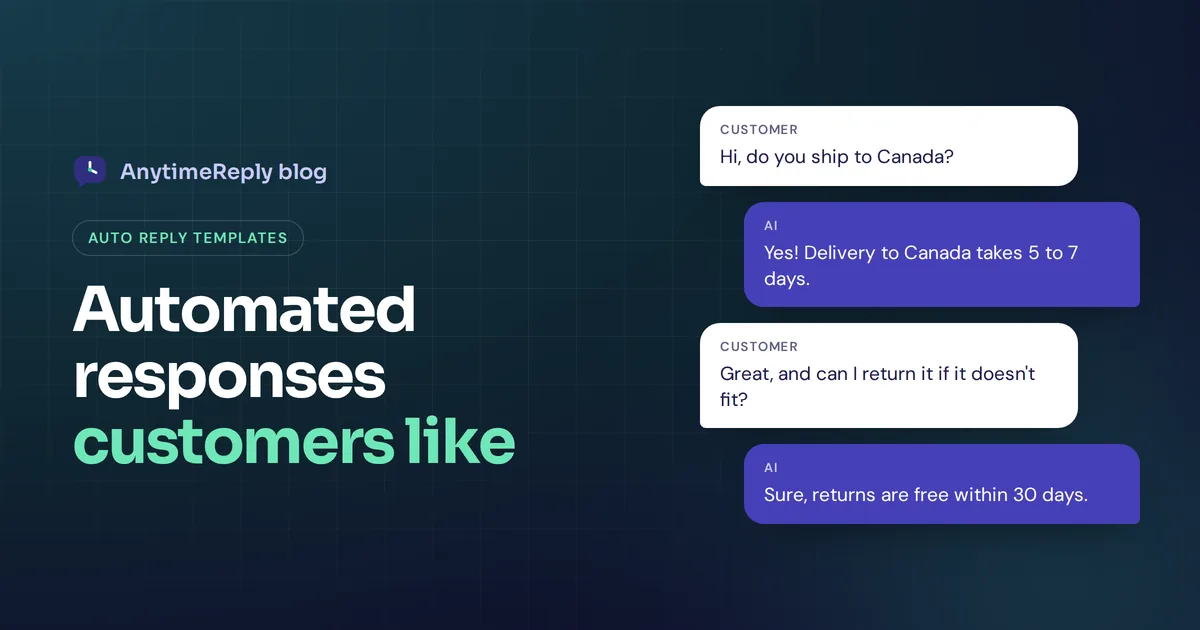
- Freeing up human agents. When the bot answers "do you ship to Canada?" for the hundredth time, your people get time for complaints, refunds and sales calls.
- They handle busy days. A sale or a viral post can bring a flood of customer inquiries at once. Chatbots can manage all of them at the same time.
- More languages without more hires. An AI assistant can respond to user messages in their own language, which matters if your customers write in Bangla, Hindi, Spanish or a mix.
- Consistent answers. Everyone gets the same return policy, not a slightly different version from each agent.
- Better data. Analytics show what customers ask, where they get stuck and what your website fails to explain.
Chatbots can help in all these ways and improve customer satisfaction, but only if the answers are right. Speed with wrong answers just makes people angry faster.
Where chatbots fall short
Chatbots can be useful, but they are not magic. Here is where they usually go wrong:
- Outdated content. If your shipping page says 3 days and reality is 7, the bot will repeat the wrong number. Chatbots learn from what you give them.
- No way out. A customer who types "human" three times and still gets the bot will leave angry. Always offer a clear handoff.
- Guessing. A bot that invents a refund policy is worse than no bot. Pick a tool that admits when it doesn't know.
- Automating sensitive decisions. Big refunds, legal questions and account closures need a person, or at least an approval step.
- Set and forget. Bots drift as your products and policies change. Review chats every week.
How to set up an AI chatbot (7 steps)
- List your top 20 questions. Pull them from old emails, chats and DMs. These are your first targets.
- Fix your source content. Make sure your website and help docs answer those questions clearly. That is what the AI will read.
- Choose your messaging platforms. Start where most messages already arrive. For many shops that's the website chat and WhatsApp.
- Build one or two simple flows. A lead capture form and a "sales or support?" menu are enough to start.
- Integrate your chatbot with the tools you need. Order lookups need your store, bookings need your calendar. Allow these only for verified customers.
- Set handoff rules. Decide when the bot steps back: the customer asks for a person, negative sentiment, low confidence or a topic like refunds.
- Test, launch and review weekly. Ask the real questions your customers ask, including the weird ones. Then ensure your chatbot keeps up by reading a handful of chats every week.
Real examples of chatbots in action
- Online fashion store. The AI answers size and shipping questions from product pages, checks order status in Shopify for verified customers and sends return requests to the team.
- Facebook and Instagram seller. Customers ask price and stock in comments and DMs. The bot replies in Banglish or English and passes order confirmations to a person.
- SaaS company. The bot answers "how do I..." questions from the docs, books demo calls and creates a ticket when a bug report comes in.
- Clinic or salon. A flow collects the service and preferred time, then a booking tool confirms the slot.
- Internal IT desk. Staff ask the bot about VPN setup and leave policy, and anything it can't solve goes to the IT queue.
Different chatbot setups, same idea: the bot takes the routine work, people take the judgment calls.
How to pick an automation tool or chatbot platform
There are many "best chatbot automation tools" lists out there. Instead of trusting a ranking, use this checklist when you compare chatbot software:
- Can it learn from your website, files and your own Q&A, and stay limited to that content?
- Does it say "I don't know" instead of guessing?
- Does it work on the channels your customers use (website, WhatsApp, Messenger, Instagram, email)?
- Can you build flows without code?
- Is there a real handoff to humans in a shared inbox, not just an email alert?
- Can it take actions safely, with verification and limits?
- Can you pick or switch the AI model, or bring your own custom AI key?
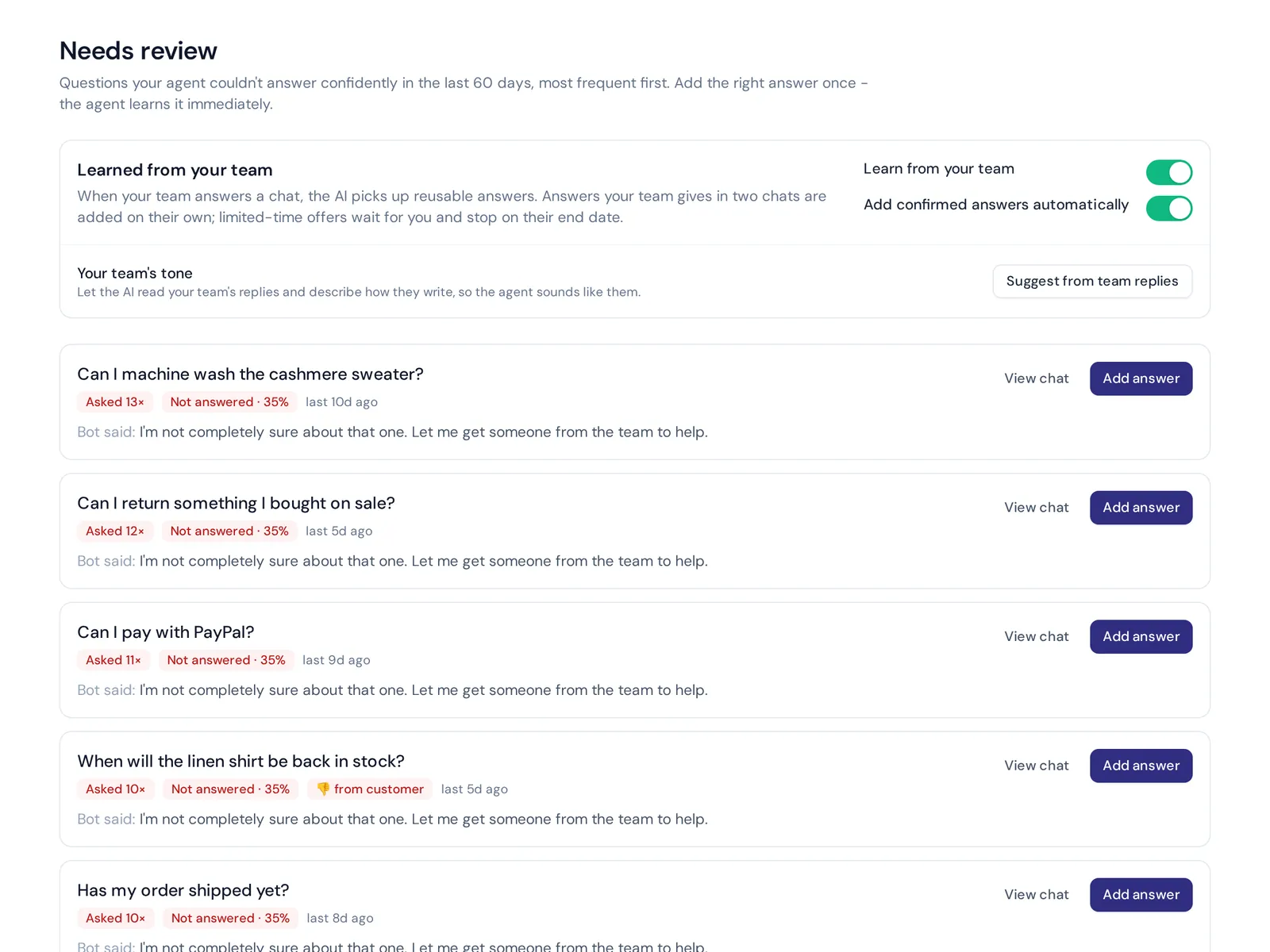
- Does it show you what it couldn't answer, so you can improve it?
- Is pricing clear, and can you start without a contract?
Most businesses that use chatbots well pick one platform and stick with it. The best AI tool for you is the one your team will actually keep improving. Advanced AI technology with bad content still gives bad answers.
Customer support with an AI agent: how AnytimeReply does it
We built AnytimeReply around the "AI first, human when needed" idea. Here's what that looks like:
- An AI agent trained on your content. Add your website, PDFs, Notion pages or Shopify products. It answers in the customer's language and shows a confidence score. When it doesn't know, it says so.
- Visual flows. Flows give you a canvas with buttons, questions, conditions, lead capture, API calls and AI steps. Flow steps use no AI credits.
- Actions with guardrails. On paid plans the agent can check orders, book meetings in Cal.com or Calendly and update HubSpot, only for verified customers and with confirmation.
- Handoff into a shared helpdesk. The helpdesk collects website, WhatsApp, Messenger, Instagram, Telegram, email and Slack chats in one inbox. Triggers can tag, assign, set priority or post to Slack.
Honest limits: we don't do phone calls or SMS. And WhatsApp, Messenger, Instagram and actions start on the Hobby plan. The Free plan covers website chat, flows, the helpdesk inbox and the AI agent, which is enough to test the idea. See pricing for details.
Measuring customer interaction and results
Track a few simple numbers each week to see if your bot really does help businesses like yours:
- Resolution rate: how many chats end without a human.
- Handoff rate: how often the bot passes to your team, and on which topics.
- Unanswered questions: each one is a missing piece of content.
- Ratings: thumbs up/down or CSAT after the chat.
- Customer engagement: how many visitors start a chat, and how many leave mid-way.
Frequently asked questions (FAQs) about automated chatbots
What is a bot in automation?
A bot is software that does a task on its own. In chat, it reads a message and replies, collects details or takes an action without a person typing.
How is NLP used in chatbots?
Natural language processing lets a bot understand free text, even with typos or slang, so customers can type the way they talk instead of picking buttons.
What is AI chatbot automation?
It's when an AI chatbot answers, routes and acts for you, using a language model plus your own content. Most good setups mix AI with simple flows.
Can chatbots replace human customer service agents?
No. Chatbots handle the repetitive questions. People still handle complaints, exceptions, refunds and anything that needs judgment or empathy.
Is there a good AI chatbot for small businesses?
Yes, several. Look for one that learns from your content, admits when it doesn't know, works on your channels and hands over to people easily.
What should you not ask an AI chatbot to do?
Don't let it make big money decisions, give legal or medical advice, or promise things your policy doesn't cover. Keep a human in the loop for those.
Final thoughts
Chatbot automation works best when you keep it simple: automate the questions you answer every day, add flows where you need a fixed process and always give customers an easy path to a person. Then read your chats and keep improving.
Want to try it on your own site? Start free with AnytimeReply, no card needed. Add your website, test the agent and see what it handles in the first week.
Published 3 November 2026 by AnytimeReply team