A customer emails at 8:15 am: their order hasn't arrived, it was a birthday gift, and the party was yesterday. You have 40 more emails waiting. You could write a fresh answer from scratch, or you could open a template that already says the right thing and spend your energy on the parts that are personal.
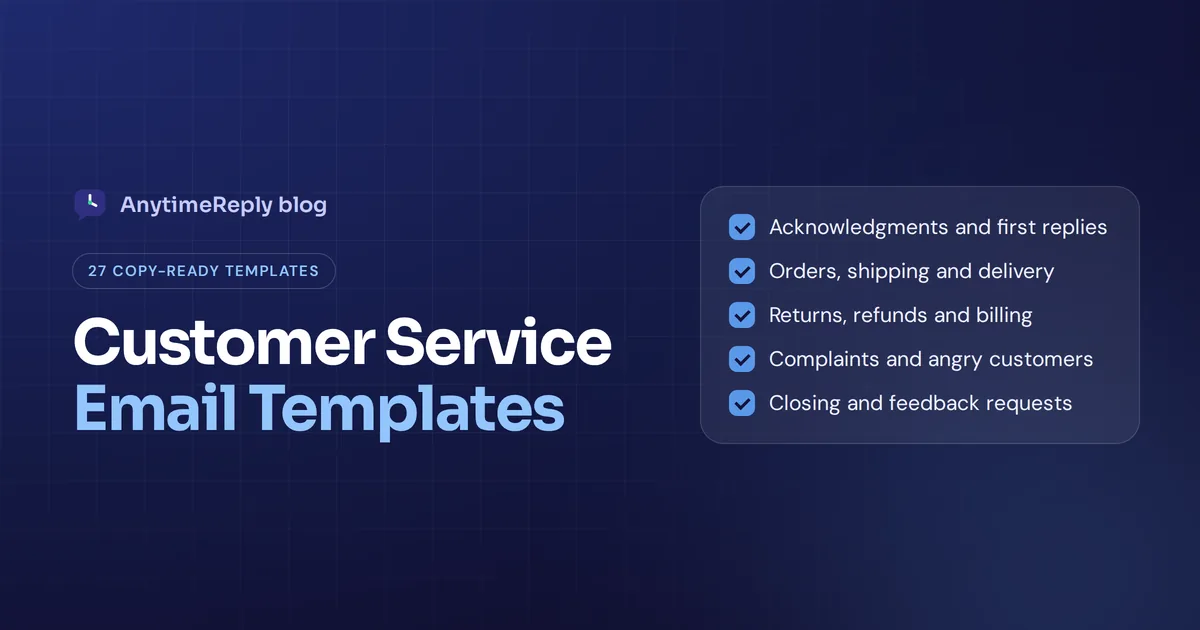
That is what good customer service email templates do. They keep your email responses fast, friendly and consistent, without sounding like a robot wrote them. Below you'll find 27 customer service email response templates grouped by situation, covering the most common customer service scenarios, plus tips on how to personalize them and when not to use a template at all.
Copy them, change the bits in [brackets], and make them sound like your brand.
Why customer service emails need templates
Most support inboxes see the same 15 to 20 support requests over and over. Where is my order? How do I return this? Can I change my address? Whether a question arrives as an email or request form, writing each answer from scratch wastes time and leads to different answers from different people on your customer service team.
- Faster response time. Your service reps spend seconds, not minutes, on common customer inquiries.
- Consistent answers. Every customer hears the same refund policy, in the same friendly tone.
- Fewer mistakes. The template has the right links, the right return window and the right steps.
- Easier training. A new customer service rep learns your voice by reading your templates.
- Better customer satisfaction. Quick, clear answers make the customer feel looked after, which builds customer trust, customer retention and a stronger customer relationship.
The right email templates for customer service are a starting point, not a script. Templates work best when you add the human part on top, making the customer feel heard, not processed. That is how you boost customer satisfaction and loyalty over time.
How to write an effective customer service email template
A great email template is not a finished email. The best ones share a few habits, which also cover the "5 C's" of email writing many teams use: clear, concise, correct, courteous and complete.
- Use the customer's name and mention their actual issue in the first line.
- Answer first, explain second. Put the solution or next step at the top.
- Keep it short. Three short paragraphs beat one long one.
- Sound human. Use "I" and "we", contractions and plain words. Skip "We regret to inform you".
- Give one clear next step. A link, a date, or a question they can answer.
- Show empathy when it fits. One sincere sentence is enough.
- Close warmly and sign with a real name.
Here is the basic customer service reply template structure most of ours follow. Use it as an email template for any request that isn't covered below, and adapt it to what the customer needs:
Hi [Customer name],
[One line that shows you understood the problem.]
[The answer or solution.]
[The next step and any timeline.]
[Warm closing line.]
[Your name], [Company] Support
Welcome email and first response templates
1. Welcome email for a new customer
Subject: Welcome to [Company], [Customer name]!
Hi [Customer name],
Thanks for joining [Company]. We're glad you're here.
Here are three things to get you started: [link 1], [link 2], [link 3]. If you have a question, just answer this email. A real person reads every one.
Cheers,
[Agent name]
2. Ticket received (auto-response)
Subject: We've got your message [#Ticket number]
Hi [Customer name],
Thank you for your email. We've received it and a member of our customer support team will get back to you within [time frame, e.g. 1 business day].
While you wait, you might find a quick answer in our help center: [link].
Talk soon,
The [Company] Support Team
3. Personal first response
Hi [Customer name],
Thanks for reaching out, and sorry for the trouble with [issue]. I'm [Agent name] and I'll be looking after this for you.
I'm checking [what you're checking] now and will update you by [time]. If anything changes on your side, just let me know.
Best,
[Agent name]
4. Need more information
Hi [Customer name],
Thanks for the details so far. To sort this out quickly, could you send me:
- Your order number
- A photo or screenshot of the problem
- [Any other detail]
As soon as I have these, I'll get it fixed.
Thanks,
[Agent name]
5. Out of hours response
Hi [Customer name],
Thanks for your email. Our team is offline right now and back on [day] at [time]. We'll get to your message first thing.
If your question is about [shipping / returns / passwords], this page may have the answer straight away: [link].
Thanks for your patience,
[Company] Customer Care
Order, shipping and delivery templates
6. Where is my order?
Subject: Your order [#12345] is on its way
Hi [Customer name],
Good news, your order shipped on [date] with [carrier]. You can track it here: [tracking link].
The current estimate is [delivery date]. If it hasn't arrived by [date + 2 days], write back and I'll chase it with the carrier.
Thanks,
[Agent name]
7. Shipping delay
Hi [Customer name],
I'm sorry, your order [#12345] is running late. [Short honest reason, e.g. the carrier has a backlog in your area.]
The new estimated delivery date is [date]. If that doesn't work for you, I can [cancel and refund / offer an alternative]. Just let me know.
Sorry again for the wait,
[Agent name]
8. Package marked delivered but not received
Hi [Customer name],
That's frustrating, sorry. The carrier shows the parcel as delivered on [date] at [time]. Could you check with neighbors, your building reception or any safe place around your door?
If it still hasn't turned up by [date], let me know and I'll open a claim with the carrier and arrange a [replacement / refund].
[Agent name]
9. Change of shipping address
Hi [Customer name],
Thanks for letting us know. I've updated the delivery address for order [#12345] to:
[New address]
Please check it's correct. If the order has already left our warehouse, I'll ask the carrier to redirect it, but that can take an extra day.
[Agent name]
10. Item out of stock
Hi [Customer name],
I'm sorry, [product] is out of stock right now. We expect more on [date, if known].
You can:
- Wait for the restock and we'll ship it as soon as it arrives
- Swap it for [similar product]
- Get a full refund today
Just tell me which option you prefer.
[Agent name]
Email templates for refunds and billing
11. Return request approved
Subject: Your return for order [#12345] is approved
Hi [Customer name],
Your return is approved. Here's what to do next:
- Pack the item in its original packaging if you have it
- Print the return label: [link]
- Drop it off at any [carrier] point by [date]
We'll refund you within [X] days of receiving it.
[Agent name]
12. Refund processed
Hi [Customer name],
Your refund of [amount] for order [#12345] has been processed today. It usually shows up on your [card / account] within [X to Y] business days, depending on your bank.
Thanks for shopping with us, and I hope we see you again.
[Agent name]
13. Refund request declined (politely)
Hi [Customer name],
Thanks for asking, and I understand this isn't the answer you hoped for. Your order was delivered on [date], which is outside our [30]-day return window, so I can't offer a refund.
What I can do is [offer store credit / a repair / a discount on your next order]. Would that help?
[Agent name]
14. Double charge or billing error
Hi [Customer name],
You're right, you were charged twice for [order / subscription] on [date]. I'm sorry about that. I've refunded the extra [amount] today, and you should see it within [X] business days.
I've also checked that your next payment is correct. If you see anything else odd on your statement, tell me here.
[Agent name]
15. Failed payment
Subject: Action needed: your payment didn't go through
Hi [Customer name],
Your latest payment for [plan] didn't go through. This often happens when a card expires or a bank blocks a charge.
You can update your payment details here: [link]. Your account stays active until [date].
Need help? Feel free to reach out any time.
[Agent name]
Customer service response templates for an angry customer
These are the emails where tone matters most. Read the customer complaint twice, then personalize heavily. Done well, service recovery can turn an unhappy buyer into a loyal customer.
16. Apology email for poor customer service
Hi [Customer name],
Thank you for telling us, and I'm really sorry. [Restate the problem in one line, e.g. waiting three weeks for an answer isn't okay.]
Here's what I've done: [fix]. And here's what we're changing so it doesn't happen again: [change, if any].
If there's anything else I can do, write back and it comes straight to me.
[Agent name]
17. Damaged or wrong item
Hi [Customer name],
I'm so sorry your [item] arrived [damaged / wrong]. That's not the experience we want for you.
I've sent a replacement today with express shipping, tracking: [link]. There's no need to send the original back.
[Agent name]
18. Escalating to a manager or specialist
Hi [Customer name],
Thanks for your patience. I want to get this right, so I've passed your case to [Name], our [role], who can [approve / investigate] this. They'll email you by [time].
You won't need to explain everything again. I've shared the previous email thread with them.
[Agent name]
19. Follow-up email after a complaint
Hi [Customer name],
Just checking in. Did the [replacement / refund / fix] arrive and does everything look okay now?
If anything's still not right, let me know and I'll sort it.
[Agent name]
Customer support email templates for account and tech issues
20. Password reset help
Hi [Customer name],
No problem. You can reset your password here: [link]. The link works for [24 hours].
If the email doesn't arrive, check your spam folder or tell me and I'll reset it for you manually.
[Agent name]
21. Website or app not working
Hi [Customer name],
Thanks for flagging this, and sorry for the hassle. Our [product or service] had an outage from [time] to [time]. It's working again now.
If you still see a problem, please send a screenshot and I'll look into it right away.
[Agent name]
22. Bug report received
Hi [Customer name],
Thanks for reporting this. I've reproduced the issue and passed it to our product team with your details.
In the meantime, a workaround is to [workaround]. I'll email you as soon as there's a fix.
[Agent name]
23. Feature request you won't build soon
Hi [Customer name],
Thanks for the idea. Being able to [feature] would be useful, and I've shared it with our product team.
I can't promise a date, but customer feedback like yours shapes what we build next. Tell me a bit more about how you'd use it and I'll add that to the note.
[Agent name]
24. How-to answer with steps
Hi [Customer name],
Here's how to [task]:
- Go to [page]
- Click [button]
- [Final step]
There's also a short guide with screenshots here: [link]. Let me know if you get stuck.
[Agent name]
Thank you, feedback and follow-up email templates
25. Thank you email for positive feedback
Hi [Customer name],
Thank you so much for the kind words. I've shared them with the team and it made our day.
If you have a minute, a short review here would help other customers find us: [link]. No pressure at all.
[Agent name]
26. Customer feedback request (NPS or CSAT)
Subject: How did we do?
Hi [Customer name],
We recently helped you with [issue]. Could you tell us how it went? It takes one click: [rating link].
We use a short NPS survey to gather honest feedback, and every answer goes straight to the people who helped you.
Thanks,
[Company] Support
27. No answer from the customer
Hi [Customer name],
I haven't heard back, so I wanted to check if you still need help with [issue]. If I don't hear from you by [date], I'll close this ticket, but you can reopen it any time by answering this email.
[Agent name]
Best customer service email tips to improve customer experience
- Personalize at least two things in every email: the name and one detail from the specific customer's message.
- Write clear subject lines. Include the order or ticket number so the customer can find it later.
- Keep templates in one shared place, like saved responses in an email management tool or helpdesk, so customer service teams always use the latest version.
- Review templates every few months. Return windows, links and prices change.
- Don't use a template for a truly unusual problem. Customers can tell when an email misses their point.
- Match the customer's tone. A short casual question deserves a short casual answer.
- Read it out loud before you save a new template. If it sounds stiff, rewrite it.
| Instead of | Try |
|---|---|
| We regret to inform you that... | I'm sorry, but... |
| Please be advised that... | Just so you know... |
| We apologize for any inconvenience. | Sorry for the hassle with your order. |
| Your request has been forwarded. | I've passed this to Sam, who'll get back to you by 3 pm. |
| Do not hesitate to contact us. | Just write back if you need anything else. |
Small wording changes like these create a positive customer experience more than you'd think, from the moment a customer opens your email. Great customer service often comes down to sounding like a person.
How AI can answer the easy customer service emails
Templates save time, but when you receive an email, someone still has to pick the template and fill in the blanks. For the most common questions, a tool like an AI agent can now do that part and handle service via email for you.
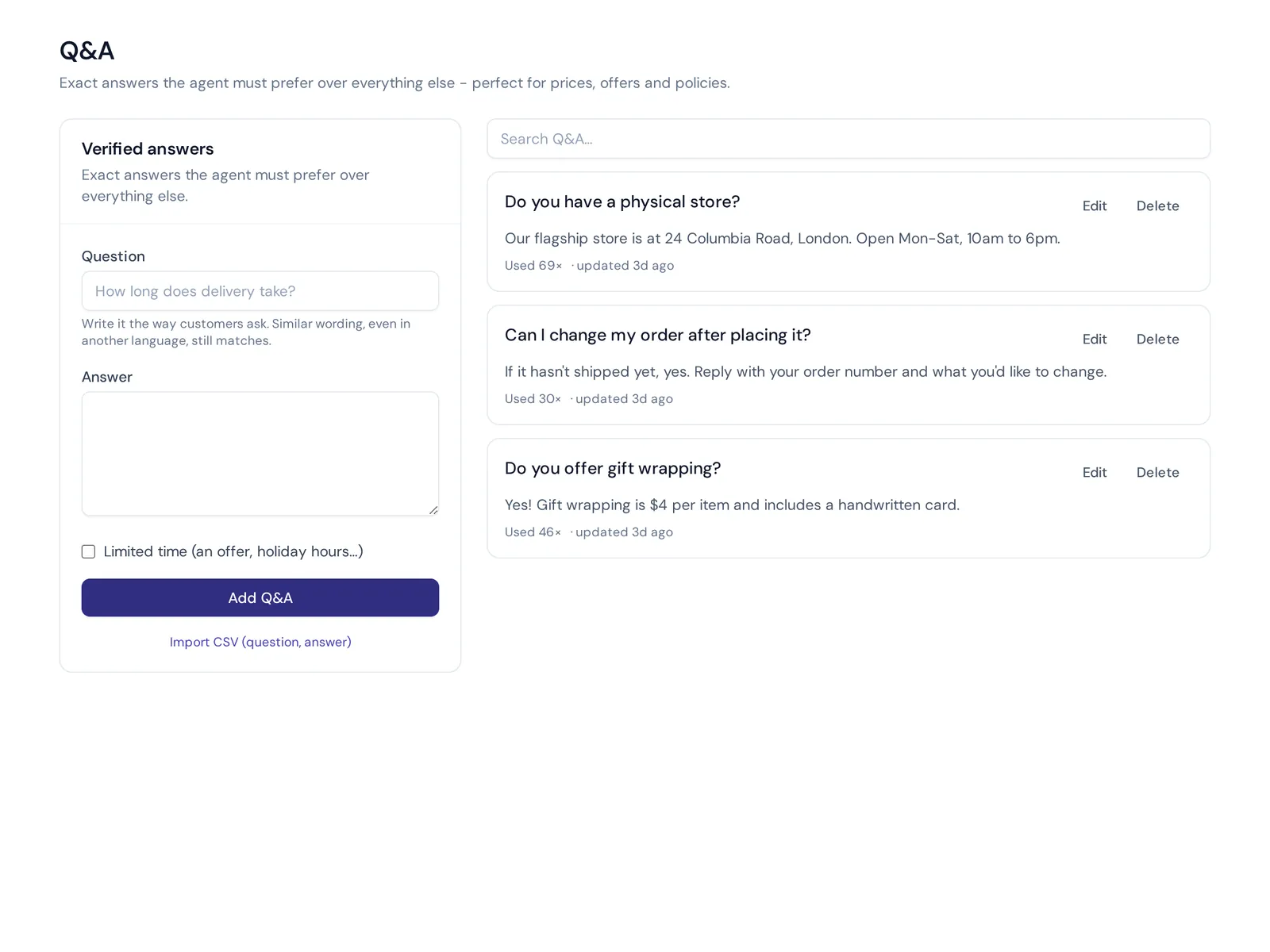
With AnytimeReply, you connect Gmail, Outlook, Zoho or any IMAP/SMTP mailbox, or forward your support emails. Every email becomes a ticket with a status, priority and owner. The AI agent, trained on your website and documents, answers common questions in the same email thread, or drafts a response for your team to check. When a customer writes back, the ticket reopens.
- Your own answers win. Write Q&A entries for things like your refund policy, and the AI always uses them first.
- It says when it doesn't know instead of guessing, so tricky emails stay with your team.
- AI help for agents. In the helpdesk, your team can ask the AI to rewrite or translate an answer before sending.
- One inbox for every channel. Email, website chat and messaging land in the same shared inbox, so you can keep track of customer interactions in one place.
The email channel is on paid plans, starting with Hobby at $9 a month (see pricing, prices can change). Honest limit: AI is great for repeat questions like order status and return steps. For complaints and sensitive emails, use it to draft, then let a person send.

Frequently asked questions
How do I write an email to customer care?
Put your order or account number in the subject line, explain the problem in two or three sentences, say what you'd like to happen, and attach a screenshot or photo if it helps.
What should an effective customer service email include?
A greeting with the customer's name, a line showing you understand the issue, the answer or solution, a clear next step and a friendly sign-off with a real name.
What are the 5 C's of email writing?
Clear, concise, correct, courteous and complete. Some lists swap one for "considerate" or "concrete", but the idea is the same: easy to read and easy to act on.
How do I make templates sound less robotic?
Use plain words and contractions, mention one specific detail from the customer's message, and cut stiff phrases like "please be advised".
How many templates does a customer service team need?
Start with templates for your 15 to 20 most common customer service situations. Look at your last 100 emails to find them.
Can AI write customer service emails?
Yes, for common questions. An AI trained on your own policies can answer or draft emails in seconds. Keep a person in charge of complaints, exceptions and anything sensitive.
Answer faster, without sounding like a robot
Pick the five templates that match your most common emails, tweak them to sound like you, and save them where your team can find them. Then add more as you go.
And if you'd like AI to handle the repeat questions while your team takes the tricky ones, start free with AnytimeReply, no card needed.
Published 1 November 2026 by AnytimeReply team