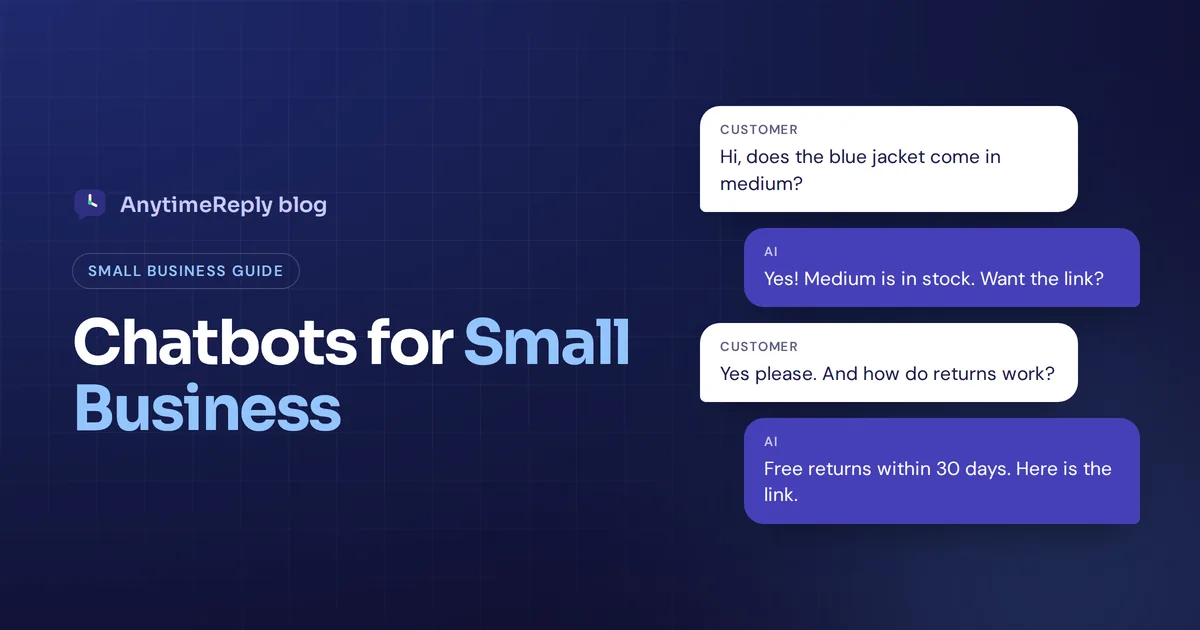
It's 11 pm. You run a small online shop, and a customer on WhatsApp wants to know if the blue jacket comes in a medium. Another visitor on your website asks how returns work. You are asleep, or making dinner, or finally off work. By morning, one of them has bought from someone else.
That is why people look for a chatbot for small business. Not because AI is trendy, but because customers expect an answer now, and a small team can't be online all day. A good chatbot answers repeat questions instantly, day and night, and passes the tricky ones to you.
This guide covers what these chatbots do, what they cost, the best options in 2026 and how to set one up in an afternoon. We build one (AnytimeReply), so we have a bias. We'll still tell you where chatbots fall short.
What is a chatbot for small business?
A chatbot is software that talks to your customers in a chat window and replies without a person typing. It can sit on your website or inside WhatsApp, Facebook Messenger and Instagram.
For a small business, the job is simple: answer the same 20 customer queries you get every week, collect details from new leads, and hand over to a human when a question needs judgment. Think of it as a front desk that never goes home.
There are two main types:
- Rule-based chatbots. A rule-based chatbot follows a script with buttons: "Track order", "Opening hours", "Talk to us". Cheap and predictable, but it gets stuck the moment someone types something the script didn't plan for.
- AI-powered chatbots. These use conversational AI and generative AI models to understand what the customer means, even with typos or mixed languages. A good one is trained on your website and documents, so it knows your business and answers from your information instead of guessing.
Most tools today mix both: AI for open questions, plus simple button flows for booking or lead capture. So when people say "small business chatbot" today, they usually mean the AI kind, often called an AI agent once it can also take actions.
Rule-based vs AI chatbots at a glance
| Rule-based chatbot | AI chatbot | |
|---|---|---|
| How it works | Fixed buttons and keyword triggers | Understands free text and context |
| Setup | You draw every path by hand | You add your website and files, it learns from them |
| Unexpected questions | Loops or gives up | Handles them, if the answer is in its knowledge |
| Languages | Only the ones you wrote | Usually replies in the customer's language |
| Main risk | Frustrating dead ends | Wrong answers if badly trained or allowed to guess |
| Best for | Simple menus, booking steps | Most support and sales questions |
Our honest opinion: for most small businesses in 2026, an AI chatbot with a few button flows is the right call. Pure rule-based bots feel dated, and they take longer to build than people expect.
How chatbots improve small business customer support
Big companies use chatbots to cut costs across huge teams. Small business owners use them because there aren't enough hours in the day. Here is where chatbots can help most, and why so many small businesses that want to grow without hiring start here:
- Answers outside business hours. Customers write at night, on weekends and on holidays. The bot replies in seconds, so slow replies stop costing you sales.
- Fewer repeat questions. "Where is my order?", "Do you deliver to my area?" Chatbots handle these so your small team can focus on real work.
- More leads. Instead of website visitors leaving quietly, the bot asks what they need and collects a name or email.
- Faster sales. AI sales help is underrated. It can recommend products, share prices and stock, and send a buy link while the customer is still interested.
- More languages without hiring. If customers write in Spanish, Hindi or a mix like Banglish, AI can reply in their language.
- Consistent customer interactions. Your return policy is explained the same way at 9 am and 2 am.
Where chatbots fall short
- They can't fix bad information. If your website doesn't explain shipping clearly, the bot won't either.
- Angry customers need people. A damaged order or a double charge needs a human who can make it right.
- Big decisions stay with you. Custom quotes, special discounts and policy exceptions.
- They need a little care. Plan 10 to 15 minutes a week to read chats and fill gaps if you want the chatbot to stay accurate.
So the best setup is not "bot instead of people". It's AI first, human when it matters. The AI handles the routine questions, your team handles the moments that build loyalty.
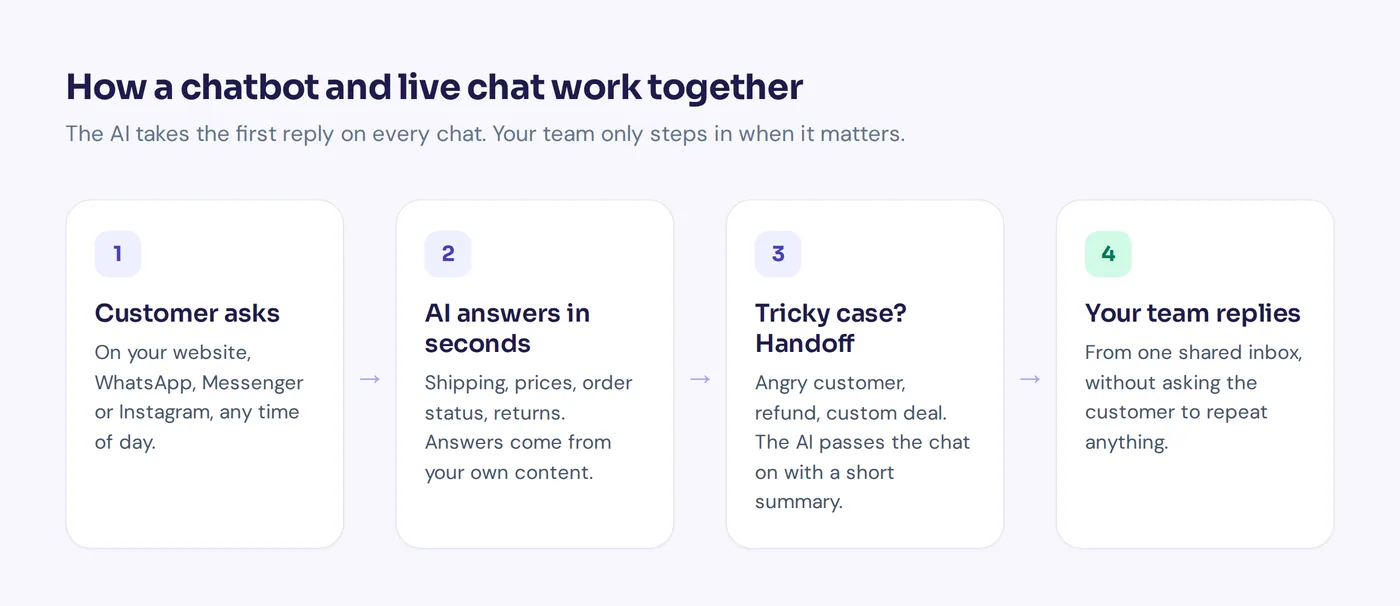
Chatbots for small business: real use cases
Every business is a bit different, but the patterns repeat. Here is what a chatbot handles in a few common types of small business.
Online shops
A chatbot for ecommerce handles order status, shipping times, sizes, returns and discount codes. "Is this dress true to size?" gets an answer from your size guide in seconds. With store integrations, the bot can look up a verified customer's actual order.
Facebook and Instagram sellers
Many small sellers run the whole business in DMs, and the questions repeat: price, delivery charge, cash on delivery, colors. A bot on Messenger, Instagram and WhatsApp answers those and moves the chat toward an order.
Service businesses
Salons, clinics, tutors, cleaners, real estate agents. The chatbot can answer "Are you open Sunday?", explain prices and book an appointment or collect details for a callback.
SaaS and internal help desks
Software companies use a support chatbot for how-to and billing questions, with a handoff for bugs. Some small teams also run an internal bot for HR and IT questions.
How to choose the right chatbot platform
There is a lot of chatbot software for small businesses, and most of it looks the same on the homepage. Start with your business needs, then use this checklist when evaluating chatbot options:
- Trains on your own content. Add your website, PDFs and FAQs, no coding. A no-code chatbot builder matters if nobody on the team is technical.
- Says "I don't know". It should admit uncertainty and offer a human instead of inventing an answer.
- Human handoff. One click or an automatic rule passes the chat to you, with history intact.
- Your channels. Website chat at minimum, plus WhatsApp, Messenger or Instagram if your customers live there.
- One shared inbox. Every conversation in one place, not five apps.
- Integrations. Your store, calendar or CRM, so the bot can check an order or book a meeting.
- Analytics. What people ask, what the chatbot could not answer, and ratings.
- Room to grow. Actions, more channels and business automation for later, so you don't switch tools in a year.
- Data privacy. Check whether your customer data trains the vendor's AI models.
Businesses that want something very specific can also build a custom chatbot with developers, but for most small teams a ready-made platform is faster and cheaper. If a chatbot platform checks most of these boxes and has a free plan or free trial, test it with real questions before you compare features any further.
How much does a chatbot cost?
Prices range from free to hundreds of dollars a month. These are the usual pricing models:
- Free plan. Usually a small number of AI replies, one bot, website chat only. Fine for testing.
- Per message or credit. You pay for AI replies. Cheap at low volume, grows with use.
- Per seat. You pay for every team member. Gets expensive as you add people.
- Per resolution. Some larger platforms charge for each conversation the AI resolves. Simple, but a busy month can surprise you.
Watch for extras: WhatsApp add-ons, per-channel fees and AI upgrades. A quick test: say you get 400 chats a month. Work out what that costs on each tool, including team seats.
For reference, AnytimeReply has a free plan and paid plans from $9 a month with team members included. See our pricing page (prices can change).
Best AI chatbots for small businesses in 2026
Here are chatbot tools you'll come across and what each is known for. Plans change often, so check each pricing page.
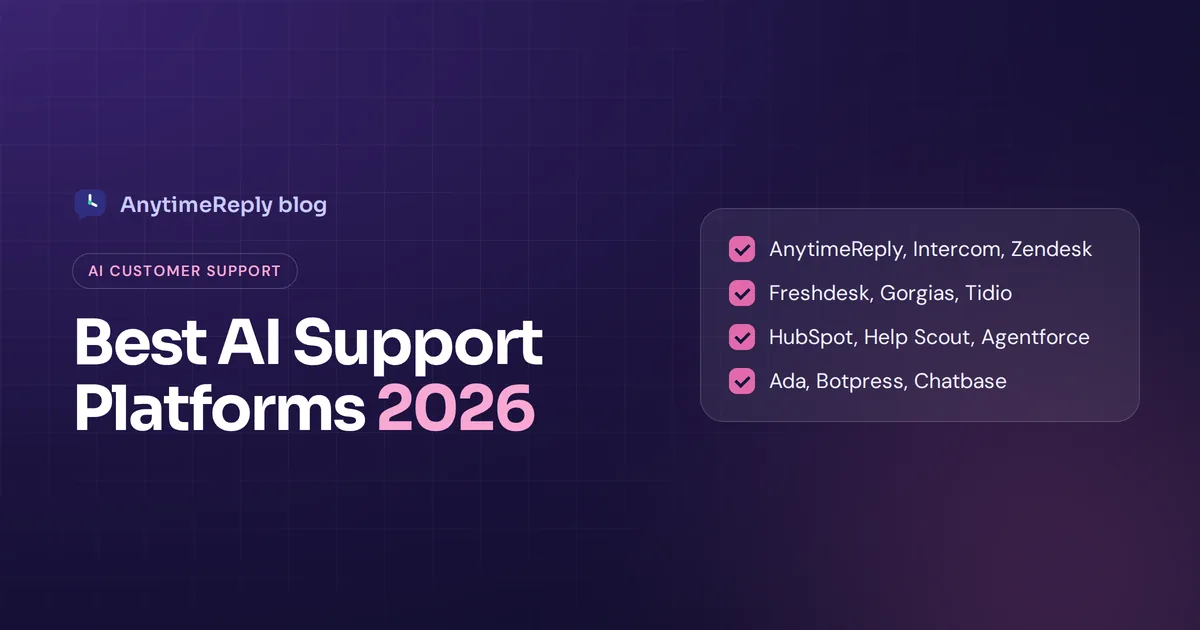
- AnytimeReply. Our tool. An AI customer support agent plus a built-in helpdesk for website, WhatsApp, Messenger, Instagram, Telegram, email and Slack, with a free plan. Ideal for small teams whose customers write in several languages, including Bangla, Hindi, Banglish and Hinglish. It does not do phone calls or SMS.
- Tidio. Popular with small online stores, especially on Shopify. Its Lyro AI agent answers from your FAQs, next to live chat.
- Intercom. A full customer service suite with the Fin AI agent. Powerful, but better suited to growing software companies with a bigger budget.
- ChatBot.com. Known for its visual chatbot builder and templates.
- ProProfs Chat. Live chat plus simple chatbots, often picked by small and mid-sized teams wanting something basic.
- Zoho SalesIQ. Live chat and bots, a natural fit if you already use Zoho CRM.
- ManyChat. Known for Instagram, Messenger and WhatsApp marketing automation, like comment-to-DM campaigns.
There's no single best chatbot for everyone. The best AI chatbot for a small business is the one that answers your real questions correctly on the channels your customers use, at a price that still makes sense next year. We also wrote honest comparisons: AnytimeReply vs Tidio and AnytimeReply vs Intercom.
How to set up a chatbot for your small business
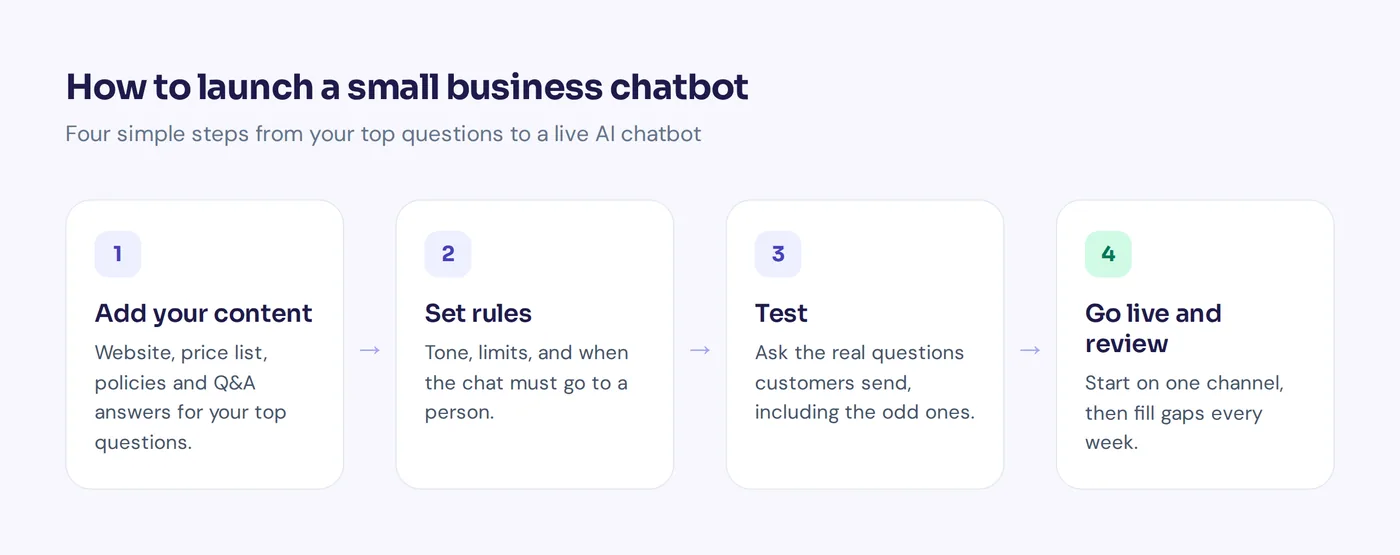
- List your top 20 questions. Go through old emails, DMs and chats.
- Fix your source content. Make sure your website, FAQ and policies answer those questions clearly. That's what the AI learns from.
- Add your content. Website link, PDFs like a price list or menu, and short Q&A answers for anything tricky.
- Set tone and limits. Friendly and short. No refund promises, no discounts, no off-topic chat.
- Decide when to hand over. Customer asks for a person, sounds upset, or the bot isn't confident.
- Test with real questions. Ask 30 questions customers really ask, including weird ones and other languages. This is where you see the real AI capabilities of a tool, not on its homepage.
- Go live on one channel. Website chat or WhatsApp first. Watch for a week, then add more.
- Review weekly. Read a few chats and add answers for what it missed.
How to tell if your chatbot is working
You don't need a big dashboard to see if using chatbots is paying off. Watch a few simple signals each month:
- Resolved without a human. How many chats ended happily with no handoff.
- Unanswered questions. The list of things it couldn't answer. Each one is a gap to fill.
- Ratings. Thumbs up or down, or a quick satisfaction score.
- Leads and sales. Contacts captured and orders started from chat.
And avoid the classic mistakes: hiding the human, pretending the bot is a person, training it on outdated pages, and popping up every few seconds.
AnytimeReply: an AI agent designed for small teams
We built AnytimeReply so a small team gets an AI agent that handles the busy work without losing the personal touch:
- Train it in minutes on your website, PDFs, Word files, Notion pages or Shopify products. Q&A answers you write always win over other sources.
- It answers in seconds in the customer's language on every channel, and says so when it doesn't know.
- One inbox. Website, WhatsApp, Messenger, Instagram, Telegram, email and Slack together. When someone asks for a person or gets upset, the AI hands over with a summary.
- It takes actions on paid plans, like checking orders or booking meetings with Cal.com or Calendly, only for verified customers.
- Copilot, our AI copilot for your setup, proposes fixes from real chats, and analytics show the questions it couldn't answer, with a one-click "add answer".
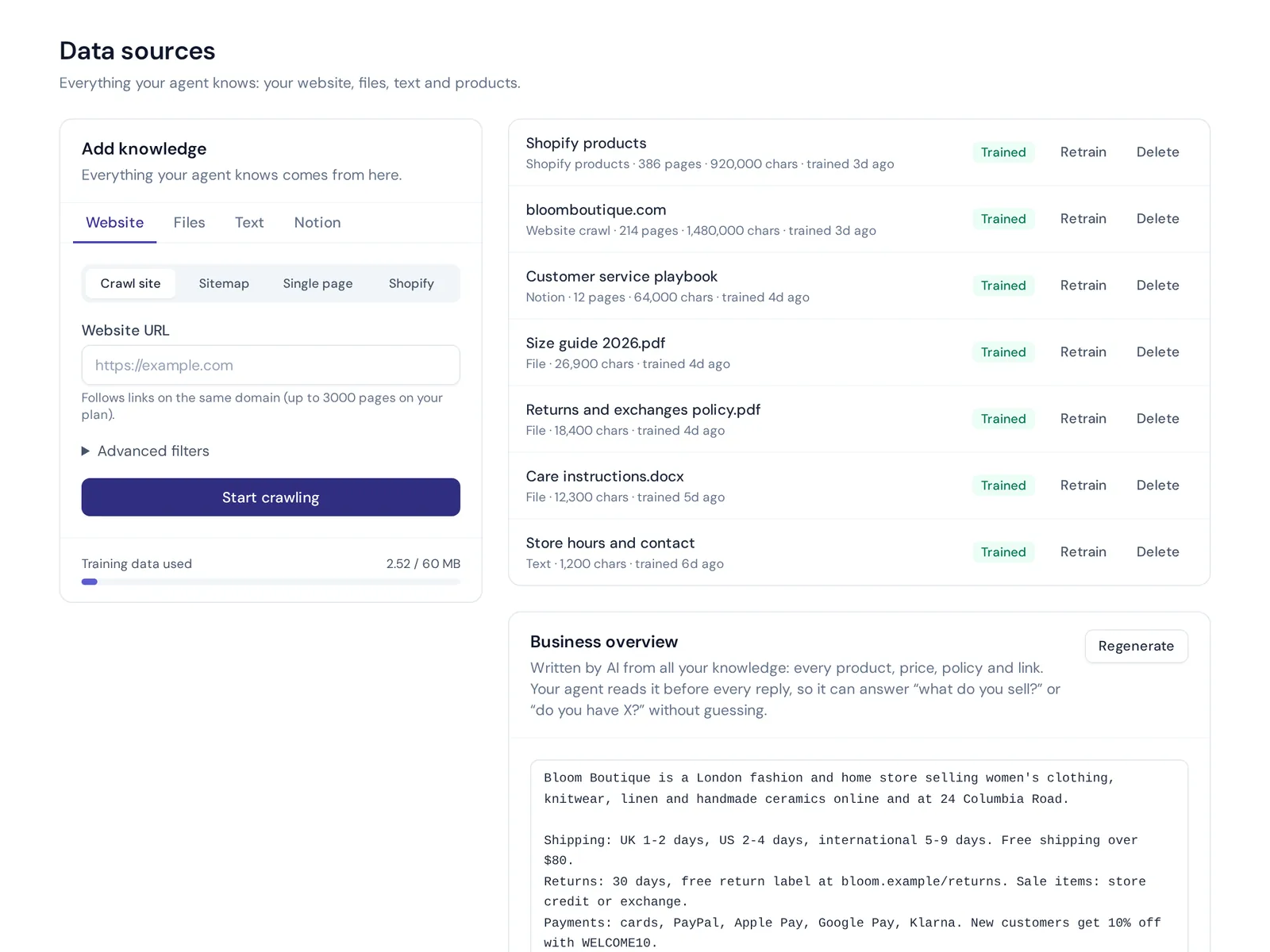
The Free plan includes website chat, the helpdesk inbox, flows, Q&A and analytics. WhatsApp, Messenger, Instagram and email start on Hobby at $9 a month. Read more about the AI agent or how online stores use it. Not the right fit if you need phone or SMS support.
Frequently asked questions
Is a chatbot worth it for a small business?
Usually, yes, if you get the same questions again and again or messages outside working hours, and you want a chatbot to save that time. If you get five messages a week, a reply template is probably enough.
Are there free chatbots for small businesses?
Yes. Many customer support tools, AnytimeReply included, have a free plan with limits on AI replies and channels. That's enough to test with real customers.
Do I need coding skills?
No. Most tools install with one line of code, a WordPress plugin or a Shopify app, and you train them by adding links and files.
Are AI chatbots safe to use with business data?
It depends on the vendor. Check whether they encrypt data, offer two-factor login, and use your data to train models. AnytimeReply does not use customer data to train AI models.
Do small business chatbots work with WhatsApp and Messenger?
Many do. Check for the official WhatsApp Business API or a reliable connection, and Instagram support for professional accounts.
Is ChatGPT enough as a business chatbot?
Not on its own. ChatGPT doesn't know your prices or policies and isn't on your website or WhatsApp. A business chatbot uses similar models but is trained on your content and connected to your channels.
Final thoughts
A chatbot won't run your business. But an AI chatbot for small business can answer the 11 pm question, catch the lead that would have left, and give you back hours every week. Start with your top questions, keep a human in the loop, and grow from there.
Want to try it on your own site? Start free with AnytimeReply, no card needed.
Published 1 November 2026 by AnytimeReply team