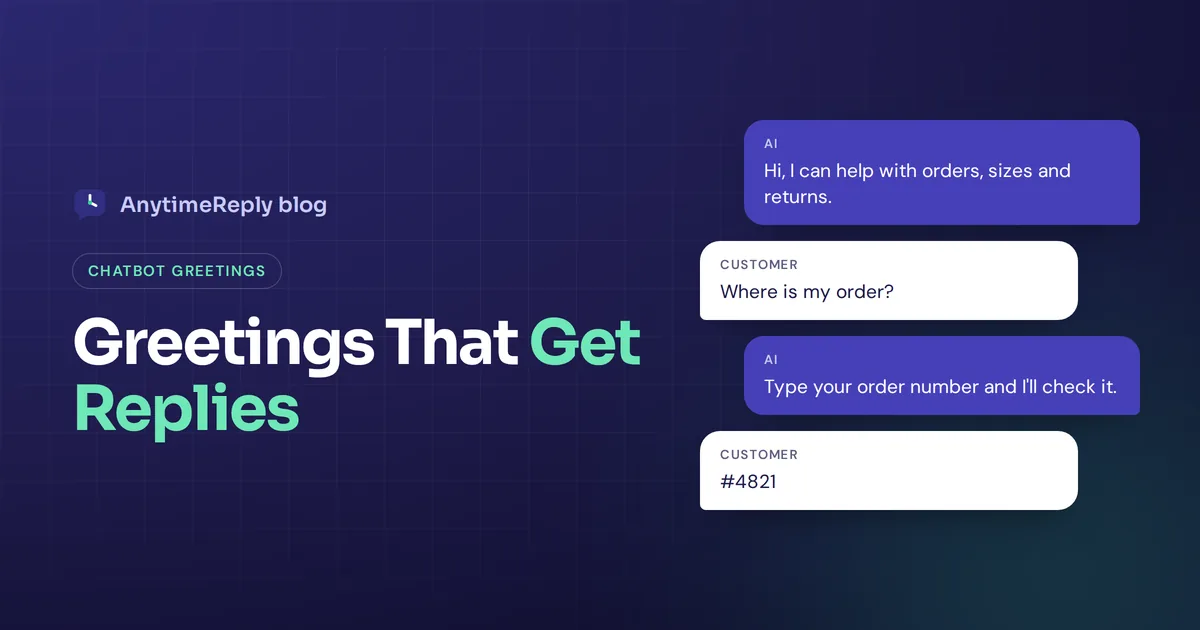
The first message your AI chatbot sends decides a lot. If it says "Hello! How may I assist you today?" most people ignore it. If it says "Hi, looking for your order? Type your order number and I'll check it", people reply. Same software, same brain, very different results.
This guide covers conversational AI greeting best practices that actually work: how to write the opening line, when to show it, how to match it to the page and channel, and 20 examples you can copy. We'll also cover what has to happen after "hi", because a great opener with a weak follow-up still fails.
Full disclosure: we build AnytimeReply, an AI support agent for websites and messaging apps. So yes, we have a bias, but these tips work with any chat tool.
Why the first message matters in every conversation
The opener is the only part of a chat the AI starts. Everything after depends on whether the customer types something back. A good first message does three jobs in one or two lines:
- Says who is talking. An AI agent, a team, or both.
- Says what it can help with. Orders, pricing, bookings, returns.
- Makes the first step easy. A clear question or a few buttons.
Miss one of these and engagement drops. People don't know what to ask, or they assume the AI is useless and go looking for an email address. That hurts the customer experience, and the whole customer journey, before it even starts.
Writing the message: 5 chatbot best practices
1. Be clear that it's an AI
Don't dress up virtual agents as "Emma from support" if Emma doesn't exist. Customers figure it out fast, and then they stop trusting everything else the bot says. A short line is enough:
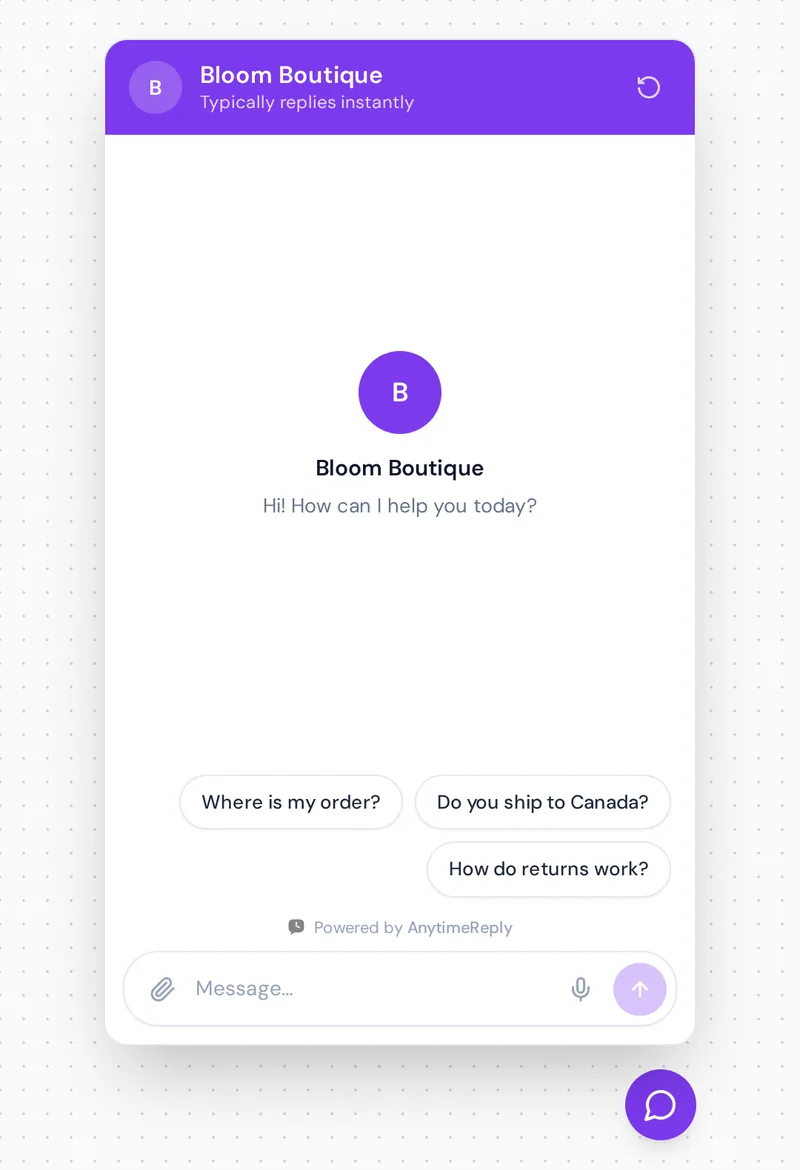
Hi, I'm the Bloom Boutique AI assistant. I can help with orders, sizes and returns. Need a person? Just ask.
That last line matters. When people know there's a path to a human, they're more willing to try the AI first.
2. Keep it short
A welcome message is not a speech. On mobile, a long first message covers half the screen and feels like a pop-up ad. Aim for under 25 words and let buttons do the rest.
| Too long | Better |
|---|---|
| Welcome to our website! We are so happy you are here. Our virtual assistant is available 24/7 to answer any questions you may have about our products, shipping, returns and more. How can I help you today? | Hi, I can help with orders, shipping and returns. What do you need? |
| Hello and thank you for visiting! Please feel free to ask me anything at all. | Hi, questions about pricing or setup? Ask me here. |
3. Say what the AI can actually do
"How can I help?" puts all the work on the customer. Name two or three things the assistant does well instead: "I can track your order, explain our return policy or help you find the right size." This also sets honest expectations. If it can't process refunds, don't hint that it can. A good practice: list only what works today.
4. Give people an easy first step
Quick-reply buttons or suggested questions remove the "blank box" problem. Most people don't know what to type, but they'll happily tap "Where is my order?"
- Use three or four options, not ten.
- Write them in the customer's words ("Do you ship to Canada?"), not internal labels ("Shipping info").
- Keep the text box open, so people can type their own query in natural language.
5. Match your brand voice
A law firm and a streetwear store shouldn't sound the same. A friendly shop might say "Hey! Looking for something special?" A professional service might say "Good afternoon. I can answer questions about our services or book a consultation." One emoji is plenty for a playful brand, and none is fine.
Context and timing: personalization strategy for each use case
6. Match the message to the page
This is one of the most useful conversational AI greeting strategies, and many businesses skip it. The same visitor needs different help on different pages:
- Pricing page: "Not sure which plan fits? Tell me your team size and I'll suggest one."
- Product page: "Questions about sizing or delivery for this item? Ask away."
- Checkout: "Need help finishing your order? I can answer shipping and payment questions."
- Help center: "Can't find the article you need? Describe the problem and I'll find the answer."
7. Time it right
A chat window that pops open the second a page loads is annoying. Better triggers: after a few seconds on a key page, after scrolling most of a product page, on exit intent, or a different message for returning visitors. On most pages, a quiet chat bubble is enough.
8. Use personalization, but don't be creepy
If a customer is logged in, using their name and customer history is nice: "Hi Sara, welcome back. Want to check your latest order?" But "I see you looked at the red dress three times yesterday" feels like being watched. Use data the customer knows you have and skip the rest.
9. Greet in the customer's language
A message only in English loses some visitors before they start. Show the opener in the browser's language when your tool supports it, or add a line like "You can write in English, Spanish or Bangla." Modern conversational AI uses natural language processing (NLP) and machine learning to reply in whatever language the customer writes.
Channels, escalation and testing for better customer satisfaction
Most conversational AI platforms let you set a different opener per channel and route chats to your team. Use both.
10. Adapt to each chat channel
On a website the AI usually speaks first. On WhatsApp, Instagram or Messenger the customer writes first, so the AI's "greeting" is really its first reply. Good omnichannel setups treat these differently:
| Channel | Who speaks first | Tip |
|---|---|---|
| Website chat | Usually the AI | Short, page-specific, with suggested questions |
| The customer | Answer their question first, introduce yourself in a few words | |
| Instagram DM | The customer | Casual and short, match their energy |
| The customer | Normal email opening, answer in the first lines |
The biggest mistake on messaging apps: the customer asks "price of the blue bag?" and the AI replies with a welcome speech and a menu. Just answer the question. Fast, direct replies cut response time and make customer interactions feel natural.
11. Plan the escalation path
Before you go live, check what happens after hello. Does every suggested question have a good answer behind it? If the AI doesn't know, does it say so and offer a fallback, instead of guessing? When customers get stuck, is the handoff to a human agent quick, with the conversation history attached so they don't repeat themselves? A clear escalation path is how you keep customers happy even when the AI can't solve it, whether the handoff goes to live chat or to support tickets.
12. Test and measure
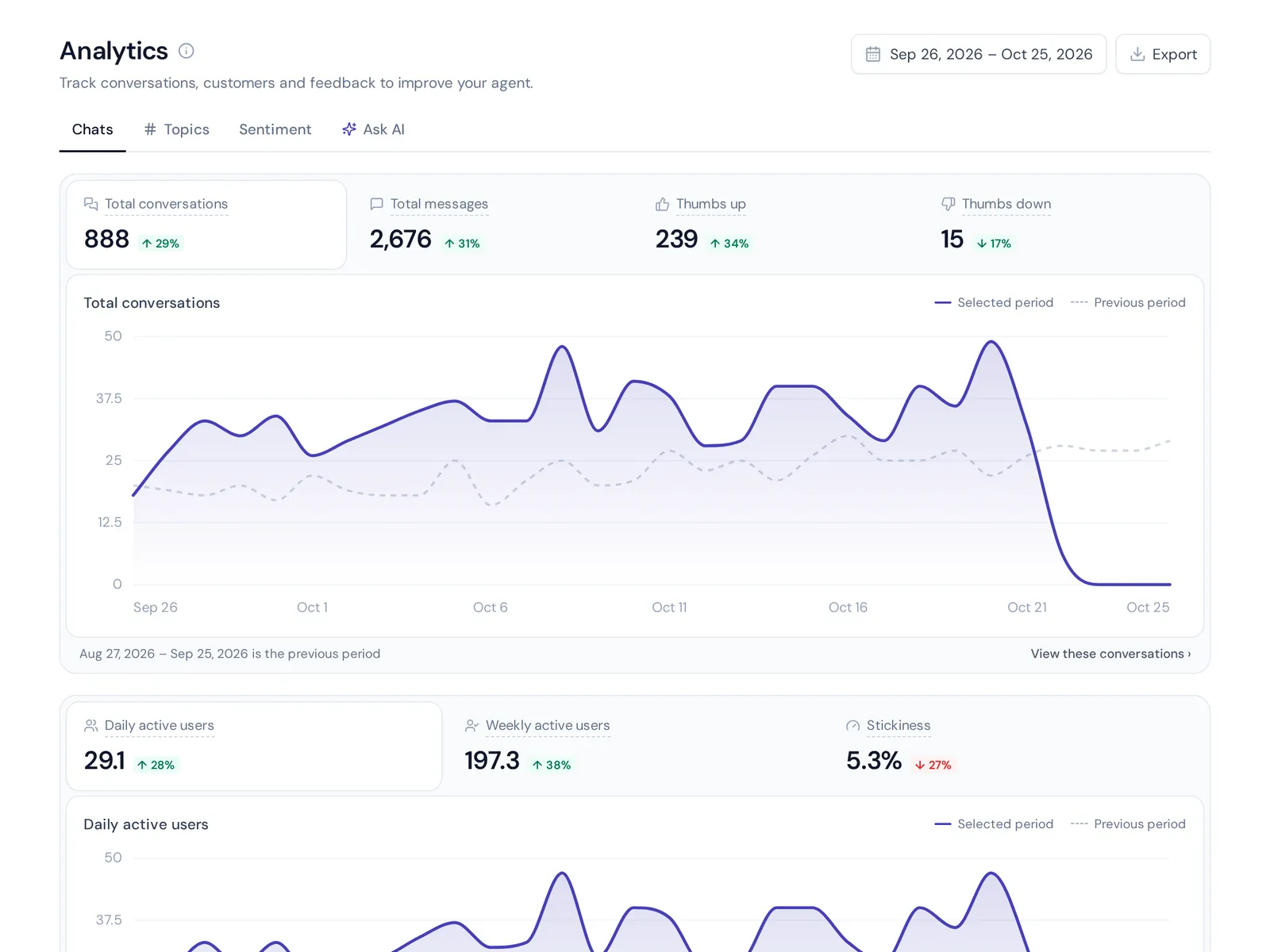
You won't write the perfect opener on the first try. Treat it like a headline: try two versions, compare how many visitors start a chat, and keep the winner. Then watch customer satisfaction scores (CSAT) and read real customer conversations every week to see what people ask next. Update the suggested questions to match.
20 conversational AI greeting examples you can copy
Online stores
- "Hi, I can help with orders, sizes and returns. What do you need?"
- "Looking for a gift? Tell me who it's for and your budget."
- "Questions about delivery to your country? Ask me here."
- "Want to check an order? Type your order number."
- "Free delivery over $50 today. Need help picking something?"
Software and SaaS
- "Hi, comparing plans or stuck on setup? I can help with both."
- "Tell me what you want to do and I'll point you to the right feature."
- "Seeing an error? Paste the message here."
- "Thinking about switching tools? Ask me how migration works."
Service businesses and lead capture
- "Hi, want to book an appointment or ask about prices?"
- "I can answer questions about our services and find you a free slot."
- "Need a quote? Tell me a bit about the job."
- "We're closed right now, but I can answer most questions and book you in."
Customer support and help centers
- "Describe your problem and I'll find the answer for you."
- "Hi, I'm the AI helper. I can solve most questions, and our support team is here if you need them."
- "Can't log in? I can walk you through it."
Returning customers and after hours
- "Welcome back, Sara. Want to check your latest order?"
- "Good to see you again. Anything I can help with today?"
- "Our team is offline until 9 am, but I'm here now. What do you need?"
- "It's late, but I'm awake. Ask me anything about your order."
Common greeting mistakes AI chatbots make
- Fake human names and photos for a bot.
- Generic lines like "How may I assist you today?" with nothing else.
- Auto-opening on every page the moment it loads.
- Asking for an email before helping. Help first, ask later.
- Promising things the AI can't do, like "I can process your refund" when it can't.
- Hiding the human option completely.
Beyond hello: what your conversational AI agent needs next
A friendly opener only works if the rest of the chat is good. Artificial intelligence handles a lot, but it still needs a sensible workflow behind it. A few wider chatbot best practices make the difference:
- A solid knowledge base. AI-powered bots answer from your content. Clear help articles mean accurate answers to common questions.
- Automation for repetitive questions. Automate order status and bookings with simple conversation flows or decision trees, and let the AI handle free-text customer requests. Many chats can then finish without a human.
- Integration with your tools. A bot connected to your store or CRM can check an order instead of saying "please email us".
- Honest limits. It's fine for a bot to say it doesn't know. Guessing is how AI bots lose trust and hurt the overall customer experience.
Setting up greetings in AnytimeReply
Here's how these best practices for conversational AI greetings map to AnytimeReply:
- Website chat comes as a chat bubble, an inline embed or a hosted help page, with a welcome message and suggested questions. It installs with one line of code, a WordPress plugin or the Shopify theme. See website chat.
- Proactive messages can show after a few seconds, on scroll or on exit intent, so you can time openers per page. See outbound messages.
- Flows let you build button menus and simple questions on a visual canvas, and flow steps use no AI credits. See flows.
- Language: the AI replies in the customer's language, including Bangla, Banglish, Hindi and Hinglish.
- Handoff: when it can't answer, it says so and passes the chat to your team with a summary.
Website chat, flows and analytics are on the free plan. WhatsApp, Messenger and Instagram start on Hobby. Check pricing for current details.
Frequently asked questions
What is a good greeting for a chatbot?
A short line that says it's an AI, names two or three things it can help with and offers an easy first step, like suggested questions.
Should my chatbot always identify itself as a bot?
Yes. Being upfront builds trust, and customers are more patient with an AI when they know what it is and that a person is available.
How long should a conversational AI greeting be?
One or two sentences, ideally under 25 words. Let buttons and suggested questions carry the rest.
Is it okay for my chatbot to say it does not know something?
Yes, and it's much better than guessing. A good assistant admits it, then offers a human or another way to get the answer.
How often should I update my chatbot greetings?
Review them monthly at first, and any time you change prices, launch a product or run a promotion. Let real conversations guide changes.
Write your first greeting today
Pick your busiest page, write a two-line opener that says what the AI can help with, add three suggested questions and watch what happens for a week. Small changes here often matter more than anything else in your chat setup.
Want to try it on your own site? Start free with AnytimeReply, no card needed.
Published 2 November 2026 by AnytimeReply team